
pysdic
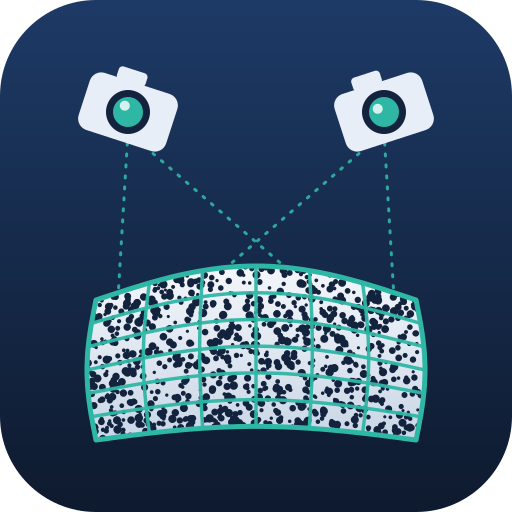



pysdic measures the 3D shape and displacement field of a surface from images taken by several cameras with
Stereo Digital Image Correlation (SDIC). The surface is described by a finite element mesh. The displacements
of the vertices and the camera models are estimated together, directly from the gray levels of the images.
The displacement U of the mesh is found by minimizing the gray level differences between the views of a
reference frame and the views of a deformed frame, at the integration points x of the mesh:
min_U Σ_pairs Σ_x ρ( f( P_a(x) ) - g( P_b(x + U(x)) ) )
where P_a and P_b are the projections of the two cameras of a pair, f and g are the images of the pair and
ρ is a (robust) loss function. The gray levels can be corrected (ZNSSD, ...) before they are compared.
Features
- Geometry: point clouds, connectivities and surface meshes in 2D and 3D, integration points, adjacency, surface properties (normals, areas, ...) and ray casting.
- Finite elements (
pysdic.fem): shape functions, interpolation of properties and finite difference operators on the meshes. - Camera models: parametric transformations with their Jacobians, combining an extrinsic (rigid, perspective, planar, ...), a distortion (Zernike, ...) and an intrinsic model, which can be composed and reparametrized.
- Computer vision: projection of points, triangulation, distortion of images, optical flow and optimization of the camera parameters.
- Imaging: immutable images with spline interpolation and regions of interest, cameras and views, projection of a mesh onto the images (visibility, UV maps) and generation of synthetic speckle images.
- SDIC: an analysis object (mesh, views and displacements of each frame), correlation terms, temporal
regularization and fixed parametrizations of the unknowns, solved with the Gauss-Newton solver
pysolve-gn. Displacements and camera parameters (extrinsic, distortion, intrinsic) can be optimized together. - Workflows (
pysdic.workflows): ready-made computations (initialisation by optical flow, quality control, reference shape, ...). - Displays: 2D images with
matplotliband 3D scenes withpyvista.
All the computations are performed with numpy and scipy (sparse matrices) on a single core.
Installation
pip install pysdic
pysdic requires Python 3.11 or later. Some features need optional dependencies, which are only imported when
they are used:
pip install "pysdic[pyvista]"   # 3D displays
pip install "pysdic[open3d]"    # ray casting on 3D meshes
pip install "pysdic[zernike]"   # Zernike distortion of the cameras
pip install "pysdic[all]"       # all the optional features
Or install the development version from GitHub:
pip install git+https://github.com/Artezaru/pysdic.git
The rendering of synthetic images with Blender is provided by the separate package pysdic-blender
(Python 3.13):
pip install pysdic-blender
See the installation guide for more details.
Quick start
Measure the displacement of the frame 1 with two cameras, the frame 0 being the reference:
import pysolvegn
from pysdic import Pairing, SDICCorrelationTerm, SDICUnknowns

# analysis: a pysdic.SDICAnalysis (mesh, views of each frame and camera)
# integration_points: the pysdic.IntegrationPoints of the mesh where the gray levels are compared
analysis.set_zero_displacement(0)
analysis.set_zero_displacement(1)  # Initial guess

unknowns = SDICUnknowns([1], [])  # Displacement of the frame 1, no camera parameter
pairings = [Pairing(0, 0, 1, 0), Pairing(0, 1, 1, 1), Pairing.stereo(1, 0, 1)]
correlation = SDICCorrelationTerm(analysis, unknowns, integration_points, pairings,
                                  gl_correction={"mode": "ZNSSD"})

result = pysolvegn.solve(terms=[correlation.term], p0=analysis.pack_unknowns(unknowns), max_iteration=20)
analysis.apply_unknowns(unknowns, result.parameters)  # Displacement of the frame 1 written in the analysis
More examples (meshes, camera projection, synthetic images, calibration of the cameras, displacement measurement, ...) are available in the examples gallery.
Documentation
The online documentation contains:
- the installation guide and the optional dependencies;
- the API reference of all the classes and functions;
- the examples gallery, by theme: geometry, computer vision, imaging, SDIC and workflows.
Author
-
Artezaru artezaru.github@proton.me
-
Git platform: https://github.com/Artezaru/pysdic
-
Online documentation: https://Artezaru.github.io/pysdic
License
Copyright (C) 2026 Artezaru
This program is free software: you can redistribute it and/or modify it under the terms of the GNU General Public License as published by the Free Software Foundation, either version 3 of the License, or (at your option) any later version.
This program is distributed in the hope that it will be useful, but WITHOUT ANY WARRANTY; without even the implied warranty of MERCHANTABILITY or FITNESS FOR A PARTICULAR PURPOSE. See the GNU General Public License for more details.
You should have received a copy of the GNU General Public License along with this program. If not, see https://www.gnu.org/licenses/.
1 maintainer

Metadata
1 maintainer
Release files for pysdic 2.1.1
For a detailed explanation of source distributions (sdists) and built distributions (wheels), please see the package formats documentation.
Source distribution (sdist)
| File | Size | Uploaded | Provenance | Actions |
|---|---|---|---|---|
| pysdic-2.1.1.tar.gz | 4.5 MB | Without provenance | Details for pysdic-2.1.1.tar.gz |
Built distribution (wheel)
| File | Interpreter | ABI | Platform | Actions Reset |
|---|---|---|---|---|
| pysdic-2.1.1-py3-none-any.whl | Python 3 | none | any | Details for pysdic-2.1.1-py3-none-any.whl |
Total release size: 5.4 MB
Release files / pysdic-2.1.1.tar.gz
| Download URL | pysdic-2.1.1.tar.gz |
|---|---|
| Size | 4.5 MB |
| Tags | Source |
|
SHA-256 checksum How to use checksums |
2f6cdd0fe216daacb2cb0bd02cbc40ccadd378d4fd77313777bf686e69939321
|
|
BLAKE2b-256 checksum How to use checksums |
8627ca03859f51a0d02d6548ddf170fc1e19659cffaa6851af7d52e3044ad2cb
|
| Upload date | |
|
Uploaded using Trusted Publishing? What is trusted publishing? |
No |
| Uploaded via |
twine/7.0.0 CPython/3.11.18
|
Release files / pysdic-2.1.1-py3-none-any.whl
| Download URL | pysdic-2.1.1-py3-none-any.whl |
|---|---|
| Size | 919.5 kB |
| Tags | Python 3 |
|
SHA-256 checksum How to use checksums |
7431cd4d1742bc0dd003fe65c3ff67c064d94c591682883ecb574bce2f608839
|
|
BLAKE2b-256 checksum How to use checksums |
99327b064dbdea8d39e31967bad18a6af7c8ab17f71cc6d139ba17055aa3f762
|
| Upload date | |
|
Uploaded using Trusted Publishing? What is trusted publishing? |
No |
| Uploaded via |
twine/7.0.0 CPython/3.11.18
|
Security for pysdic 2.1.1
Provenance
Provenance describes where a file came from. On PyPI, provenance is shared via attestations, which provide a verifiable record of the build or publishing details. View details, limitations and caveats.
No provenance found
None of the files in this release were uploaded with provenance metadata.
A note on package security
PyPI is a repository for distributing packages, not a service for auditing them. While third-party security researchers and our staff do their best to detect and remove malicious packages, PyPI cannot guarantee the quality, security or suitability of any given package.
To learn more about protecting yourself from malicious actors, visit our package security documentation.














