
PySide6 Overlay Busy Indicator
A customizable overlay busy indicator with a smooth fade animation for PySide6
If you are using PyQt6, you can download the code in PyQt6.
Installation
Install package using pip
pip install pyside6-overlay-busy-indicator
Screenshots
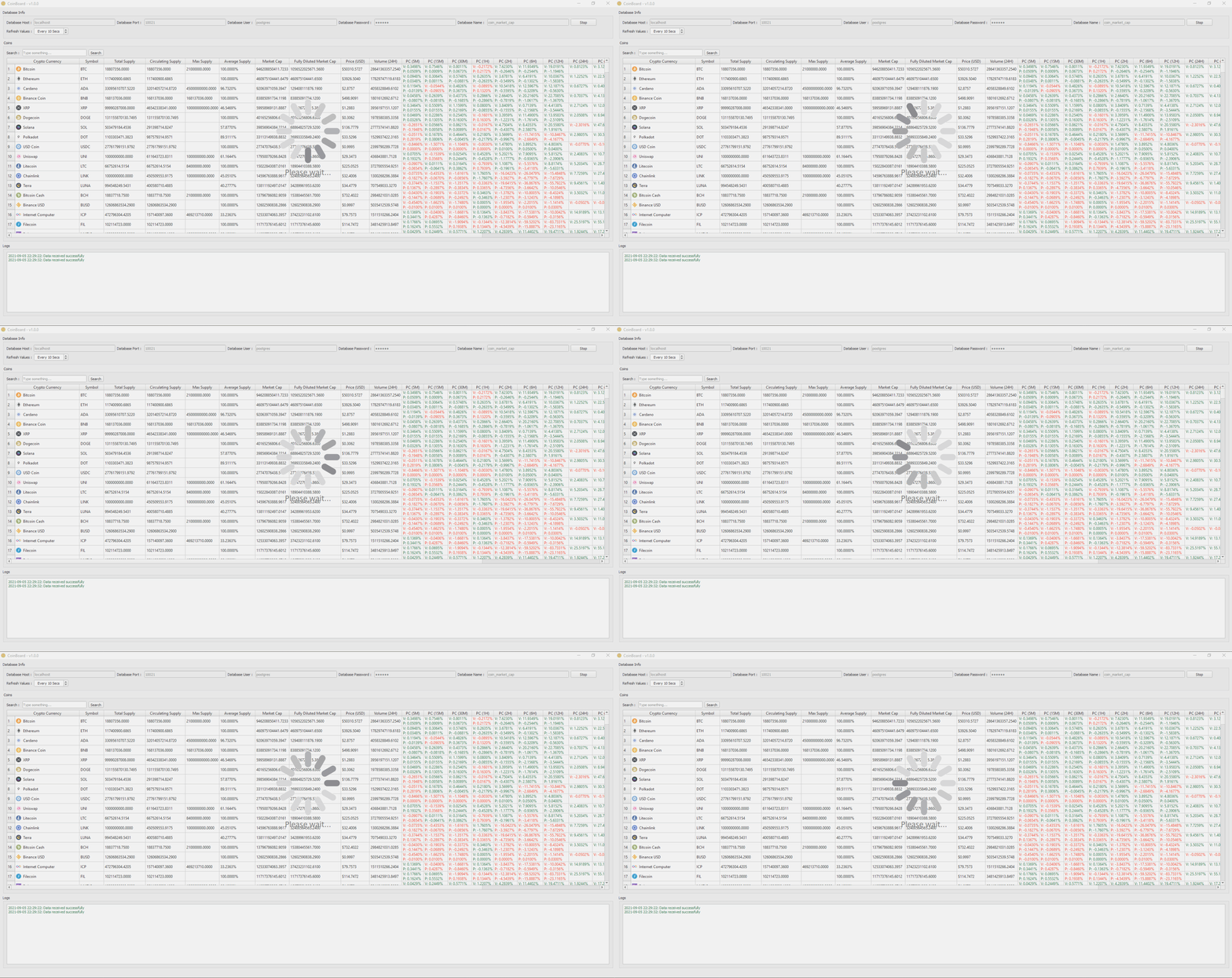
Usage/Examples
from qbusyindicator import QOverlayBusyIndicator


class Dialog(QtWidgets.QDialog):
    def __init__(self, parent=None):
        super().__init__(parent)
        # widgets and layouts
        self.busy_indicator = QOverlayBusyIndicator(self)

        # connecting signals
        self.busy_indicator.started.connect(lambda: print('started'))
        self.busy_indicator.stopped.connect(lambda: print('stopped'))

        # start the indicator
        self.busy_indicator.start()

        # stop the indicator
        self.busy_indicator.stop()

        # stop the indicator after 5 seconds
        self.busy_indicator.stopAfter(5000)

        # returns True if the indicator is currently busy
        self.busy_indicator.isBusy()

        # returns True if the indicator is about to stop(e.g. returns true after calling stopAfter method)
        self.busy_indicator.isStopping()

        # returns True if the indicator is currently stopped
        self.busy_indicator.isStopped()

        # sets the busy gif animation/image path
        # you can use qt resources files too
        # for clearing image/gif animation you can call this method using an empty string
        self.busy_indicator.setImagePath('loading.gif')

        # returns gif animation path
        self.busy_indicator.imagePath()

        # blocks keyboard input on dialog/window while busy. default is False
        self.busy_indicator.setBlockKeyboard(True)

        # returns True if the keyboard input is blocked
        self.busy_indicator.keyboardBlocked()

        # blocks mouse input on dialog/window while busy. default is False
        self.busy_indicator.setBlockMouse(True)

        # returns True if the mouse input is blocked
        self.busy_indicator.mouseBlocked()

        # sets the duration of fade in/out animations to 2 seconds. default is 400 msecs
        self.busy_indicator.setFadeDuration(2000)

        # returns current fade duration
        self.busy_indicator.fadeDuratrion()

        # changing the label font
        self.busy_indicator.setLabelFont(QtGui.QFont('Calibri', 20))

        # returns current label font
        self.busy_indicator.labelFont()

        # changing the label text
        self.busy_indicator.setLabelText(self.tr('Loading...'))

        # returns current label text
        self.busy_indicator.labelText()

        # changing the background color of overlay
        # default is rgba(204, 204, 204, 70)
        self.busy_indicator.setStyleSheet('background-color: rgba(204, 204, 204, 60);')

        # changing the color and style of the text
        # default is 'color: #808080; padding-top: 5px;'
        self.busy_indicator.label.setStyleSheet('color: #CCC; padding-top: 10px;')

    # never forget to override resizeEvent method of your dialog/window
    # to ensure that busy indicator will be automically resized with dialog
    def resizeEvent(self, event):
        self.busy_indicator.resize(event.size())
        return super().resizeEvent(event)
if you prefer snake-case syntax over camel-case, and you would like to use properties to access/customize widget's behavior you can use following example.
from qbusyindicator import QOverlayBusyIndicator


class Dialog(QtWidgets.QDialog):
    def __init__(self, parent=None):
        super().__init__(parent)
        # widgets and layouts
        self.busy_indicator = QOverlayBusyIndicator(self)

        # connecting signals
        self.busy_indicator.started.connect(lambda: print('started'))
        self.busy_indicator.stopped.connect(lambda: print('stopped'))

        # start the indicator
        self.busy_indicator.start()

        # stop the indicator
        self.busy_indicator.stop()

        # stop the indicator after 5 seconds
        self.busy_indicator.stop_after(5000)

        # returns true if the indicator is currently busy
        self.busy_indicator.is_busy()

        # returns true if the indicator is about to stop(e.g. returns true after calling stop_after method)
        self.busy_indicator.is_stopping()

        # returns true if the indicator is currently stopped
        self.busy_indicator.is_stopped()

        # sets the busy gif animation/image path
        # you can use qt resources files too
        # for clearing gif animation/image you can assign this attribute an empty string
        self.busy_indicator.image_path = 'loading.gif'

        # blocks keyboard input on dialog/window while busy. default is False
        self.busy_indicator.block_keyboard = True

        # blocks mouse input on dialog/window while busy. default is False
        self.busy_indicator.block_mouse = True

        # sets the duration of fade in/out animations to 2 seconds. default is 400 msecs
        self.busy_indicator.fade_duration = 2000

        # changing the label font
        self.busy_indicator.label_font = QtGui.QFont('Calibri', 20)

        # changing the label text
        self.busy_indicator.label_text = self.tr('Loading...')

    # never forget to override resizeEvent method of your dialog/window
    # to ensure that busy indicator will be automically resized with dialog
    def resizeEvent(self, event):
        self.busy_indicator.resize(event.size())
        return super().resizeEvent(event)
Demo
After installing qbusyindicator package using pip, you can run demo.py file in the examples directory, for example:
cd examples
python demo.py

1 maintainer

Metadata
1 maintainer
Release files for pyside6-overlay-busy-indicator 1.6
For a detailed explanation of source distributions (sdists) and built distributions (wheels), please see the package formats documentation.
Source distribution (sdist)
| File | Size | Uploaded | |
|---|---|---|---|
| pyside6-overlay-busy-indicator-1.6.tar.gz | 45.7 kB | Details |
Built distribution (wheel)
| File | Interpreter | ABI | Platform | Reset |
|---|---|---|---|---|
| pyside6_overlay_busy_indicator-1.6-py3-none-any.whl | Python 3 | none | any | Details |
Total release size: 91.5 kB
Release files / pyside6-overlay-busy-indicator-1.6.tar.gz
| Download URL | pyside6-overlay-busy-indicator-1.6.tar.gz |
|---|---|
| Size | 45.7 kB |
| Tags | Source |
|
SHA-256 checksum How to use checksums |
50cb160700761fb11f6c48f2e263d04b72ab91c65cf254d977937cc6c2ffa70c
|
|
BLAKE2b-256 checksum How to use checksums |
4368bc693e9ed41e48012e8063003ea0126301018e5da8ab2c21c399ef5f0d5f
|
| Upload date | |
|
Uploaded using Trusted Publishing? What is trusted publishing? |
No |
| Uploaded via |
twine/5.1.1 CPython/3.11.4
|
Release files / pyside6_overlay_busy_indicator-1.6-py3-none-any.whl
| Download URL | pyside6_overlay_busy_indicator-1.6-py3-none-any.whl |
|---|---|
| Size | 45.7 kB |
| Tags | Python 3 |
|
SHA-256 checksum How to use checksums |
5d7a66ffbb2dd4e734dbd0cbb1f31c9ca131d1647ad70b3c9dbc86141d71b61a
|
|
BLAKE2b-256 checksum How to use checksums |
b7dac6f442c8aec58c9fcbed21ab56c2a2c1d2ad87a057c2b660d4934f5e6179
|
| Upload date | |
|
Uploaded using Trusted Publishing? What is trusted publishing? |
No |
| Uploaded via |
twine/5.1.1 CPython/3.11.4
|













