Creates svg based charts in python

Project description
A Python package for creating and rendering SVG charts, including line charts, axes, legends, and text labels. This package supports both simple and complex chart structures and is highly customisable for various types of visualisations.
Why did I make this project
This project is designed to produce charts that are easily embedded into python web applications (or other web applications) with minimum fuss.
Many charting libraries for the web rely on JavaScript-driven client-side rendering, often requiring an intermediate canvas before producing a polished visual. On the other hand, popular python based charting libraries focus on image-based rendering. Such images are rigid and intractable once embedded into web applications and detailed customisation is impossible. Although some libraries do generate resolution independent output it is very difficult to customise.
This package takes a different approach: it generates clean, standalone SVG charts entirely within Python that can be immediately embedded into a web application. By leveraging SVG’s inherent scalability and styling flexibility, it eliminates the need for JavaScript dependencies, client-side rendering, or post-processing steps. The result is a lightweight, backend-friendly solution for producing high-quality, resolution-independent charts without sacrificing control or maintainability.
Every chart element is designed to be easily modified, giving developers precise control over appearance and structure. As such, all of the lower level elements are accessible via properties of the charts.
Installation
pip install pysvgchartAlternatively, you can clone this repository and install it locally:
git clone https://github.com/arowley-ai/py-svg-chart.git
cd py-svg-chart
pip install .
Usage
Usage depends on which chart you had in mind but each one follows similar principles.
Simple donut chart
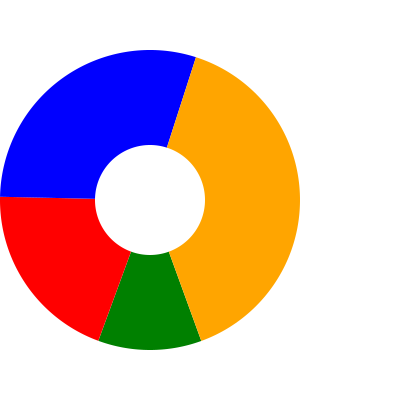
A simple donut chart:
import pysvgchart as psc

values = [11.3, 20, 30, 40]
donut_chart = psc.DonutChart(values)
svg_string = donut_chart.render()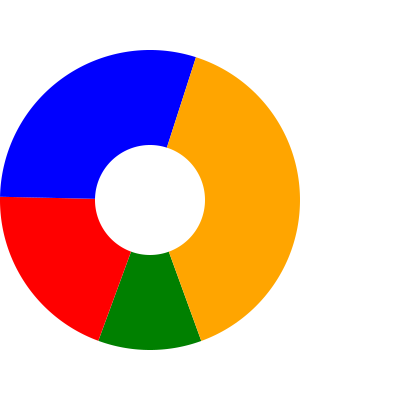
Donut chart hovers
The donut is nice but a little boring. To make it a bit more interesting, lets add interactive hover effects. These effects can be added to any base elements but I thought you’d mostly use it for data labels.
def hover_modifier(position, name, value, chart_total):
    text_styles = {'alignment-baseline': 'middle', 'text-anchor': 'middle'}
    return [
        psc.Text(x_position=position.x, y_position=position.y-10, content=name, styles=text_styles),
        psc.Text(x_position=position.x, y_position=position.y+10, content="{:.2%}".format(value/chart_total), styles=text_styles)
    ]

values = [11.3, 20, 30, 40]
names = ['Apples', 'Bananas', 'Cherries', 'Durians']
donut_chart = psc.DonutChart(values, names)
donut_chart.add_hover_modifier(hover_modifier)
donut_chart.render_with_all_styles()
Here is the output of this code. In order to get the hover modifiers to display successfully you will need to either render the svg with styles or include the relevant css separately
Simple line chart
Create a simple line chart:
import pysvgchart as psc

 x_values = list(range(100))
 y_values = [4000]
 for i in range(99):
     y_values.append(y_values[-1] + 100 * random.randint(0, 1))

 line_chart = psc.SimpleLineChart(
     x_values=x_values,
     y_values=[y_values, [1000 + y for y in y_values]],
     y_names=['predicted', 'actual'],
     x_max_ticks=20,
     y_zero=True,
 )
 line_chart.add_grids(minor_y_ticks=4, minor_x_ticks=4)
 line_chart.add_legend()

 svg_string = line_chart.render()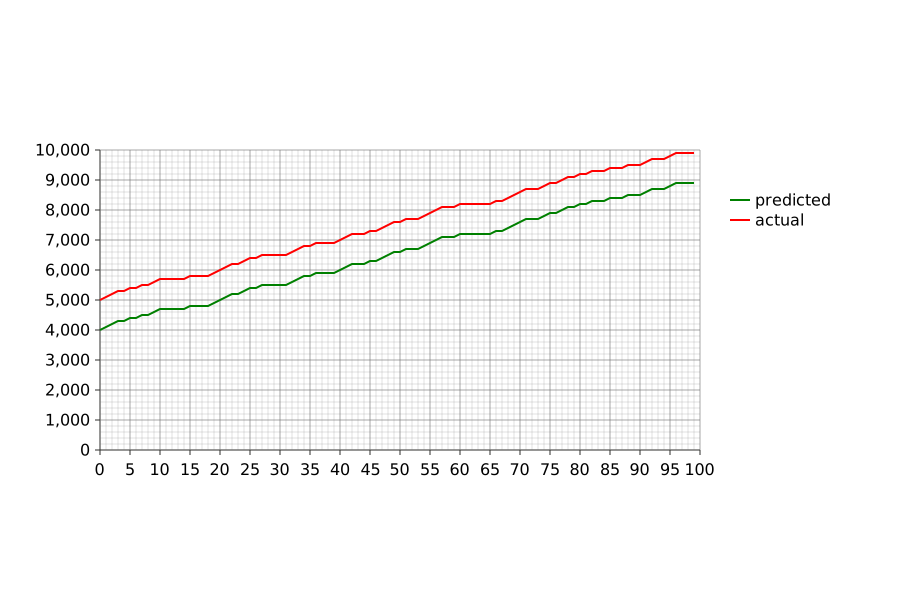
More stylised example
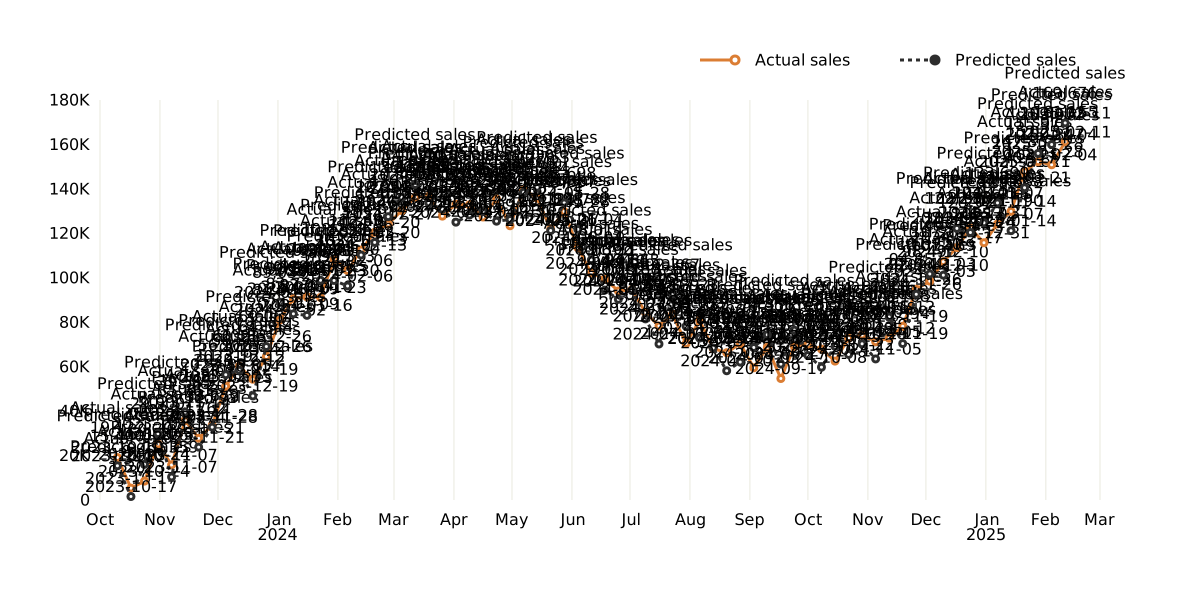
Here’s a heavily customised line chart example
import pysvgchart as psc

def y_labels(num):
    num = float('{:.3g}'.format(num))
    magnitude = 0
    while abs(num) >= 1000:
        magnitude += 1
        num /= 1000.0
    rtn = '{}{}'.format('{:f}'.format(num).rstrip('0').rstrip('.'), ['', 'K', 'M', 'B', 'T'][magnitude])
    return rtn.replace('.00', '').replace('.0', '')

def x_labels(date):
    return date.strftime('%b')

dates = [dt.date.today() - dt.timedelta(days=i) for i in range(500) if (dt.date.today() + dt.timedelta(days=i)).weekday() == 0][::-1]
actual = [(1 + math.sin(d.timetuple().tm_yday / 183 * math.pi)) * 50000 + 1000 * i + random.randint(-10000, 10000) for i, d in enumerate(dates)]
expected = [a + random.randint(-10000, 10000) for a in actual]
line_chart = psc.SimpleLineChart(x_values=dates, y_values=[actual, expected], y_names=['Actual sales', 'Predicted sales'], x_max_ticks=30, x_label_format=x_labels, y_label_format=y_labels, width=1200)
line_chart.series['Actual sales'].styles = {'stroke': "#DB7D33", 'stroke-width': '3'}
line_chart.series['Predicted sales'].styles = {'stroke': '#2D2D2D', 'stroke-width': '3', 'stroke-dasharray': '4,4'}
line_chart.add_legend(x_position=700, element_x=200, line_length=35, line_text_gap=20)
line_chart.add_y_grid(minor_ticks=0, major_grid_style={'stroke': '#E9E9DE'})
line_chart.x_axis.tick_lines, line_chart.y_axis.tick_lines = [], []
line_chart.x_axis.axis_line = None
line_chart.y_axis.axis_line.styles['stroke'] = '#E9E9DE'
line_end = line_chart.legend.lines[0].end
act_styles = {'fill': '#FFFFFF', 'stroke': '#DB7D33', 'stroke-width': '3'}
line_chart.add_custom_element(psc.Circle(x_position=line_end.x, y_position=line_end.y, radius=4, styles=act_styles))
line_end = line_chart.legend.lines[1].end
pred_styles = {'fill': '#2D2D2D', 'stroke': '#2D2D2D', 'stroke-width': '3'}
line_chart.add_custom_element(psc.Circle(x_position=line_end.x, y_position=line_end.y, radius=4, styles=pred_styles))
for limit, tick in zip(line_chart.x_axis.limits, line_chart.x_axis.tick_texts):
    if tick.content == 'Jan':
        line_chart.add_custom_element(psc.Text(x_position=tick.position.x, y_position=tick.position.y + 15, content=str(limit.year), styles=tick.styles))

def hover_modifier(position, x_value, y_value, series_name):
    text_styles = {'alignment-baseline': 'middle', 'text-anchor': 'middle'}
    params = {'styles': text_styles, 'classes': ['psc-hover-data']}
    marker_styles = {'Actual sales': act_styles, 'Predicted sales': pred_styles}
    return [
        psc.Circle(x_position=position.x, y_position=position.y, radius=3, classes=['psc-hover-data'], styles=marker_styles[series_name]),
        psc.Text(x_position=position.x, y_position=position.y - 10, content=str(x_value), **params),
        psc.Text(x_position=position.x, y_position=position.y - 30, content="{:,.0f}".format(y_value), **params),
        psc.Text(x_position=position.x, y_position=position.y - 50, content=series_name, **params)
    ]

line_chart.add_hover_modifier(hover_modifier, radius=5)
line_chart.render_with_all_styles()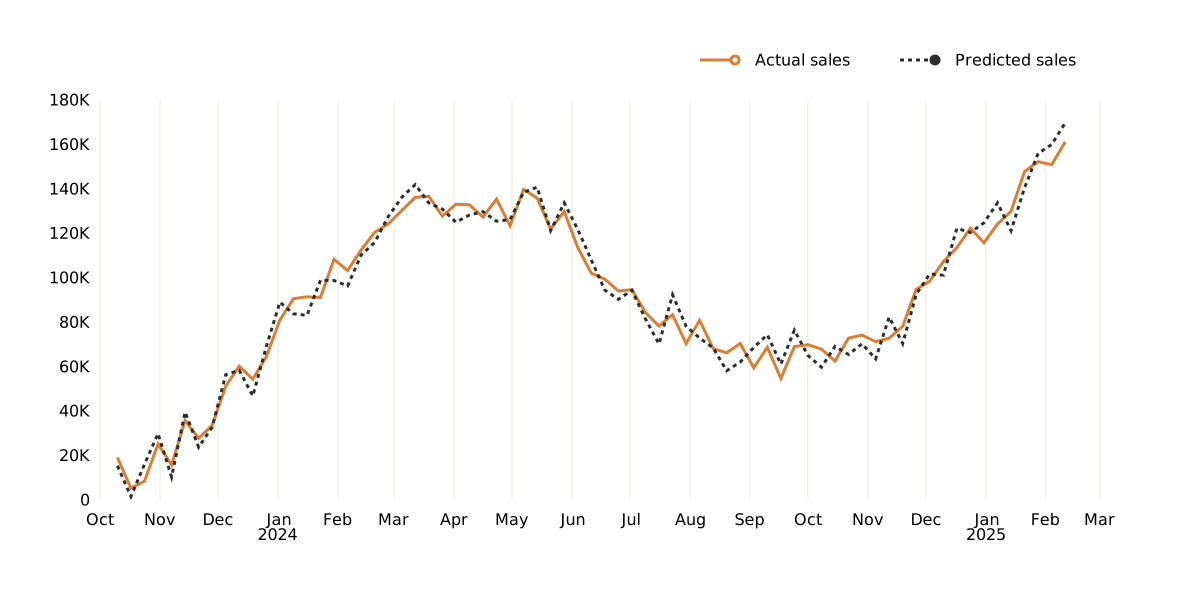
View with hover effects
Contributing
We welcome contributions! If you’d like to contribute to the project, please follow these steps:
Fork this repository.
Optionally, create a new branch (eg. git checkout -b feature-branch).
Commit your changes (git commit -am ‘Add feature’).
Push to the branch (eg. git push origin feature-branch).
Open a pull request.
Created a neat chart?
All of the charts in the showcase folder are generated by pytest. If you create something neat that you’d like to share then see if it can be added to the test suite and it will be generated alongside other showcase examples.
License
This project is licensed under the MIT License - see the LICENSE file for details.
Release history Release notifications | RSS feed


Download files
Download the file for your platform. If you're not sure which to choose, learn more about installing packages.
Source Distribution
Built Distribution
Filter files by name, interpreter, ABI, and platform.
If you're not sure about the file name format, learn more about wheel file names.
Copy a direct link to the current filters
File details
Details for the file pysvgchart-0.3.1.tar.gz.
File metadata
- Download URL: pysvgchart-0.3.1.tar.gz
- Upload date:
- Size: 18.2 kB
- Tags: Source
- Uploaded using Trusted Publishing? No
- Uploaded via: twine/6.1.0 CPython/3.9.22
File hashes
| Algorithm | Hash digest | |
|---|---|---|
| SHA256 |
bb756f3299de1cec14bc7eecce71618a171e3aecd6c07dee89d3c634768fd488
|
|
| MD5 |
b7a29c8f21dedbf636dac0f2721606ab
|
|
| BLAKE2b-256 |
5224bcd4bcdddf02d3224e6a1c6291fa4e7e10e818479c909944d2af103f75a4
|
File details
Details for the file pysvgchart-0.3.1-py2.py3-none-any.whl.
File metadata
- Download URL: pysvgchart-0.3.1-py2.py3-none-any.whl
- Upload date:
- Size: 16.1 kB
- Tags: Python 2, Python 3
- Uploaded using Trusted Publishing? No
- Uploaded via: twine/6.1.0 CPython/3.9.22
File hashes
| Algorithm | Hash digest | |
|---|---|---|
| SHA256 |
ea1abf6846a6077c56e13598897092f9883e5c548ae3e6e7e0a3e2959f41eb21
|
|
| MD5 |
b231c2839d234809a85edaa2f10d66a7
|
|
| BLAKE2b-256 |
6fbeac42c222be2e658ba7345f32a13cdccc11f981a730c840aca88d681a628a
|