
pytai
pytai is a Python-based Kaitai Struct visualizer and Hex viewer.
Kaitai Struct is a declarative language used for describing various binary data structures laid out in files or in memory: i.e. binary file formats, network stream packet formats, etc.
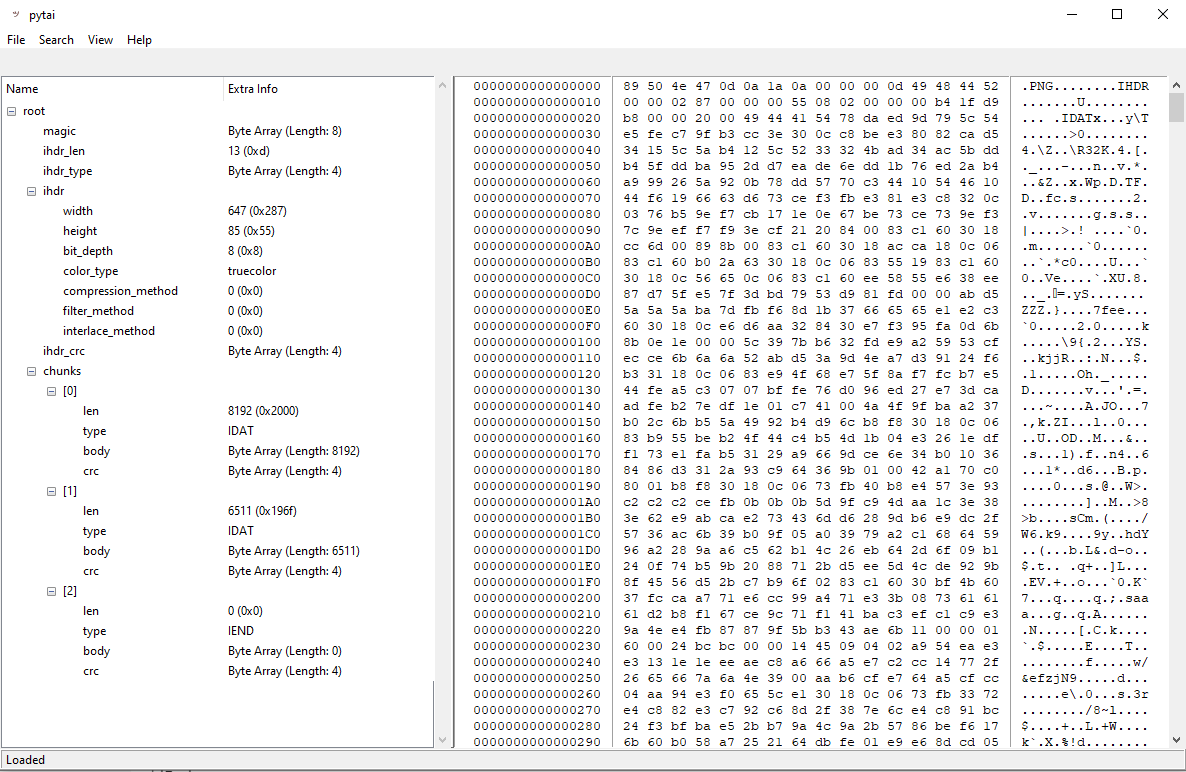
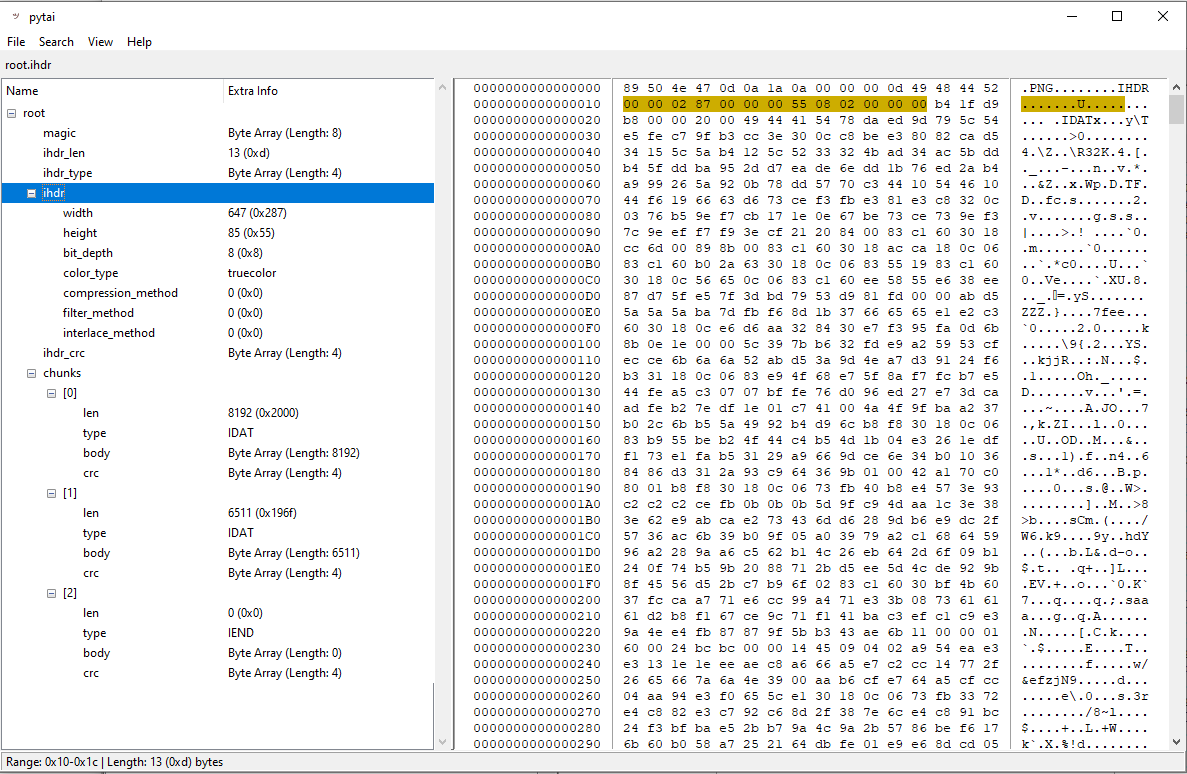
Given a binary file with a supported format, pytai can be used to browse the structure of the file and locate its members in the Hex view.
Install
$ pip install pytai-hex
Alternatively, the latest stable version of pytai.pyz can be downloaded from the Releases page.
Usage
$ pytai -h
usage: pytai [-h] [-kf FORMAT] [file]

pytai: A Python-based Kaitai Struct Visualizer and HEX Viewer

positional arguments:
  file                  Path to binary file

optional arguments:
  -h, --help            show this help message and exit
  -kf FORMAT, --kaitai-format FORMAT
                        Kaitai Format to use when parsing the file. Current formats found under "kaitai/formats" are:
                        aix_utmp, allegro_dat, andes_firmware, android_asus_bootldr, android_dto, android_img,
                        android_opengl_shaders_cache, android_super, apm_partition_table, apple_single_double, au,
                        avi, bcd, bitcoin_transaction, blender_blend, bmp, broadcom_trx, bson, btrfs_stream,
                        bytes_with_io, code_6502, compressed_resource, cpio_old_le, cramfs, creative_voice_file, dbf,
                        dex, dicom, dime_message, dns_packet, doom_wad, dos_datetime, dos_mz, ds_store, dune_2_pak,
                        edid, efivar_signature_list, elf, ethernet_frame, exif, ext2, fallout2_dat, fallout_dat,
                        ftl_dat, genmidi_op2, gettext_mo, gif, gimp_brush, glibc_utmp, gltf_binary, google_protobuf,
                        gpt_partition_table, gran_turismo_vol, gzip, hashcat_restore, hccap, hccapx, heaps_pak,
                        heroes_of_might_and_magic_agg, heroes_of_might_and_magic_bmp, icmp_packet, ico, id3v1_1,
                        id3v2_3, id3v2_4, ines, ipv4_packet, ipv6_packet, iso9660, java_class, jpeg, luks, lvm2, lzh,
                        mach_o, mac_os_resource_snd, magicavoxel_vox, mbr_partition_table, microsoft_cfb,
                        microsoft_network_monitor_v2, microsoft_pe, minecraft_nbt, monomakh_sapr_chg, mozilla_mar,
                        msgpack, nitf, ogg, openpgp_message, packet_ppi, pcap, pcf_font, pcx, pcx_dcx,
                        phar_without_stub, php_serialized_value, png, protocol_body, psx_tim, python_pickle,
                        python_pyc_27, quake_mdl, quake_pak, quicktime_mov, rar, regf, renderware_binary_stream,
                        resource_fork, riff, rtcp_payload, rtpdump, rtp_packet, ruby_marshal, saints_row_2_vpp_pc,
                        shapefile_index, shapefile_main, sqlite3, ssh_public_key, standard_midi_file, stl, sudoers_ts,
                        swf, systemd_journal, tcp_segment, tga, tls_client_hello, tr_dos_image, tsm, ttf,
                        udp_datagram, uefi_te, uimage, utf8_string, vdi, vfat, vlq_base128_be, vlq_base128_le,
                        vmware_vmdk, vp8_ivf, warcraft_2_pud, wav, websocket, windows_evt_log, windows_lnk_file,
                        windows_minidump, windows_resource_file, windows_shell_items, windows_systemtime, wmf, xwd,
                        zip, zx_spectrum_tap
Examples:
$ pytai
$ pytai ../../image.png
$ pytai ../../image.png -kf png
$ python3 ./pytai.pyz ../../archive.zip -kf zip
$ python3 __main__.py ../../program.exe -kf dos_mz
Screenshots
Main Window
Marking Elements
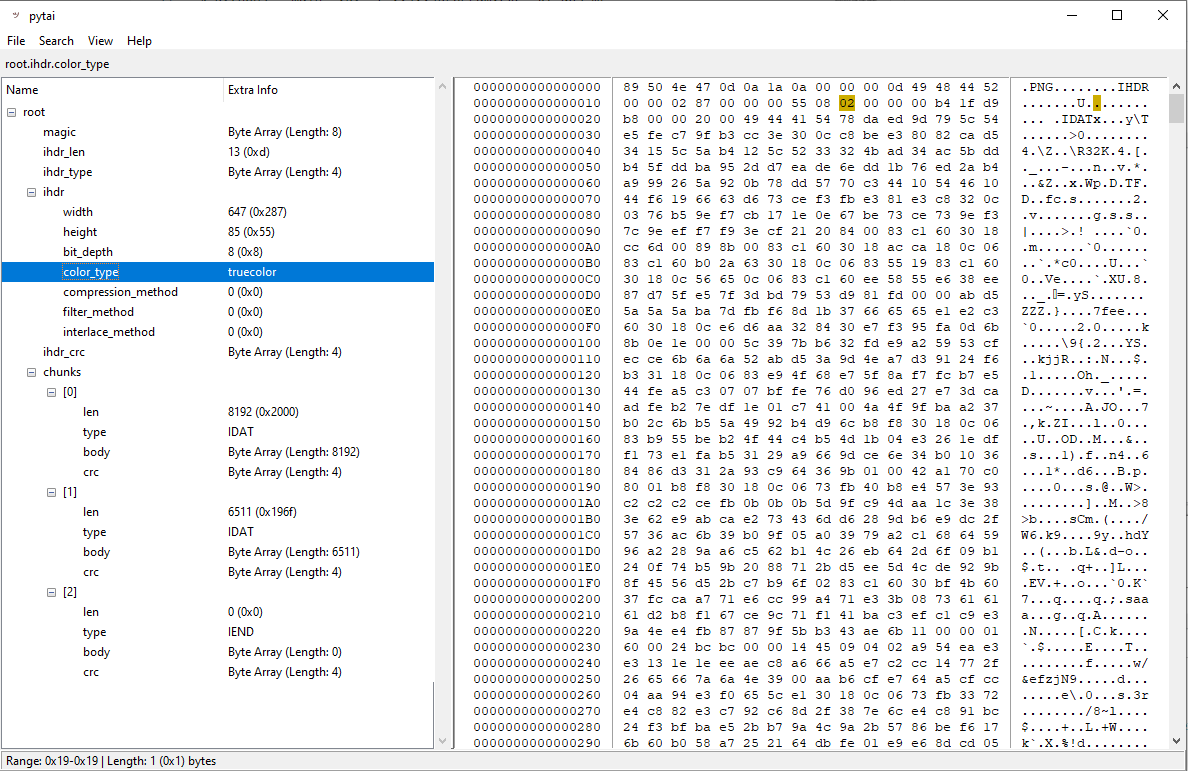
Metadata Members
These are members that are inferred from the binary contents (usually a user-friendly display for explicit data).
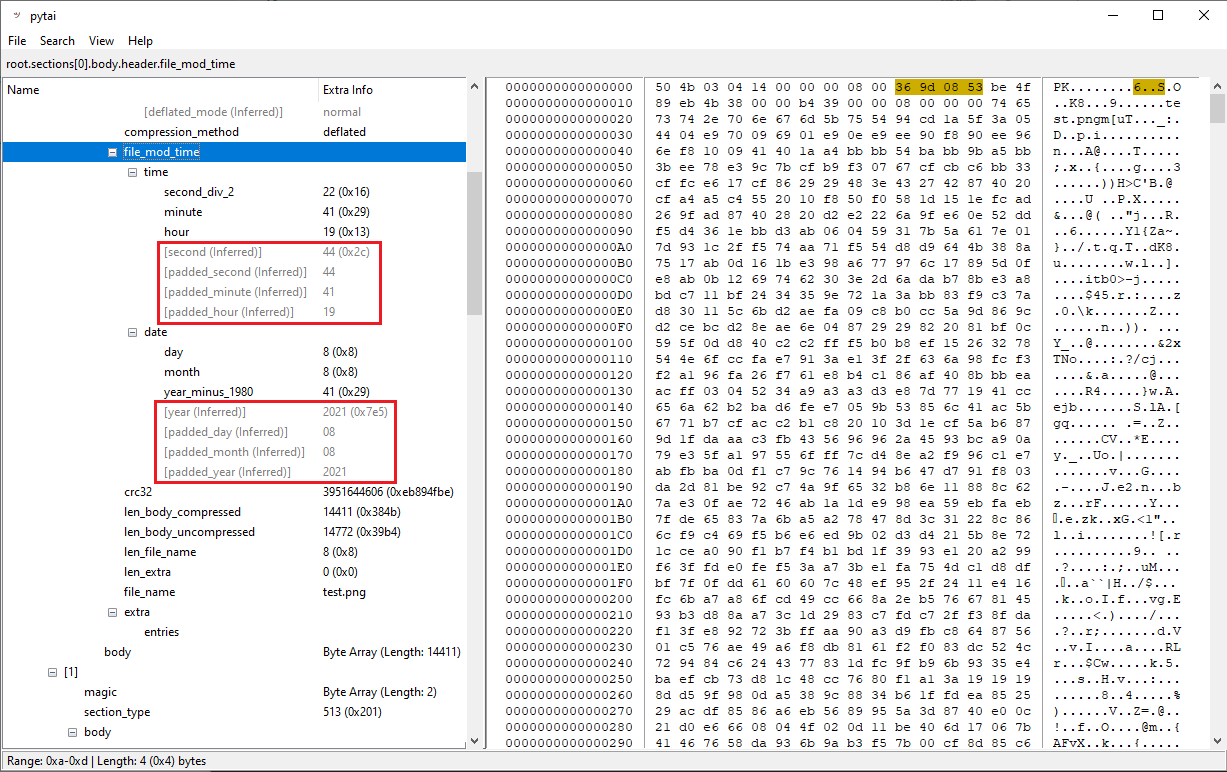
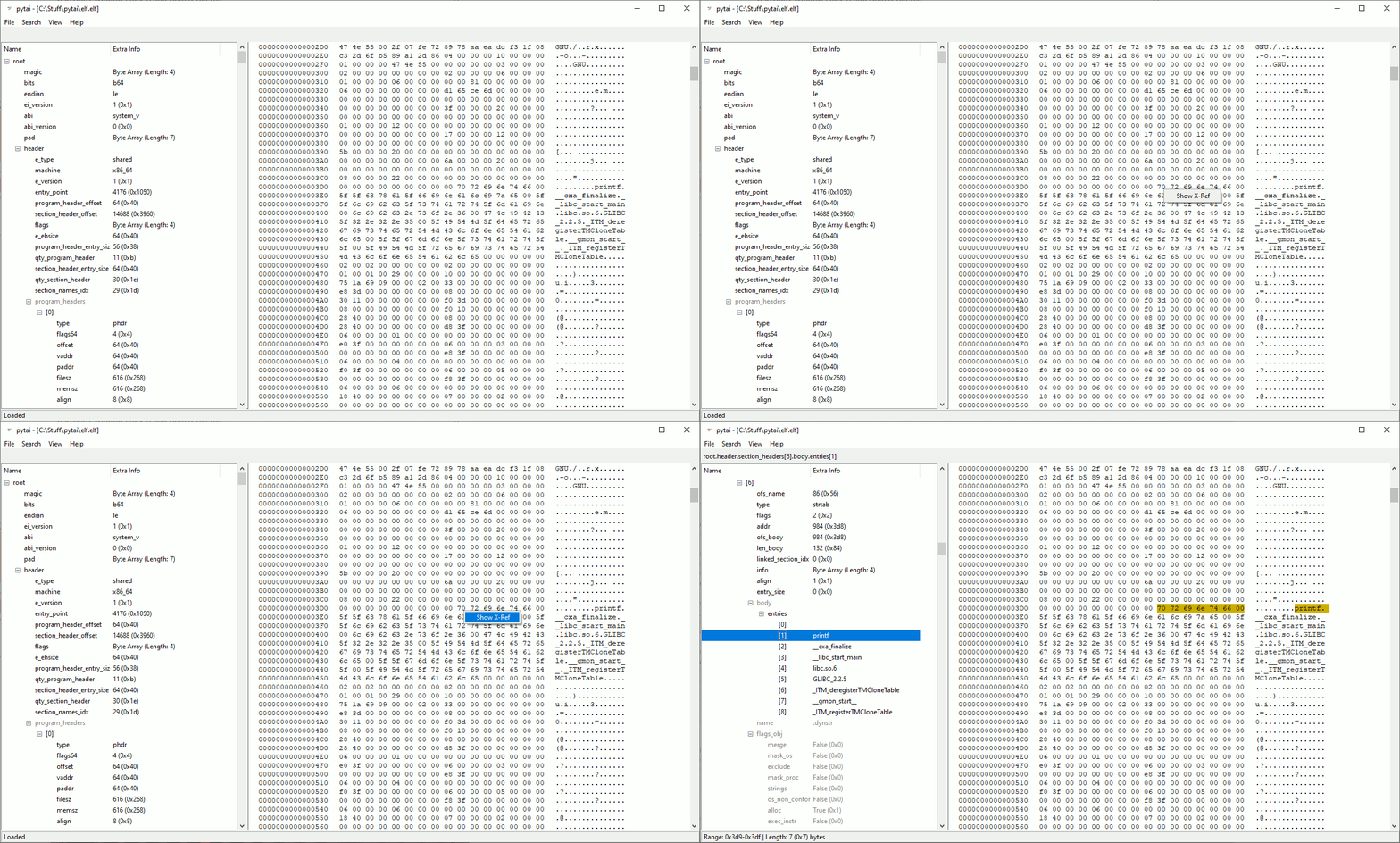
Cross References
It's possible to right-click an area in the Hex output and locate its logical structure in the structure tree.
Similar Tools
- Kaitai Struct: Visualizer: Text-based visualizer written in Ruby
- Kaitai Web IDE: A browser-based visualizer
- Kaitai Struct: Visualization GUI Tool: GUI visualizer written in Java
- Binary Ninja UI Plugin: A GUI plugin for Binary Ninja
- Kaitai Struct VSCode: Extension for VS Code
- Hobbits: Multi-platform GUI for bit-based analysis, processing, and visualization
- PolyFile: A utility to identify and map the semantic structure of files
Find more tools under Awesome Kaitai or angea's 'Hex Viewers and Editors' list.
Requirements
- Python3.8+ with tkinter
Formats
The supported formats were taken from the Kaitai Struct format gallery repo and compiled to Python using the Kaitai Struct Compiler.
Adding Support for New Formats
-
Create or download a format definition (
*.ksyfile) using the Kaitai Struct language -
Install the Kaitai Struct Compiler
-
Compile the format definition file:
ksc --target python --debug --import-path /path/to/imports/if/needed /path/to/format.ksy -
Copy the output file (
*.py) to thepytai/kaitai/formatssubfolder.
Known Limitations
- No ability to interactively edit files (not a Hex editor, just a viewer).
- Currently no special optimizations implemented in order to handle very large files.
- Structure offsets are based on output from Kaitai. Kaitai doesn't fully support bit-field offsets, and therefore the GUI cannot accurately mark bit-field members.
Contributions
Contributions in the form of pull requests, comments, suggestions and issue reports are welcome!
As a general guideline, this project attempts to minimize the amount of external dependencies which it relies on. The preference of the project is to avoid adding external dependencies except for cases which involve complex logic that can be significantly simplified using a popular package.
1 maintainer

Metadata
1 maintainer
Release files for pytai-hex 0.2.9
For a detailed explanation of source distributions (sdists) and built distributions (wheels), please see the package formats documentation.
Source distribution (sdist)
| File | Size | Uploaded | Provenance | Actions |
|---|---|---|---|---|
| pytai_hex-0.2.9.tar.gz | 1.5 MB | Without provenance | Details for pytai_hex-0.2.9.tar.gz |
Built distribution (wheel)
| File | Interpreter | ABI | Platform | Actions Reset |
|---|---|---|---|---|
| pytai_hex-0.2.9-py3-none-any.whl | Python 3 | none | any | Details for pytai_hex-0.2.9-py3-none-any.whl |
Total release size: 2.6 MB
Release files / pytai_hex-0.2.9.tar.gz
| Download URL | pytai_hex-0.2.9.tar.gz |
|---|---|
| Size | 1.5 MB |
| Tags | Source |
|
SHA-256 checksum How to use checksums |
64c6def085448060fa8a3647917e02b1f4b70de969ce4e40ecc278fd4519eb07
|
|
BLAKE2b-256 checksum How to use checksums |
9d39f20b6034ebadd9145745411a6ec869270f7cf7e6dea41ad42bbfc9bce49e
|
| Upload date | |
|
Uploaded using Trusted Publishing? What is trusted publishing? |
No |
| Uploaded via |
twine/6.1.0 CPython/3.8.10
|
Release files / pytai_hex-0.2.9-py3-none-any.whl
| Download URL | pytai_hex-0.2.9-py3-none-any.whl |
|---|---|
| Size | 1.0 MB |
| Tags | Python 3 |
|
SHA-256 checksum How to use checksums |
1dca8c7996728747f88d02ba07cae76358a4e971ed3184bfd9680856133e9d47
|
|
BLAKE2b-256 checksum How to use checksums |
dbf3b6add11e499bd6d05583b0d4ff735f7fb95a2b4d484319b44f2341144f5a
|
| Upload date | |
|
Uploaded using Trusted Publishing? What is trusted publishing? |
No |
| Uploaded via |
twine/6.1.0 CPython/3.8.10
|
Security for pytai-hex 0.2.9
Provenance
Provenance describes where a file came from. On PyPI, provenance is shared via attestations, which provide a verifiable record of the build or publishing details. View details, limitations and caveats.
No provenance found
None of the files in this release were uploaded with provenance metadata.
A note on package security
PyPI is a repository for distributing packages, not a service for auditing them. While third-party security researchers and our staff do their best to detect and remove malicious packages, PyPI cannot guarantee the quality, security or suitability of any given package.
To learn more about protecting yourself from malicious actors, visit our package security documentation.














