
a python library for fetching youtube live chat.

Project description
pytchat
pytchat is a python library for fetching youtube live chat.
Description
pytchat is a python library for fetching youtube live chat without using youtube api, Selenium or BeautifulSoup.
pytchatはAPIを使わずにYouTubeチャットを取得するための軽量pythonライブラリです。
Other features:
- Customizable chat data processors including youtube api compatible one.
- Available on asyncio context.
- Quick fetching of initial chat data by generating continuation params instead of web scraping.
For more detailed information, see wiki.
より詳細な解説はwikiを参照してください。
Install
pip install pytchat
Demo
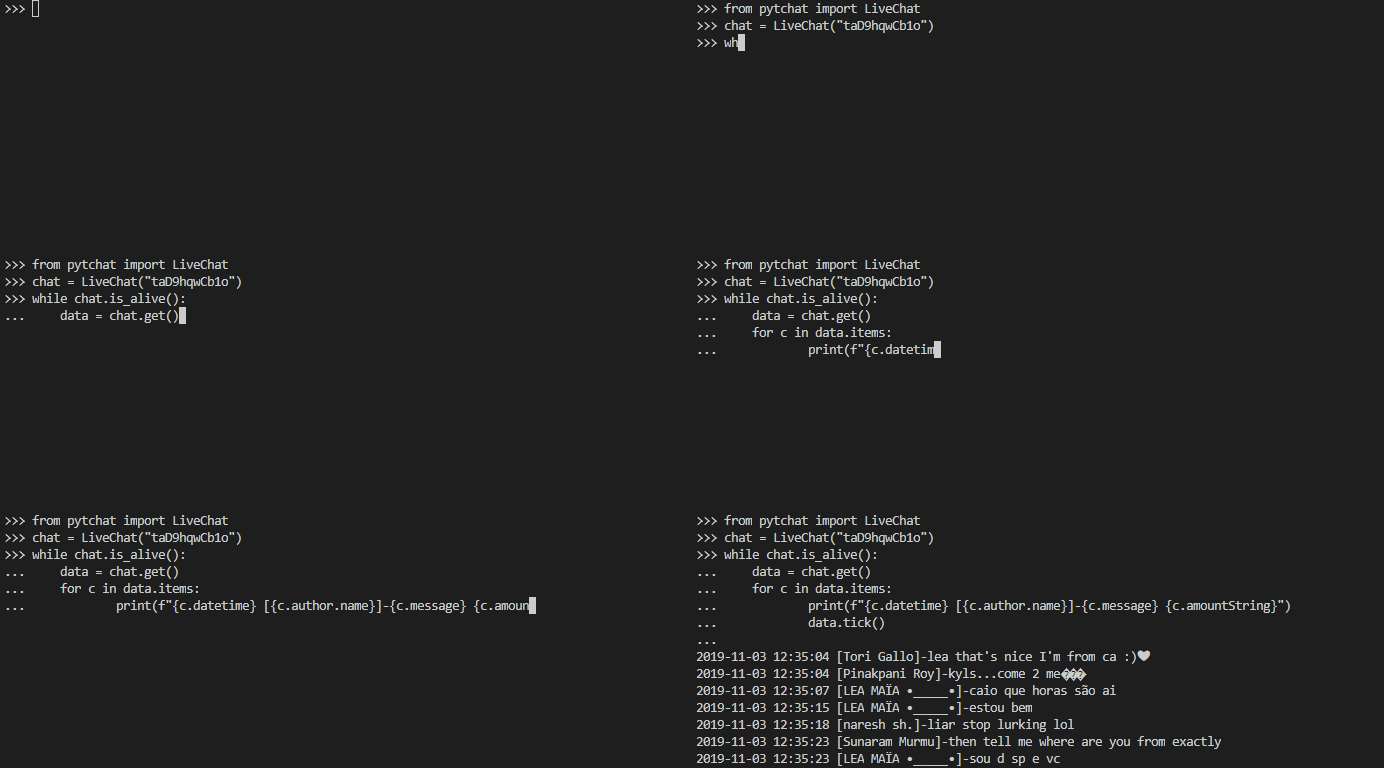
Examples
on-demand mode
from pytchat import LiveChat
livechat = LiveChat(video_id = "Zvp1pJpie4I")

while livechat.is_alive():
  try:
    chatdata = livechat.get()
    for c in chatdata.items:
        print(f"{c.datetime} [{c.author.name}]- {c.message}")
        chatdata.tick()
  except KeyboardInterrupt:
    livechat.terminate()
    break
callback mode
from pytchat import LiveChat
import time

def main():
  livechat = LiveChat(video_id = "Zvp1pJpie4I", callback = disp)
  while livechat.is_alive():
    #other background operation.
    time.sleep(1)
  livechat.terminate()

#callback function (automatically called)
def disp(chatdata):
    for c in chatdata.items:
        print(f"{c.datetime} [{c.author.name}]- {c.message}")
        chatdata.tick()

if __name__ == '__main__':
  main()
asyncio context:
from pytchat import LiveChatAsync
from concurrent.futures import CancelledError
import asyncio

async def main():
  livechat = LiveChatAsync("Zvp1pJpie4I", callback = func)
  while livechat.is_alive():
    #other background operation.
    await asyncio.sleep(3)

#callback function is automatically called.
async def func(chatdata):
  for c in chatdata.items:
    print(f"{c.datetime} [{c.author.name}]-{c.message} {c.amountString}")
    await chatdata.tick_async()

if __name__ == '__main__':
  try:
    loop = asyncio.get_event_loop()
    loop.run_until_complete(main())
  except CancelledError:
    pass
youtube api compatible processor:
from pytchat import LiveChat, CompatibleProcessor
import time

chat = LiveChat("Zvp1pJpie4I",
  processor = CompatibleProcessor() )

while chat.is_alive():
  try:
    data = chat.get()
    polling = data['pollingIntervalMillis']/1000
    for c in data['items']:
      if c.get('snippet'):
        print(f"[{c['authorDetails']['displayName']}]"
              f"-{c['snippet']['displayMessage']}")
        time.sleep(polling/len(data['items']))
  except KeyboardInterrupt:
    chat.terminate()
replay:
If specified video is not live, automatically try to fetch archived chat data.
from pytchat import LiveChat

def main():
  #seektime (seconds): start position of chat.
  chat = LiveChat("ojes5ULOqhc", seektime = 60*30)
  print('Replay from 30:00')
  try:
    while chat.is_alive():
      data = chat.get()
      for c in data.items:
        print(f"{c.elapsedTime} [{c.author.name}]-{c.message} {c.amountString}")
        data.tick()
  except KeyboardInterrupt:
    chat.terminate()

if __name__ == '__main__':
  main()
Structure of Default Processor
Each item can be got with items function.
| name | type | remarks |
|---|---|---|
| type | str | "superChat","textMessage","superSticker","newSponsor" |
| id | str | |
| message | str | emojis are represented by ":(shortcut text):" |
| messageEx | str | list of message texts and emoji URLs. |
| timestamp | int | unixtime milliseconds |
| datetime | str | e.g. "2019-10-10 12:34:56" |
| elapsedTime | str | elapsed time. (e.g. "1:02:27") *Replay Only. |
| amountValue | float | e.g. 1,234.0 |
| amountString | str | e.g. "$ 1,234" |
| currency | str | ISO 4217 currency codes (e.g. "USD") |
| bgColor | int | RGB Int |
| author | object | see below |
Structure of author object.
| name | type | remarks |
|---|---|---|
| name | str | |
| channelId | str | *chatter's channel ID. |
| channelUrl | str | |
| imageUrl | str | |
| badgeUrl | str | |
| isVerified | bool | |
| isChatOwner | bool | |
| isChatSponsor | bool | |
| isChatModerator | bool |
Licence

Author
Release history Release notifications | RSS feed


Download files
Download the file for your platform. If you're not sure which to choose, learn more about installing packages.
Source Distributions
Built Distribution
Filter files by name, interpreter, ABI, and platform.
If you're not sure about the file name format, learn more about wheel file names.
Copy a direct link to the current filters
File details
Details for the file pytchat-0.0.6.1-py3-none-any.whl.
File metadata
- Download URL: pytchat-0.0.6.1-py3-none-any.whl
- Upload date:
- Size: 64.2 kB
- Tags: Python 3
- Uploaded using Trusted Publishing? No
- Uploaded via: twine/3.1.1 pkginfo/1.5.0.1 requests/2.22.0 setuptools/40.8.0 requests-toolbelt/0.9.1 tqdm/4.41.1 CPython/3.7.4
File hashes
| Algorithm | Hash digest | |
|---|---|---|
| SHA256 |
c0d71be047e3634df5fab9b4d64f2dc7baad77deae23665a6cf0bbb0087c29c3
|
|
| MD5 |
ba3b11e29551110f6b4d9595aa7ef5a0
|
|
| BLAKE2b-256 |
3f8439f9333428d13410b3bead8bd66acd4f58bb562753ac03203f412cef98e3
|






