
TechNote
TechNote lets you access your local Markdown files in your browser.
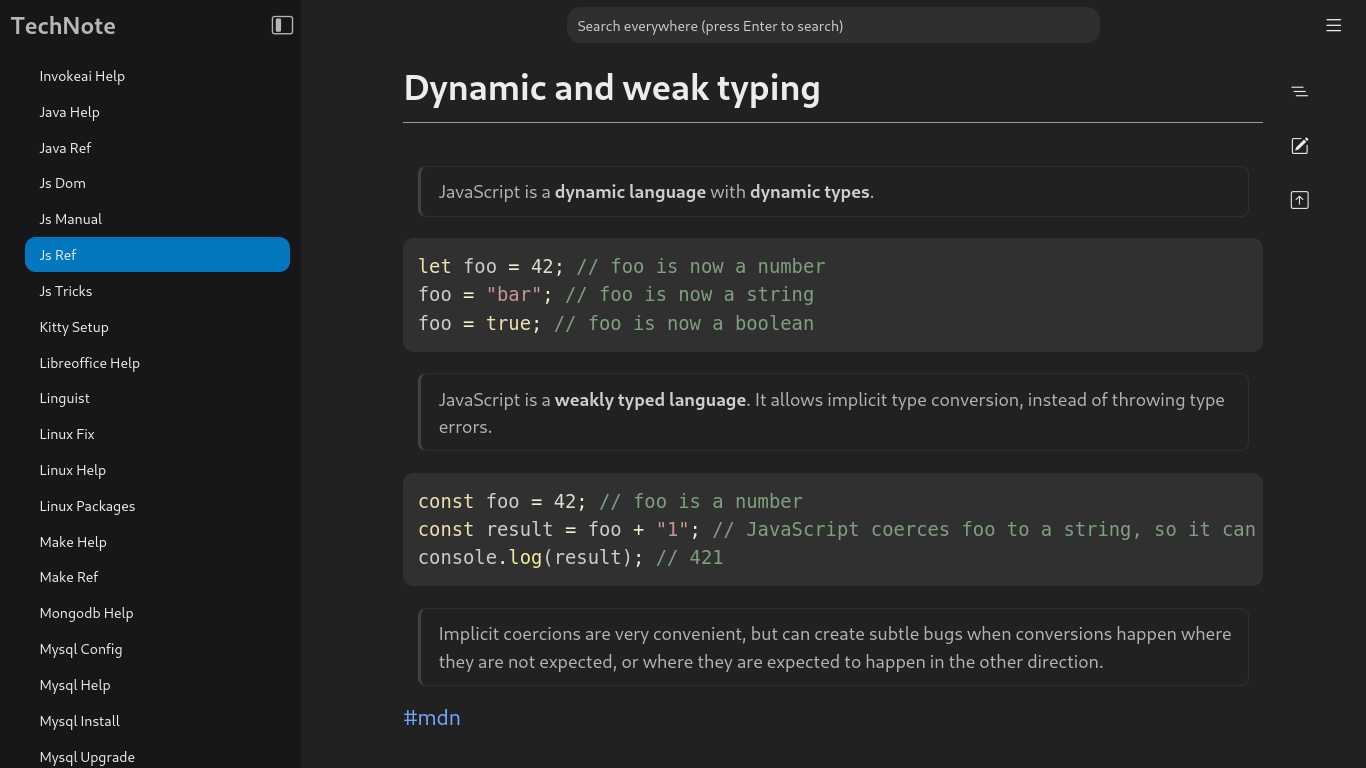
Add the directories that contain your Markdown files (.md), and you'll be able to read them rendered in your browser. You can also search across all your files, or edit them directly in Markdown.
It's a lightweight app built with Python and React. It's named TechNote because I use it as a knowledge base for my tech notes, which are actually a bunch of Markdown files (~150) in a single directory.
🚀 Get Started
How to install
- Install TechNote via
pipx:
pipx install pytechnote
- Set up TechNote to start automatically on login:
technote autostart enable
How to use
First, open http://localhost:8087. Select Open Directory in the sidebar and choose a directory containing your Markdown files, or even an empty directory. Once you open the directory, you'll see a list of your files in the sidebar. Select any file to see it rendered. You can also edit your files or create new files right in the browser.
Select the options button next to the directory's name in the sidebar to create new files or open other directories.
✨ How It Works
What technologies are used?
The backend is written in Python, using Flask and Gunicorn to handle HTTP requests, while parts of the UI are built with React.
How does it render Markdown to HTML?
We use Pandoc and Pypandoc to render the Markdown files.
Is there any caching?
We render each Markdown file once and reuse the result the next time you access that file. The cached version is updated whenever the file changes on the filesystem.
Why does it need a database?
We use a lightweight SQLite database to store minimal metadata — such as unique IDs and display names for notes — and the paths to selected directories.
How to build and run for development?
git clone https://github.com/miladnia/technote.git
cd technote
make env # Prepare the development environment
Use make dev to run the frontend and backend development servers at the same time, and then open http://127.0.0.1:5000/.
This is also possible to run TechNote without installation using make run.
Requirements:
- Python
>= 3.10 - Node
>= 18.20 - make
⚖️ License
TechNote is open-source software licensed under the MIT License.
1 maintainer

Metadata
1 maintainer
Release files for pytechnote 0.2.1
For a detailed explanation of source distributions (sdists) and built distributions (wheels), please see the package formats documentation.
Source distribution (sdist)
| File | Size | Uploaded | |
|---|---|---|---|
| pytechnote-0.2.1.tar.gz | 899.4 kB | Details |
Built distribution (wheel)
| File | Interpreter | ABI | Platform | Reset |
|---|---|---|---|---|
| pytechnote-0.2.1-py3-none-any.whl | Python 3 | none | any | Details |
Total release size: 1.8 MB
Release files / pytechnote-0.2.1.tar.gz
| Download URL | pytechnote-0.2.1.tar.gz |
|---|---|
| Size | 899.4 kB |
| Tags | Source |
|
SHA-256 checksum How to use checksums |
c93f7c1acdbbf3d1ba33ebe3ca3a738012b0c60c492adf2c33560a77c6ed8236
|
|
BLAKE2b-256 checksum How to use checksums |
8b831c6f7d536911d4ad5e46e30218de13ab560d800a20e69e068c1b462a7a3d
|
| Upload date | |
|
Uploaded using Trusted Publishing? What is trusted publishing? |
No |
| Uploaded via |
twine/7.0.0 CPython/3.14.6
|
Release files / pytechnote-0.2.1-py3-none-any.whl
| Download URL | pytechnote-0.2.1-py3-none-any.whl |
|---|---|
| Size | 909.8 kB |
| Tags | Python 3 |
|
SHA-256 checksum How to use checksums |
ff59f32d7bfcea575ea3bc8488bb0d5278b75aec97402302000f6c954080820b
|
|
BLAKE2b-256 checksum How to use checksums |
6da1695d5a6f704435f1f833409f71529f289724112cf4b1b64825a9f32e8e75
|
| Upload date | |
|
Uploaded using Trusted Publishing? What is trusted publishing? |
No |
| Uploaded via |
twine/7.0.0 CPython/3.14.6
|














