
pytest-codex




Your AGENTS.md says “use uv.” Did Codex actually use it?
Turn agent instructions into pytest assertions. Check the commands Codex ran, the files it changed, and the MCP tools it called. Record a real run once; replay it in CI with zero model calls.
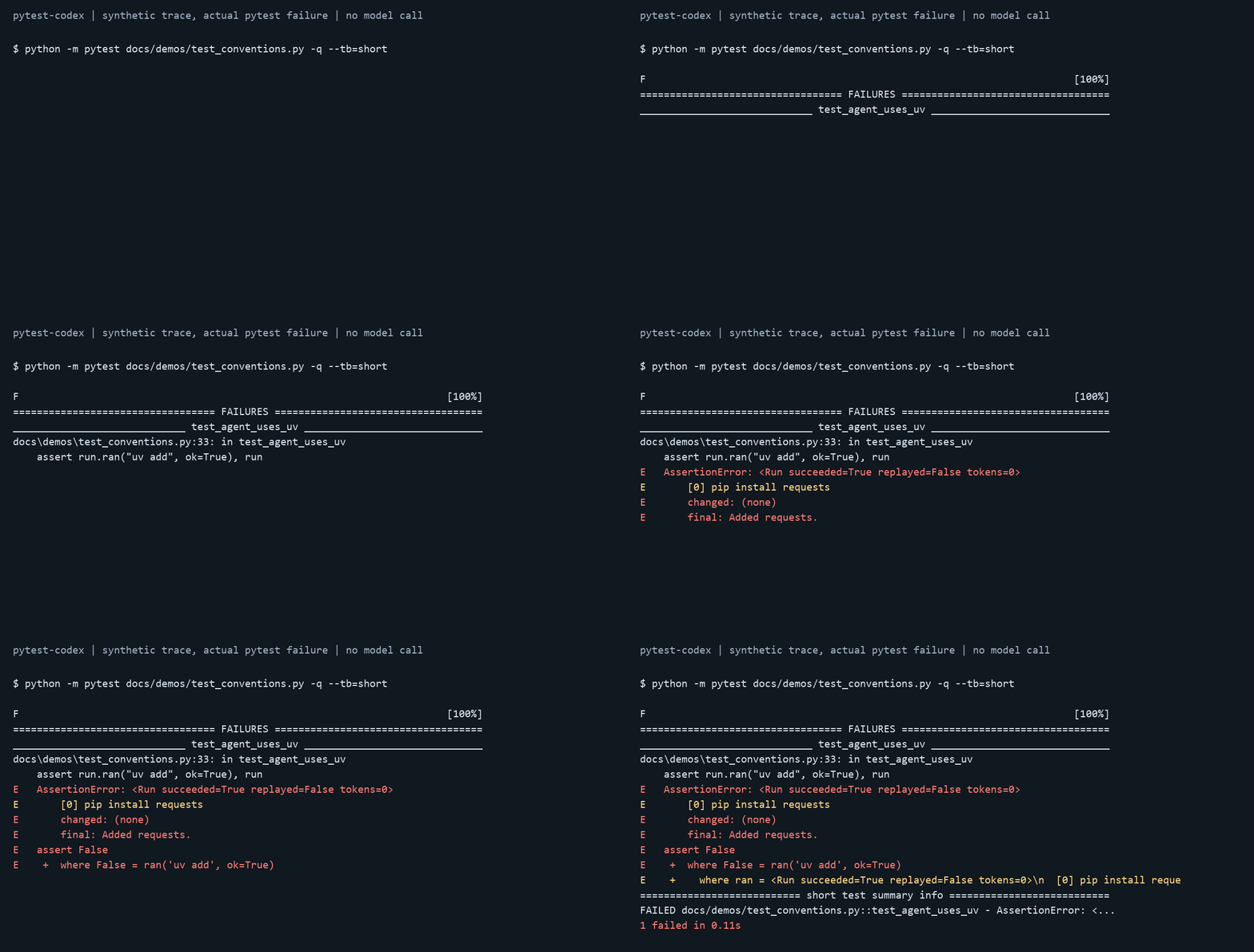
Illustration: a synthetic command trace, rendered from actual pytest failure output. No model call was used to make this image. A separate real recording is included and passes offline.
0.3.0 adds fresh task regression comparisons, available from the GitHub source release. PyPI currently provides 0.2.0.
Start with one test
python -m pip install pytest-codex
Version 0.2.0 is available on PyPI, including version-checked replay.
Point pytest at the small project you want Codex to work on:
# pyproject.toml
[tool.pytest.ini_options]
codex_project = "sample_repo"
# tests/test_conventions.py
def test_agent_follows_project_rules(codex):
    run = codex.exec("Add requests as a project dependency.")
    assert run.ran("uv add", ok=True), run
    assert not run.ran("pip install"), run
    assert run.modified("pyproject.toml"), run
    assert not run.modified("legacy/*"), run
# Record once — needs Codex CLI + login and uses model quota.
python -m pytest tests/test_conventions.py --codex-record
# Replay in CI — no Codex binary, credentials, or model calls.
python -m pytest tests/test_conventions.py
Each call gets a fresh project copy. Shell edits count as file changes too. Missing or stale recordings fail with a re-record instruction; the default mode never falls back to a paid call.
Check reliability across attempts
import pytest

@pytest.mark.codex(runs=5, pass_rate=0.8)
def test_dependency_convention(codex):
    run = codex.exec("Add requests as a dependency.")
    assert run.ran("uv add", ok=True), run
Record five attempts, require four to pass, and save each one separately. Replay checks those saved observations; re-record to measure a new model or CLI version.
Why a pytest plugin?
- A linter checks instruction text. This checks the commands and file changes from an execution, including edits made through shell tools.
- A one-off agent script needs its own test machinery. This fits pytest fixtures, parametrization, failure reports, and your existing CI.
- Calling a model on every PR spends quota. Checked-in recordings let ordinary PR checks replay without model calls. Use explicit live runs for fresh evidence.
Try the included recording
git clone https://github.com/Czj027/pytest-codex.git
cd pytest-codex
python -m pip install .
python -m pytest examples --codex-bin=not-installed -q
This is a real Windows recording: successful uv add, changed dependency
declarations, and untouched legacy code. The deliberately missing CLI proves
the example can replay without launching Codex.
The included recordings also cover our own project rules with two models and two attempts each, a local MCP call, and a Skill's file output. These are small smoke checks, not estimates of general model reliability. See recording evidence.
Catch stale recordings
Pin both the model and the CLI version for portable offline replay:
[tool.pytest.ini_options]
codex_model = "your-model-id"
codex_cli_version = "0.163.0"
Use --codex-check-cli locally to compare with the installed codex --version.
Version or input mismatches fail before applying recorded file changes; strict
checks require an explicit model. Default replay stays offline and needs no CLI.
An unchanged model ID cannot detect a provider updating that model; re-record
when checking current behavior.
The daily latest-CLI check uses a local canned response endpoint without login or model calls. For fresh behavior checks, use the opt-in live CI template.
Learn more
| Need | Read |
|---|---|
| Commands, files, messages, MCP calls, tokens | Run API |
| Record / replay / live / auto modes | Configuration |
| Repeat semantics and fixture sharing | Repeated runs |
| Windows setup, isolation, privacy, stale recordings | Caveats |
| Contributing and local checks | Development |
| Adding behavior tests to another project | Integration guide |
| Motivation and a worked example | Article |
run.succeeded means the CLI turn completed; use command status and file
assertions to check the work. Recordings may contain sensitive output, so review
them before committing. MIT licensed; independent community project.
1 maintainer

Metadata
1 maintainer
Release files for pytest-codex 0.3.0
For a detailed explanation of source distributions (sdists) and built distributions (wheels), please see the package formats documentation.
Source distribution (sdist)
| File | Size | Uploaded | Provenance | |
|---|---|---|---|---|
| pytest_codex-0.3.0.tar.gz | 257.2 kB | Without provenance | Details |
Built distribution (wheel)
| File | Interpreter | ABI | Platform | Reset |
|---|---|---|---|---|
| pytest_codex-0.3.0-py3-none-any.whl | Python 3 | none | any | Details |
Total release size: 285.5 kB
Release files / pytest_codex-0.3.0.tar.gz
| Download URL | pytest_codex-0.3.0.tar.gz |
|---|---|
| Size | 257.2 kB |
| Tags | Source |
|
SHA-256 checksum How to use checksums |
8ed13dd8da234556c2557d6c0008ba7ed6709af3c42d41f197f3413bd22079ea
|
|
BLAKE2b-256 checksum How to use checksums |
f5d26e5dc640fd40d91817cffee514ba0ab101883b1f832c8e6072fbafb2340f
|
| Upload date | |
|
Uploaded using Trusted Publishing? What is trusted publishing? |
No |
| Uploaded via |
twine/7.0.0 CPython/3.13.14
|
Release files / pytest_codex-0.3.0-py3-none-any.whl
| Download URL | pytest_codex-0.3.0-py3-none-any.whl |
|---|---|
| Size | 28.3 kB |
| Tags | Python 3 |
|
SHA-256 checksum How to use checksums |
fa15a05bdf6ffad0d3e608abb5a39bafde654584457cd1738b7417744c6a6f38
|
|
BLAKE2b-256 checksum How to use checksums |
177fc81b4703004d683c3c0cb9974aab6a3a60ac9339943b0446108ff3decfd0
|
| Upload date | |
|
Uploaded using Trusted Publishing? What is trusted publishing? |
No |
| Uploaded via |
twine/7.0.0 CPython/3.13.14
|
Security for pytest-codex 0.3.0
Provenance
Provenance describes where a file came from. On PyPI, provenance is shared via attestations, which provide a verifiable record of the build or publishing details. View details, limitations and caveats.
No provenance found
None of the files in this release were uploaded with provenance metadata.
A note on package security
PyPI is a repository for distributing packages, not a service for auditing them. While third-party security researchers and our staff do their best to detect and remove malicious packages, PyPI cannot guarantee the quality, security or suitability of any given package.
To learn more about protecting yourself from malicious actors, visit our package security documentation.














