
pytest runner and observer

Project description
pytest-fly





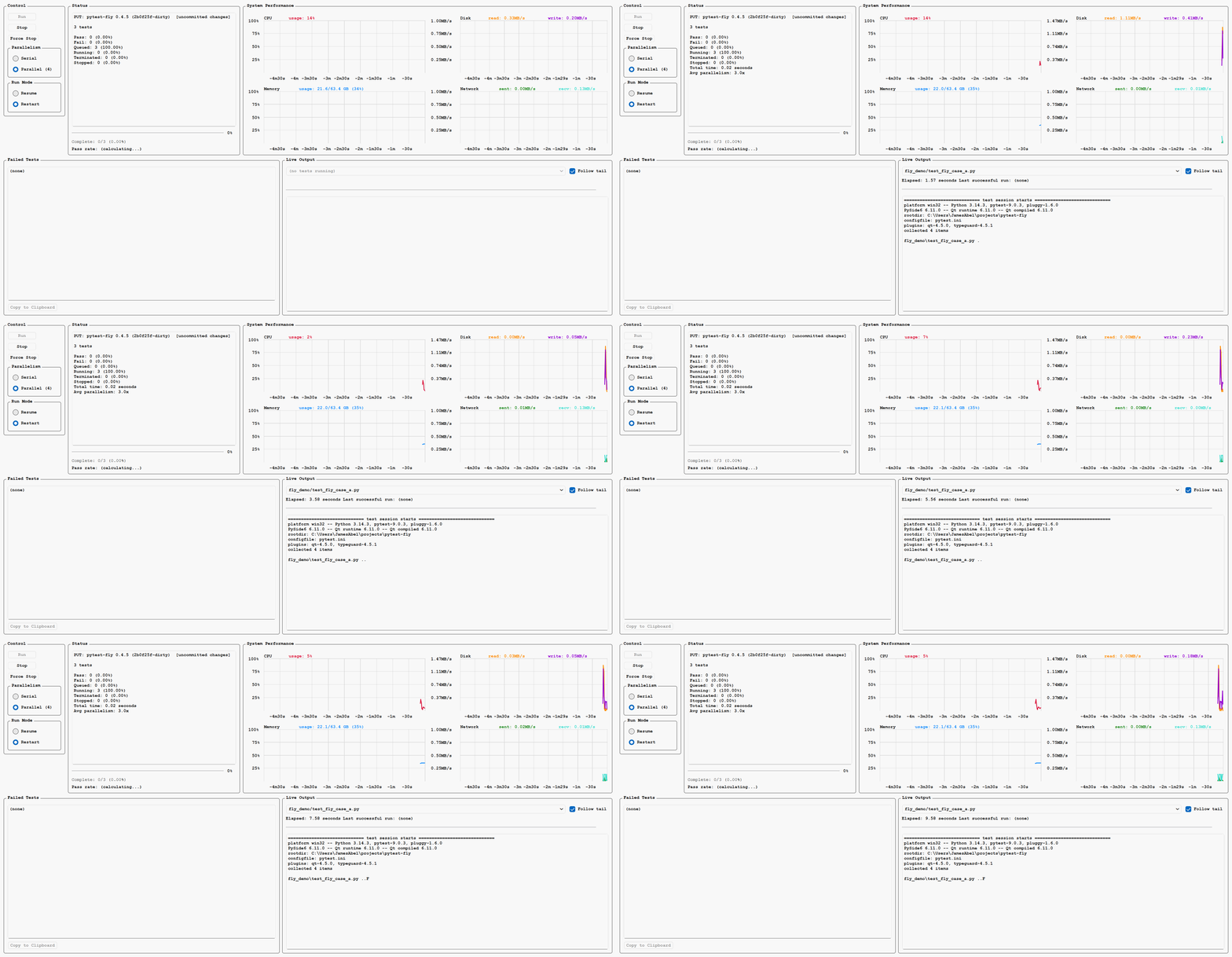
pytest-fly aids the development, debug, and execution of complex code bases and test suites.
Features
- Real-time monitoring of test execution in a GUI with six tabs:
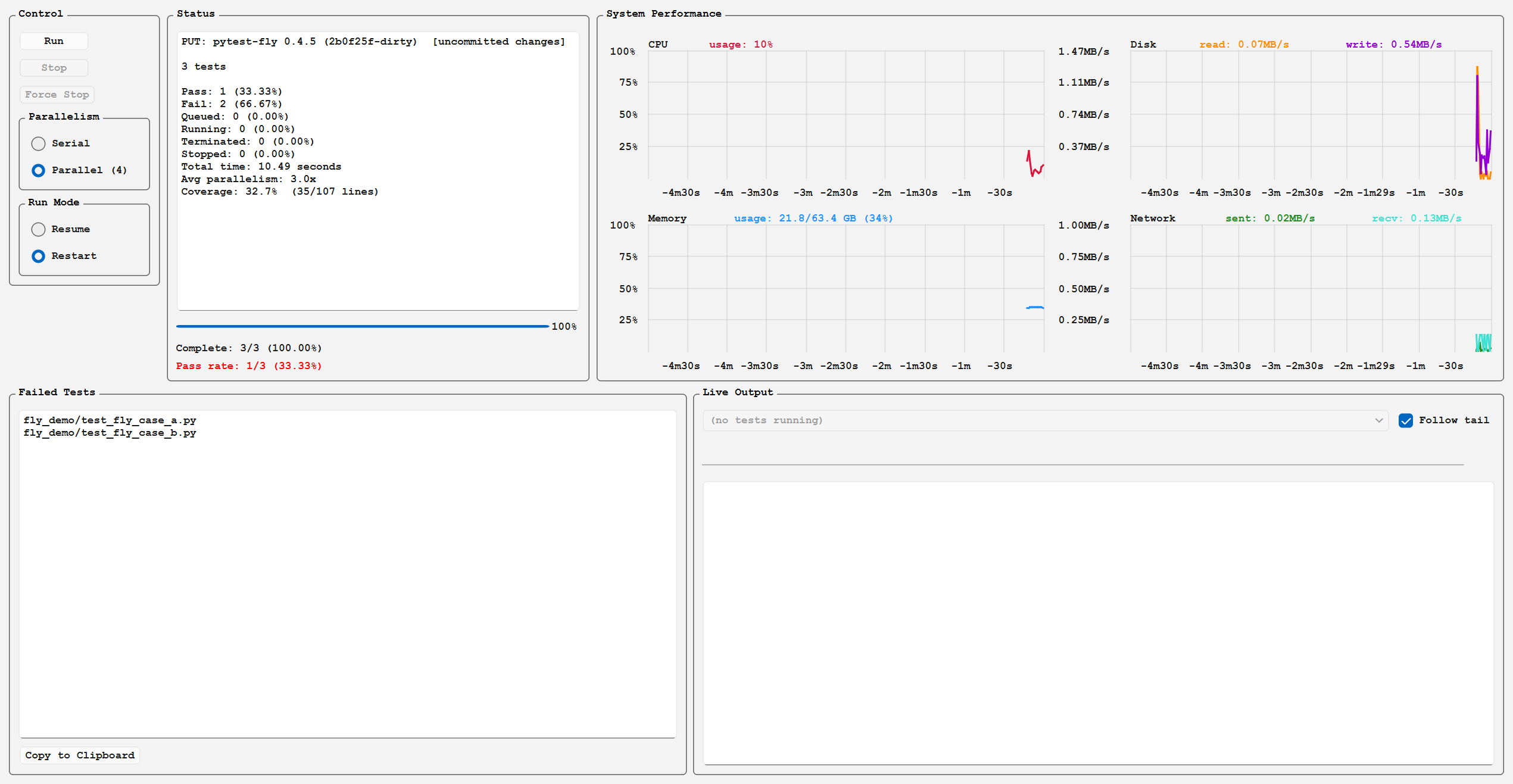
- Run — start/stop controls, parallelism and run-mode selectors (Restart or Resume; Resume behaves as Check unless the Configuration tab's Resume Without Program Check is set), and several panels: a Status panel (completion percentage, pass rate, per-state counts, elapsed time, average parallelism, coverage, and estimated time remaining), a System Performance panel (live CPU and memory charts, with memory shown as used/total GB alongside percent), a Failed Tests panel with clipboard copy, a Live Output panel streaming pytest output from the running tests, and program-under-test version/dirty-git indicators
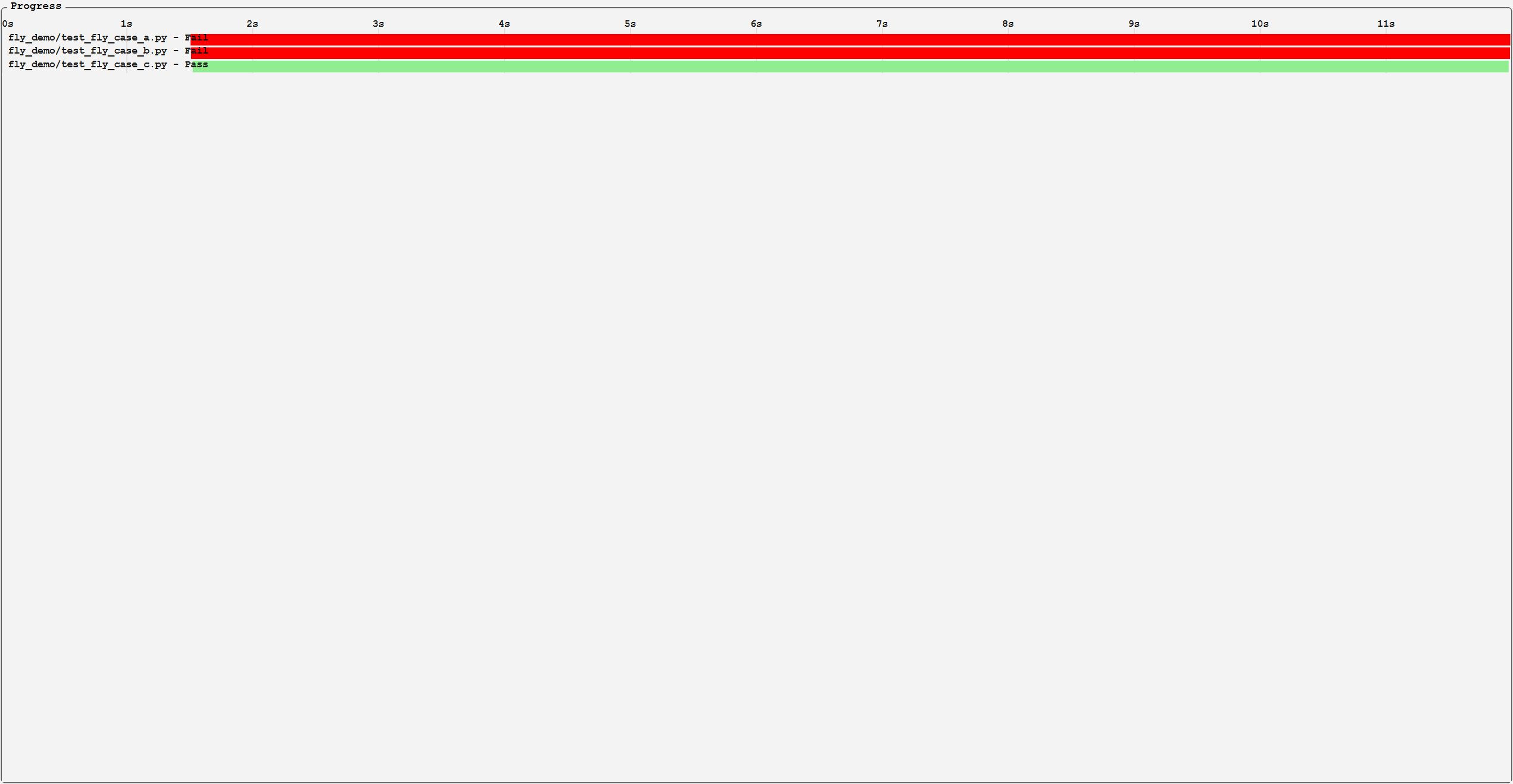
- Graph — time-based progress chart showing each test module as a horizontal bar
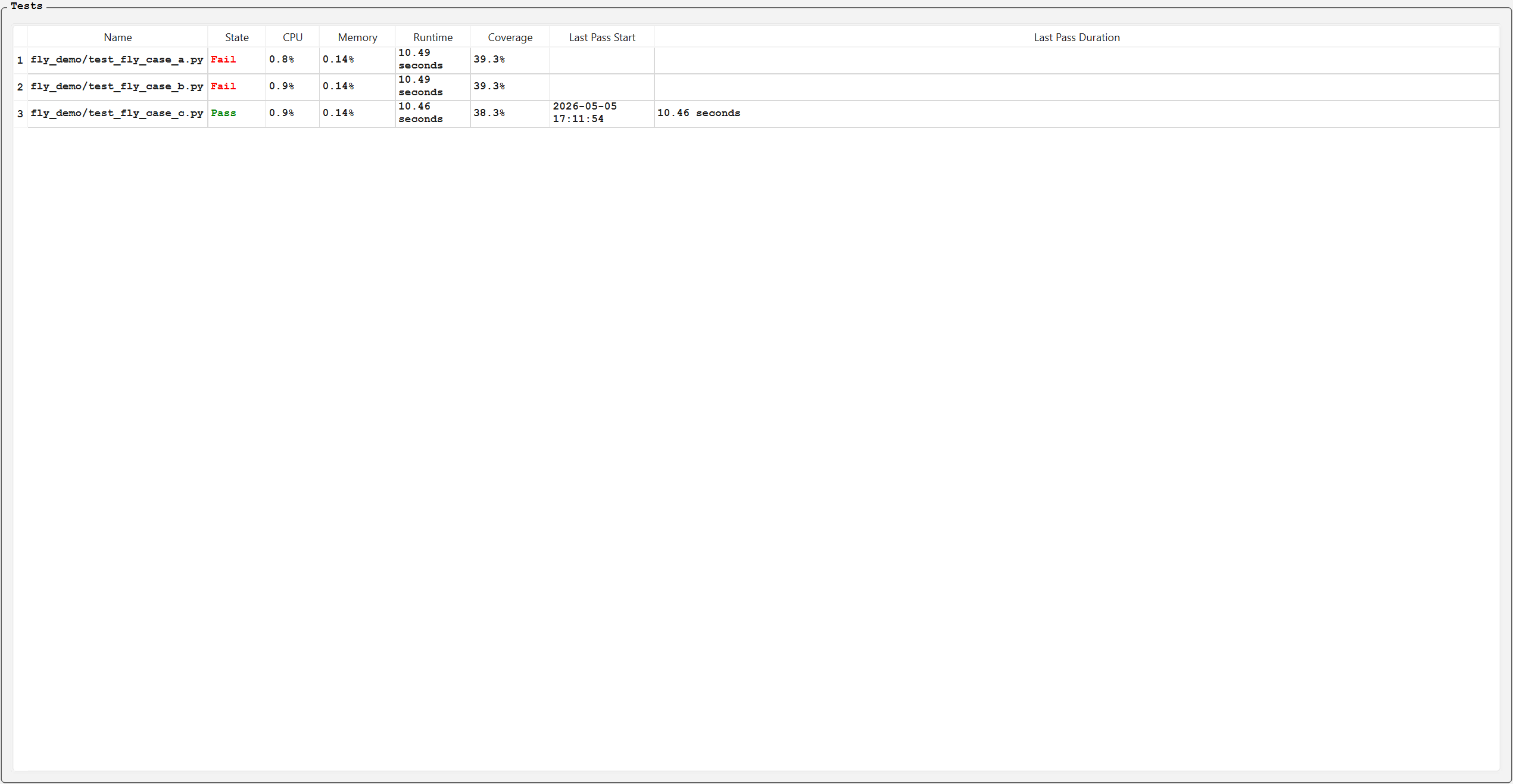
- Table — per-test status grid with elapsed time, peak CPU, memory usage, and individual coverage
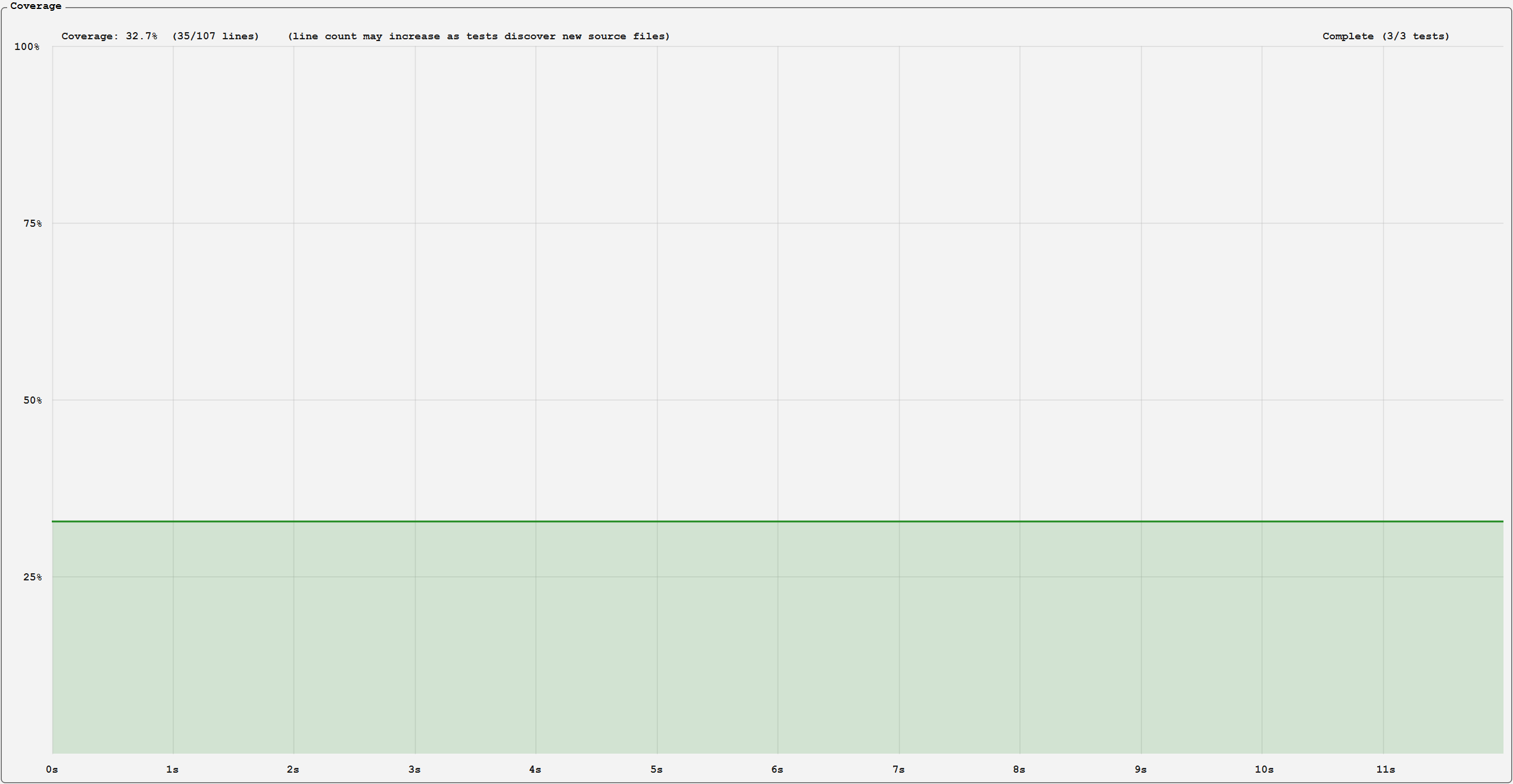
- Coverage — line chart of combined code coverage over time with covered/total line counts
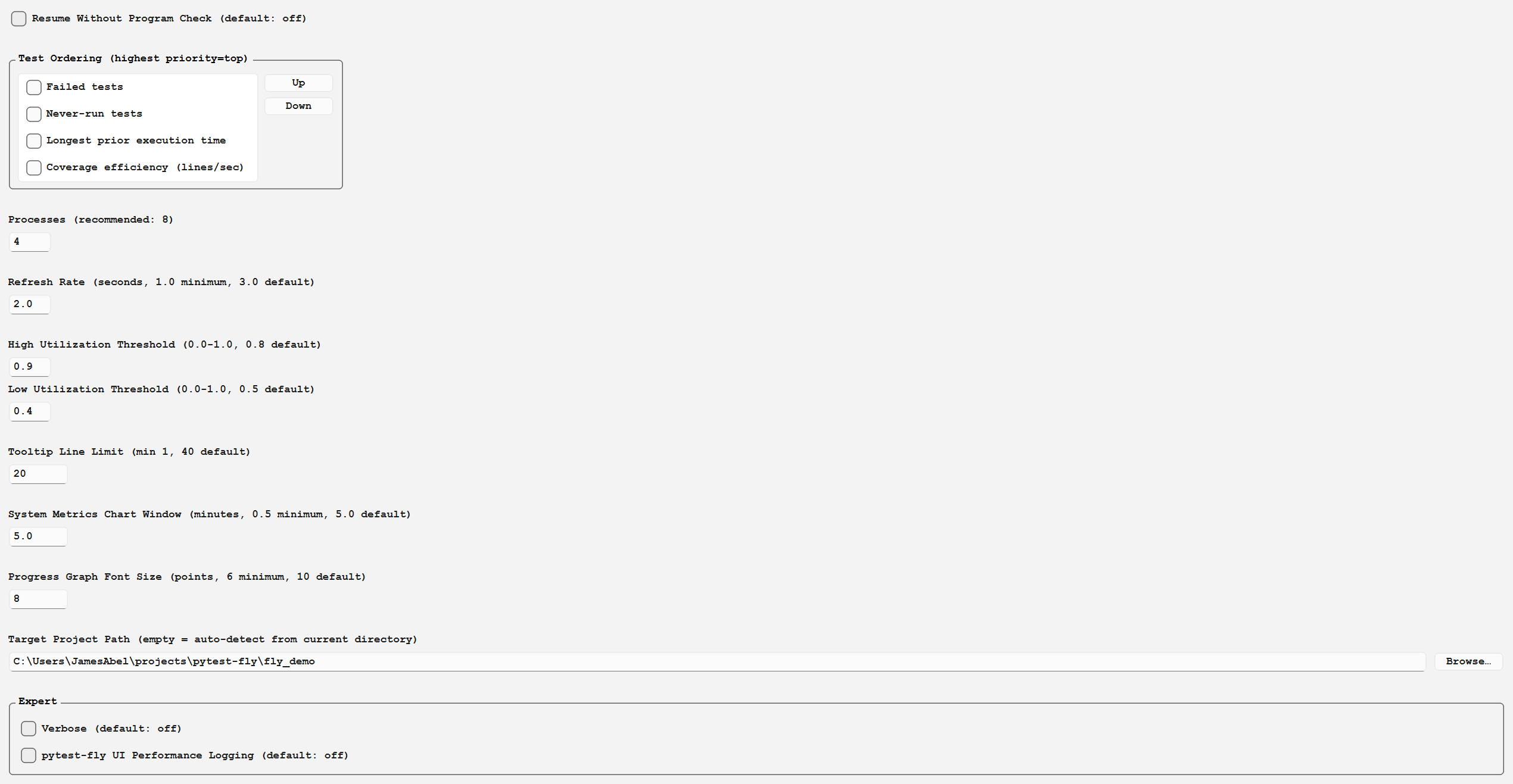
- Configuration — Resume-vs-Check toggle, a reorderable test-ordering aspect list, process count, refresh rate, utilization thresholds, tooltip line limit, system-metrics chart window, Progress Graph font size, target project path, and an Expert group (verbose logging, UI performance logging)
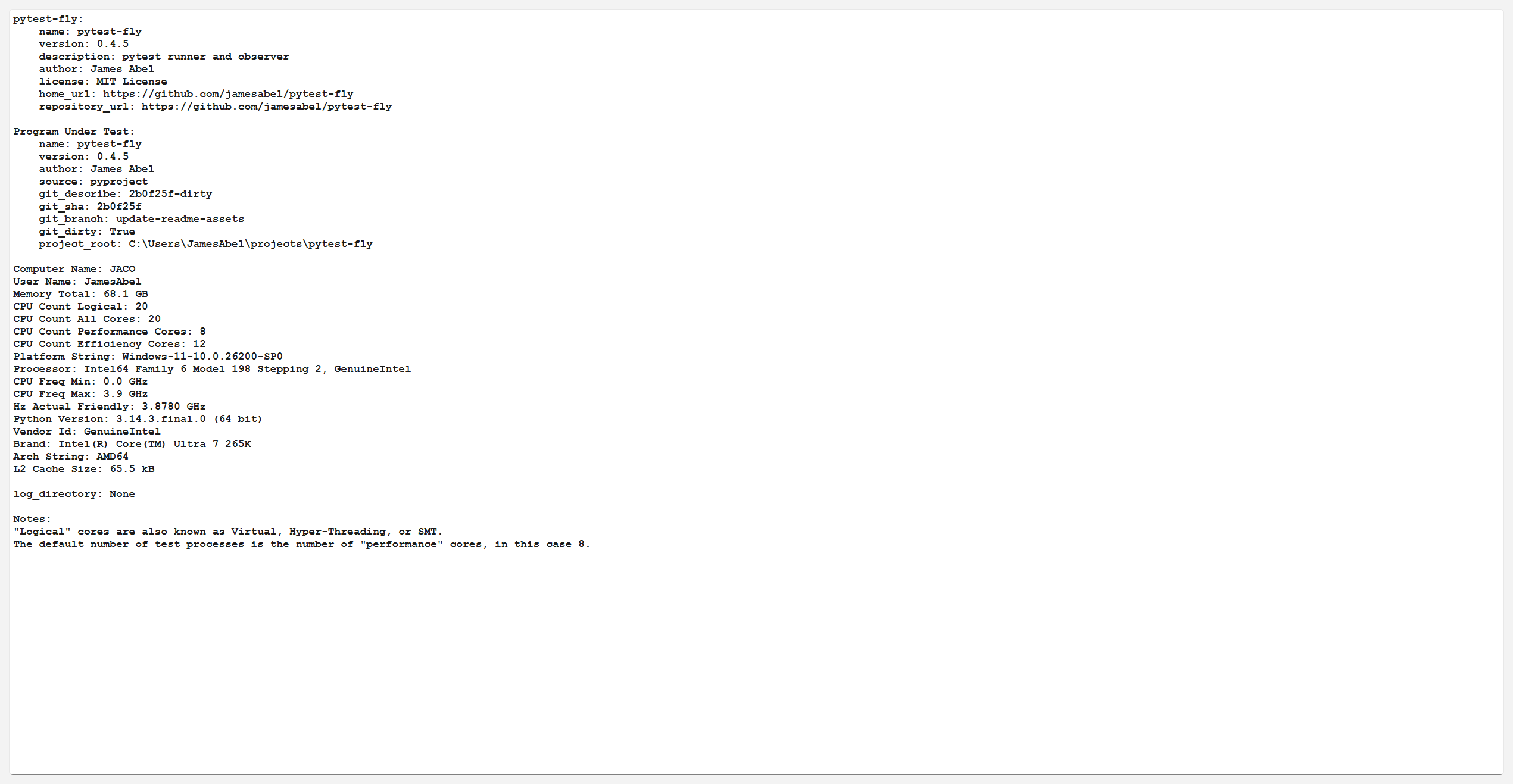
- About — system and project information
- Parallel test execution at the module level with configurable process count.
- Three run modes — Restart (rerun all tests), Resume (skip already-passed tests and only re-run failed or unrun tests), and Check (resume if the program under test has not changed, otherwise restart).
- Graceful interruption — stop the test suite and resume where it left off.
- Per-process resource monitoring — tracks peak CPU and memory usage for each test module.
- Estimated time remaining based on prior run durations, accounting for parallelism.
- Code coverage tracking — each test writes its own coverage data, combined automatically as tests complete. The Coverage tab plots coverage over time, and the Table shows per-test coverage. Coverage persists across restarts so previously-passed tests contribute to the total.
- Singleton test support via
@pytest.mark.singleton— singleton tests run exclusively with no other tests executing concurrently.
Screenshots
Run
Graph
Table
Coverage
Configuration
About
Screenshots and the demo GIF above are produced by
python scripts/capture_assets.py, which drives the GUI against the auto-generated demo suite indemo/demo.py.
Installation
You can install pytest-fly via pip from PyPI:
pip install pytest-fly
Parallelism
By default, pytest-fly executes modules (.py files) in parallel.
Functions inside a module are executed serially with respect to each other. No parallelism is performed for functions inside a module. For example, if a set of tests use a shared resource that does not support concurrent access, putting those tests in the same module ensures the tests do not conflict.
Modules can optionally be marked as a singleton via the @pytest.mark.singleton marker. When a singleton test
runs, all other workers wait until it completes before starting new tests. This is enforced at runtime, not
just by scheduling order.
In pytest terms, each module is run in a separate subprocess. Therefore, a pytest fixture with a session scope
will actually be executed multiple times, once for each module.
Note that test concurrency in pytest-fly is different from pytest-xdist. group-by in pytest-xdist is
analogous to putting the tests in the same module in pytest-fly.
Test Scheduling
pytest-fly orders tests to surface actionable information earlier. The Configuration tab's
Test Ordering widget is a reorderable, per-row-checkable list of aspects — each can be
individually enabled/disabled, and its position in the list sets priority (topmost enabled row
is the primary sort; rows below it break ties). The available aspects are:
- Failed tests — tests that failed in the prior run run first, so developers get faster feedback on tests they are likely fixing.
- Never-run tests — tests with no record in the database (across any program-under-test version) run first, giving developers adding new tests immediate feedback.
- Longest prior execution time — slowest passing tests run first, helping parallel runs by starting the critical path earliest so shorter tests backfill the remaining workers.
- Coverage efficiency (lines/sec) — tests with the highest lines-covered-per-second run first, so if there is a problem in the code it is more likely to be found earlier in the run.
All aspects apply in every run mode, including Restart — prior-run data shapes execution order,
not which tests run. Tests missing the data an aspect needs tie for last under that aspect.
singleton tests always run last, regardless of these settings, to maximize parallel throughput
before exclusive execution begins.
Release history Release notifications | RSS feed


Download files
Download the file for your platform. If you're not sure which to choose, learn more about installing packages.
Source Distribution
Built Distribution
Filter files by name, interpreter, ABI, and platform.
If you're not sure about the file name format, learn more about wheel file names.
Copy a direct link to the current filters
File details
Details for the file pytest_fly-0.4.4.tar.gz.
File metadata
- Download URL: pytest_fly-0.4.4.tar.gz
- Upload date:
- Size: 4.0 MB
- Tags: Source
- Uploaded using Trusted Publishing? No
- Uploaded via: Hatch/1.16.5 cpython/3.14.3 HTTPX/0.28.1
File hashes
| Algorithm | Hash digest | |
|---|---|---|
| SHA256 |
997778ed63afd7295ef620cb6ec650b151a89cb860971b349dcb58d902000e12
|
|
| MD5 |
3cafafbec3b5cff00c4e231e53f45bcd
|
|
| BLAKE2b-256 |
d08b8472050b567633da0ef724f466b9054dd46fd03e56b5da882fb96bb6c882
|
File details
Details for the file pytest_fly-0.4.4-py3-none-any.whl.
File metadata
- Download URL: pytest_fly-0.4.4-py3-none-any.whl
- Upload date:
- Size: 136.4 kB
- Tags: Python 3
- Uploaded using Trusted Publishing? No
- Uploaded via: Hatch/1.16.5 cpython/3.14.3 HTTPX/0.28.1
File hashes
| Algorithm | Hash digest | |
|---|---|---|
| SHA256 |
0ce5c43b2e7f3606e35354602c7a6c4e6fa5edcf04738ba85d3dfca6086b813b
|
|
| MD5 |
49dab72688af34c867d25dd3b5411191
|
|
| BLAKE2b-256 |
8466a66882e24333baf75845146711985ccb5ef46be9ead728a6a4f19c8bbf11
|






