
pytest-html-report



Source Code

Features
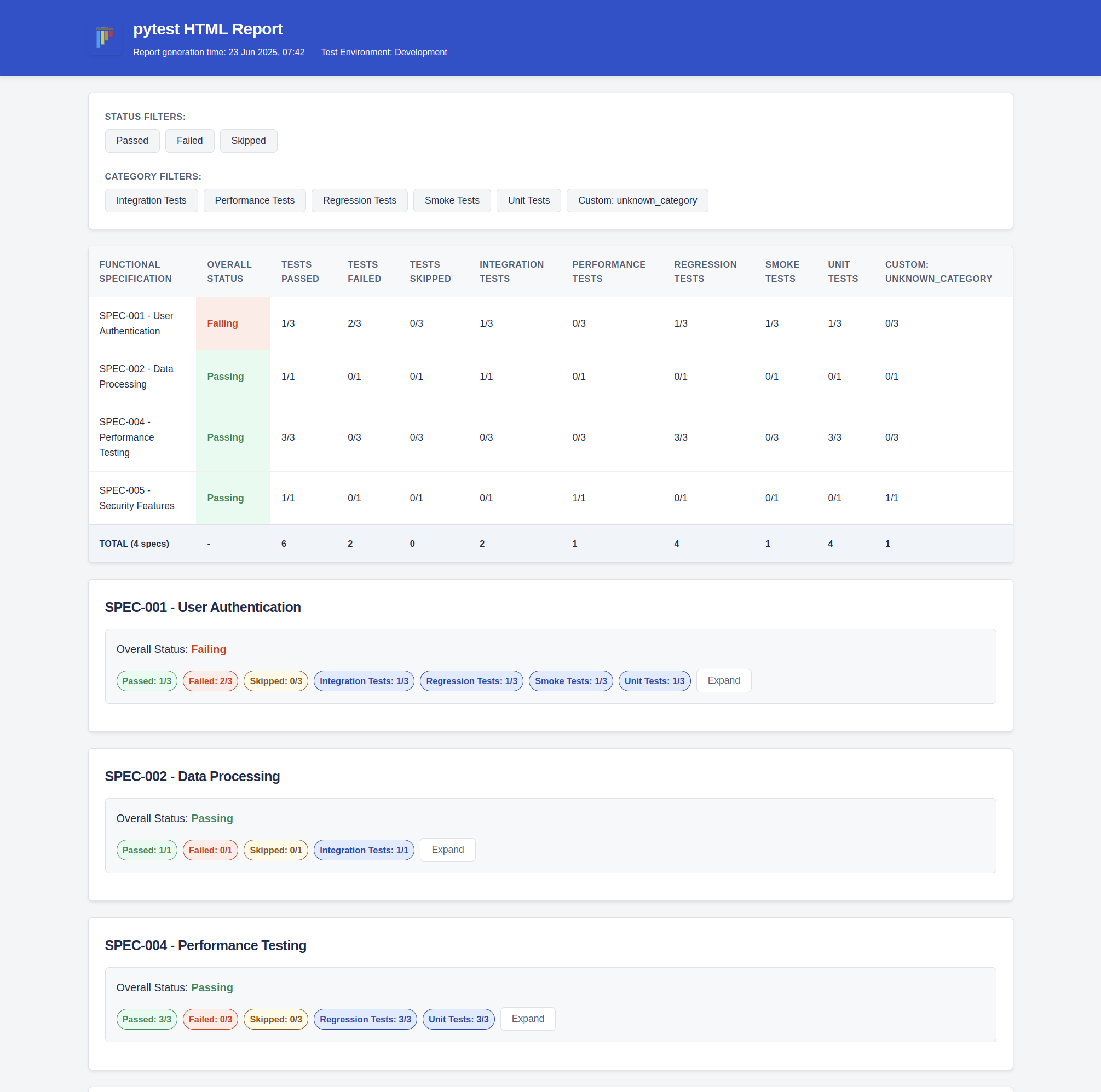
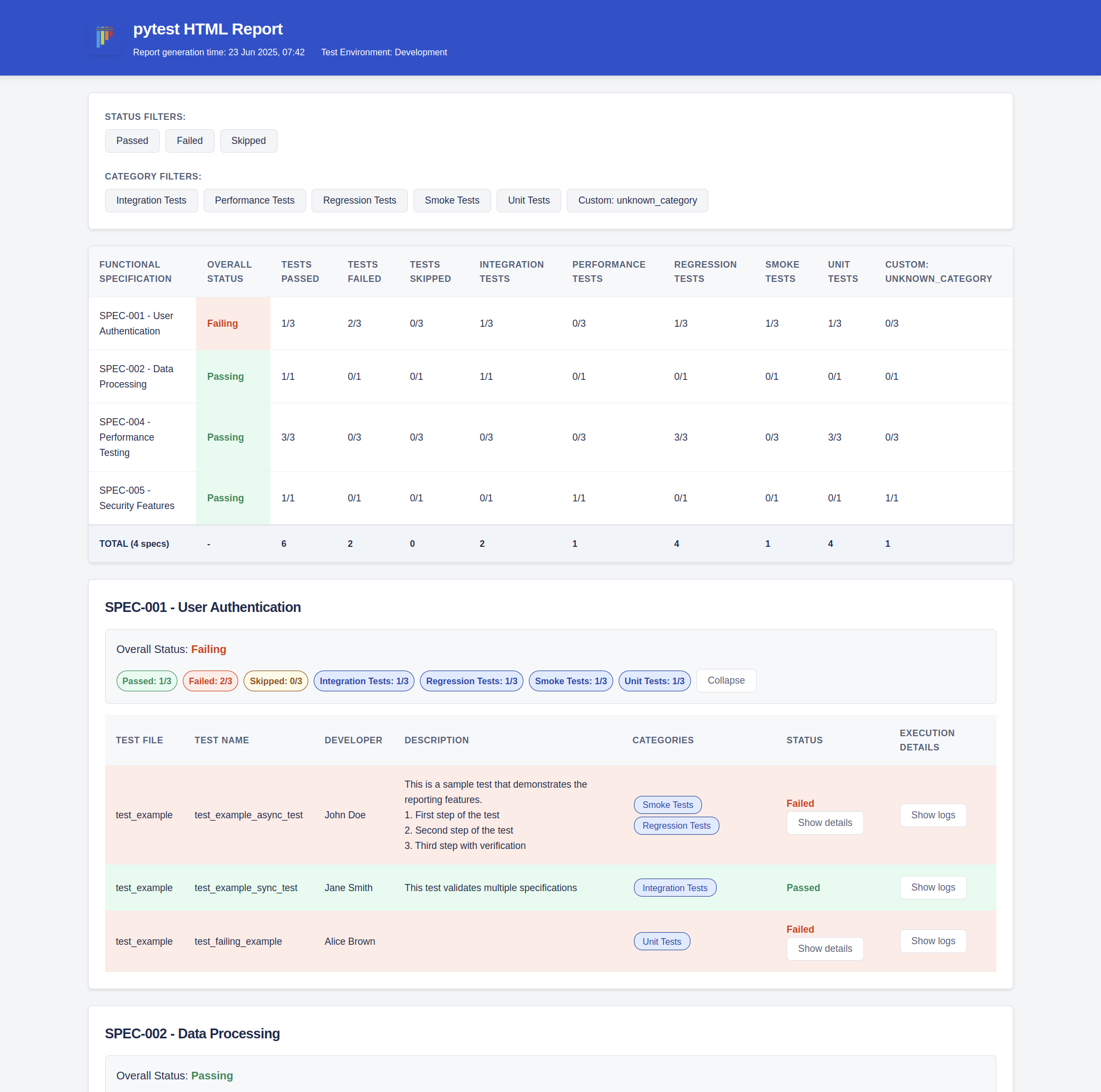
- ✅ Structured HTML reports with categorization
- ✅ Support for functional specifications and test categories
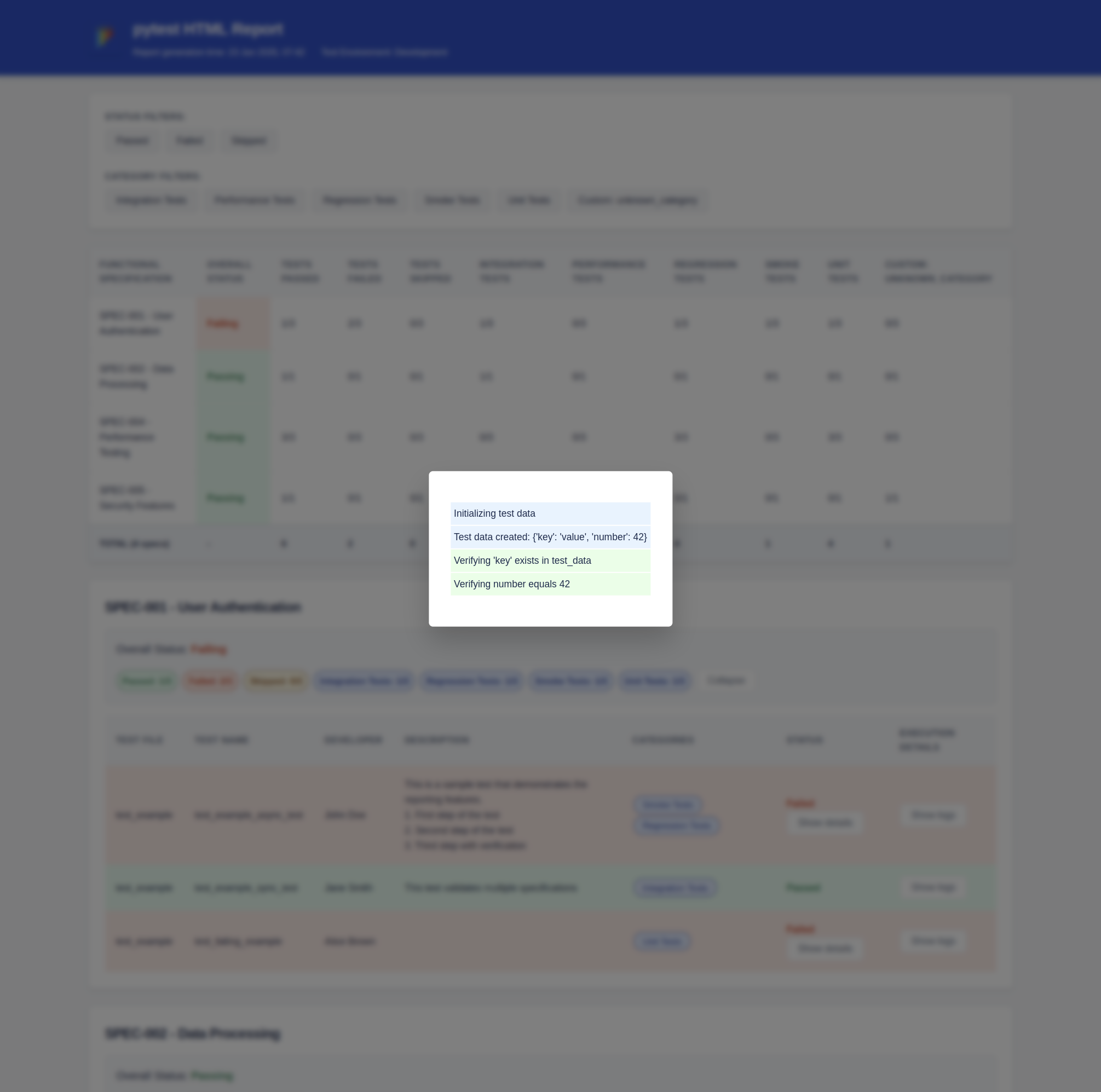
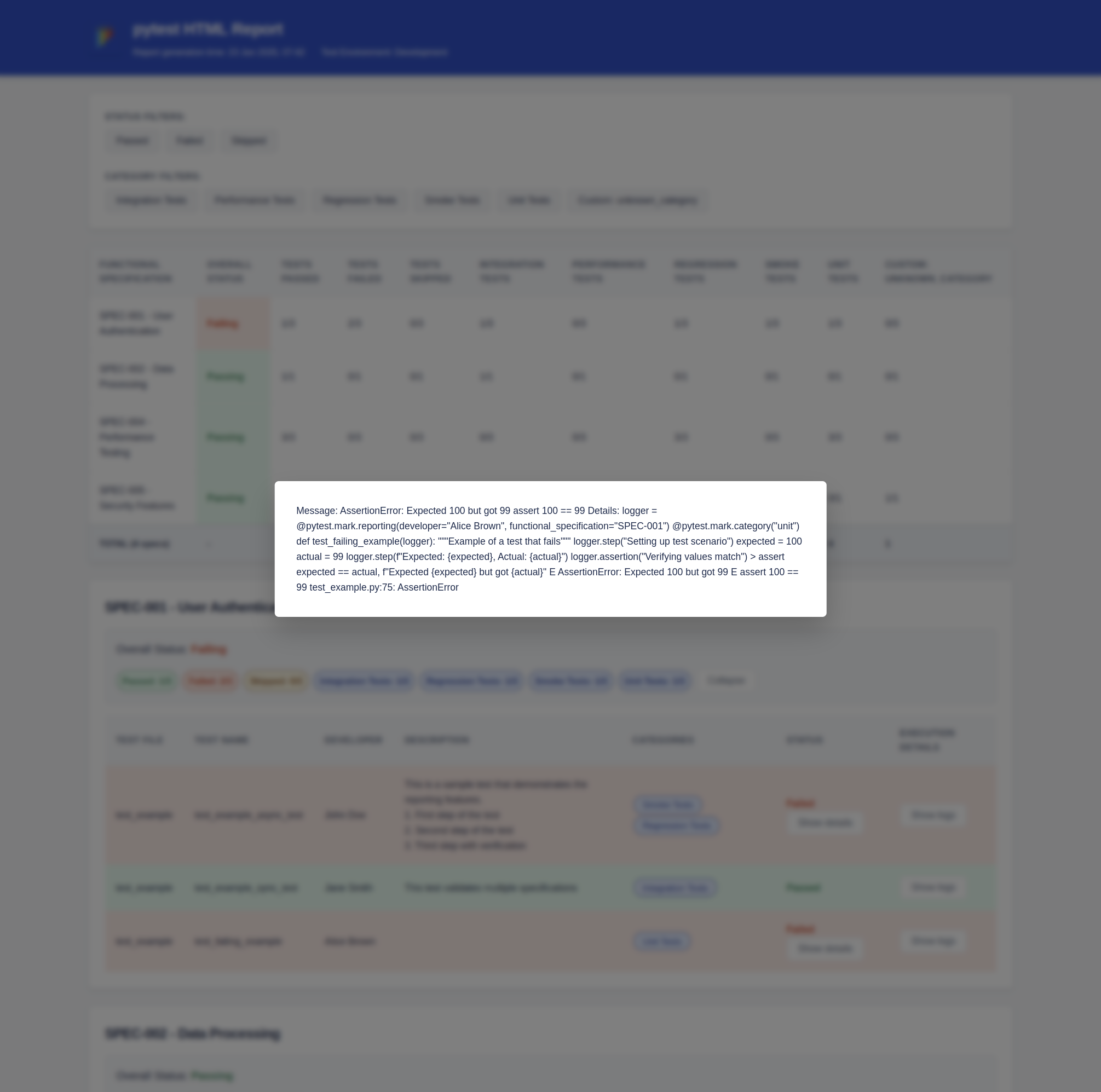
- ✅ Detailed test execution logs with step-by-step tracking
- ✅ Report theme and metadata customization
Report Overview
Installation
pip install pytest-html-report
Usage
Basic Configuration
Create a pytest_html_report.yml file in your project root:
report:
  title: "My Test Report"
  img_url: "https://your-logo-url.png"
  report_dir: "reports"
  test_environment: "Development"

functional_specs:
  SPEC-001: "User Authentication"
  SPEC-002: "Data Processing"
  SPEC-003: "API Integration"

categories:
  unit: "Unit Tests"
  integration: "Integration Tests"
  regression: "Regression Tests"
Writing Tests
Use the provided markers to add metadata to your tests:
import pytest

@pytest.mark.reporting(
    developer="John Doe",
    functional_specification="SPEC-001",
    test_description="Validate user login flow"
)
@pytest.mark.category("integration", "regression")
def test_user_login(logger):
    """Test user authentication process"""
    logger.step("Setting up test data")
    # Test implementation
    logger.step("Validating results")
    assert True

@pytest.mark.reporting(
    developer="Jane Smith",
    functional_specification=["SPEC-002", "SPEC-003"],
    test_description="Complex data pipeline test"
)
@pytest.mark.category("integration")
def test_data_pipeline(logger):
    """Test data processing pipeline"""
    logger.step("Initializing pipeline")
    # Test implementation
    logger.step("Verifying output")
    assert 1 == 1
    # Test assertions
    logger.assertion("Output 1 matches expected result 1")
Running Tests
Run your tests with pytest as usual:
pytest
The HTML report will be generated in the configured report directory (default: reports/). The report name is the report_date_time.html, e.g., reports/report_20250622_231929.html.
Available Markers
-
@pytest.mark.reporting: Add metadata about the testdeveloper: Test owner/developerfunctional_specification: Link to functional specstest_description: Brief description of the test
-
@pytest.mark.category: Categorize tests- Multiple categories can be specified
Logging Steps
The plugin provides a logger fixture for detailed test steps:
def test_example(logger):
    logger.step("Starting test preparation")
    # Test setup
    logger.step("Executing main test logic")
    # Test execution
    logger.assertion("Asserting result 1 == 1")
    # Assertions
Customizing Report Theme
You can customize the report appearance in your config:
theme:
  primary_color: "#0052CC"
  success_bg: "#E3FCEF"
  error_bg: "#FFEBE6"
  warning_bg: "#FFFAE6"
  info_bg: "#DEEBFF"
1 maintainer

Release files for pytest-html-report 1.0.6
For a detailed explanation of source distributions (sdists) and built distributions (wheels), please see the package formats documentation.
Source distribution (sdist)
| File | Size | Uploaded | |
|---|---|---|---|
| pytest_html_report-1.0.6.tar.gz | 1.3 MB | Details |
Built distribution (wheel)
| File | Interpreter | ABI | Platform | Reset |
|---|---|---|---|---|
| pytest_html_report-1.0.6-py3-none-any.whl | Python 3 | none | any | Details |
Total release size: 1.3 MB
Release files / pytest_html_report-1.0.6.tar.gz
| Download URL | pytest_html_report-1.0.6.tar.gz |
|---|---|
| Size | 1.3 MB |
| Tags | Source |
|
SHA-256 checksum How to use checksums |
1f9df98f8aca8160f8c1d2d48fd2db4201e4e9509e3641bfcff358dfd4b868df
|
|
BLAKE2b-256 checksum How to use checksums |
fd6bbc47e2cac3535cb928b14b1e0c2abe422ccdbbe9aed600d66328ee88d431
|
| Upload date | |
|
Uploaded using Trusted Publishing? What is trusted publishing? |
No |
| Uploaded via |
twine/6.1.0 CPython/3.12.3
|
Release files / pytest_html_report-1.0.6-py3-none-any.whl
| Download URL | pytest_html_report-1.0.6-py3-none-any.whl |
|---|---|
| Size | 18.8 kB |
| Tags | Python 3 |
|
SHA-256 checksum How to use checksums |
edba8106a1aaed5534d0f28e0f1f2addaec5fd989edfb10ceb81642383ff2b6a
|
|
BLAKE2b-256 checksum How to use checksums |
de2cf2ef1daee7a8943473cf33f4cc395bab468b9f217fd293e70ad64c23cceb
|
| Upload date | |
|
Uploaded using Trusted Publishing? What is trusted publishing? |
No |
| Uploaded via |
twine/6.1.0 CPython/3.12.3
|














