
Enhanced HTML reporting for pytest with categories, specifications, and detailed logging

Project description
pytest-html-report



Source Code

Features
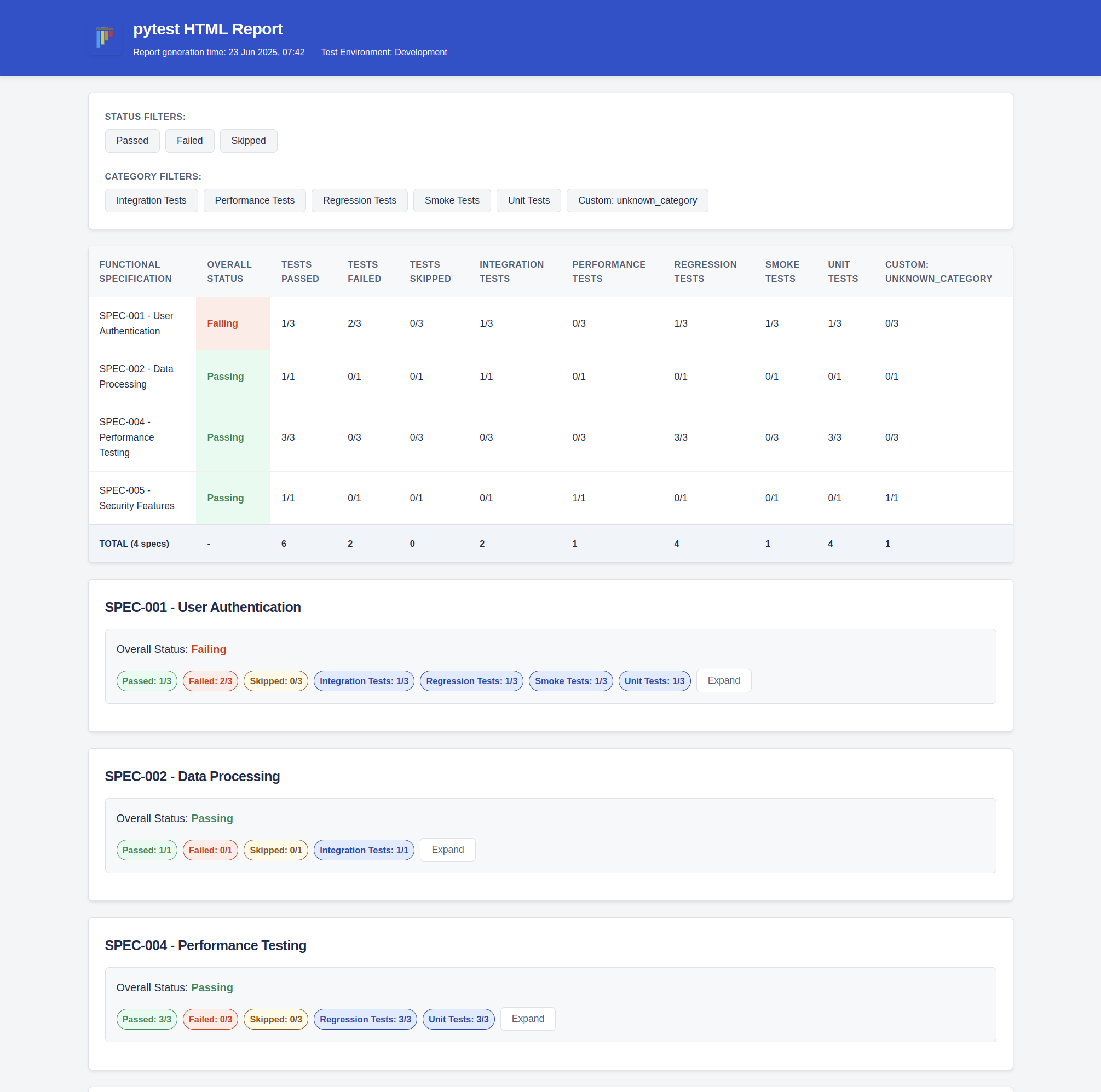
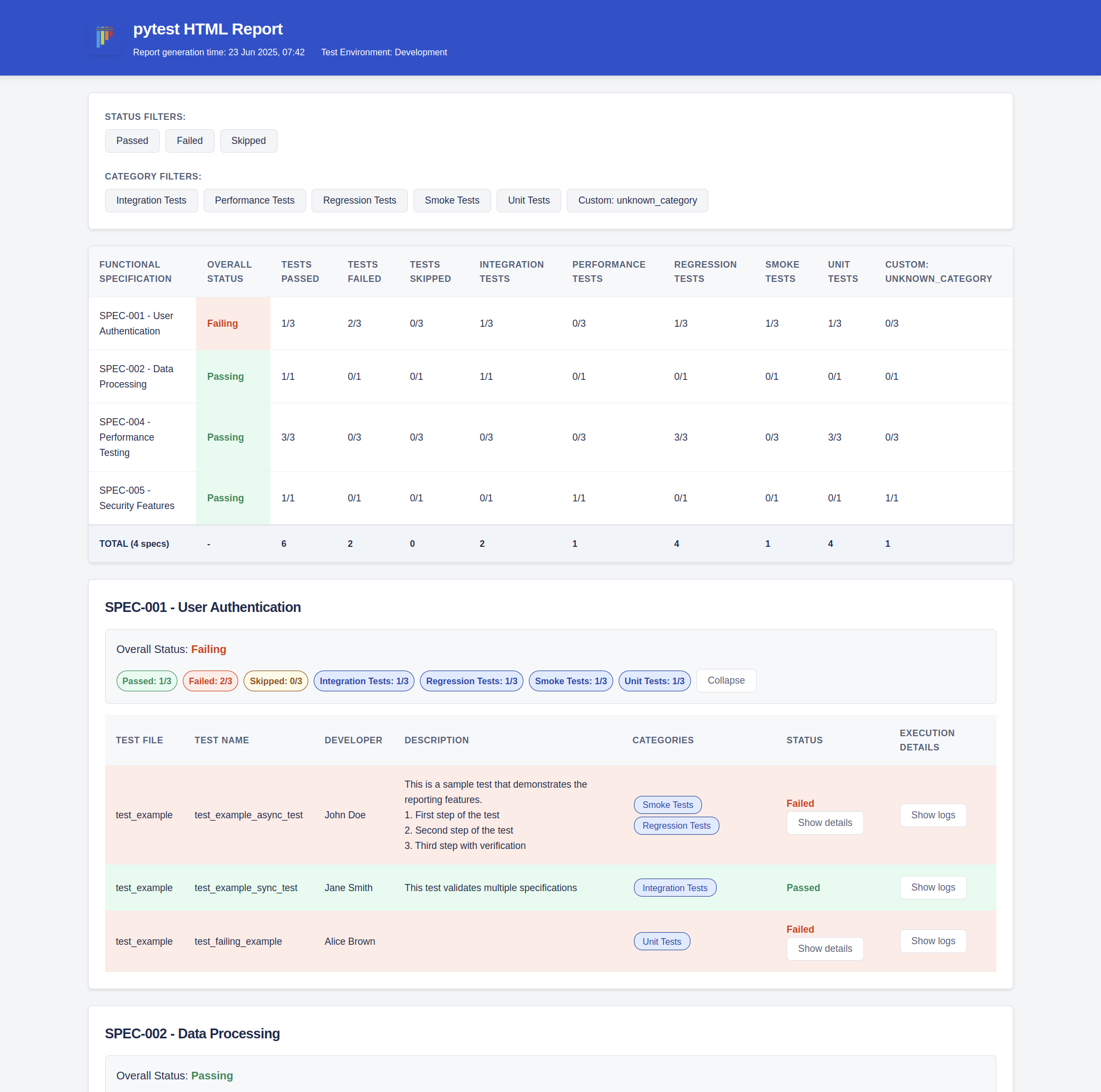
- ✅ Structured HTML reports with categorization
- ✅ Support for functional specifications and test categories
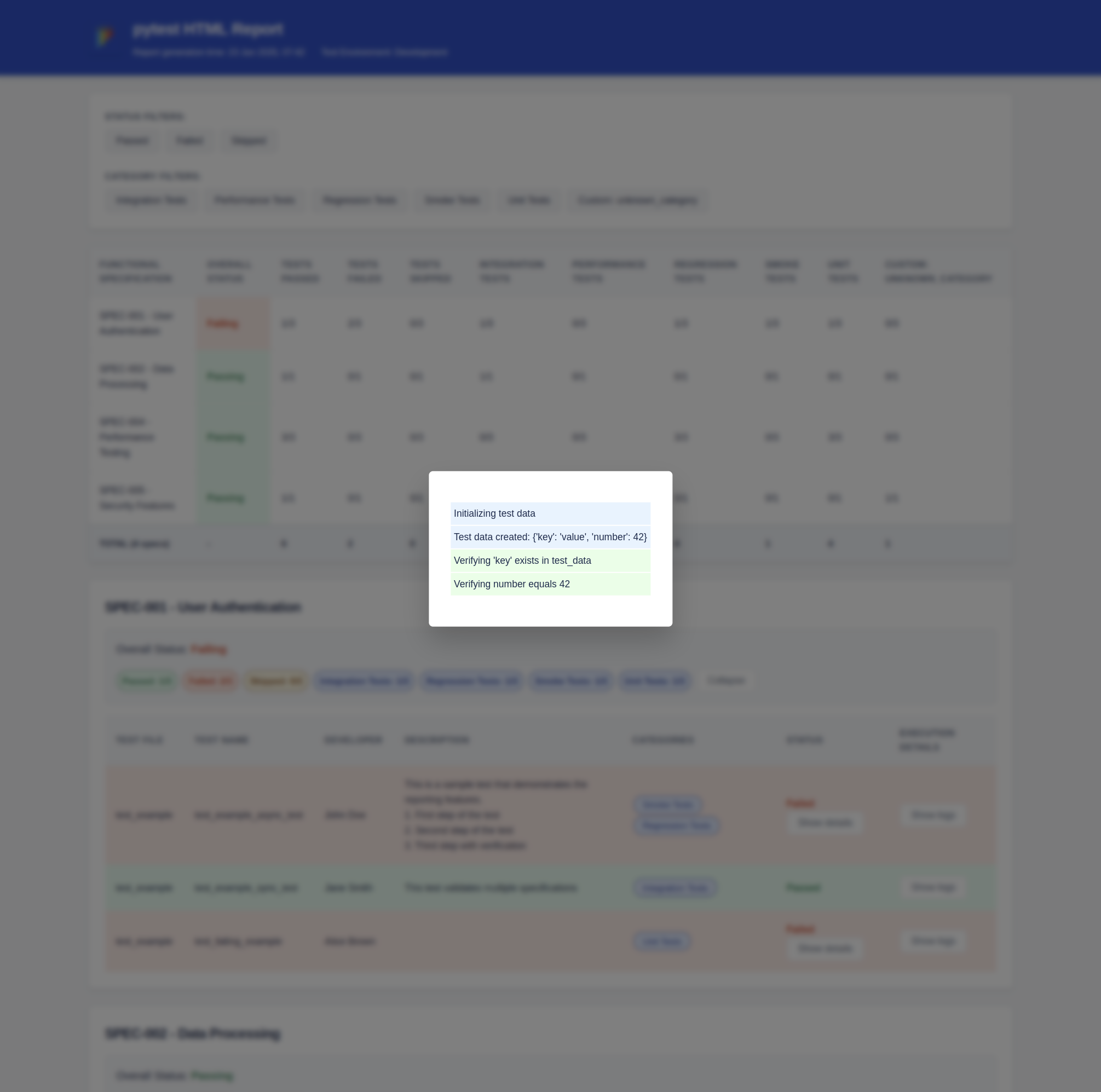
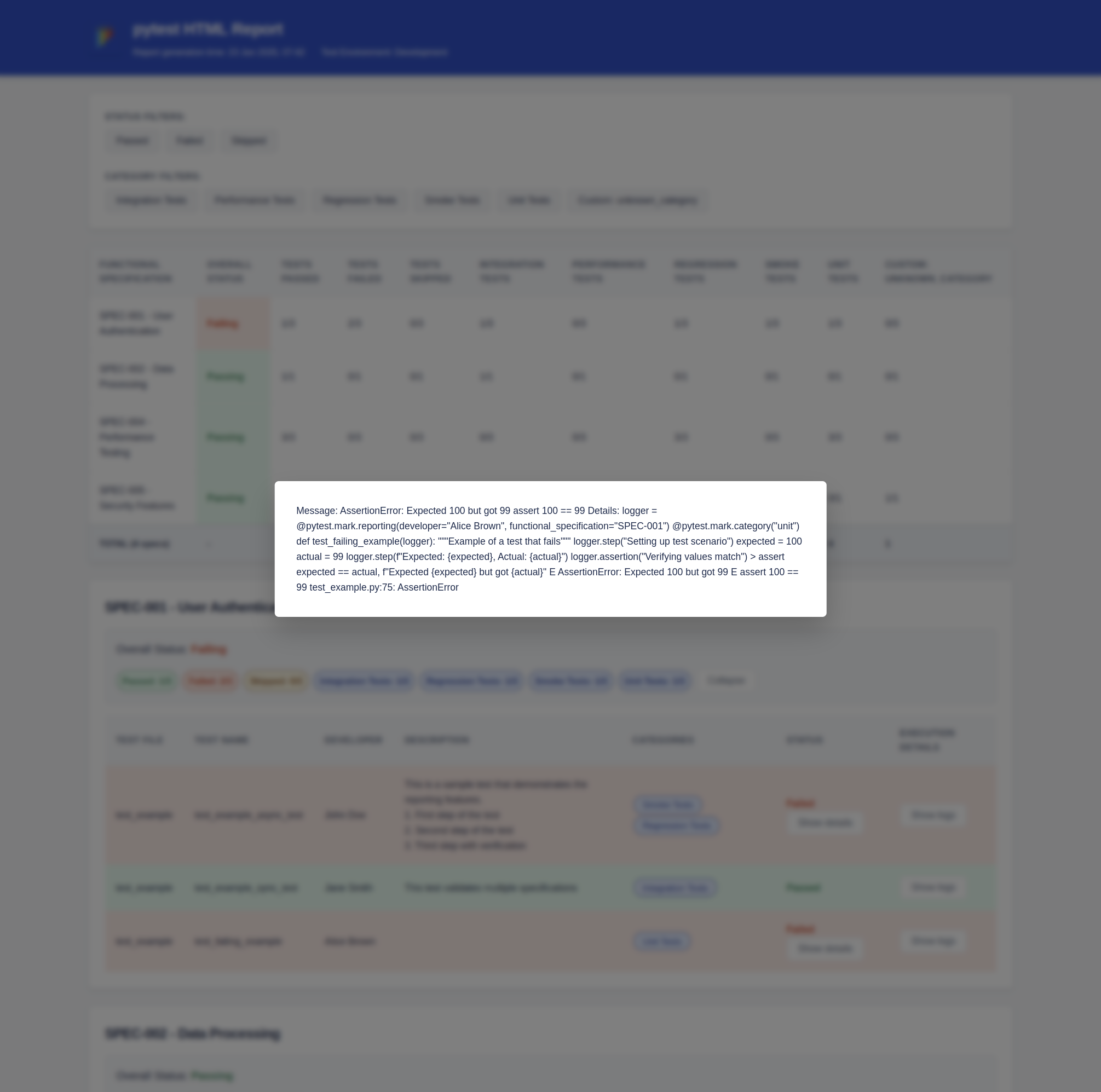
- ✅ Detailed test execution logs with step-by-step tracking
- ✅ Report theme and metadata customization
Report Overview
Installation
pip install pytest-html-report
Usage
Basic Configuration
Create a pytest_html_report.yml file in your project root:
report:
  title: "My Test Report"
  img_url: "https://your-logo-url.png"
  report_dir: "reports"
  test_environment: "Development"

functional_specs:
  SPEC-001: "User Authentication"
  SPEC-002: "Data Processing"
  SPEC-003: "API Integration"

categories:
  unit: "Unit Tests"
  integration: "Integration Tests"
  regression: "Regression Tests"
Writing Tests
Use the provided markers to add metadata to your tests:
import pytest

@pytest.mark.reporting(
    developer="John Doe",
    functional_specification="SPEC-001",
    test_description="Validate user login flow"
)
@pytest.mark.category("integration", "regression")
def test_user_login(logger):
    """Test user authentication process"""
    logger.step("Setting up test data")
    # Test implementation
    logger.step("Validating results")
    assert True

@pytest.mark.reporting(
    developer="Jane Smith",
    functional_specification=["SPEC-002", "SPEC-003"],
    test_description="Complex data pipeline test"
)
@pytest.mark.category("integration")
def test_data_pipeline(logger):
    """Test data processing pipeline"""
    logger.step("Initializing pipeline")
    # Test implementation
    logger.step("Verifying output")
    assert 1 == 1
    # Test assertions
    logger.assertion("Output 1 matches expected result 1")
Running Tests
Run your tests with pytest as usual:
pytest
The HTML report will be generated in the configured report directory (default: reports/). The report name is the report_date_time.html, e.g., reports/report_20250622_231929.html.
Available Markers
-
@pytest.mark.reporting: Add metadata about the testdeveloper: Test owner/developerfunctional_specification: Link to functional specstest_description: Brief description of the test
-
@pytest.mark.category: Categorize tests- Multiple categories can be specified
Logging Steps
The plugin provides a logger fixture for detailed test steps:
def test_example(logger):
    logger.step("Starting test preparation")
    # Test setup
    logger.step("Executing main test logic")
    # Test execution
    logger.assertion("Asserting result 1 == 1")
    # Assertions
Customizing Report Theme
You can customize the report appearance in your config:
theme:
  primary_color: "#0052CC"
  success_bg: "#E3FCEF"
  error_bg: "#FFEBE6"
  warning_bg: "#FFFAE6"
  info_bg: "#DEEBFF"


Download files
Download the file for your platform. If you're not sure which to choose, learn more about installing packages.
Source Distribution
Built Distribution
Filter files by name, interpreter, ABI, and platform.
If you're not sure about the file name format, learn more about wheel file names.
Copy a direct link to the current filters
File details
Details for the file pytest_html_report-1.0.6.tar.gz.
File metadata
- Download URL: pytest_html_report-1.0.6.tar.gz
- Upload date:
- Size: 1.3 MB
- Tags: Source
- Uploaded using Trusted Publishing? No
- Uploaded via: twine/6.1.0 CPython/3.12.3
File hashes
| Algorithm | Hash digest | |
|---|---|---|
| SHA256 |
1f9df98f8aca8160f8c1d2d48fd2db4201e4e9509e3641bfcff358dfd4b868df
|
|
| MD5 |
8e87e7f12841ab7b72370317f36c3efc
|
|
| BLAKE2b-256 |
fd6bbc47e2cac3535cb928b14b1e0c2abe422ccdbbe9aed600d66328ee88d431
|
File details
Details for the file pytest_html_report-1.0.6-py3-none-any.whl.
File metadata
- Download URL: pytest_html_report-1.0.6-py3-none-any.whl
- Upload date:
- Size: 18.8 kB
- Tags: Python 3
- Uploaded using Trusted Publishing? No
- Uploaded via: twine/6.1.0 CPython/3.12.3
File hashes
| Algorithm | Hash digest | |
|---|---|---|
| SHA256 |
edba8106a1aaed5534d0f28e0f1f2addaec5fd989edfb10ceb81642383ff2b6a
|
|
| MD5 |
430b2a1a8271b099e3338c0353422b98
|
|
| BLAKE2b-256 |
de2cf2ef1daee7a8943473cf33f4cc395bab468b9f217fd293e70ad64c23cceb
|






