








pytest-qatouch
Pytest plugin for uploading test results to your QA Touch Testrun.
Features
- It only will upload the test results to the specified testrun in your Qatouch portal
Installation
You can install "pytest-qatouch" via pip from PyPI::
pip install pytest-qatouch
Usage
from pytest_qatouch import qatouch


@qatouch.TR(10)
def test_for_testcase_number0010():
    assert True

@qatouch.TR(9)
def test_for_testcase_number0009():
    assert False
And If you want to use it with a parameterized tests , you can do as the example below.
import pytest
from pytest_qatouch import qatouch

@pytest.mark.parametrize(
    "num1,num2",
    [
        (9, 8),
        pytest.param(8, 10, marks=qatouch.TR(2)),
        pytest.param(0, 10, marks=qatouch.TR(10)),
        pytest.param(1, 4, marks=qatouch.TR(9)),
    ],
)
def test_sum_greater_than10(num1, num2):
    assert num1+num2 >= 10
Configuration
You can use a config file or pass it to pytest as command line options.
Config file
pytest.ini or setup.cfg pytest configuration
[pytest]
qatouch (string):                        Enable the qatouch plugin (Set it to 'True' to enable it)
qatouch-subdomain (string):              Your qatouch submodule name (i.e <your_subdomain>.qatouch.com)
qatouch-api-token (string):              Your qatouch API token
qatouch-project-key (string):            The qatouch project key
qatouch-testrun-key (string):            The testrun key in qatouch project
Command line options
--qatouch                        Enable the qatouch plugin (Set it to 'True' to enable it)
--qatouch-subdomain              Your qatouch submodule name (i.e <your_subdomain>.qatouch.com)
--qatouch-api-token              Your qatouch API token
--qatouch-project-key            The qatouch project key
--qatouch-testrun-key            The testrun key in qatouch project
User guide
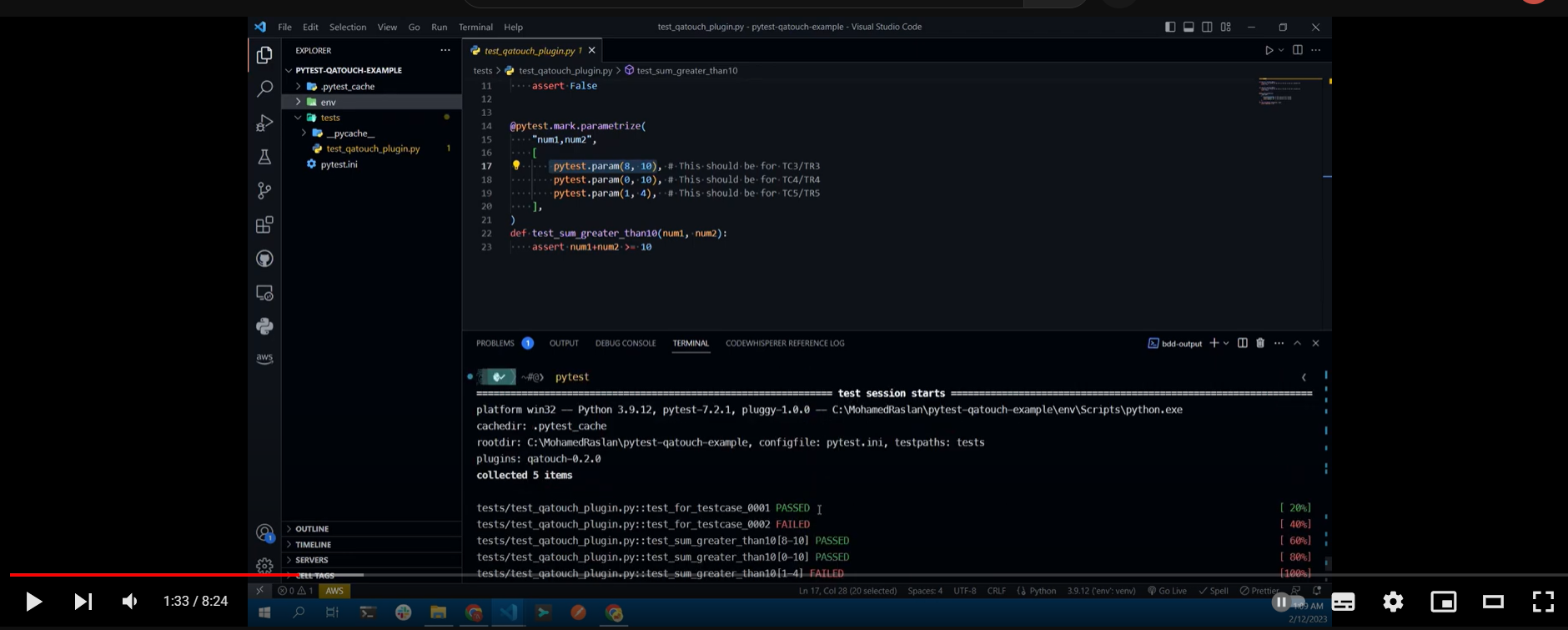
For further documentation see wiki and checkout this video:
Issues
If you encounter any problems, please file an issue along with a detailed description.
Contributing
Contributions are very welcome.
Development
To start development,run your python environment then run the following commands:
# Update pip, wheel and setuptools
python -m pip install -U pip wheel setuptools

# Instal all the needed dependencies
pip install -e .[dev]
1 maintainer

Metadata
1 maintainer
Release files for pytest-qatouch 0.2.2
For a detailed explanation of source distributions (sdists) and built distributions (wheels), please see the package formats documentation.
Source distribution (sdist)
| File | Size | Uploaded | |
|---|---|---|---|
| pytest-qatouch-0.2.2.tar.gz | 544.0 kB | Details |
Built distribution (wheel)
| File | Interpreter | ABI | Platform | Reset |
|---|---|---|---|---|
| pytest_qatouch-0.2.2-py3-none-any.whl | Python 3 | none | any | Details |
Total release size: 551.2 kB
Release files / pytest-qatouch-0.2.2.tar.gz
| Download URL | pytest-qatouch-0.2.2.tar.gz |
|---|---|
| Size | 544.0 kB |
| Tags | Source |
|
SHA-256 checksum How to use checksums |
af6b76e2cc79cf7c94588d3162058b837d592a99e06a937650925b02804934b2
|
|
BLAKE2b-256 checksum How to use checksums |
8eb33f26c1ada36539560d0ee90a00ab3b3d1ababd86a12f6eaacb4479085662
|
| Upload date | |
|
Uploaded using Trusted Publishing? What is trusted publishing? |
No |
| Uploaded via |
twine/4.0.2 CPython/3.9.5
|
Release files / pytest_qatouch-0.2.2-py3-none-any.whl
| Download URL | pytest_qatouch-0.2.2-py3-none-any.whl |
|---|---|
| Size | 7.1 kB |
| Tags | Python 3 |
|
SHA-256 checksum How to use checksums |
8e0203b7556de45c7372521cdb5305dbf486503f9d43abdb368667bbc961c904
|
|
BLAKE2b-256 checksum How to use checksums |
96d849ea5cde808611c797958f55d12d03962bbb1f4169456fbc454f3e81bcde
|
| Upload date | |
|
Uploaded using Trusted Publishing? What is trusted publishing? |
No |
| Uploaded via |
twine/4.0.2 CPython/3.9.5
|














