
Pytest plugin for uploading test results to your QA Touch Testrun.

Project description








pytest-qatouch
Pytest plugin for uploading test results to your QA Touch Testrun.
Features
- It only will upload the test results to the specified testrun in your Qatouch portal
Installation
You can install "pytest-qatouch" via pip from PyPI::
pip install pytest-qatouch
Usage
from pytest_qatouch import qatouch


@qatouch.TR(10)
def test_for_testcase_number0010():
    assert True

@qatouch.TR(9)
def test_for_testcase_number0009():
    assert False
And If you want to use it with a parameterized tests , you can do as the example below.
import pytest
from pytest_qatouch import qatouch

@pytest.mark.parametrize(
    "num1,num2",
    [
        (9, 8),
        pytest.param(8, 10, marks=qatouch.TR(2)),
        pytest.param(0, 10, marks=qatouch.TR(10)),
        pytest.param(1, 4, marks=qatouch.TR(9)),
    ],
)
def test_sum_greater_than10(num1, num2):
    assert num1+num2 >= 10
Configuration
You can use a config file or pass it to pytest as command line options.
Config file
pytest.ini or setup.cfg pytest configuration
[pytest]
qatouch (string):                        Enable the qatouch plugin (Set it to 'True' to enable it)
qatouch-subdomain (string):              Your qatouch submodule name (i.e <your_subdomain>.qatouch.com)
qatouch-api-token (string):              Your qatouch API token
qatouch-project-key (string):            The qatouch project key
qatouch-testrun-key (string):            The testrun key in qatouch project
Command line options
--qatouch                        Enable the qatouch plugin (Set it to 'True' to enable it)
--qatouch-subdomain              Your qatouch submodule name (i.e <your_subdomain>.qatouch.com)
--qatouch-api-token              Your qatouch API token
--qatouch-project-key            The qatouch project key
--qatouch-testrun-key            The testrun key in qatouch project
User guide
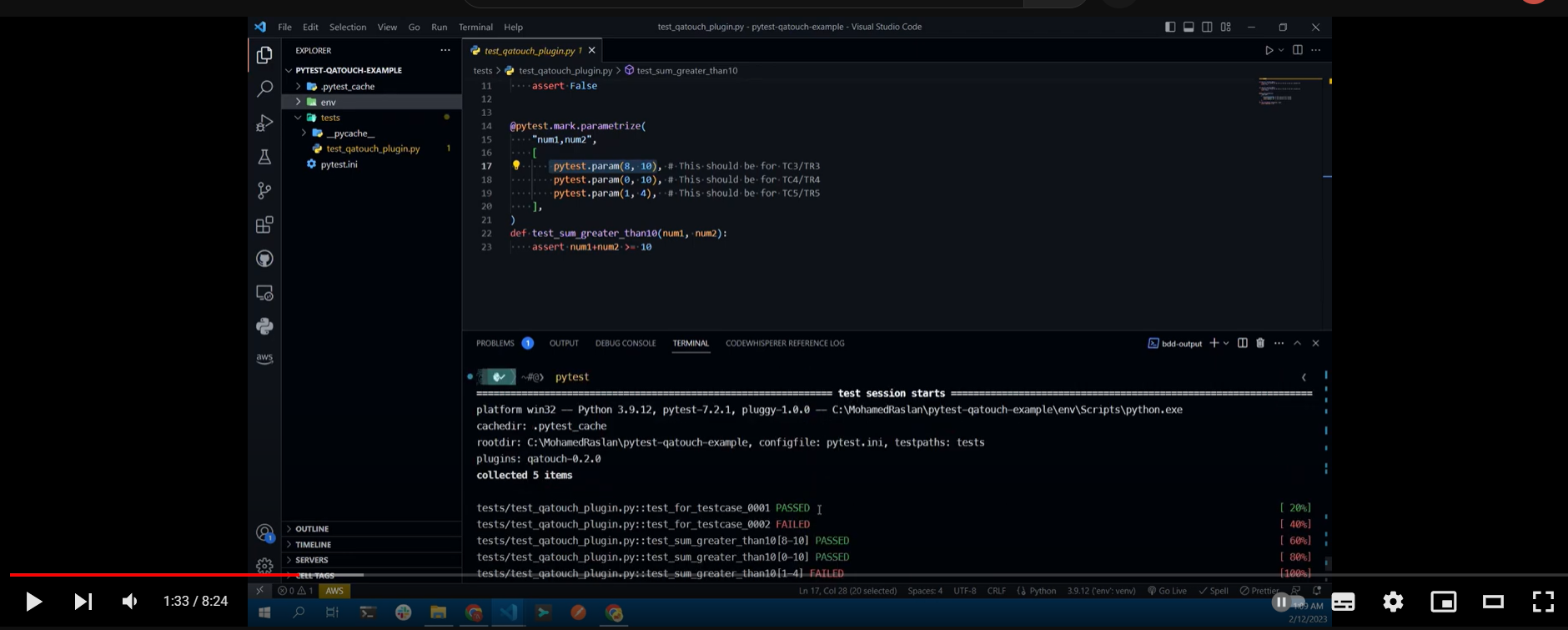
For further documentation see wiki and checkout this video:
Issues
If you encounter any problems, please file an issue along with a detailed description.
Contributing
Contributions are very welcome.
Development
To start development,run your python environment then run the following commands:
# Update pip, wheel and setuptools
python -m pip install -U pip wheel setuptools

# Instal all the needed dependencies
pip install -e .[dev]
Release history Release notifications | RSS feed


Download files
Download the file for your platform. If you're not sure which to choose, learn more about installing packages.
Source Distribution
Built Distribution
Filter files by name, interpreter, ABI, and platform.
If you're not sure about the file name format, learn more about wheel file names.
Copy a direct link to the current filters
File details
Details for the file pytest-qatouch-0.2.2.tar.gz.
File metadata
- Download URL: pytest-qatouch-0.2.2.tar.gz
- Upload date:
- Size: 544.0 kB
- Tags: Source
- Uploaded using Trusted Publishing? No
- Uploaded via: twine/4.0.2 CPython/3.9.5
File hashes
| Algorithm | Hash digest | |
|---|---|---|
| SHA256 |
af6b76e2cc79cf7c94588d3162058b837d592a99e06a937650925b02804934b2
|
|
| MD5 |
c3bc078a99f6f5be0f9a6fbb8fb00ebc
|
|
| BLAKE2b-256 |
8eb33f26c1ada36539560d0ee90a00ab3b3d1ababd86a12f6eaacb4479085662
|
File details
Details for the file pytest_qatouch-0.2.2-py3-none-any.whl.
File metadata
- Download URL: pytest_qatouch-0.2.2-py3-none-any.whl
- Upload date:
- Size: 7.1 kB
- Tags: Python 3
- Uploaded using Trusted Publishing? No
- Uploaded via: twine/4.0.2 CPython/3.9.5
File hashes
| Algorithm | Hash digest | |
|---|---|---|
| SHA256 |
8e0203b7556de45c7372521cdb5305dbf486503f9d43abdb368667bbc961c904
|
|
| MD5 |
e3f9f973817ab653905b147f430bae35
|
|
| BLAKE2b-256 |
96d849ea5cde808611c797958f55d12d03962bbb1f4169456fbc454f3e81bcde
|






