
This project has been archived by its maintainers, and is no longer receiving any updates.
⚠️ This plugin is now renamed to 'pytest-html-plus'. Please install the new package. https://pypi.org/project/pytest-html-plus/
🧪 pytest-reporter-plus - A Single page, actionable, plug-and-play unified Test Reports:
Get a single, easy-to-read HTML report summarizing all your test results — no hassle, just clarity. Detect flaky tests, and optionally send reports via email**. Works beautifully with or without xdist.





🚀 Installation
pip install pytest-reporter-plus
# or with Poetry
poetry add pytest-reporter-plus
🧾 Usage
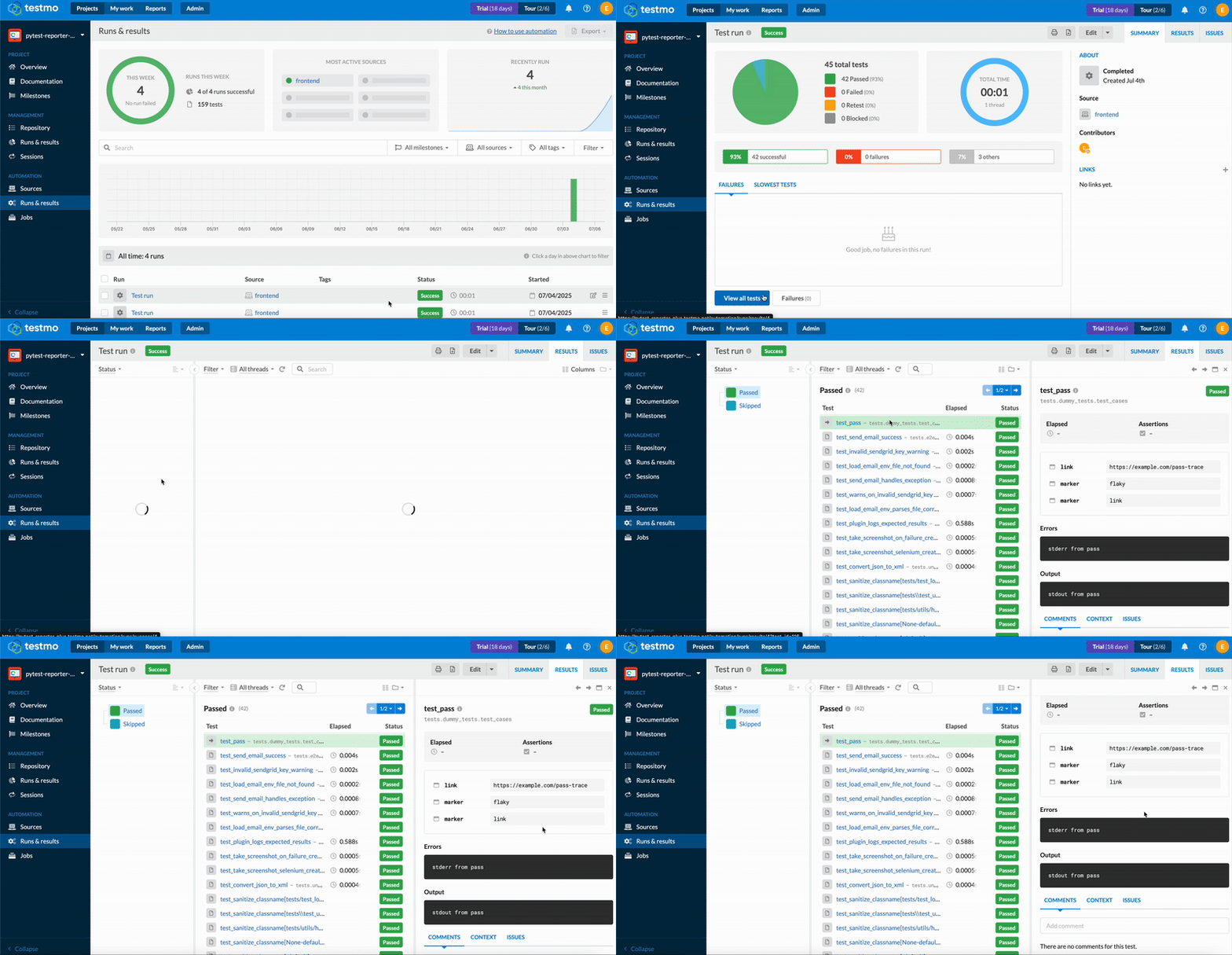
Generate HTML + JSON reports:
pytest
If you are running with xdist
pytest -n numberOfWorkers
You’ll get:
report.html – a clean, styled HTML report
Available Options
| Option | Description | Default | Choices |
|---|---|---|---|
--json-report |
Path to save individual JSON test reports | final_report.json |
Any valid file path |
--capture-screenshots |
When to capture screenshots | failed |
failed, all, none |
--html-output |
Directory to output HTML reports | report_output |
Any valid directory |
--screenshots |
Directory where screenshots will be stored | screenshots |
Any valid directory |
--send-email |
Send HTML report via email after the test run | False |
True, False |
--should-open-report |
Open your HTML report automatically post completion | failed |
always, failed, never |
--generate-xml |
Easily generate combined xml of all runs | False |
False, True |
--xml-report |
Path to output the XML report (used with --generate-xml) | None |
Any valid file path |
Keep using your regular pytest commands — just plug this in to unlock the below powerful reporting features with zero extra effort.
✨ Features
🧩 Seamless Combined XML Export to your favourite test management tools — No Plugins Needed
Export a fully merged JUnit XML report effortlessly — no external tools or plugins required. (No More merge html additional plugins or steps in your YAML to feed xml reports)
✔ Links, logs, stdout/stderr, and even flaky history — all included ✔ Works out-of-the-box with your test management tools (like TestRail, XRay, Zephyr) ✔ Just one flag. No extra lines of code. Total traceability.
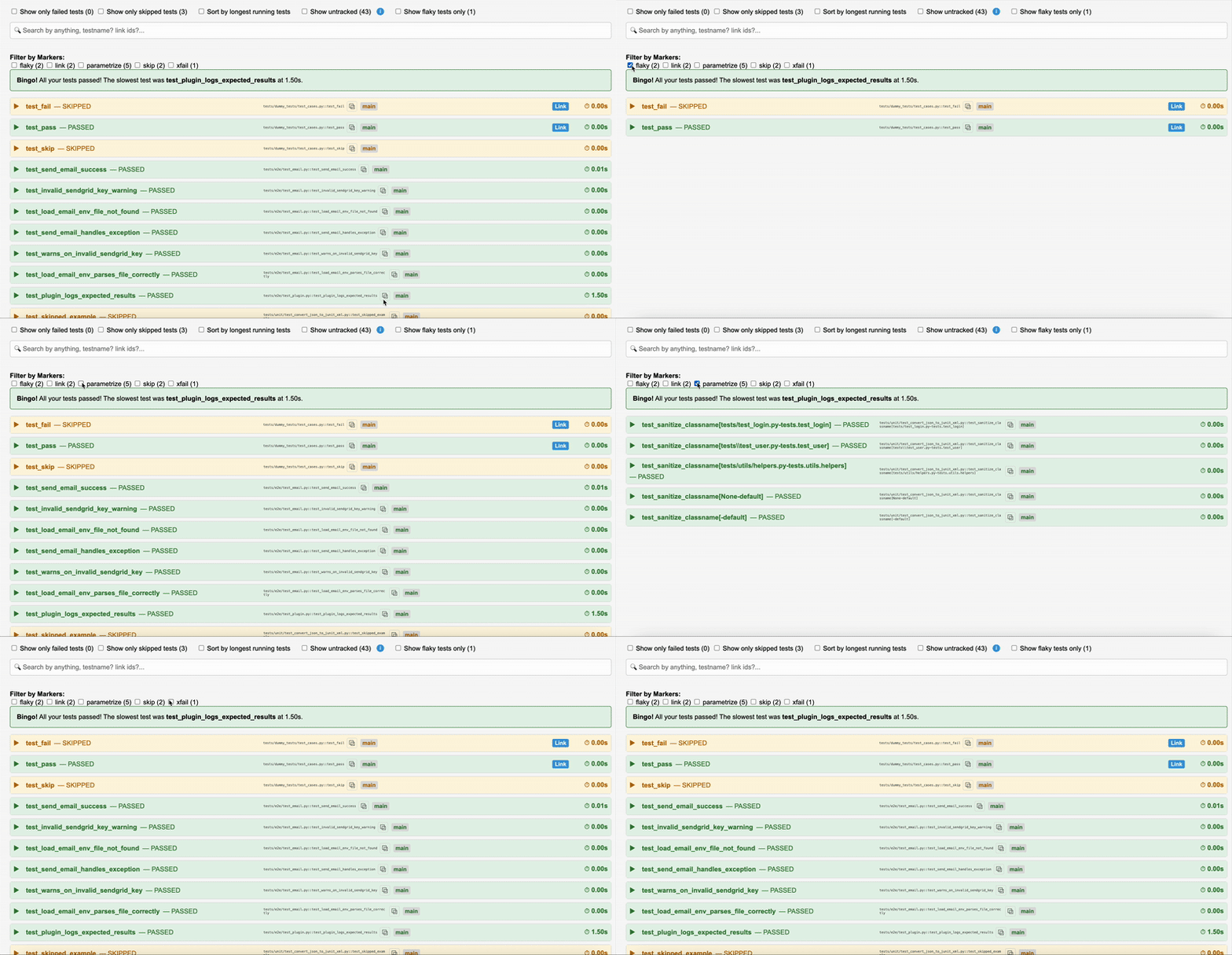
🏷️ Tag your tests on the fly!
With dynamic markers, you can assign tags like api, critical, or slow — or any custom label — at runtime using standard pytest.mark.*.
No need for custom marker definitions. Perfect for smarter filtering, reporting, and analysis.
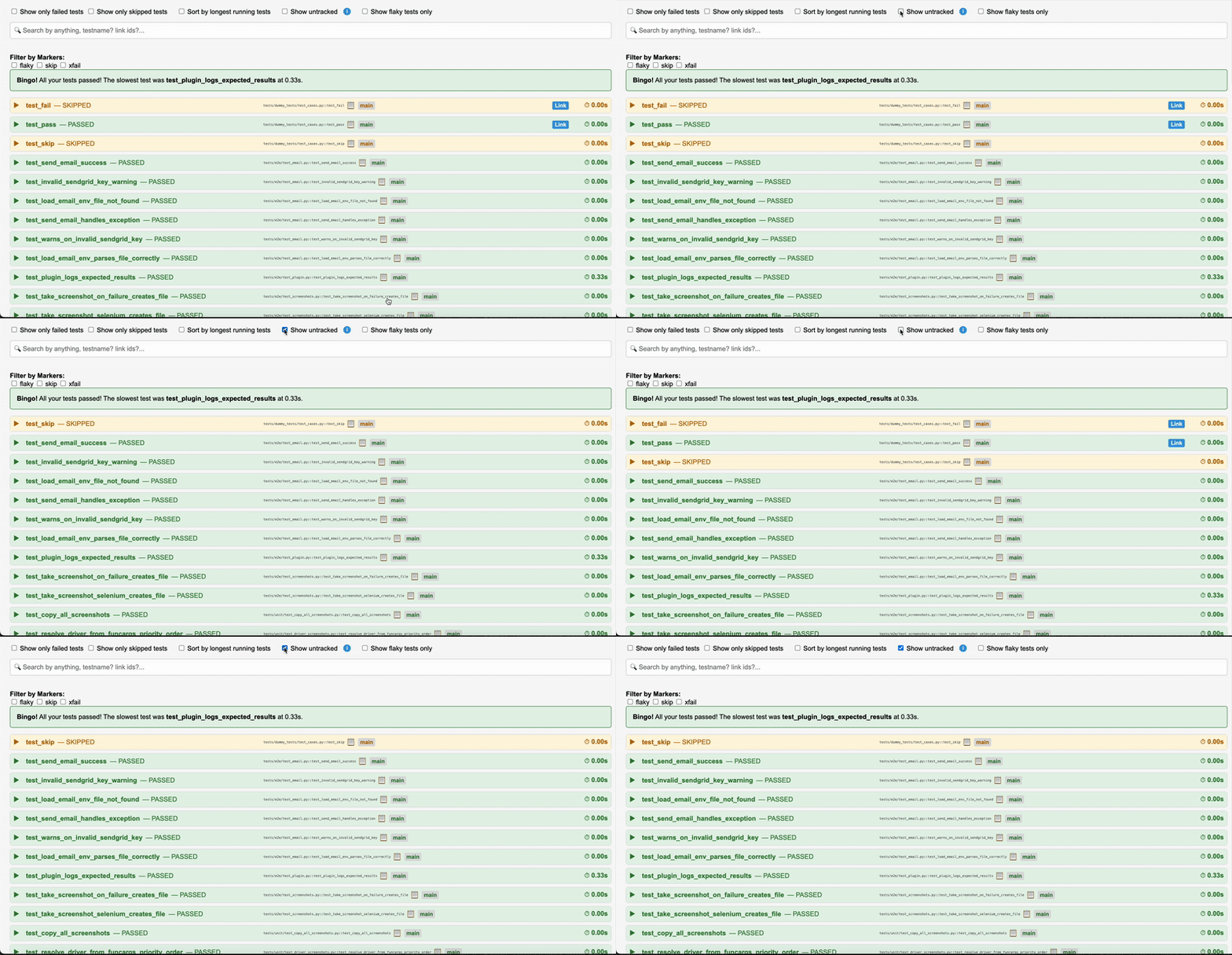
Easily track Untracked test scenarios
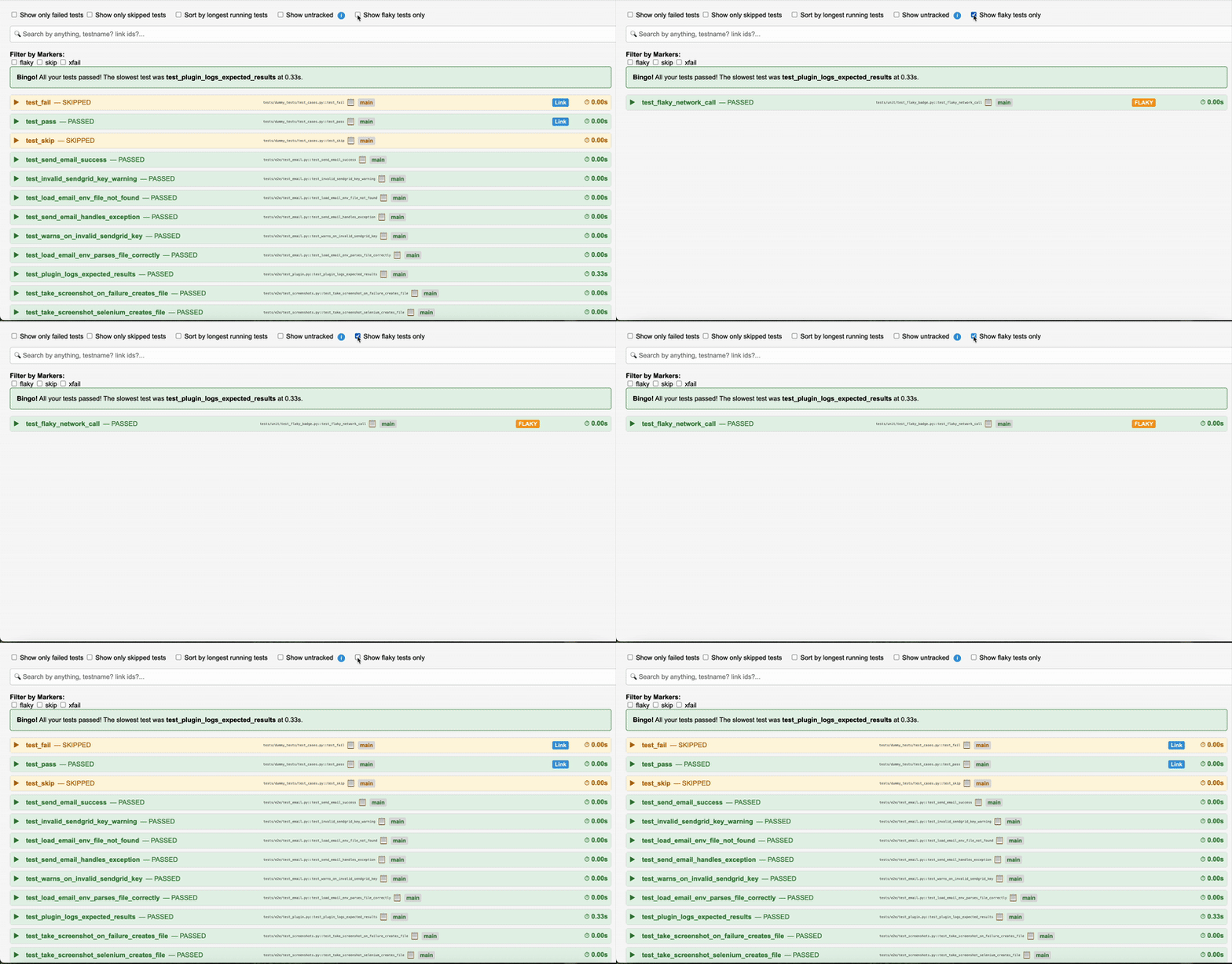
🔄 Flaky Test Detection: Automatically flags flaky tests so you can spot and fix inconsistent failures quickly.
📸 Screenshot Support: View screenshots directly in the report to understand failures faster.
📧 Email Test Reports: Send your reports via email effortlessly using SendGrid integration.
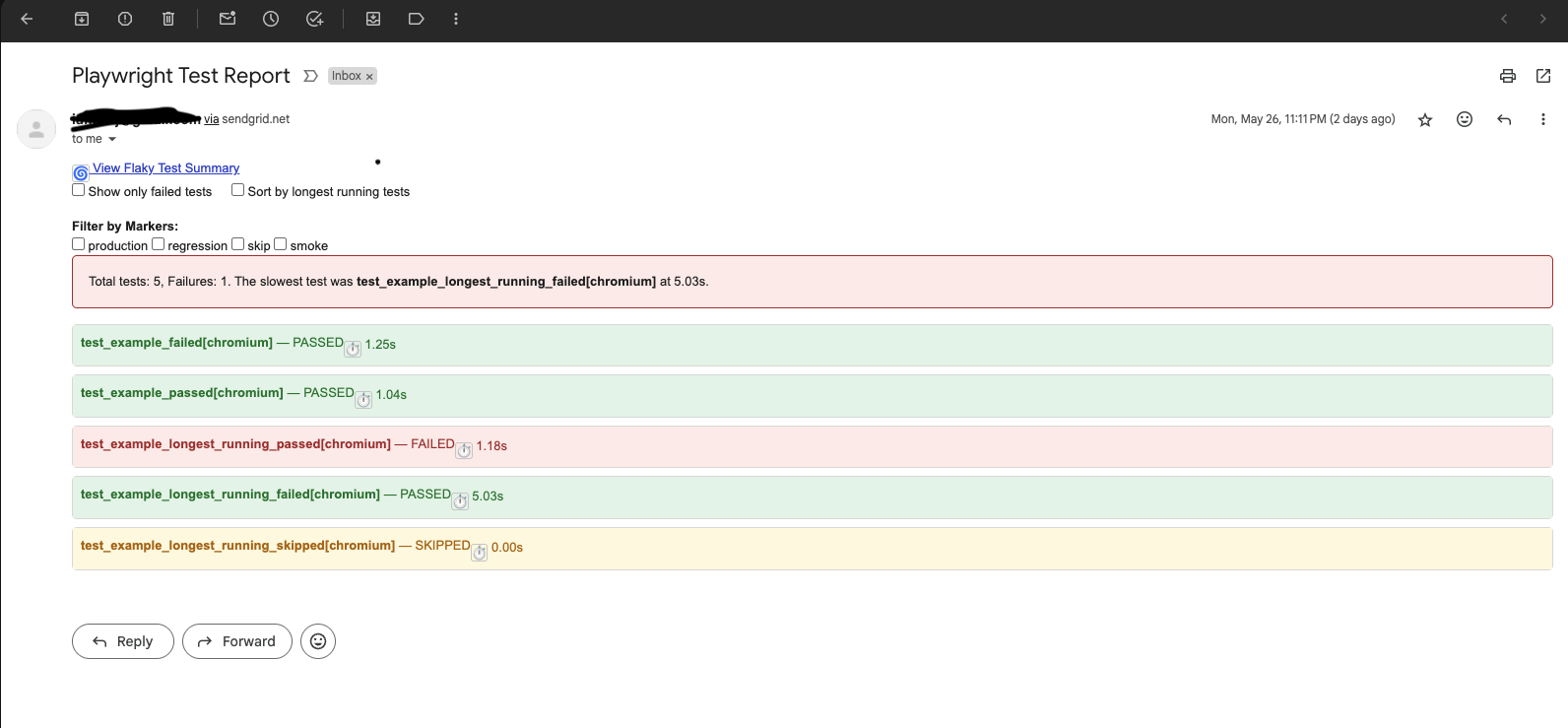
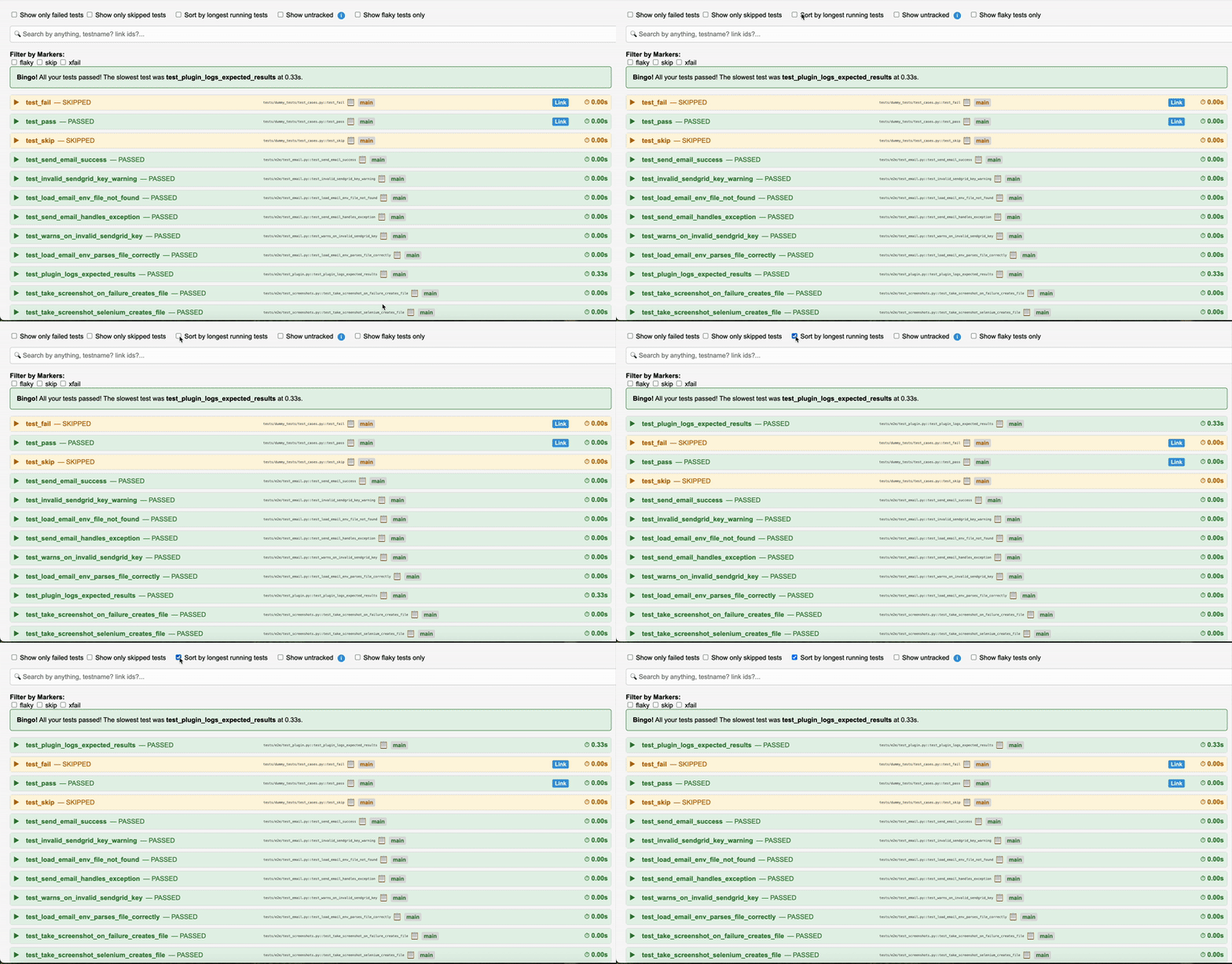
🐢 Spot Slow Tests: Highlights the slowest tests so you know where to optimize your suite.
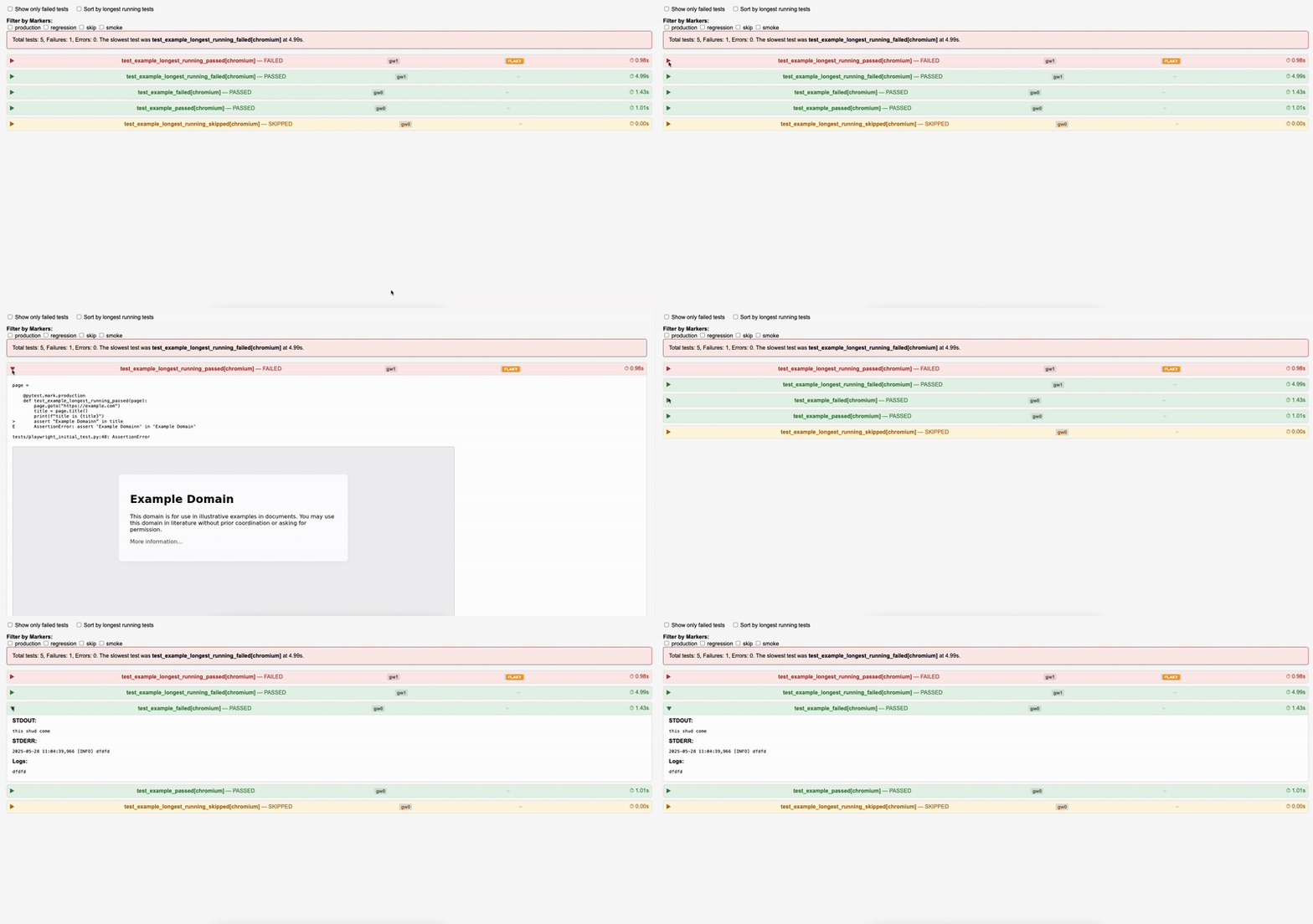
📝 Comprehensive output capture: All your test logs with loggers, print() statements, and screenshots are automatically captured and embedded in the report...
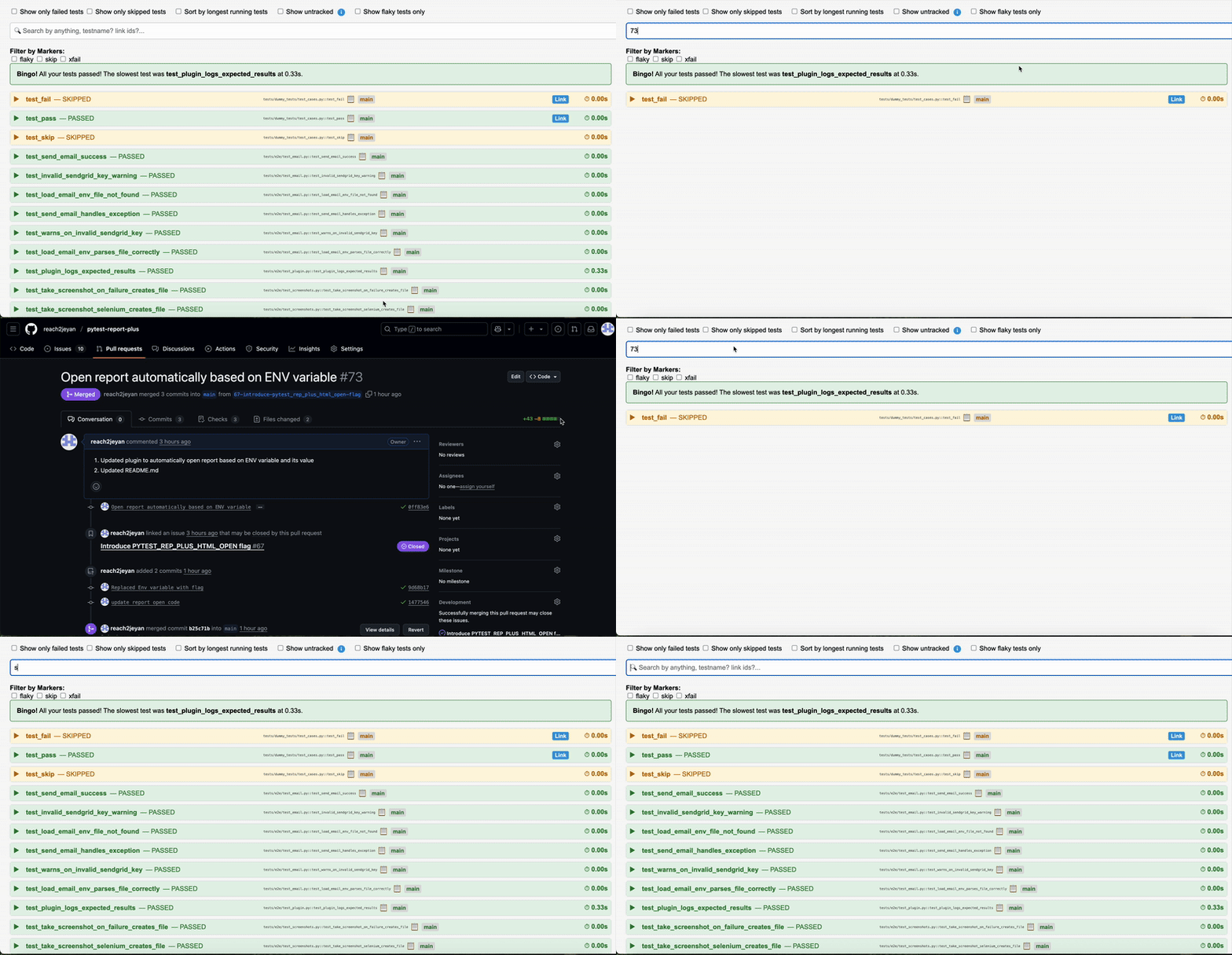
🔍 Universal Test Search + Smart Link Navigation
Whether you're trying to trace coverage or track unlinked test cases — this search has your back!
Just start typing, and the dashboard will instantly filter tests by:
✅ Test name
✅ Linked issue/documentation IDs (like JIRA, Testmo, Notion, etc.)
✅ Custom URLs or keywords present in the links
AND MANY MANY MORE
Target Audience
This plugin is aimed at those who are:
-
Tired of writing extra code just to generate reports or capture screenshots
-
Manually attaching logs or outputs to test results
-
Are frustrated with archiving folders full of assets, CSS, JS, and dashboards just to share test results.
-
Don’t want to refactor existing test suites or tag everything with new decorators just to integrate with a reporting tool.
-
Prefer simplicity — a zero-config, zero code, lightweight report that still looks clean, useful, and polished.
-
Want “just enough” — not bare-bones plain text, not a full dashboard with database setup — just a portable HTML report that STILL supports features like links, screenshots, and markers.
Comparison with Alternatives
Most existing pytest reporter tools:
Only generate HTML reports from a single run (by making you write code for creating xmls like pytest-html) OR they generate all the JS and png files that are not the scope of test results and force you to archive it.
Heavy duty with bloated charts and other test management features(when they arent your only test management system either) increasing your archive size.
This plugin aims to fill those gaps by acting as a companion layer on top of the JSON report, focusing on:
🔄 Merge + flakiness intelligence
🔗 Traceability via metadata
🧼 HTML that’s both readable and minimal
🧼 Quickly copy test paths and run in your local
📧 Email Report (Optional)
Send the HTML report via email using --send-email. Please note you will need your own sendgrid setup to use this feature
Create an emailenv file in your project folder that has the following
sender_email=you@example.com
recipient_email=team@example.com
subject=Your Test Report
smtp_server=smtp.sendgrid.net
smtp_port=587
email_password=your_sendgrid_api_key
Run
pytest --send-email
Contributions
We welcome pull requests, issues, and feature suggestions from the community. Before contributing, please take a moment to review our contribution guidelines and code of conduct. Your involvement helps make this tool better for everyone!
Setting up the project is pretty simple
docker build -t pytest-reporter-plus .
docker run -it pytest-reporter-plus /bin/bash
poetry install --dev

poetry run pytest tests/
📜 License
MIT
1 maintainer

Metadata
1 maintainer
Release files for pytest-reporter-plus 0.3.6
For a detailed explanation of source distributions (sdists) and built distributions (wheels), please see the package formats documentation.
Source distribution (sdist)
| File | Size | Uploaded | |
|---|---|---|---|
| pytest_reporter_plus-0.3.6.tar.gz | 21.0 kB | Details |
Built distribution (wheel)
| File | Interpreter | ABI | Platform | Reset |
|---|---|---|---|---|
| pytest_reporter_plus-0.3.6-py3-none-any.whl | Python 3 | none | any | Details |
Total release size: 42.4 kB
Release files / pytest_reporter_plus-0.3.6.tar.gz
| Download URL | pytest_reporter_plus-0.3.6.tar.gz |
|---|---|
| Size | 21.0 kB |
| Tags | Source |
|
SHA-256 checksum How to use checksums |
23823476e440e6ba7ba56a657e676b0b735444325aed43bc3bca7d70fa1c9f61
|
|
BLAKE2b-256 checksum How to use checksums |
14aa710c0811d9c6eb9d3044da72bf740563f62c62f19eefbd297fcdb1d4de27
|
| Upload date | |
|
Uploaded using Trusted Publishing? What is trusted publishing? |
No |
| Uploaded via |
twine/6.1.0 CPython/3.9.6
|
Release files / pytest_reporter_plus-0.3.6-py3-none-any.whl
| Download URL | pytest_reporter_plus-0.3.6-py3-none-any.whl |
|---|---|
| Size | 21.4 kB |
| Tags | Python 3 |
|
SHA-256 checksum How to use checksums |
d8e5d71c090fd603cddfae406dc59299c14a10544f09df225ec704998bc8b86a
|
|
BLAKE2b-256 checksum How to use checksums |
db71347c195276d0371bfcfe51607699cca21b427ad7e8db1dfffb5da55819c7
|
| Upload date | |
|
Uploaded using Trusted Publishing? What is trusted publishing? |
No |
| Uploaded via |
twine/6.1.0 CPython/3.9.6
|














