
Lightweight enhanced HTML reporter for Pytest

This project has been archived.
The maintainers of this project have marked this project as archived. No new releases are expected.
Project description
🧪 pytest-reporter-plus
A powerful, plug-and-play Pytest plugin to generate HTML + JSON reports, detect flaky tests, and optionally send reports via email. Works beautifully with or without xdist.
🚀 Installation
pip install pytest-reporter-plus
# or with Poetry
poetry add --dev pytest-reporter-plus
🧾 Usage
Generate HTML + JSON reports:
pytest
If you are running with xdist
pytest -n numberOfWorkers
You’ll get:
report.html – a clean, styled HTML report
Available Options
| Option | Description | Default | Choices |
|---|---|---|---|
--json-report |
Path to save individual JSON test reports | playwright_report.json |
Any valid file path |
--automation-tool |
Specify automation tool used for testing | playwright |
playwright, selenium, other |
--capture-screenshots |
When to capture screenshots | failed |
failed, all, none |
--html-output |
Directory to output HTML reports | report_output |
Any valid directory |
--screenshots |
Directory where screenshots will be stored | screenshots |
Any valid directory |
--send-email |
Send HTML report via email after the test run | False |
True, False |
✨ Features
🧩 Unified Test Reports: Get a single, easy-to-read HTML report summarizing all your test results — no hassle, just clarity.
🔄 Flaky Test Detection: Automatically flags flaky tests so you can spot and fix inconsistent failures quickly.

📸 Screenshot Support: View screenshots directly in the report to understand failures faster.
📝 Comprehensive output capture: All your test logs with loggers, print() statements, and screenshots are automatically captured and embedded in the report...
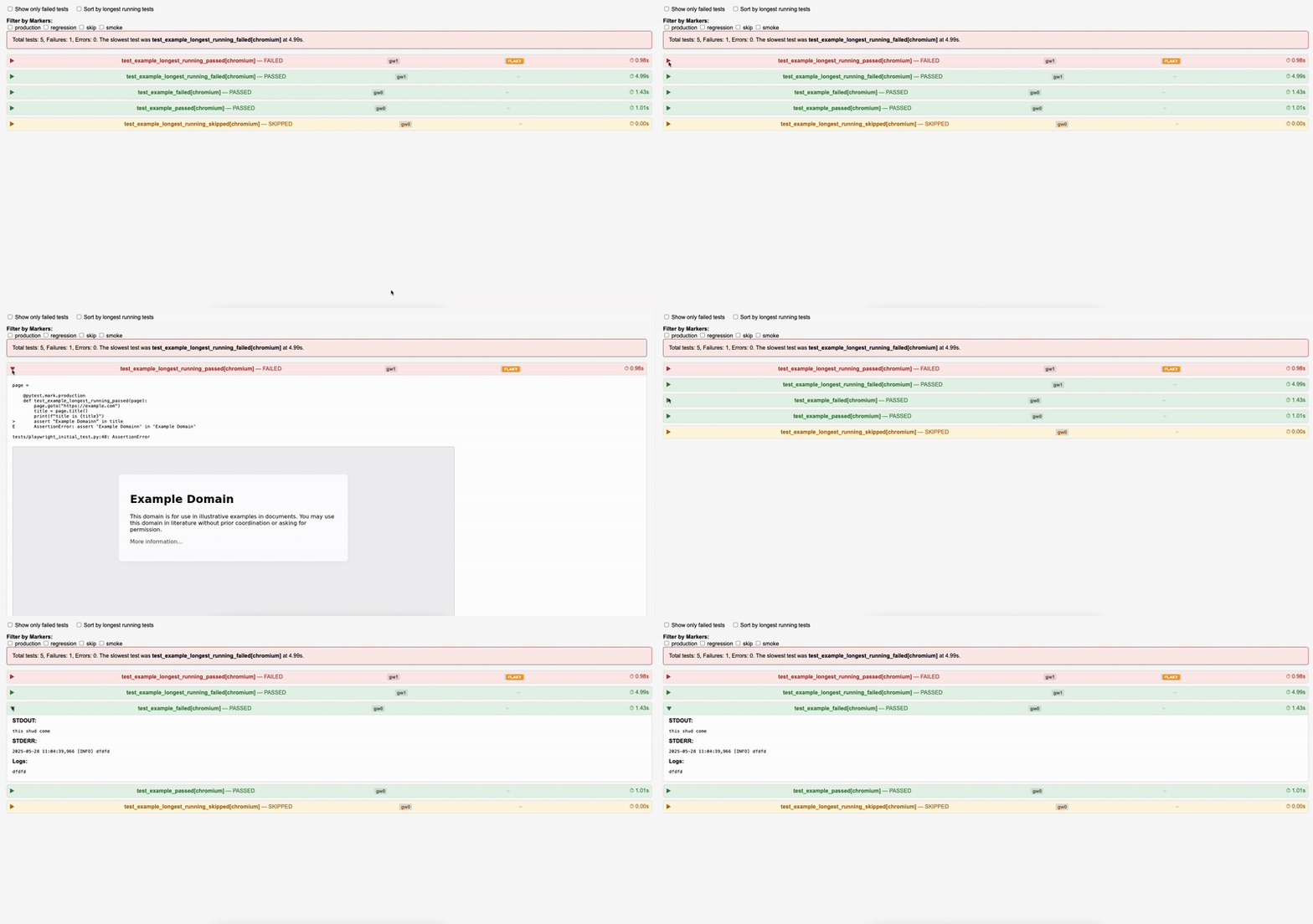
📧 Email Test Reports: Send your reports via email effortlessly using SendGrid integration.
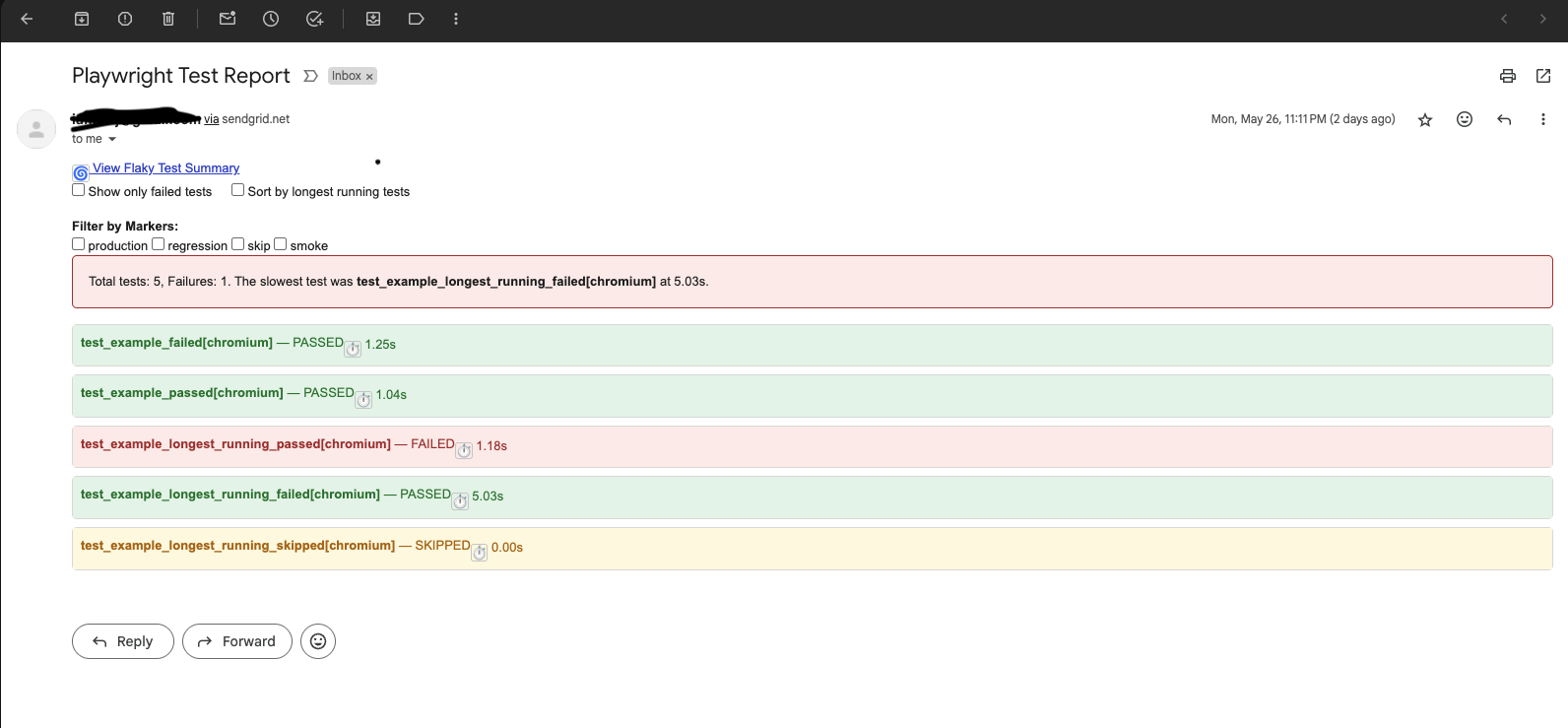
🐢 Spot Slow Tests: Highlights the slowest tests so you know where to optimize your suite.
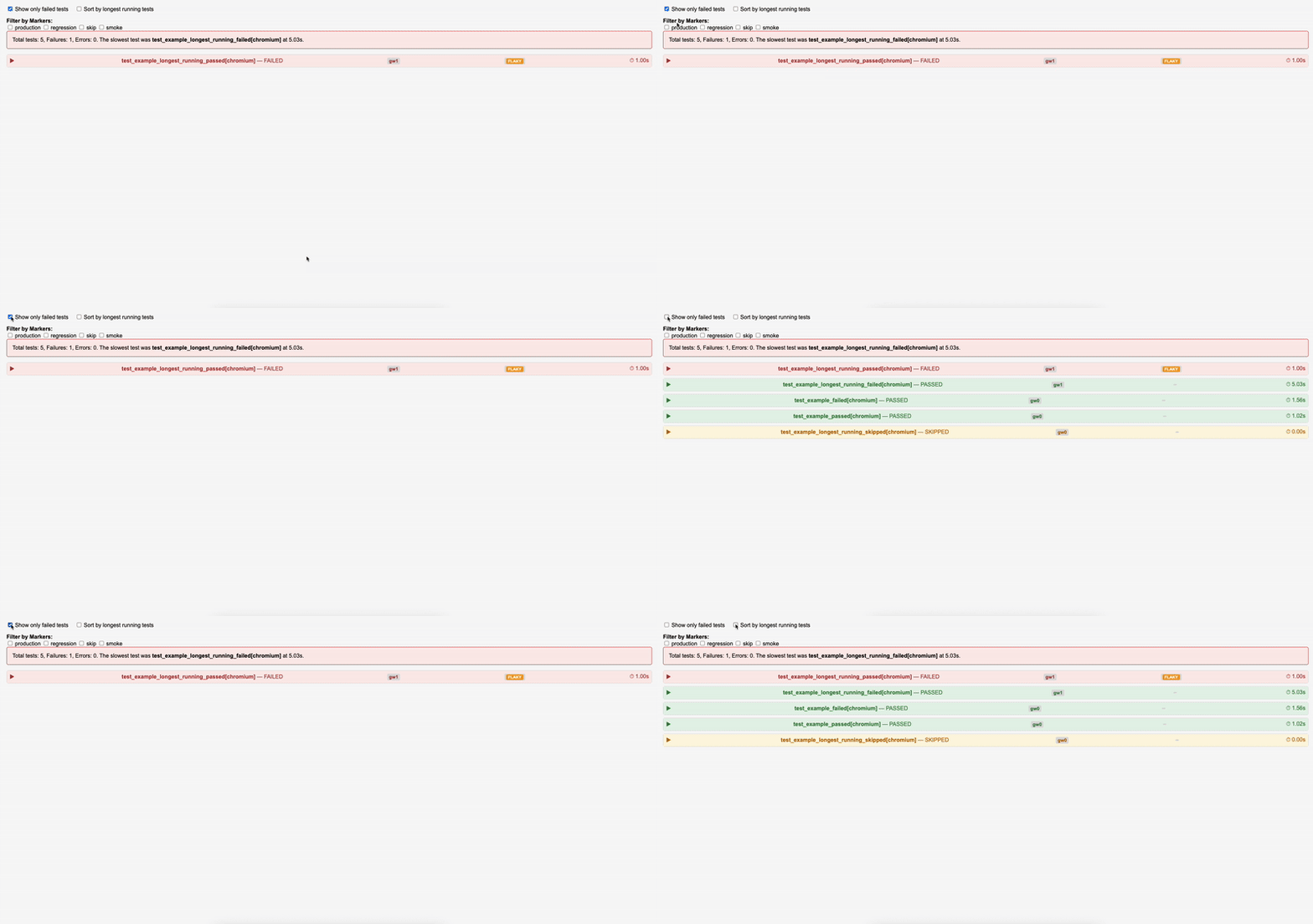
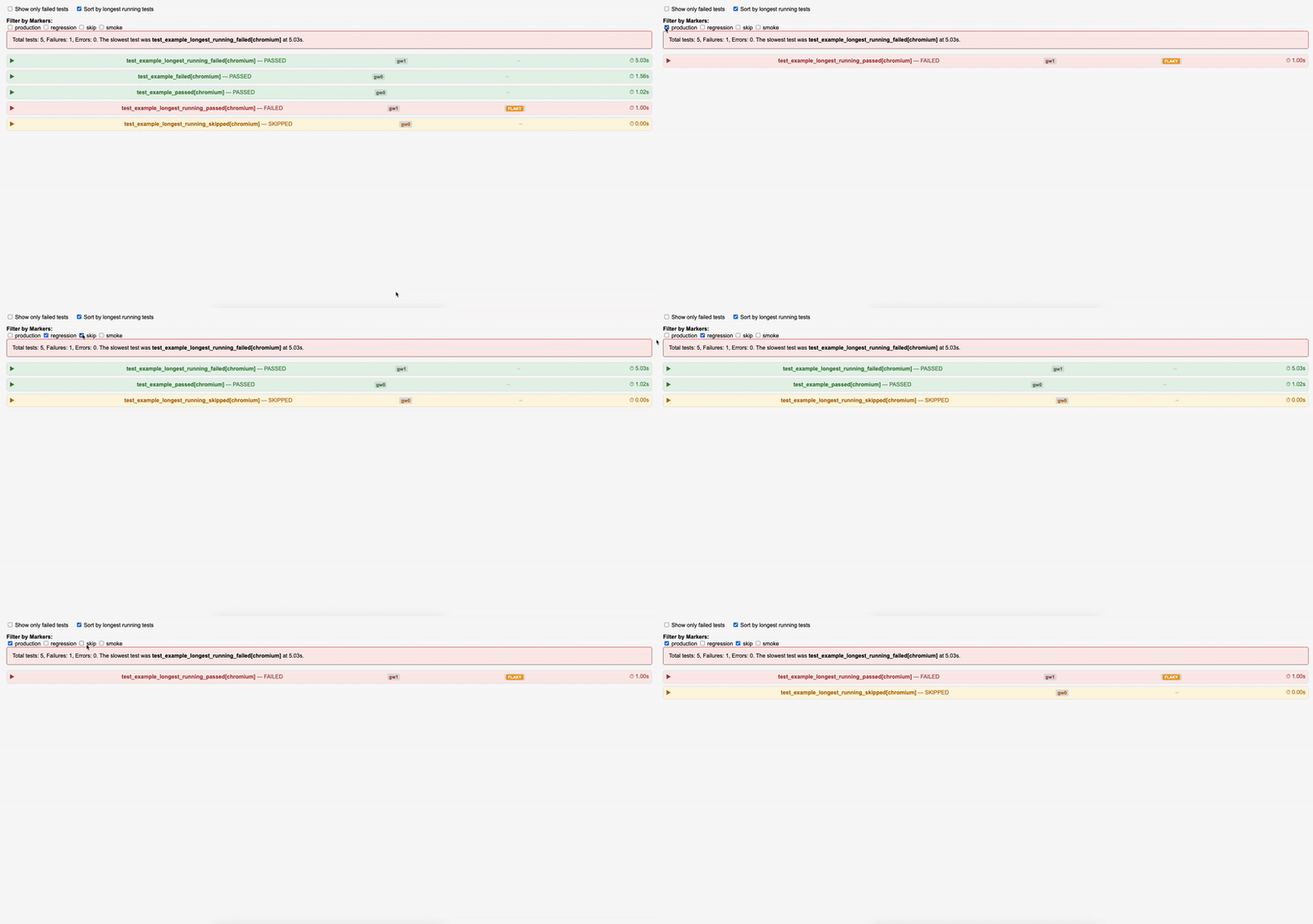
⏱️ Sort & Filter: Easily sort tests by duration or filter by custom tags and skip status to focus on what matters.
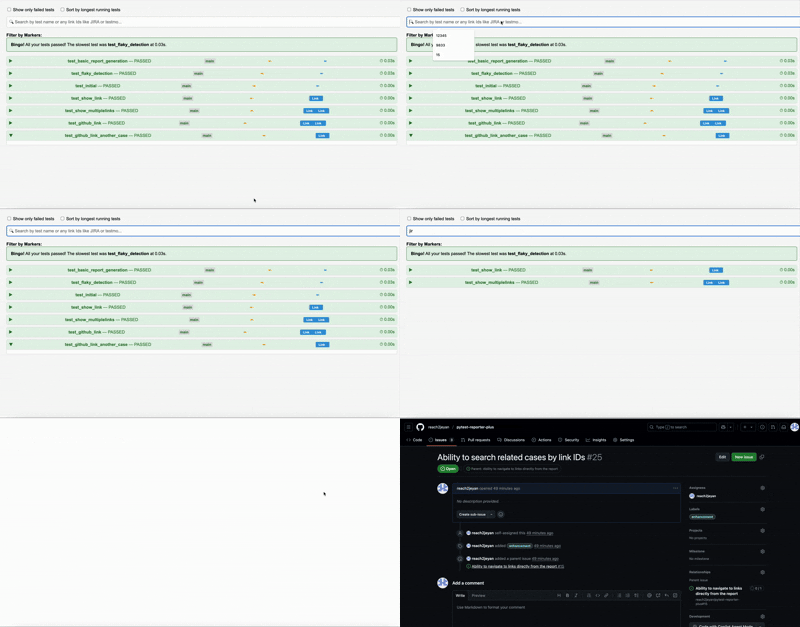
🔍 Universal Test Search + Smart Link Navigation
Whether you're trying to trace coverage or track unlinked test cases — this search has your back!
Just start typing, and the dashboard will instantly filter tests by:
✅ Test name
✅ Linked issue/documentation IDs (like JIRA, Testmo, Notion, etc.)
✅ Custom URLs or keywords present in the links
Why use pytest-reporter-plus?
Stop wasting time writing and maintaining custom pytest reporter hooks like pytest_runtest_makereport! With pytest-reporter-plus, you get a beautiful, lightweight HTML report out of the box — no extra coding needed.
Just install, run your tests, and let the plugin handle all the reporting magic. Focus on what matters: writing and running your tests.
🔁 Flaky Test Detection
If a test is retried multiple times (e.g. due to a --reruns plugin), the report will flag it as FLAKY.
In the HTML report, you’ll see a badge like:
📧 Email Report (Optional)
Send the HTML report via email using --send-email. Please note you will need your own sendgrid setup to use this feature
Create an emailenv file in your project folder that has the following
sender_email=you@example.com
recipient_email=team@example.com
report_path=report.html
subject=Your Test Report
smtp_server=smtp.sendgrid.net
smtp_port=587
email_password=your_sendgrid_api_key
Run
pytest --send-email
🤝 Contributions
PRs, issues, and feature requests are welcome! Let's make this tool more awesome together.
Setting up the project is pretty simple
docker build -t pytest-reporter-plus .
docker run -it pytest-reporter-plus /bin/bash
📛 Naming
Why pytest-reporter-plus?
Because it does more than just reporting – it’s your enhanced test summary companion ✨
📜 License
MIT
Release history Release notifications | RSS feed


Download files
Download the file for your platform. If you're not sure which to choose, learn more about installing packages.
Source Distribution
Built Distribution
Filter files by name, interpreter, ABI, and platform.
If you're not sure about the file name format, learn more about wheel file names.
Copy a direct link to the current filters
File details
Details for the file pytest_reporter_plus-0.2.3.tar.gz.
File metadata
- Download URL: pytest_reporter_plus-0.2.3.tar.gz
- Upload date:
- Size: 15.2 kB
- Tags: Source
- Uploaded using Trusted Publishing? No
- Uploaded via: twine/6.1.0 CPython/3.10.18
File hashes
| Algorithm | Hash digest | |
|---|---|---|
| SHA256 |
5aeb6e468dad4fdc3360c18a7a711a040737102c64d4d6490c2843fd64bbe031
|
|
| MD5 |
075248f225f3bfac50262c690ee7f573
|
|
| BLAKE2b-256 |
e10b8416af8286d751057a91a5422ec72250463bf50177ab820b78b7cb08b540
|
File details
Details for the file pytest_reporter_plus-0.2.3-py3-none-any.whl.
File metadata
- Download URL: pytest_reporter_plus-0.2.3-py3-none-any.whl
- Upload date:
- Size: 16.7 kB
- Tags: Python 3
- Uploaded using Trusted Publishing? No
- Uploaded via: twine/6.1.0 CPython/3.10.18
File hashes
| Algorithm | Hash digest | |
|---|---|---|
| SHA256 |
62b16dfa463d53272b3b21358305b4bf5395e433f4c69a0c4082cfff54046989
|
|
| MD5 |
de39a7a1f3f609d24f8bbf247c523a68
|
|
| BLAKE2b-256 |
4446b5a0152e5a8f7c41161a39383d42166caae8a4143ef989857a28741132e2
|






