
pytest-sugar ✨




This plugin extends pytest by showing failures and errors instantly, adding a progress bar, improving the test results, and making the output look better.
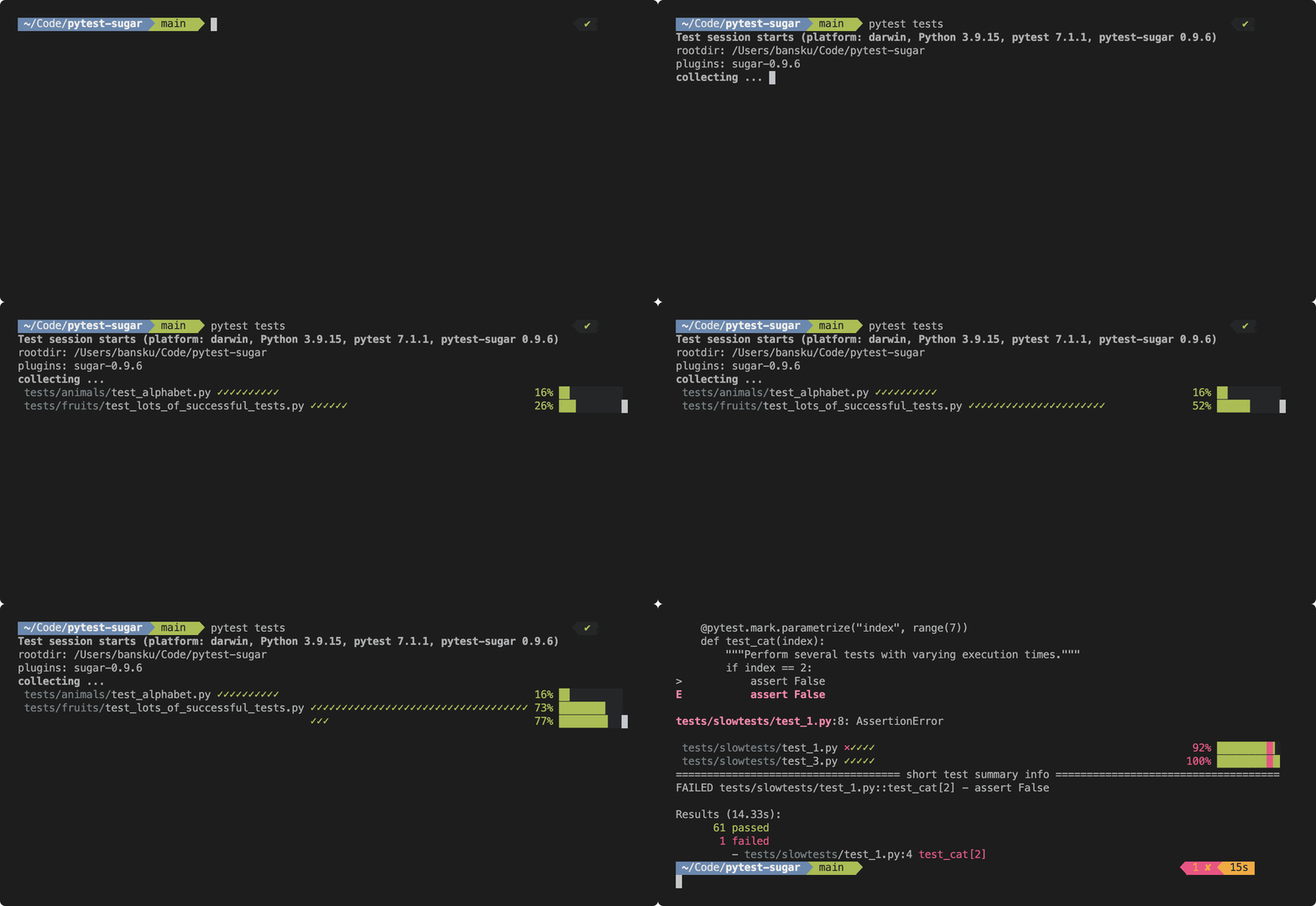
Installation
To install pytest-sugar:
python -m pip install pytest-sugar
Once installed, the plugin is activated automatically. Run your tests normally:
pytest
If you would like more detailed output (one test per line), then you may use the verbose option:
pytest --verbose
If you would like to run tests without pytest-sugar, use:
pytest -p no:sugar
Usage
pytest-sugar provides several command-line options to customize its output and behavior. These options enhance test reporting and Playwright trace integration:
Show detailed test failures instead of one-line tracebacks. Use this if you want to see the full failure information instantly.
--old-summary
Force pytest-sugar output even if pytest doesn’t detect a real terminal. Useful when running tests in CI systems or other non-interactive environments.
--force-sugar
Specify the directory where Playwright trace files are stored. Defaults to Playwright default: "test-results"
--sugar-trace-dir <directory>
Disable Playwright trace file detection and output display. Use this if you want to turn off trace collection or display entirely.
--sugar-no-trace
How to contribute 👷♂️

Make sure to read our Code of Conduct. You can get started modifying the codebase with the following commands. Alternatively, you can try Github Codespaces (click the badge above). Push the changes to your repository & create a pull request.
git clone git@github.com:Teemu/pytest-sugar.git
cd pytest-sugar
python -m venv .venv
source .venv/bin/activate
echo ".venv" >> .git/info/exclude
pip install -e ".[dev]"
pre-commit install
There are two ways of running tests. We have our proper tests:
pytest .
There are also fake tests that can be used to visualise the output:
pytest faketests
When submitting a pull request, please add a RELEASE.md file in the root of the project that contains the release type (major, minor, patch) and a summary of the changes that will be used as the release changelog entry. For example:
Release type: patch

For long-running tests, display minutes and not only seconds.
Requirements
You will need the following prerequisites in order to use pytest-sugar:
- Python 3.8 or newer
- pytest 6.2 or newer
Running on Windows
If you are seeing gibberish, you might want to try changing charset and fonts. See this comment for more details.
Similar projects
3 maintainers


Metadata
3 maintainers
Release files for pytest-sugar 1.1.1
For a detailed explanation of source distributions (sdists) and built distributions (wheels), please see the package formats documentation.
Source distribution (sdist)
| File | Size | Uploaded | Provenance | Actions |
|---|---|---|---|---|
| pytest-sugar-1.1.1.tar.gz | 16.5 kB | Without provenance | Details for pytest-sugar-1.1.1.tar.gz |
Built distribution (wheel)
| File | Interpreter | ABI | Platform | Actions Reset |
|---|---|---|---|---|
| pytest_sugar-1.1.1-py3-none-any.whl | Python 3 | none | any | Details for pytest_sugar-1.1.1-py3-none-any.whl |
Total release size: 28.0 kB
Release files / pytest-sugar-1.1.1.tar.gz
| Download URL | pytest-sugar-1.1.1.tar.gz |
|---|---|
| Size | 16.5 kB |
| Tags | Source |
|
SHA-256 checksum How to use checksums |
73b8b65163ebf10f9f671efab9eed3d56f20d2ca68bda83fa64740a92c08f65d
|
|
BLAKE2b-256 checksum How to use checksums |
0b4e60fed105549297ba1a700e1ea7b828044842ea27d72c898990510b79b0e2
|
| Upload date | |
|
Uploaded using Trusted Publishing? What is trusted publishing? |
No |
| Uploaded via |
twine/6.1.0 CPython/3.9.23
|
Release files / pytest_sugar-1.1.1-py3-none-any.whl
| Download URL | pytest_sugar-1.1.1-py3-none-any.whl |
|---|---|
| Size | 11.4 kB |
| Tags | Python 3 |
|
SHA-256 checksum How to use checksums |
2f8319b907548d5b9d03a171515c1d43d2e38e32bd8182a1781eb20b43344cc8
|
|
BLAKE2b-256 checksum How to use checksums |
87d581d38a91c1fdafb6711f053f5a9b92ff788013b19821257c2c38c1e132df
|
| Upload date | |
|
Uploaded using Trusted Publishing? What is trusted publishing? |
No |
| Uploaded via |
twine/6.1.0 CPython/3.9.23
|
Security for pytest-sugar 1.1.1
Provenance
Provenance describes where a file came from. On PyPI, provenance is shared via attestations, which provide a verifiable record of the build or publishing details. View details, limitations and caveats.
No provenance found
None of the files in this release were uploaded with provenance metadata.
A note on package security
PyPI is a repository for distributing packages, not a service for auditing them. While third-party security researchers and our staff do their best to detect and remove malicious packages, PyPI cannot guarantee the quality, security or suitability of any given package.
To learn more about protecting yourself from malicious actors, visit our package security documentation.














