





python-ags4
[[TOC]]
Introduction
python-ags4 is a library of functions that
- imports/reads AGS4 files to a collection of Pandas DataFrames.
- data can be analyzed, manipulated, and updated using Pandas
- and then exported/written back to an AGS4 file
Release available at pypi.org/project/python-ags4/
This project is maintained by the AGS Data Format Working Group
Note This repo was forked from github.com/asitha-sena/python-ags4 which is now archived and read-only
HEAD is gitlab.com/ags-data-format-wg/ags-python-library
Documentation
Installation
pip install python-ags4
Note Installation requires Python 3.9 or later.
Code Examples
First import the module.
from python_ags4 import AGS4
Import data from an AGS4 file
# Load from a file
tables, headings = AGS4.AGS4_to_dataframe('path/to/file.ags')

# Or use our sample data
from python_ags4.data import load_test_data
tables, headings = load_test_data()
- tables is a dictionary of Pandas DataFrames. Each DataFrame contains the data from a GROUP in the AGS4 file.
- headings is a dictionary of lists. Each list has the header names of the corresponding GROUP
Important: If the above code throws an exception or returns an empty dictionary, it very likely that the input file is not a valid AGS4 file. In such a case, the AGS4.check_file() function can be used to validate the file and see whether anything needs to be fixed before trying again. Most users will find it easier to perform this step using the command line interface as it will provide a formatted error report that is much easier to read than the python dictionary created by directly calling the function.
All data are imported as text so they cannot be analyzed or plotted immediately. You can use the following code to convert all the numerical data in a DataFrame from text to numeric.
LOCA = AGS4.convert_to_numeric(tables['LOCA'])
The AGS4.convert_to_numeric() function automatically converts all columns in the input DataFrame with a numeric TYPE to a float. (Note: The UNIT and TYPE rows are removed during this operation as they are non-numeric.)
Export data back to an AGS4 file
AGS4.dataframe_to_AGS4(tables, headings, 'output.ags')
A DataFrame with numeric columns may not get exported with the correct precision so they should be converted back to formatted text. The AGS4.convert_to_text() function will do this automatically if an AGS4 dictionary file is provided with the necessary UNIT and TYPE information. Numeric fields in the DataFrame that are not described in the dictionary file will be skipped with a warning.
LOCA_txt = AGS4.convert_to_text(LOCA, 'DICT.ags')
Tables converted to numeric using the AGS4.convert_to_numeric() function should always be converted back to text before exporting to an AGS4 file. (Note: The UNIT and TYPE rows will be added back in addition to formatting the numeric columns.)
Jupyter Notebook
We have created an example Jupyter Notebook which imports an AGS file, plots boreholes on a map and creates a Striplog.
Command Line Interface
An easy-to-use and expressive command-line interface (CLI) to access the core
functionality of the library is bundled with the library. It can be accessed by
typing ags4_cli in a terminal/shell. If you want the CLI to be available
globally (i.e. not limited to a single virtual environment), then you can
install it using pipx or uv tool.
You can do the following operations via the CLI:
-
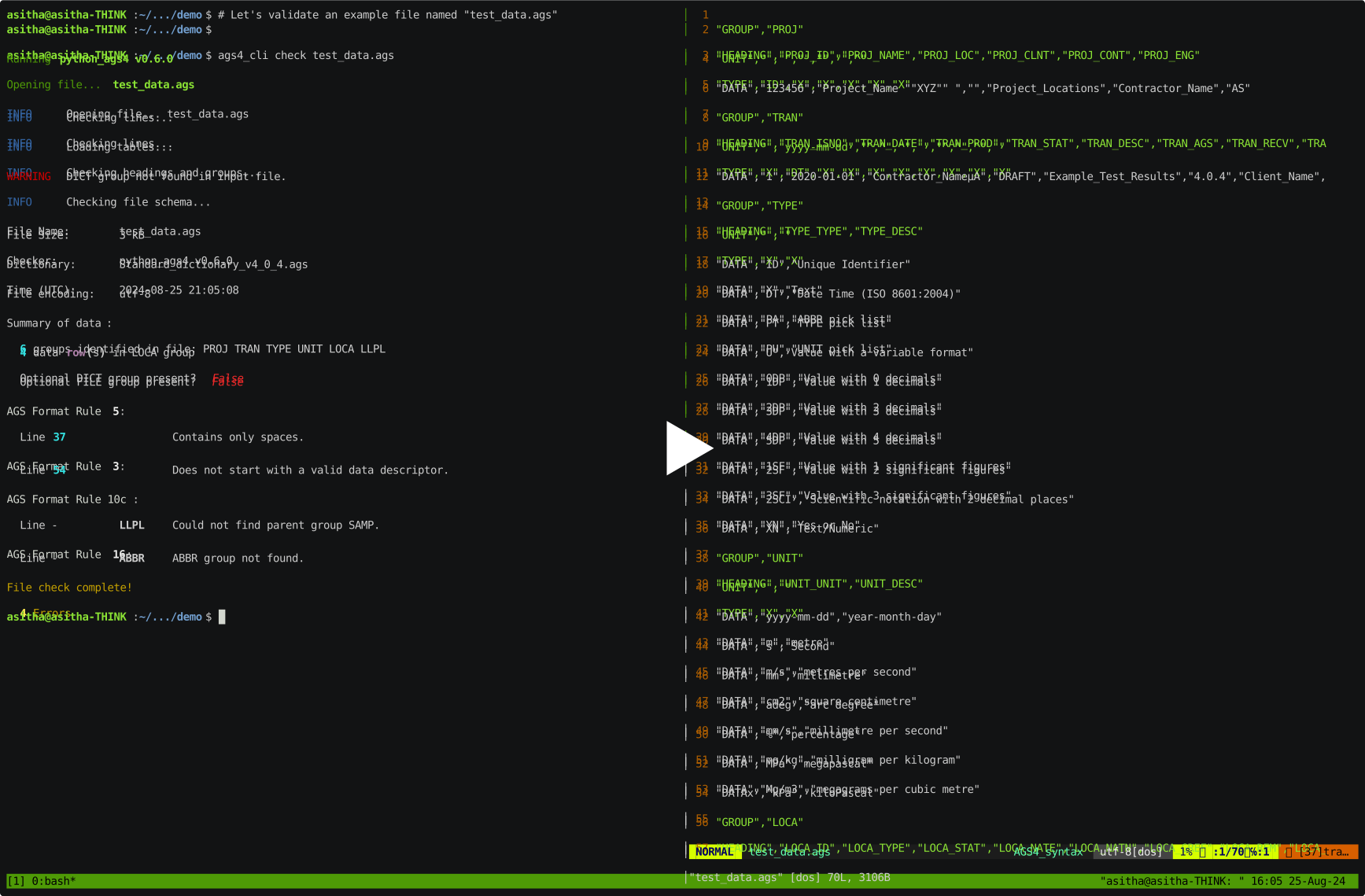
Check/validate AGS4 files
-
Convert AGS4 to Excel spreadsheets (.xlsx) and back
The data can be easily edited in a spreadsheet and then converted back a .ags file. The TYPE values for numeric columns can be changed in the spreadsheet and the data will be automatically reformatted correctly when converted back to .ags, as long as all values in a column are numbers. Any supposedly numeric columns with text entries will be skipped with a warning message. (Note: All data is imported to the spreadsheet as text entries so any column that should be reformatted should be explicitly converted to numbers in Excel.)
-
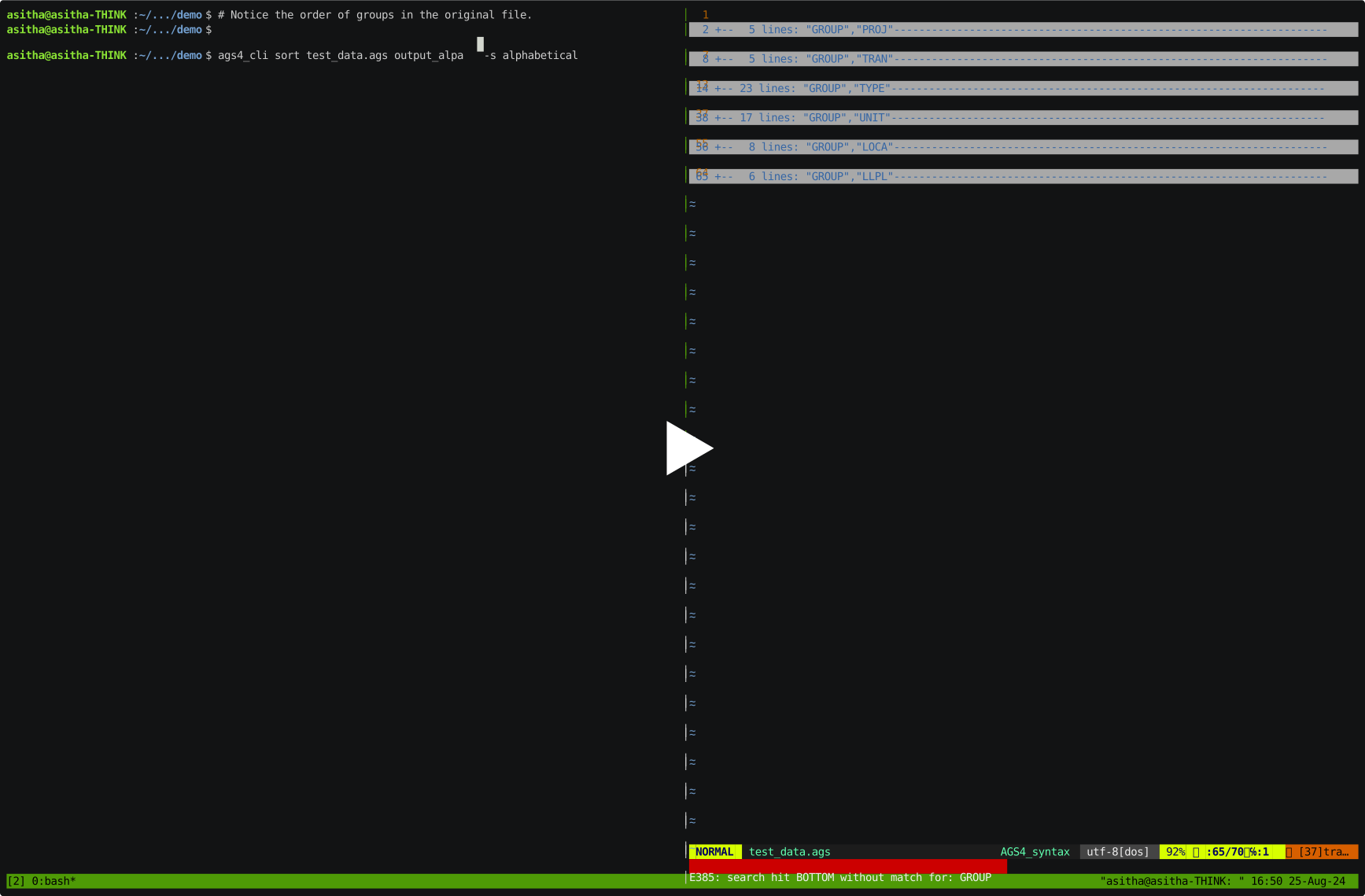
Sort groups/tables in AGS4 files
Graphical User Interface using pandasgui
The output from python-ags4 can be directly used with pandasgui to view and edit AGS4 files using an interactive graphical user interface. It also provides functionality to plot and visualize the data.
from pandasgui import show
from python_ags4.data import load_test_data

tables, headings = load_test_data()
gui = show(**tables)

Any edits made in the GUI can be saved and exported back to an AGS4 file as follows:
updated_tables = gui.get_dataframes()

AGS4.dataframe_to_AGS4(updated_tables, headings, 'output.ags')
Development
Please refer to the Wiki page for details about the development environment and how to get involved in the project.
API documentation available at https://ags-data-format-wg.gitlab.io/ags-python-library
Citation
Senanayake et al., (2022). python-ags4: A Python library to read, write, and validate AGS4 geodata files. Journal of Open Source Software, 7(79), 4569, https://doi.org/10.21105/joss.04569
Implementations
This library has been used to create
- Windows/Linux/MacOS Command-Line Utility (included with the library)
- Windows Desktop Application - https://gitlab.com/ags-data-format-wg/ags-checker-desktop-app
- Web application and API (pyagsapi) - https://github.com/BritishGeologicalSurvey/pyagsapi
- Deployed as https://agsapi.bgs.ac.uk/
- Excel Add On - https://gitlab.com/RogerChandler/ags-validator-excel-add-in
- Web application (Digital Geotechnical) - https://dg-ags-validator.ew.r.appspot.com/
2 maintainers


Metadata
2 maintainers
Release files for python-ags4 1.2.0
For a detailed explanation of source distributions (sdists) and built distributions (wheels), please see the package formats documentation.
Source distribution (sdist)
| File | Size | Uploaded | Provenance | Actions |
|---|---|---|---|---|
| python_ags4-1.2.0.tar.gz | 686.9 kB | Without provenance | Details for python_ags4-1.2.0.tar.gz |
Built distribution (wheel)
| File | Interpreter | ABI | Platform | Actions Reset |
|---|---|---|---|---|
| python_ags4-1.2.0-py3-none-any.whl | Python 3 | none | any | Details for python_ags4-1.2.0-py3-none-any.whl |
Total release size: 1.4 MB
Release files / python_ags4-1.2.0.tar.gz
| Download URL | python_ags4-1.2.0.tar.gz |
|---|---|
| Size | 686.9 kB |
| Tags | Source |
|
SHA-256 checksum How to use checksums |
4bbc3b9c59b88aa4e1a180d35f88ae3fa6e5bfdfb3cef3cc48f3067861d9534e
|
|
BLAKE2b-256 checksum How to use checksums |
74905683c10165826ac0f9dc7da687773ba0cef50232091c1b744218faf3df0f
|
| Upload date | |
|
Uploaded using Trusted Publishing? What is trusted publishing? |
No |
| Uploaded via |
poetry/2.2.1 CPython/3.11.9 Linux/6.8.0-101-generic
|
Release files / python_ags4-1.2.0-py3-none-any.whl
| Download URL | python_ags4-1.2.0-py3-none-any.whl |
|---|---|
| Size | 711.2 kB |
| Tags | Python 3 |
|
SHA-256 checksum How to use checksums |
7c86b14facea47b6b8edeea139ae72085a2b6201d03084472ef5f6e43738bd56
|
|
BLAKE2b-256 checksum How to use checksums |
616f576f9ca3e7f8dd67dc1b8a5db274a6ed385b714331f784c42e8d310b5445
|
| Upload date | |
|
Uploaded using Trusted Publishing? What is trusted publishing? |
No |
| Uploaded via |
poetry/2.2.1 CPython/3.11.9 Linux/6.8.0-101-generic
|
Security for python-ags4 1.2.0
Provenance
Provenance describes where a file came from. On PyPI, provenance is shared via attestations, which provide a verifiable record of the build or publishing details. View details, limitations and caveats.
No provenance found
None of the files in this release were uploaded with provenance metadata.
A note on package security
PyPI is a repository for distributing packages, not a service for auditing them. While third-party security researchers and our staff do their best to detect and remove malicious packages, PyPI cannot guarantee the quality, security or suitability of any given package.
To learn more about protecting yourself from malicious actors, visit our package security documentation.














