
This release is a pre-release and may not be stable for production use.
Color Transfer in Python
Three methods of color transfer implemented in Python.
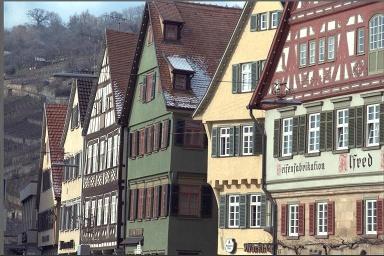
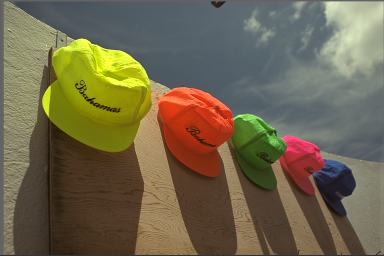
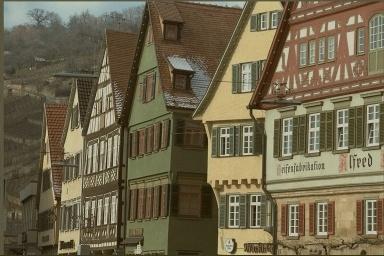
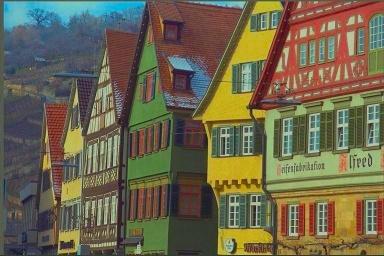
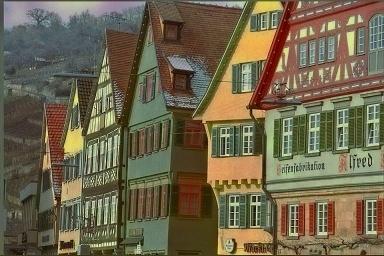
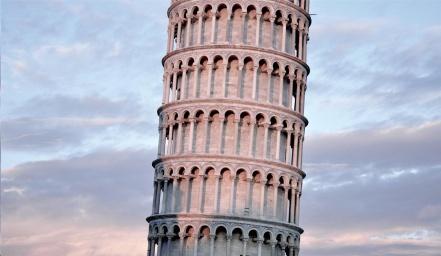
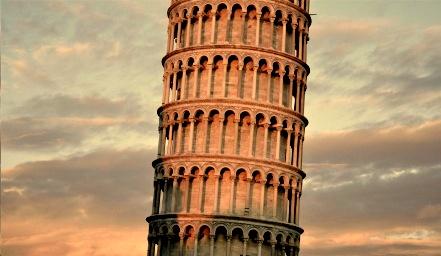
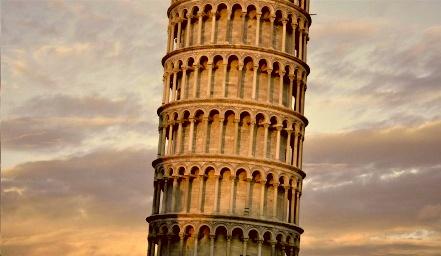
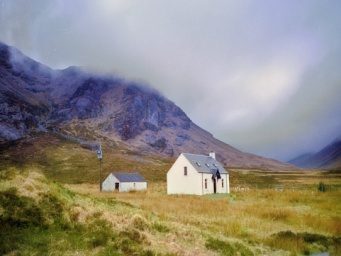
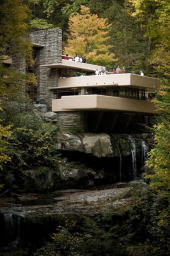
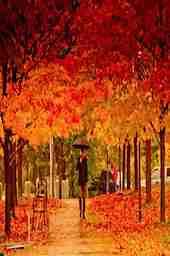
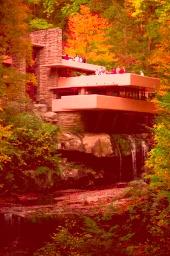
Output Examples
| Input image | Reference image | Mean std transfer | Lab mean transfer | Pdf transfer + Regrain |
|---|---|---|---|---|
 |
 |
 |
 |
 |
 |
 |
 |
 |
 |
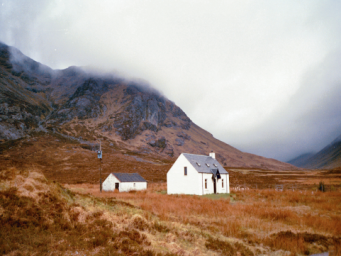 |
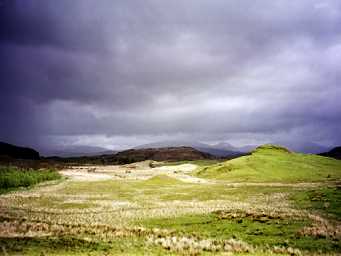 |
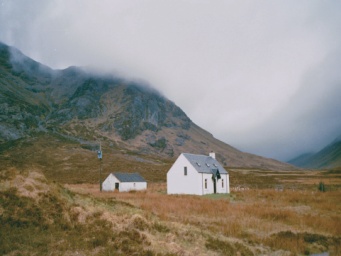 |
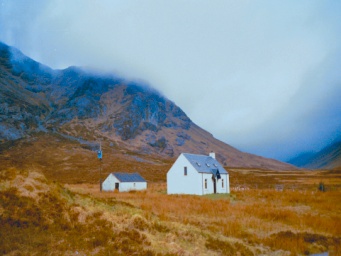 |
 |
 |
 |
 |
 |
 |
Methods
Let input image be $I$, reference image be $R$ and output image be $O$. Let $f{I}(r, g, b)$, $f{R}(r, g, b)$ be probability density functions of $I$ and $R$'s rgb values.
-
Mean std transfer
$$O = (I - mean(I)) / std(I) * std(R) + mean(R).$$
-
Lab mean transfer1
$$I' = rgb2lab(I)$$ $$R' = rgb2lab(R)$$ $$O' = (I' - mean(I')) / std(I') * std(R') + mean(R')$$ $$O = lab2rgb(O')$$
-
Pdf transfer2
$O = t(I)$, where $t: R^3-> R^3$ is a continous mapping so that $f{t(I)}(r, g, b) = f{R}(r, g, b)$.
Requirements
Installation
From PyPi
pip install python-color-transfer
From source
git clone https://github.com/pengbo-learn/python-color-transfer.git
cd python-color-transfer

pip install -r requirements.txt
Demo
- To replicate the results in Output Examples, run:
python demo.py
Output
demo_images/house.jpeg: 512x768x3
demo_images/hats.png: 512x768x3
Pdf transfer time: 1.47s
Regrain time: 1.16s
Mean std transfer time: 0.09s
Lab Mean std transfer time: 0.09s
Saved to demo_images/house_display.png

demo_images/fallingwater.png: 727x483x3
demo_images/autumn.jpg: 727x1000x3
Pdf transfer time: 1.87s
Regrain time: 0.87s
Mean std transfer time: 0.12s
Lab Mean std transfer time: 0.11s
Saved to demo_images/fallingwater_display.png

demo_images/tower.jpeg: 743x1280x3
demo_images/sunset.jpg: 743x1114x3
Pdf transfer time: 2.95s
Regrain time: 2.83s
Mean std transfer time: 0.23s
Lab Mean std transfer time: 0.21s
Saved to demo_images/tower_display.png

demo_images/scotland_house.png: 361x481x3
demo_images/scotland_plain.png: 361x481x3
Pdf transfer time: 0.67s
Regrain time: 0.49s
Mean std transfer time: 0.04s
Lab Mean std transfer time: 0.22s
Saved to demo_images/scotland_display.png
Usage
from pathlib import Path

import cv2
from python_color_transfer.color_transfer import ColorTransfer

# Using demo images
input_image = 'demo_images/house.jpeg'
ref_image = 'demo_images/hats.png'

# input image and reference image
img_arr_in = cv2.imread(input_image)
img_arr_ref = cv2.imread(ref_image)

# Initialize the class
PT = ColorTransfer()

# Pdf transfer
img_arr_pdf_reg = PT.pdf_tranfer(img_arr_in=img_arr_in,
                             img_arr_ref=img_arr_ref,
                             regrain=True)
# Mean std transfer
img_arr_mt = PT.mean_std_transfer(img_arr_in=img_arr_in,
                                  img_arr_ref=img_arr_ref)
# Lab mean transfer
img_arr_lt = PT.lab_transfer(img_arr_in=img_arr_in, img_arr_ref=img_arr_ref)

# Save the example results
img_name = Path(input_image).stem
for method, img in [('pdf-reg', img_arr_pdf_reg), ('mt', img_arr_mt),
                   ('lt', img_arr_lt)]:
    cv2.imwrite(f'{img_name}_{method}.jpg', img)
-
Lab mean transfer: Color Transfer between Images by Erik Reinhard, Michael Ashikhmin, Bruce Gooch and Peter Shirley.
Open source's python implementation ↩ -
Pdf transfer: Automated colour grading using colour distribution transfer by F. Pitie , A. Kokaram and R. Dahyot.
Author's matlab implementation ↩
1 maintainer

Metadata
1 maintainer
Release files for python-color-transfer 0.1.2a0
For a detailed explanation of source distributions (sdists) and built distributions (wheels), please see the package formats documentation.
Source distribution (sdist)
| File | Size | Uploaded | Provenance | Actions |
|---|---|---|---|---|
| python_color_transfer-0.1.2a0.tar.gz | 8.3 kB | Without provenance | Details for python_color_transfer-0.1.2a0.tar.gz |
Built distribution (wheel)
| File | Interpreter | ABI | Platform | Actions Reset |
|---|---|---|---|---|
| python_color_transfer-0.1.2a0-py3-none-any.whl | Python 3 | none | any | Details for python_color_transfer-0.1.2a0-py3-none-any.whl |
Total release size: 16.3 kB
Release files / python_color_transfer-0.1.2a0.tar.gz
| Download URL | python_color_transfer-0.1.2a0.tar.gz |
|---|---|
| Size | 8.3 kB |
| Tags | Source |
|
SHA-256 checksum How to use checksums |
3f3c45e3369a0b9e40eaa155d492cf83bc497a28bacf0423acb7332ed694a4ef
|
|
BLAKE2b-256 checksum How to use checksums |
f2069361442f01730b368b7743db18f61c1b6b52a6855df7f1bba49b24164ec9
|
| Upload date | |
|
Uploaded using Trusted Publishing? What is trusted publishing? |
No |
| Uploaded via |
poetry/1.1.13 CPython/3.8.5 Darwin/20.1.0
|
Release files / python_color_transfer-0.1.2a0-py3-none-any.whl
| Download URL | python_color_transfer-0.1.2a0-py3-none-any.whl |
|---|---|
| Size | 8.0 kB |
| Tags | Python 3 |
|
SHA-256 checksum How to use checksums |
04ff213d72703ab6804cf81511f73d4754603342580dc987b5ea349d6bfaf539
|
|
BLAKE2b-256 checksum How to use checksums |
d559bb0bf2cbc0bbd6214c5ed429b1d46c56453fb755f9461333257de020f0d7
|
| Upload date | |
|
Uploaded using Trusted Publishing? What is trusted publishing? |
No |
| Uploaded via |
poetry/1.1.13 CPython/3.8.5 Darwin/20.1.0
|
Security for python-color-transfer 0.1.2a0
Provenance
Provenance describes where a file came from. On PyPI, provenance is shared via attestations, which provide a verifiable record of the build or publishing details. View details, limitations and caveats.
No provenance found
None of the files in this release were uploaded with provenance metadata.
A note on package security
PyPI is a repository for distributing packages, not a service for auditing them. While third-party security researchers and our staff do their best to detect and remove malicious packages, PyPI cannot guarantee the quality, security or suitability of any given package.
To learn more about protecting yourself from malicious actors, visit our package security documentation.














