
This is a python client for interacting with the WeKan® REST-API

Project description

python-wekan
This is a python client for interacting with the WeKan® REST-API. Each WeKan object is represented by a corresponding python object.
For further details about the WeKan® API consider the official documentation.
Installation
The project assumes that you are using a currently-supported version of Python, which is 3.9+ at the time of writing.
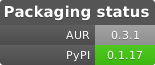
From OS Packaging
Via pip
pip install python-wekan
How to use
Set the credentials
export WEKAN_USERNAME="USERNAME"
export WEKAN_PASSWORD="PASSWORD"
Use the module
import os
from wekan import WekanClient


if __name__ == '__main__':
    wekan = WekanClient(
        base_url='https://your_wekan_instance.com',
        username=os.getenv('WEKAN_USERNAME'),
        password=os.getenv('WEKAN_PASSWORD'))

    boards = wekan.list_boards()
    for board in boards:
        print(board.title)
Dependencies between the wekan python objects
There are dependencies between objects.
This visualisation shows the dependencies between different objects.
  graph TD;
      WekanClient-->Board;
      WekanClient-->User;
      Board-->List;
      Board-->Swimlane;
      Swimlane-->Card;
      Board-->Integration;
      Board-->CustomField;
      Board-->Label;
      List-->Card;
      Card-->CardComment;
      Card-->CardChecklist;
      CardChecklist-->CardChecklistItem;
Example: If you want to fetch the cards within a list, you need to get the board and the list object first.
Examples
Add a new board
import os
from wekan import WekanClient


wekan = WekanClient(
    base_url='https://your_wekan_instance.com',
    username=os.getenv('WEKAN_USERNAME'),
    password=os.getenv('WEKAN_PASSWORD'))

new_board = wekan.add_board(
    title="My new Board",
    color="midnight",
    is_admin=True,
    is_no_comments=False,
    is_comment_only=False)
print(new_board.created_at)
Create a new list
import os
from wekan import WekanClient


wekan = WekanClient(
    base_url='https://your_wekan_instance.com',
    username=os.getenv('WEKAN_USERNAME'),
    password=os.getenv('WEKAN_PASSWORD'))

board = wekan.list_boards(regex_filter='My new Board')[0]
board.add_list(title="My first list")
board.add_list(title="My second list")
Create a new card
import os
from wekan import WekanClient


wekan = WekanClient(
    base_url='https://your_wekan_instance.com',
    username=os.getenv('WEKAN_USERNAME'),
    password=os.getenv('WEKAN_PASSWORD'))

board = wekan.list_boards(regex_filter='My new Board')[0]
wekan_list = board.list_lists(regex_filter="My first list")[0]
swimlane = board.list_swimlanes()[0]
wekan_list.add_card(
    title="My first card",
    swimlane=swimlane,
    description="My first description")
Move card between lists
import os
from wekan import WekanClient


wekan = WekanClient(
    base_url='https://your_wekan_instance.com',
    username=os.getenv('WEKAN_USERNAME'),
    password=os.getenv('WEKAN_PASSWORD'))

board = wekan.list_boards(regex_filter='My new Board')[0]
src_list = board.list_lists(regex_filter="My first list")[0]
dst_list = board.list_lists(regex_filter="My second list")[0]
card = src_list.list_cards(regex_filter="My first card")[0]
card.edit(new_list=dst_list)
Create a new swimlane
import os
from wekan import WekanClient


wekan = WekanClient(
    base_url='https://your_wekan_instance.com',
    username=os.getenv('WEKAN_USERNAME'),
    password=os.getenv('WEKAN_PASSWORD'))

board = wekan.list_boards(regex_filter='My new Board')[0]
board.add_swimlane(title="My first swimlane")
Development
Generate requirements
pipenv requirements > requirements.txt
pipenv requirements --dev-only > requirements_dev.txt
credits
This project is based on py-trello. Some methods and design structures have been adopted 1:1.
Release history Release notifications | RSS feed


Download files
Download the file for your platform. If you're not sure which to choose, learn more about installing packages.
Source Distribution
Built Distribution
Filter files by name, interpreter, ABI, and platform.
If you're not sure about the file name format, learn more about wheel file names.
Copy a direct link to the current filters
File details
Details for the file python_wekan-0.3.2.tar.gz.
File metadata
- Download URL: python_wekan-0.3.2.tar.gz
- Upload date:
- Size: 32.2 kB
- Tags: Source
- Uploaded using Trusted Publishing? No
- Uploaded via: twine/6.2.0 CPython/3.9.25
File hashes
| Algorithm | Hash digest | |
|---|---|---|
| SHA256 |
337d2c3785cc62908c020b916fe36870038bbfe9bea4721b65bd1828a19b1a9b
|
|
| MD5 |
3b2c2b976a48fdd841d8bf237c3d8a2d
|
|
| BLAKE2b-256 |
47aab5536f713f58d3cfd5eafc780ea056ee363ec5c58cd71251de327645d397
|
File details
Details for the file python_wekan-0.3.2-py3-none-any.whl.
File metadata
- Download URL: python_wekan-0.3.2-py3-none-any.whl
- Upload date:
- Size: 30.2 kB
- Tags: Python 3
- Uploaded using Trusted Publishing? No
- Uploaded via: twine/6.2.0 CPython/3.9.25
File hashes
| Algorithm | Hash digest | |
|---|---|---|
| SHA256 |
80bf22b1b2370ca160e326ecfe11bcf09f7df2c6e29d3efb200a08ddc7264f28
|
|
| MD5 |
ef8fbbe042b030d3573ac2e60cefaf64
|
|
| BLAKE2b-256 |
d12fc355ea6d177a944fa1202cd73d7c915f7128fb2ab09714a9c96d21405ded
|






