
No project description provided

Project description


🇲🇺
Welcome to pythoncms
Try
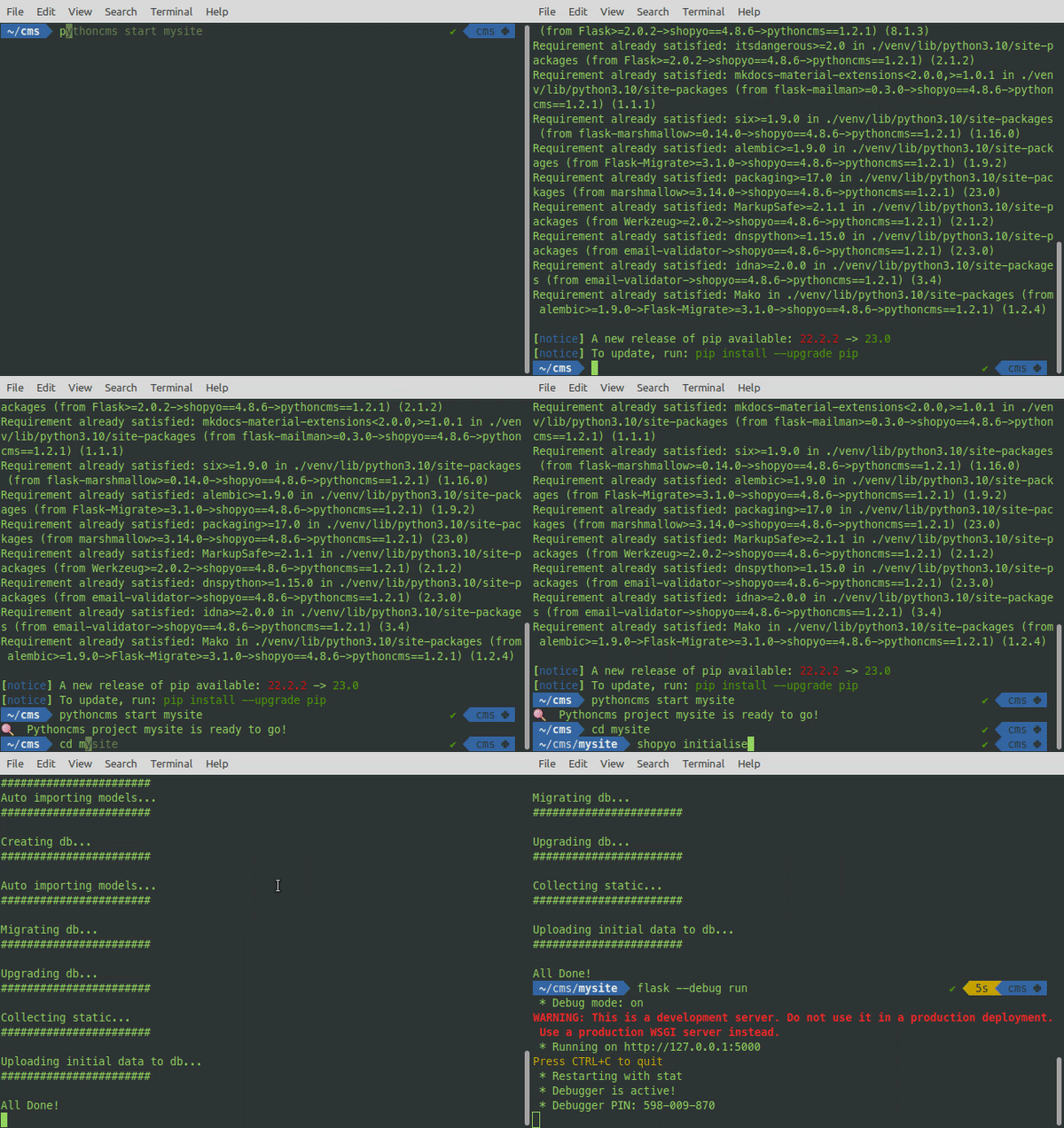
In virtual env
pip install pythoncms
pythoncms start mysite
cd mysite
shopyo initialise
flask shopyo-seed
flask --debug run
If .env file not created, create .env file with content
ACTIVE_FRONT_THEME = 'editorial'
ACTIVE_BACK_THEME = 'sneat'
APP_NAME = 'Demo'
ACTIVE_ICONSET = 'boxicons'
SITE_TITLE = 'Site title'
SITE_DESCRIPTION = 'Site title'
Local dev
Install package
! Important: Please create and activate a virtual environment.
python -m pip install -e .
Then initialise
cd pythoncms
shopyo initialise
flask --debug run
for migrating
flask db migrate
flask db upgrade
run
flask --debug run
dashboard
login with admin@domain.com | pass
http://127.0.0.1:5000/dashboard/
Theme
Themes are located at '/static/themes/'
Each front theme must have
index.html
contact.html
page.html
Each back theme must have
base.html
login.html
register.html
unconfirmed.html
- info.json
{
	"author": "ARJ",
	"version": "1.0.20000000000003"
}
Info json
{
	"display_string": "Admin",
	"type": "show", // hidden if hide
	"icons":{
		"fa": "fas fa-user-lock", // set according to ACTIVE_ICONSET
		"boxicons": "",           // set according to ACTIVE_ICONSET
		"file": "icon.svg" // if present, will be used and searched for
						   // in module/static. Make sure to shopyo collecstatic in production
	},
	"url_prefix": "/appadmin",
	"menu": {
		"list users":"/", // url-prefix will be concatenated with it for sub menus.
		"add user": "/add",
		"roles":"/roles"
	},
	"menu-type": "show-menu", // or no-menu. Expects menu key if show-menu.
	"module_name": "appadmin",
	"author": {
		"name":"Abdur-Rahmaan Janhangeer",
		"website":"https://www.pythonkitchen.com/about-me/",
		"mail":"arj.python@gmail.com"
		}
}
Changelog
1.2.0
- Tiny MCE configured
- start command
Release history Release notifications | RSS feed


Download files
Download the file for your platform. If you're not sure which to choose, learn more about installing packages.
Source Distribution
Built Distribution
Filter files by name, interpreter, ABI, and platform.
If you're not sure about the file name format, learn more about wheel file names.
Copy a direct link to the current filters
File details
Details for the file pythoncms-1.4.2.tar.gz.
File metadata
- Download URL: pythoncms-1.4.2.tar.gz
- Upload date:
- Size: 10.0 MB
- Tags: Source
- Uploaded using Trusted Publishing? No
- Uploaded via: twine/6.1.0 CPython/3.9.22
File hashes
| Algorithm | Hash digest | |
|---|---|---|
| SHA256 |
7dcaf8bfea9fe8f53534f2a10ab60f204c75b1c773447c08ab67fbe529f5ac52
|
|
| MD5 |
457d5609c5c373bb67d830b7eff5f32c
|
|
| BLAKE2b-256 |
06acde4a650d26539cba17d914991e141c3fdb617ca3e33aa75234849b1747c9
|
File details
Details for the file pythoncms-1.4.2-py3-none-any.whl.
File metadata
- Download URL: pythoncms-1.4.2-py3-none-any.whl
- Upload date:
- Size: 10.1 MB
- Tags: Python 3
- Uploaded using Trusted Publishing? No
- Uploaded via: twine/6.1.0 CPython/3.9.22
File hashes
| Algorithm | Hash digest | |
|---|---|---|
| SHA256 |
6b35a681c2d8262118d01dcc30e5ad7bf365c6f4a77cccaf3ae6a0c7da4db9e8
|
|
| MD5 |
4b99f1211f32170fd4d54fde57e58fdf
|
|
| BLAKE2b-256 |
984e04cadfcb741c86a6bc5b2aae74c21f6cca00fc329cd79568968bf6d851ea
|






