
The time series toolkit for Python.

Project description







pytimetk
Time series easier, faster, more fun. Pytimetk.
Please ⭐ us on GitHub (it takes 2-seconds and means a lot).
Introducing pytimetk: Simplifying Time Series Analysis for Everyone
Time series analysis is fundamental in many fields, from business forecasting to scientific research. While the Python ecosystem offers tools like pandas, they sometimes can be verbose and not optimized for all operations, especially for complex time-based aggregations and visualizations.
Enter pytimetk. Crafted with a blend of ease-of-use and computational efficiency, pytimetk significantly simplifies the process of time series manipulation and visualization. By leveraging the polars backend, you can experience speed improvements ranging from 3X to a whopping 3500X. Let's dive into a comparative analysis.
| Features/Properties | pytimetk | pandas (+matplotlib) |
|---|---|---|
| Speed | 🚀 3X to 3500X Faster | 🐢 Standard |
| Code Simplicity | 🎉 Concise, readable syntax | 📜 Often verbose |
plot_timeseries() |
🎨 2 lines, no customization | 🎨 16 lines, customization needed |
summarize_by_time() |
🕐 2 lines, 13.4X faster | 🕐 6 lines, 2 for-loops |
pad_by_time() |
⛳ 2 lines, fills gaps in timeseries | ❌ No equivalent |
anomalize() |
📈 2 lines, detects and corrects anomalies | ❌ No equivalent |
augment_timeseries_signature() |
📅 1 line, all calendar features | 🕐 29 lines of dt extractors |
augment_rolling() |
🏎️ 10X to 3500X faster | 🐢 Slow Rolling Operations |
polars .tk plotting |
✅ Plot directly on pl.DataFrame (plot_timeseries, plot_anomalies, plot_correlation_funnel, …) |
❌ pandas-only accessor |
polars .tk accessor |
✅ Core, feature, and plotting helpers available via .tk on pandas/polars |
❌ N/A |
| Feature store & caching (beta) | 🗃️ Persist, version, and reuse feature sets (with optional MLflow logging) | ❌ Manual recompute, no metadata lineage |
| GPU acceleration (beta) | ⚡ Optional RAPIDS-powered pipelines with automatic CPU fallback | ❌ CPU only |
As evident from the table, pytimetk is not just about speed; it also simplifies your codebase. For example, summarize_by_time(), converts a 6-line, double for-loop routine in pandas into a concise 2-line operation. And with the polars engine, get results 13.4X faster than pandas!
Similarly, plot_timeseries() dramatically streamlines the plotting process, encapsulating what would typically require 16 lines of matplotlib code into a mere 2-line command in pytimetk, without sacrificing customization or quality. And with plotly and plotnine engines, you can create interactive plots and beautiful static visualizations with just a few lines of code.
For calendar features, pytimetk offers augment_timeseries_signature() which cuts down on over 30 lines of pandas dt extractions. For rolling features, pytimetk offers augment_rolling(), which is 10X to 3500X faster than pandas. It also offers pad_by_time() to fill gaps in your time series data, and anomalize() to detect and correct anomalies in your time series data.
Join the revolution in time series analysis. Reduce your code complexity, increase your productivity, and harness the speed that pytimetk brings to your workflows.
Explore more at our pytimetk homepage.
Installation
Install the latest stable version of pytimetk using pip:
pip install pytimetk
Alternatively you can install the development version:
pip install --upgrade --force-reinstall git+https://github.com/business-science/pytimetk.git
Quickstart:
This is a simple code to test the function summarize_by_time:
import pytimetk as tk
import pandas as pd

df = tk.datasets.load_dataset('bike_sales_sample')
df['order_date'] = pd.to_datetime(df['order_date'])

df \
    .groupby("category_2") \
    .summarize_by_time(
        date_column='order_date',
        value_column= 'total_price',
        freq = "MS",
        agg_func = ['mean', 'sum'],
        engine = "polars"
    )
What's New in pytimetk 2.1.0
- GPU acceleration (Beta) unlocks optional NVIDIA RAPIDS support for feature engineering (lags, diffs, leads, rolling/expanding statistics, finance indicators, etc.) and Polars lazy pipelines with automatic CPU fallback.
- Works with
polars.LazyFrame.collect(engine="gpu"); setPYTIMETK_POLARS_GPU=0if you need to force CPU execution. pytimetk.utils.gpu_supportexposes helpers such asis_cudf_available()andis_polars_gpu_available()so you can assert runtime readiness.- CPU-only environments run unchanged because GPU acceleration remains fully opt-in.
Enable GPU support
pip install pytimetk[gpu] --extra-index-url=https://pypi.nvidia.com
pip install "polars[gpu]" --extra-index-url=https://pypi.nvidia.com
See the GPU acceleration guide for environment validation commands, supported APIs, and current limitations.
What's New in pytimetk 2.0.0
- Added polars
.tkaccessor support for plotting helpers (plot_timeseries,plot_anomalies,plot_anomalies_decomp,plot_anomalies_cleaned,plot_correlation_funnel). - Polars users can now call these functions directly on
pl.DataFrameobjects via the.tkaccessor; results mirror the pandas interface (PlotlyFigureor plotnineggplot). - See the change log for more details.
Feature Store & Caching (Beta)
⚠️ Beta: The Feature Store APIs and on-disk format may change before general availability. We’d love feedback and bug reports.
Persist expensive feature engineering steps once and reuse them everywhere. Register a transform, build it on a dataset, and reload it in any notebook or job with automatic versioning, metadata, and cache hits.
import pandas as pd
import pytimetk as tk

df = tk.load_dataset("bike_sales_sample", parse_dates=["order_date"])

store = tk.FeatureStore()

store.register(
    "sales_signature",
    lambda data: tk.augment_timeseries_signature(
        data,
        date_column="order_date",
        engine="pandas",
    ),
    default_key_columns=("order_id",),
    description="Calendar signatures for sales orders.",
)

result = store.build("sales_signature", df)
print(result.from_cache)  # False first run, True on subsequent builds
- Supports local disk or any
pyarrowfilesystem (e.g.,s3://,gs://) via theartifact_uriparameter, plus optional file-based locking for concurrent jobs. - Optional MLflow helpers capture feature versions and artifacts with your experiments for reproducible pipelines.
Documentation
Get started with the pytimetk documentation
🏆 More Coming Soon...
We are in the early stages of development. But it's obvious the potential for pytimetk now in Python. 🐍
- Please ⭐ us on GitHub (it takes 2-seconds and means a lot).
- To make requests, please see our Project Roadmap GH Issue #2. You can make requests there.
- Want to contribute? See our contributing guide here.
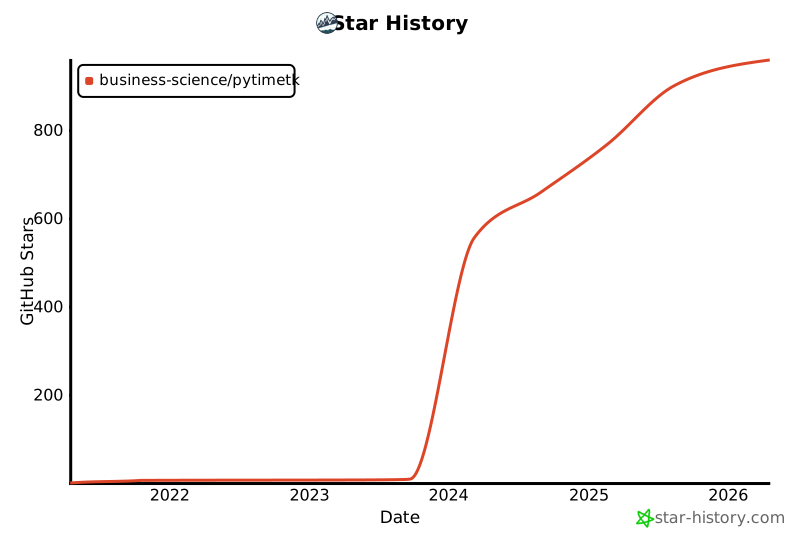
⭐️ Star History
Release history Release notifications | RSS feed


Download files
Download the file for your platform. If you're not sure which to choose, learn more about installing packages.
Source Distribution
Built Distribution
Filter files by name, interpreter, ABI, and platform.
If you're not sure about the file name format, learn more about wheel file names.
Copy a direct link to the current filters
File details
Details for the file pytimetk-2.3.0.tar.gz.
File metadata
- Download URL: pytimetk-2.3.0.tar.gz
- Upload date:
- Size: 4.2 MB
- Tags: Source
- Uploaded using Trusted Publishing? No
- Uploaded via: poetry/2.0.1 CPython/3.12.7 Darwin/25.0.0
File hashes
| Algorithm | Hash digest | |
|---|---|---|
| SHA256 |
5dda25a2035dcb7d0e31a2029c4124957225cb0269799355eb835fe9f0df6d37
|
|
| MD5 |
5e7ecf2d6c1ad3c40a056e04b1c2b236
|
|
| BLAKE2b-256 |
b62821b352e62ff315de8b0a8a3ce2c874168334a8e7a2473d36ccb95b11bd54
|
File details
Details for the file pytimetk-2.3.0-py3-none-any.whl.
File metadata
- Download URL: pytimetk-2.3.0-py3-none-any.whl
- Upload date:
- Size: 4.4 MB
- Tags: Python 3
- Uploaded using Trusted Publishing? No
- Uploaded via: poetry/2.0.1 CPython/3.12.7 Darwin/25.0.0
File hashes
| Algorithm | Hash digest | |
|---|---|---|
| SHA256 |
39077c83549995489eab6bbc9194f71cb87d38cf74f26354251e67e40907093a
|
|
| MD5 |
85a41f2a7e543689a615cb55a8721521
|
|
| BLAKE2b-256 |
ffe41283f17594bdd7401160b97473bf71f7564bbcb9ddf8e56c6f38f8368864
|






