
📷 PyTorch 360° Image Conversion Toolkit

Overview
This PyTorch-based library provides powerful and differentiable image transformation utilities for converting between different panoramic image formats:
- Equirectangular (360°) Images
- Cubemap Representations
- Perspective Projections
Built as an improved PyTorch implementation of the original py360convert project, this library offers flexible, CPU & GPU-accelerated functions.

- Equirectangular format
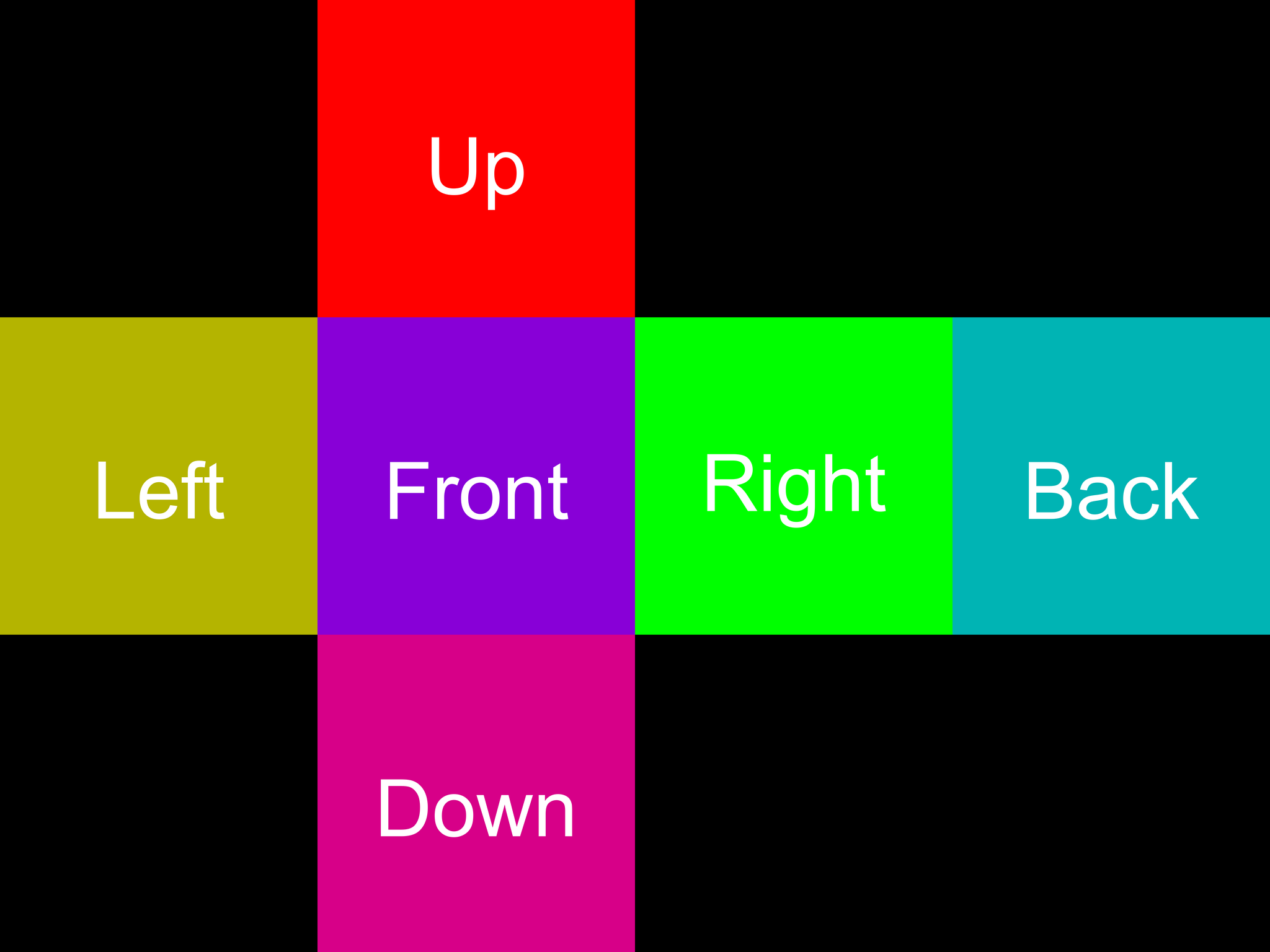
- Cubemap 'dice' format
🔧 Requirements
- Python 3.7+
- PyTorch
📦 Installation
You can easily install the library using pip:
pip install pytorch360convert
Or you can install it from source like this:
pip install torch
Then clone the repository:
git clone https://github.com/ProGamerGov/pytorch360convert.git
cd pytorch360convert
pip install .
🚀 Key Features
- Lossless conversion between image formats.
- Supports different cubemap input formats (horizon, list, stack, dict, dice).
- Configurable sampling modes (bilinear, nearest).
- Supports different dtypes (float16, float32, float64, bfloat16).
- CPU support.
- GPU acceleration.
- Differentiable transformations for deep learning pipelines.
- TorchScript (JIT) support.
💡 Usage Examples
Helper Functions
First we'll setup some helper functions:
pip install torchvision pillow
import torch
from torchvision.transforms import ToTensor, ToPILImage
from PIL import Image

def load_image_to_tensor(image_path: str) -> torch.Tensor:
    """Load an image as a PyTorch tensor."""
    return ToTensor()(Image.open(image_path).convert('RGB'))

def save_tensor_as_image(tensor: torch.Tensor, save_path: str) -> None:
    """Save a PyTorch tensor as an image."""
    ToPILImage()(tensor).save(save_path)
Equirectangular to Cubemap Conversion
Converting equirectangular images into cubemaps is easy. For simplicity, we'll use the 'dice' format, which places all cube faces into a single 4x3 grid image.
from pytorch360convert import e2c

# Load equirectangular image (3, 1376, 2752)
equi_image = load_image_to_tensor("examples/example_world_map_equirectangular.png")
face_w = equi_image.shape[2] // 4  # 2752 / 4 = 688

# Convert to cubemap (dice format)
cubemap = e2c(
    equi_image,                   # CHW format
    face_w=face_w,                # Width of each cube face
    mode='bilinear',              # Sampling interpolation
    cube_format='dice'            # Output cubemap layout
)

# Save cubemap faces
save_tensor_as_image(cubemap, "dice_cubemap.jpg")
| Equirectangular Input | Cubemap 'Dice' Output |
|---|---|
 |
 |
| Cubemap 'Horizon' Output |
|---|
 |
Cubemap to Equirectangular Conversion
We can also convert cubemaps into equirectangular images, like so.
from pytorch360convert import c2e

# Load cubemap in 'dice' format
cubemap = load_image_to_tensor("dice_cubemap.jpg")

# Convert cubemap back to equirectangular
equirectangular = c2e(
    cubemap,              # Cubemap tensor(s)
    mode='bilinear',      # Sampling interpolation
    cube_format='dice'    # Input cubemap layout
)

save_tensor_as_image(equirectangular, "equirectangular.jpg")
Equirectangular to Perspective Projection
from pytorch360convert import e2p

# Load equirectangular input
equi_image = load_image_to_tensor("examples/example_world_map_equirectangular.png")

# Extract perspective view from equirectangular image
perspective_view = e2p(
    equi_image,                   # Equirectangular image
    fov_deg=(70, 60),             # Horizontal and vertical FOV
    h_deg=260,                    # Horizontal rotation
    v_deg=50,                     # Vertical rotation
    out_hw=(512, 768),            # Output image dimensions
    mode='bilinear'               # Sampling interpolation
)

save_tensor_as_image(perspective_view, "perspective.jpg")
| Equirectangular Input | Perspective Output |
|---|---|
|
 |
Equirectangular to Equirectangular
from pytorch360convert import e2e

# Load equirectangular input
equi_image = load_image_to_tensor("examples/example_world_map_equirectangular.png")

# Rotate an equirectangular image around one more axes
rotated_equi = e2e(
    equi_image,                   # Equirectangular image
    h_deg=90.0,                   # Vertical rotation/shift
    v_deg=200.0,                  # Horizontal rotation/shift
    roll=45.0,                    # Clockwise/counter clockwise rotation
    mode='bilinear'               # Sampling interpolation
)

save_tensor_as_image(rotated_equi, "rotated.jpg")
| Equirectangular Input | Rotated Output |
|---|---|
|
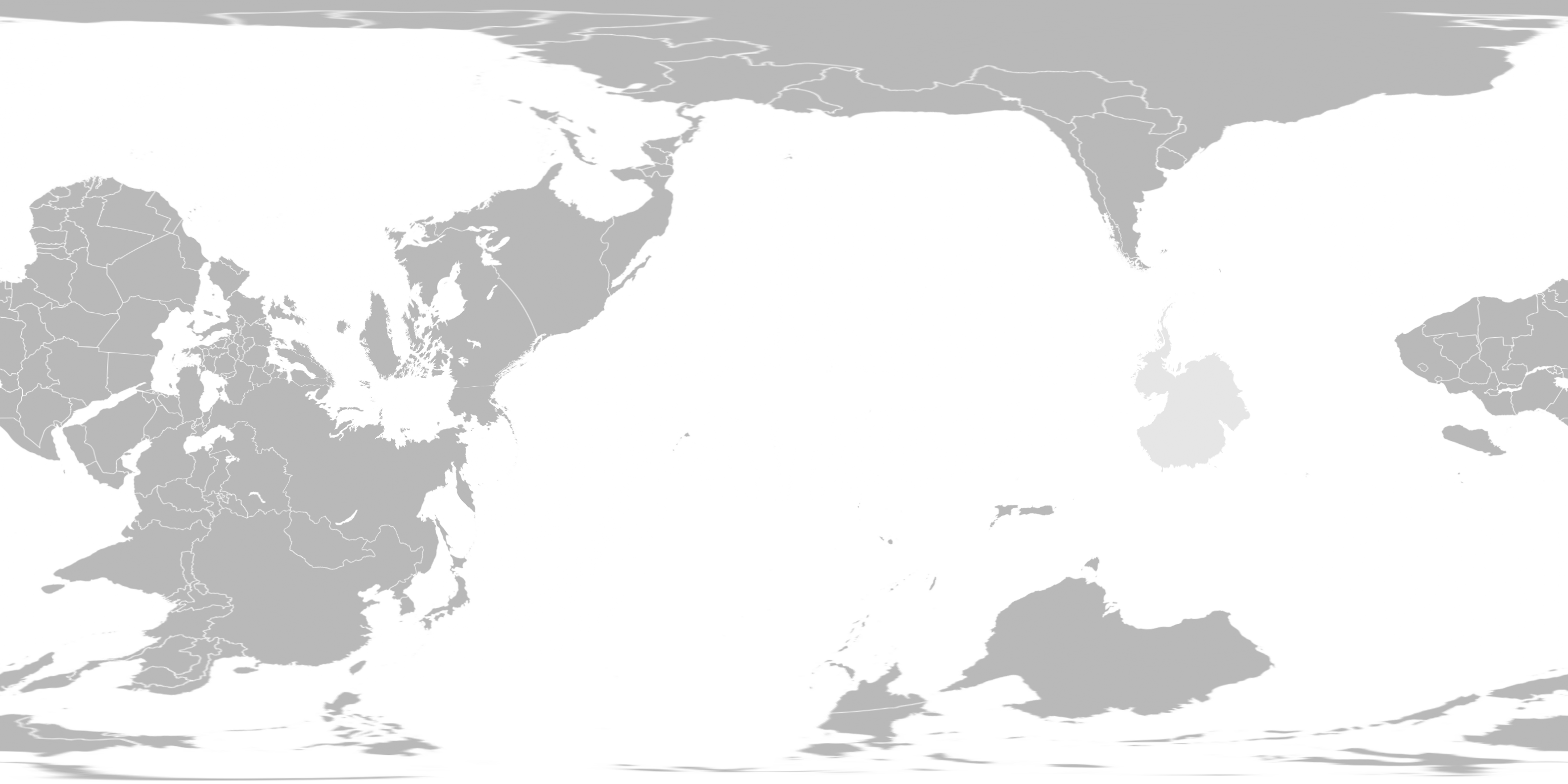 |
📚 Basic Functions
e2c(e_img, face_w=256, mode='bilinear', cube_format='dice')
Converts an equirectangular image to a cubemap projection.
-
Parameters:
e_img(torch.Tensor): Equirectangular CHW image tensor.face_w(int, optional): Cube face width. If set to None, then face_w will be calculated as<e_img_height> // 2. Default:None.mode(str, optional): Sampling interpolation mode. Options arebilinear,bicubic, andnearest. Default:bilinearcube_format(str, optional): The desired output cubemap format. Options aredict,list,horizon,stack, anddice. Default:dicestack(torch.Tensor): Stack of 6 faces, in the order of: ['Front', 'Right', 'Back', 'Left', 'Up', 'Down'].list(list of torch.Tensor): List of 6 faces, in the order of: ['Front', 'Right', 'Back', 'Left', 'Up', 'Down'].dict(dict of torch.Tensor): Dictionary with keys pointing to face tensors. Keys are: ['Front', 'Right', 'Back', 'Left', 'Up', 'Down'].dice(torch.Tensor): A cubemap in a 'dice' layout.horizon(torch.Tensor): A cubemap in a 'horizon' layout, a 1x6 grid in the order: ['Front', 'Right', 'Back', 'Left', 'Up', 'Down'].
channels_first(bool, optional): Input cubemap channel format (CHW or HWC). Defaults to the PyTorch CHW standard ofTrue.
-
Returns: Cubemap representation of the input image as a tensor, list of tensors, or dict or tensors.
c2e(cubemap, h, w, mode='bilinear', cube_format='dice')
Converts a cubemap projection to an equirectangular image.
-
Parameters:
cubemap(torch.Tensor, list of torch.Tensor, or dict of torch.Tensor): Cubemap image tensor, list of tensors, or dict of tensors. Note that tensors should be in the shape of:CHW, except for whencube_format = 'stack', in which case a batch dimension is present. Inputs should match the correspondingcube_format.h(int, optional): Output image height. If set to None,<cube_face_width> * 2will be used. Default:None.w(int, optional): Output image width. If set to None,<cube_face_width> * 4will be used. Default:None.mode(str, optional): Sampling interpolation mode. Options arebilinear,bicubic, andnearest. Default:bilinearcube_format(str, optional): Input cubemap format. Options aredict,list,horizon,stack, anddice. Default:dicestack(torch.Tensor): Stack of 6 faces, in the order of: ['Front', 'Right', 'Back', 'Left', 'Up', 'Down'].list(list of torch.Tensor): List of 6 faces, in the order of: ['Front', 'Right', 'Back', 'Left', 'Up', 'Down'].dict(dict of torch.Tensor): Dictionary with keys pointing to face tensors. Keys are expected to be: ['Front', 'Right', 'Back', 'Left', 'Up', 'Down'].dice(torch.Tensor): A cubemap in a 'dice' layout.horizon(torch.Tensor): A cubemap in a 'horizon' layout, a 1x6 grid in the order of: ['Front', 'Right', 'Back', 'Left', 'Up', 'Down'].
channels_first(bool, optional): Input cubemap channel format (CHW or HWC). Defaults to the PyTorch CHW standard ofTrue.
-
Returns: Equirectangular projection of the input cubemap as a tensor.
e2p(e_img, fov_deg, h_deg, v_deg, out_hw, in_rot_deg=0, mode='bilinear')
Extracts a perspective view from an equirectangular image.
-
Parameters:
e_img(torch.Tensor): Equirectangular CHW or NCHW image tensor.fov_deg(float or tuple of float): Field of view in degrees. If a single value is provided, it will be used for both horizontal and vertical degrees. If using a tuple, values are expected to be in following format: (h_fov_deg, v_fov_deg).h_deg(float, optional): Horizontal viewing angle in range [-pi, pi]. (-Left/+Right). Default:0.0v_deg(float, optional): Vertical viewing angle in range [-pi/2, pi/2]. (-Down/+Up). Default:0.0out_hw(float or tuple of float, optional): Output image dimensions in the shape of '(height, width)'. Default:(512, 512)in_rot_deg(float, optional): Inplane rotation angle. Default:0mode(str, optional): Sampling interpolation mode. Options arebilinear,bicubic, andnearest. Default:bilinearchannels_first(bool, optional): Input cubemap channel format (CHW or HWC). Defaults to the PyTorch CHW standard ofTrue.
-
Returns: Perspective view of the equirectangular image as a tensor.
e2e(e_img, h_deg, v_deg, roll=0, mode='bilinear')
Rotate an equirectangular image along one or more axes (roll, pitch, and yaw) to produce a horizontal shift, vertical shift, or to roll the image.
-
Parameters:
e_img(torch.Tensor): Equirectangular CHW or NCHW image tensor.roll(float, optional): Roll angle in degrees (-Counter_Clockwise/+Clockwise). Rotates the image along the x-axis. Default:0.0h_deg(float, optional): Yaw angle in degrees (-Left/+Right). Rotates the image along the z-axis to produce a horizontal shift. Default:0.0v_deg(float, optional): Pitch angle in degrees (-Down/+Up). Rotates the image along the y-axis to produce a vertical shift. Default:0.0mode(str, optional): Sampling interpolation mode. Options arebilinear,bicubic, andnearest. Default:bilinearchannels_first(bool, optional): Input cubemap channel format (CHW or HWC). Defaults to the PyTorch CHW standard ofTrue.
-
Returns: A modified equirectangular image tensor.
🤝 Contributing
Contributions are welcome! Please feel free to submit a Pull Request.
🔬 Citation
If you use this library in your research or project, please refer to the included CITATION.cff file or cite it as follows:
BibTeX
@misc{egan2024pytorch360convert,
  title={PyTorch 360° Image Conversion Toolkit},
  author={Egan, Ben},
  year={2024},
  publisher={GitHub},
  howpublished={\url{https://github.com/ProGamerGov/pytorch360convert}}
}
APA Style
Egan, B. (2024). PyTorch 360° Image Conversion Toolkit [Computer software]. GitHub. https://github.com/ProGamerGov/pytorch360convert
1 maintainer

Metadata
1 maintainer
Release files for pytorch360convert 0.2.3
For a detailed explanation of source distributions (sdists) and built distributions (wheels), please see the package formats documentation.
Source distribution (sdist)
| File | Size | Uploaded | |
|---|---|---|---|
| pytorch360convert-0.2.3.tar.gz | 28.5 kB | Details |
Built distribution (wheel)
| File | Interpreter | ABI | Platform | Reset |
|---|---|---|---|---|
| pytorch360convert-0.2.3-py3-none-any.whl | Python 3 | none | any | Details |
Total release size: 43.9 kB
Release files / pytorch360convert-0.2.3.tar.gz
| Download URL | pytorch360convert-0.2.3.tar.gz |
|---|---|
| Size | 28.5 kB |
| Tags | Source |
|
SHA-256 checksum How to use checksums |
f367e157ba184fe83117944849f4128d5adfeee70a483e262645098ad11d2956
|
|
BLAKE2b-256 checksum How to use checksums |
26a84a8e4c5b4d6e05dc9b4f21b89b7a6e259938a07dda3891859cc656b1848f
|
| Upload date | |
|
Uploaded using Trusted Publishing? What is trusted publishing? |
No |
| Uploaded via |
twine/6.1.0 CPython/3.12.8
|
Release files / pytorch360convert-0.2.3-py3-none-any.whl
| Download URL | pytorch360convert-0.2.3-py3-none-any.whl |
|---|---|
| Size | 15.4 kB |
| Tags | Python 3 |
|
SHA-256 checksum How to use checksums |
5d26ab9468884b2e4601dd2d8ffd2ed36b7454b70c67e852102961192073e9c6
|
|
BLAKE2b-256 checksum How to use checksums |
df61d69ddc9cf785ddfeaf59e8af26971c6924919045c98e0c54e13d91d61c6c
|
| Upload date | |
|
Uploaded using Trusted Publishing? What is trusted publishing? |
No |
| Uploaded via |
twine/6.1.0 CPython/3.12.8
|














