

PyUIkit is a modern, web-like, component-based Python GUI framework built on top of CustomTkinter. It aims to bring simplicity and web-like component structure to Python GUI development, allowing developers to create windows, divs, and components without dealing with complex layout management. It allows you to create beautiful and interactive desktop applications with minimal code, using Div-based layouts and reusable UI components.
Features
- Create nested layouts with
Divcontainers. - Use Text, Input, Button components and more.
- Interactive components with event handling.
- Component IDs for dynamic updates.
- Easy to use for both beginners and experienced developers.
- Supports modern styling and dark/light themes (future updates).
Installation
pip install pyuikit
Getting started
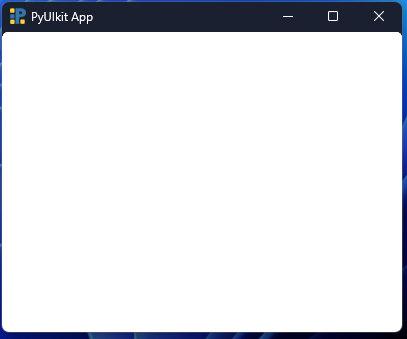
- Create a simple window
from pyuikit import Body

app = Body(width=400, height=300, bg_color='white')
app.run()
This creates a blank window with the specified size and background color.
- Add components inside a Div
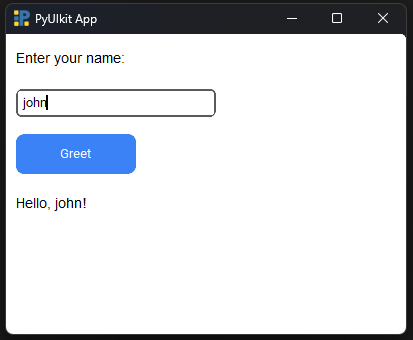
from pyuikit import Body, Div
from pyuikit.components import Text, Button, Input

def greet():
    name = Input.get_input(id='name_input')
    Text.set_text(id='greeting', new_text=f'Hello, {name}!')

app = Body(width=400, height=300, bg_color='white')

Div(
    width=360,
    height=250,
    children=[
        Text(text='Enter your name:'),
        Input(placeholder='Name',id='name_input'),
        Button(text='Greet',on_click=greet),
        Text(text='', id='greeting')
    ]
)

app.run()
Note: Every app must have at least one top-level Div to hold components.
Documentation:
Full documentation and examples:
Other components:
- Button component
- Text component
- Input component
- Filedialog component
- Slider component
- Radiobutton component
- Progressbar component
- Dropdown component
- Switch component
- Checkbox component
- Toast component
Example Applications:
Note: PyUIkit is now in a stable release, but issues may still occur. We welcome and appreciate contributions! Feel free to submit PRs or report any problems via the GitHub Issues tab.
1 maintainer

Metadata
1 maintainer
Release files for pyuikit 1.1.1
For a detailed explanation of source distributions (sdists) and built distributions (wheels), please see the package formats documentation.
Source distribution (sdist)
| File | Size | Uploaded | |
|---|---|---|---|
| pyuikit-1.1.1.tar.gz | 38.8 kB | Details |
Built distribution (wheel)
| File | Interpreter | ABI | Platform | Reset |
|---|---|---|---|---|
| pyuikit-1.1.1-py3-none-any.whl | Python 3 | none | any | Details |
Total release size: 83.2 kB
Release files / pyuikit-1.1.1.tar.gz
| Download URL | pyuikit-1.1.1.tar.gz |
|---|---|
| Size | 38.8 kB |
| Tags | Source |
|
SHA-256 checksum How to use checksums |
cdbd81ffcb0b3bfe969b79122954c8a19d3467ce3abcb68e13146ffa1ec0c9d2
|
|
BLAKE2b-256 checksum How to use checksums |
3ee9ddc3c07c01efa9910c7e14e486ee214706bc123fee33e82ea3cdd9571427
|
| Upload date | |
|
Uploaded using Trusted Publishing? What is trusted publishing? |
No |
| Uploaded via |
twine/6.2.0 CPython/3.14.0
|
Release files / pyuikit-1.1.1-py3-none-any.whl
| Download URL | pyuikit-1.1.1-py3-none-any.whl |
|---|---|
| Size | 44.5 kB |
| Tags | Python 3 |
|
SHA-256 checksum How to use checksums |
e5d1375bf8843e7e596d6b925bd2505aaed94ff6e7cb824cbd152ce34e6b6efe
|
|
BLAKE2b-256 checksum How to use checksums |
377409612b18b430a77d32ca2631d99708af52c2473e4f0419112c20946ed4e4
|
| Upload date | |
|
Uploaded using Trusted Publishing? What is trusted publishing? |
No |
| Uploaded via |
twine/6.2.0 CPython/3.14.0
|














