
RLViser - Rocket League replay visualizer

Project description
PyViser

A pip-installable version of VirxEC/rlviser with minor modifications to facilitate the build process.
Purpose
The goal of this repository is to provide pre-built pip-installable wheels to PyPI for easy installation of RLViser. For the original code or most up-to-date developments, please see VirxEC's repository.
Installation
pip install pyviser
Platform Support
Currently only macOS (Apple Silicon/ARM64) is supported via pip install.
Windows and Linux support is in development. If you're interested in helping get these platforms working, contributions are very welcome! Please see the GitHub repository for more information.
For other platforms, you can build from source by cloning the repository and using maturin build --release.
About RLViser
RLViser is a lightweight visualizer for rocketsim-rs binds that listens for UDP packets.
Any language can communicate with the visualizer by sending UDP packets in the correct format, but rocketsim-rs has a GameState.to_bytes() function that does this automatically.
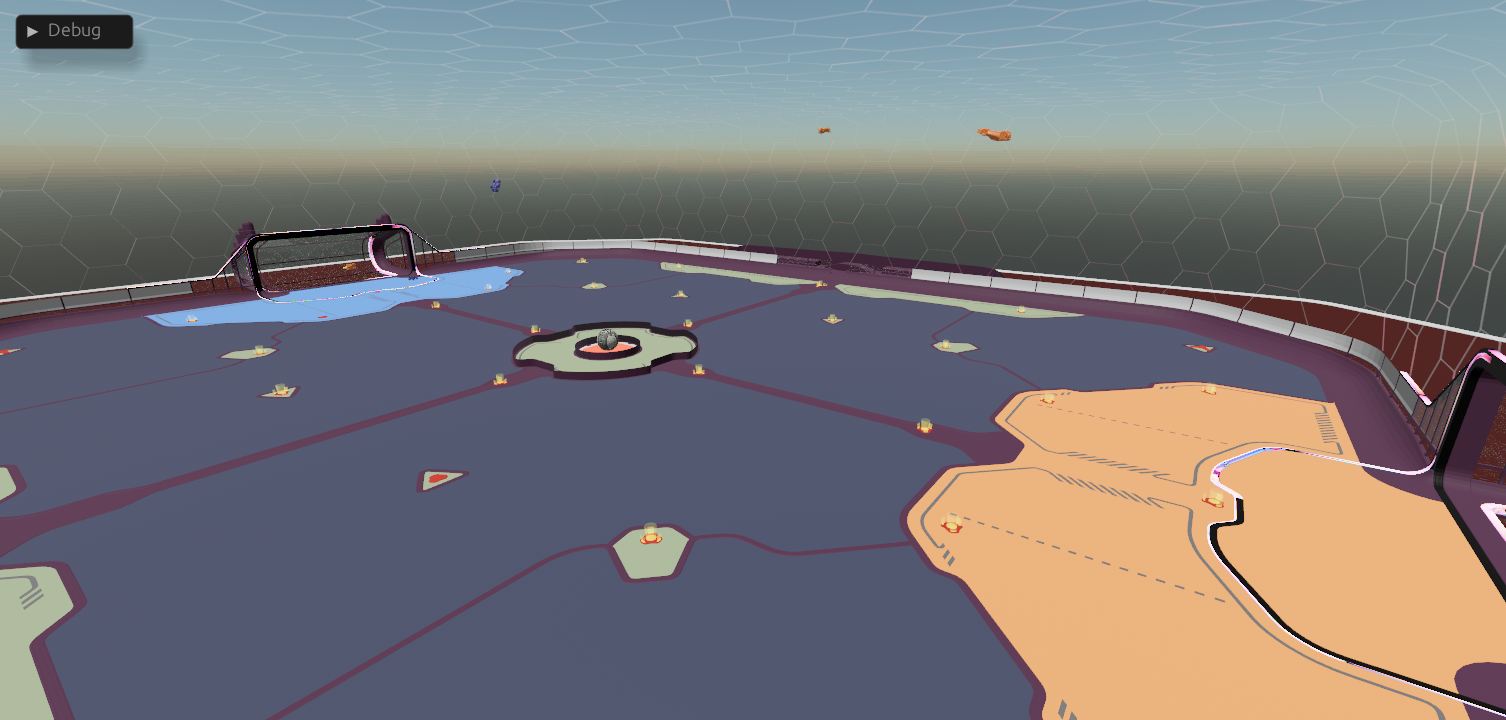
Usage
To see an example of how to communicate with the visualizer, see the example in the rocketsim-rs repository.
You can also choose to use the integrated support in RLGym 2.0 and RLGym-PPO or use the RLViser-Py library to interface directly from Python via RocketSim classes.
Controls
NOTICE: These controls WON'T WORK until you've toggled the menu off. The menu is open by default upon launch.
| Key | Action |
|---|---|
Esc |
Toggle menu |
1 - 8 |
Change car camera focus |
9 |
Director camera |
0 |
Free camera |
W |
Move forward |
A |
Move left |
S |
Move backward |
D |
Move right |
Space |
Move up |
Left Ctrl |
Move down |
Left Shift |
Slow |
R |
State set ball towards goal |
P |
Toggle pause/play |
+ |
Increase game speed +0.5x |
- |
Decrease game speed -0.5x |
= |
Set game speed to 1x |
Left click1 |
Drag cars and ball |
1 - Requires the menu toggled ON to free the cursor, you can drag cars and the ball to move them in the world. Requires the agent on the other side to support state setting.
Modes
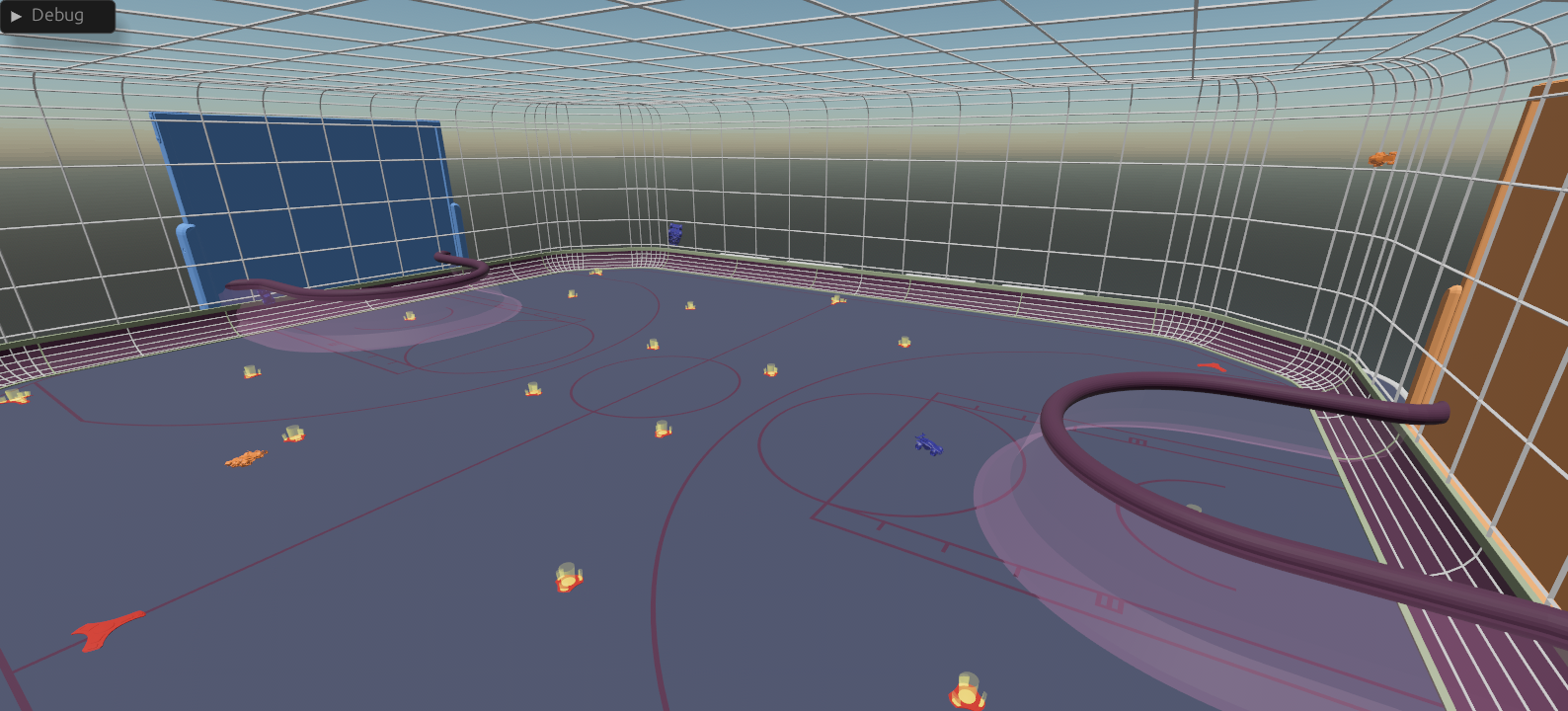
Currently, both standard soccer and hoops are supported.
Credits
All credit for the original RLViser goes to VirxEC. This repository simply provides pip-installable builds of their excellent work.


Download files
Download the file for your platform. If you're not sure which to choose, learn more about installing packages.
Source Distribution
Built Distribution
Filter files by name, interpreter, ABI, and platform.
If you're not sure about the file name format, learn more about wheel file names.
Copy a direct link to the current filters
File details
Details for the file pyviser-0.10.5.tar.gz.
File metadata
- Download URL: pyviser-0.10.5.tar.gz
- Upload date:
- Size: 5.2 MB
- Tags: Source
- Uploaded using Trusted Publishing? Yes
- Uploaded via: twine/6.1.0 CPython/3.13.7
File hashes
| Algorithm | Hash digest | |
|---|---|---|
| SHA256 |
46ad03b72369fe1db0bc1f16c66846faceb24ee0e9c1485ef541ccc0c98c211b
|
|
| MD5 |
e448141945f9d7a4d22f34b993157da0
|
|
| BLAKE2b-256 |
5d4ed49d58e33d54e386d2512e1a014eb29a162dafd64c7254bb3a83f9389c64
|
Provenance
The following attestation bundles were made for pyviser-0.10.5.tar.gz:
Publisher:
wheels.yml on 2ToTheNthPower/rlviser
-
Statement:
-
Statement type:
https://in-toto.io/Statement/v1 -
Predicate type:
https://docs.pypi.org/attestations/publish/v1 -
Subject name:
pyviser-0.10.5.tar.gz -
Subject digest:
46ad03b72369fe1db0bc1f16c66846faceb24ee0e9c1485ef541ccc0c98c211b - Sigstore transparency entry: 601500188
- Sigstore integration time:
-
Permalink:
2ToTheNthPower/rlviser@53b6015289e496496007cfabc0d0369514100617 -
Branch / Tag:
refs/tags/v0.10.5 - Owner: https://github.com/2ToTheNthPower
-
Access:
public
-
Token Issuer:
https://token.actions.githubusercontent.com -
Runner Environment:
github-hosted -
Publication workflow:
wheels.yml@53b6015289e496496007cfabc0d0369514100617 -
Trigger Event:
push
-
Statement type:
File details
Details for the file pyviser-0.10.5-py3-none-macosx_11_0_arm64.whl.
File metadata
- Download URL: pyviser-0.10.5-py3-none-macosx_11_0_arm64.whl
- Upload date:
- Size: 28.6 MB
- Tags: Python 3, macOS 11.0+ ARM64
- Uploaded using Trusted Publishing? Yes
- Uploaded via: twine/6.1.0 CPython/3.13.7
File hashes
| Algorithm | Hash digest | |
|---|---|---|
| SHA256 |
197ba0eae7b10ee474b2d6395c5dfdd89785df301e21f347072d8ef447eaac67
|
|
| MD5 |
f81e2cbb2b6a91b3b64ab5a6daf0c9cc
|
|
| BLAKE2b-256 |
c4e11df9e03aa0892c3a80d7ea337e013c733dcf07c69e2c818966e2fd7bff13
|
Provenance
The following attestation bundles were made for pyviser-0.10.5-py3-none-macosx_11_0_arm64.whl:
Publisher:
wheels.yml on 2ToTheNthPower/rlviser
-
Statement:
-
Statement type:
https://in-toto.io/Statement/v1 -
Predicate type:
https://docs.pypi.org/attestations/publish/v1 -
Subject name:
pyviser-0.10.5-py3-none-macosx_11_0_arm64.whl -
Subject digest:
197ba0eae7b10ee474b2d6395c5dfdd89785df301e21f347072d8ef447eaac67 - Sigstore transparency entry: 601500189
- Sigstore integration time:
-
Permalink:
2ToTheNthPower/rlviser@53b6015289e496496007cfabc0d0369514100617 -
Branch / Tag:
refs/tags/v0.10.5 - Owner: https://github.com/2ToTheNthPower
-
Access:
public
-
Token Issuer:
https://token.actions.githubusercontent.com -
Runner Environment:
github-hosted -
Publication workflow:
wheels.yml@53b6015289e496496007cfabc0d0369514100617 -
Trigger Event:
push
-
Statement type:






