
PyVista Quick Look
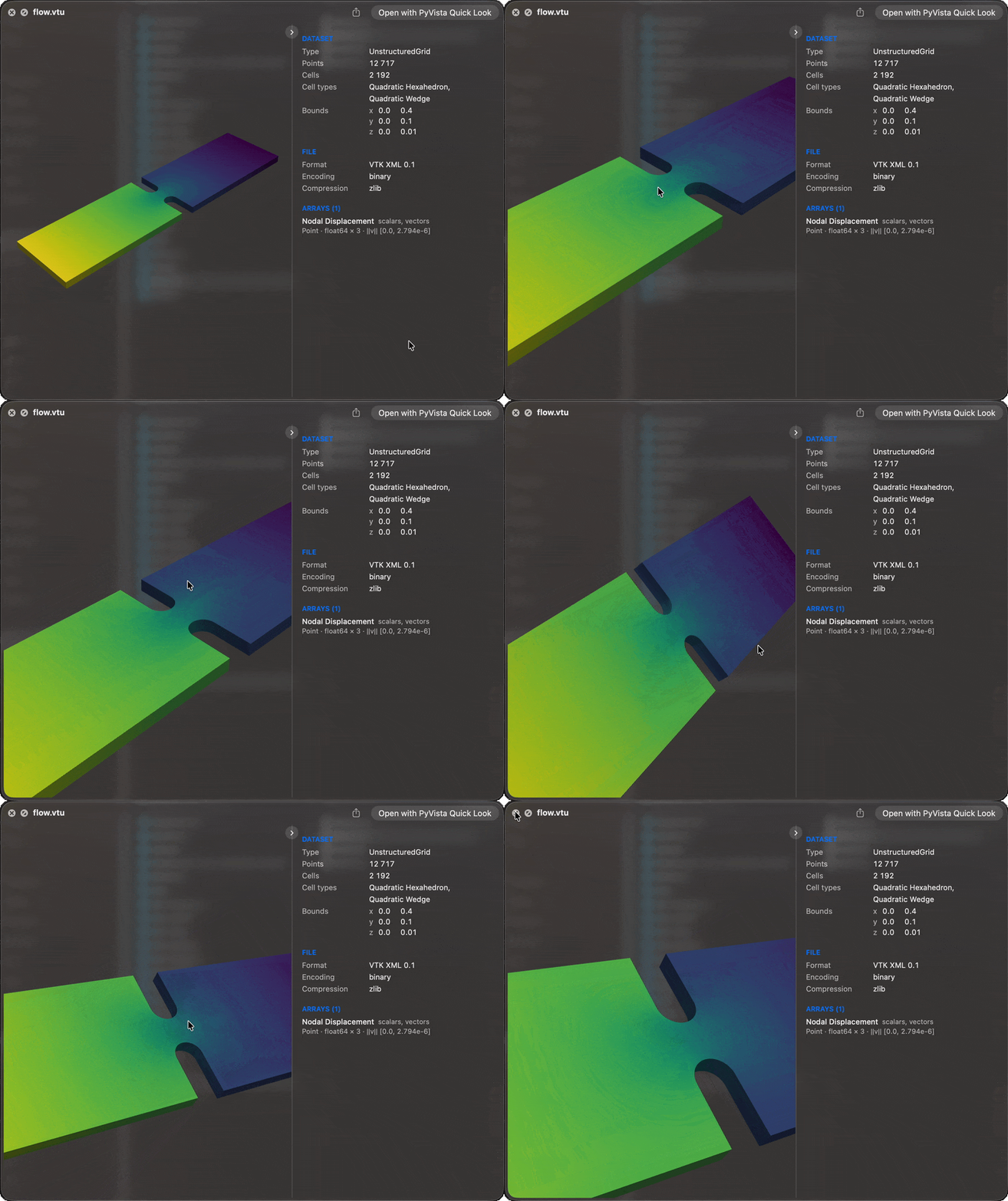
Press the space bar on a mesh file in the Finder and turn it with the mouse, the same
way macOS already previews .ply and .obj models. Over 80 formats PyVista reads are
claimed, each shown coloured by its active scalars with a panel of what the dataset holds
beside it.
Install
macOS 15 or newer. Nothing else needs to be installed first.
curl -LsSf https://github.com/pyvista/pyvista-quicklook/releases/latest/download/install.sh | sh
Then select a .vtu, .vtp, or .vtk file in the Finder and press space.
A preview is for a quick look, not for measuring: a large surface may be thinned and a volume cut into slices, while the dataset panel describes the file itself.
Documentation
pyvista.github.io/pyvista-quicklook
- Install: from PyPI, what the installer does and where things go, uninstall
- Using the preview: turning the surface, the dataset panel, fast previews with pyvista-zstd
- Settings: themes, every setting, native formats
- Supported files: every claimed extension
- How it works: the render service, cache, large files
- Troubleshooting and Commands
Developing or releasing PyVista Quick Look is described in CONTRIBUTING.md.
Metadata
Release files for pyvista-quicklook 0.11.1
For a detailed explanation of source distributions (sdists) and built distributions (wheels), please see the package formats documentation.
Source distribution (sdist)
| File | Size | Uploaded | Provenance | Actions |
|---|---|---|---|---|
| pyvista_quicklook-0.11.1.tar.gz | 3.5 MB | With provenance | Details for pyvista_quicklook-0.11.1.tar.gz |
Built distribution (wheel)
| File | Interpreter | ABI | Platform | Actions Reset |
|---|---|---|---|---|
| pyvista_quicklook-0.11.1-py3-none-any.whl | Python 3 | none | any | Details for pyvista_quicklook-0.11.1-py3-none-any.whl |
Total release size: 3.6 MB
Release files / pyvista_quicklook-0.11.1.tar.gz
| Download URL | pyvista_quicklook-0.11.1.tar.gz |
|---|---|
| Size | 3.5 MB |
| Tags | Source |
|
SHA-256 checksum How to use checksums |
4c3fa5b8cf259ed9c14d763c5fe6386c160f0be00b719553258b503a121406c6
|
|
BLAKE2b-256 checksum How to use checksums |
2da807ee578b27370c19006c8b647d08011b3a9df976b2fc825cb2884ea63d38
|
| Upload date | |
|
Uploaded using Trusted Publishing? What is trusted publishing? |
Yes |
| Uploaded via |
twine/7.0.0 CPython/3.13.14
|
Provenance
Provenance describes where a file came from. On PyPI, provenance is shared via attestations, which provide a verifiable record of the build or publishing details. View details, limitations and caveats.


PyPI Publish Attestation
PyPI verified that this artifact, at this checksum, originated from the publisher listed below.
Signed by GitHub Actions, verified by PyPI on Oct 24, 2026.
Transparency logRelease files / pyvista_quicklook-0.11.1-py3-none-any.whl
| Download URL | pyvista_quicklook-0.11.1-py3-none-any.whl |
|---|---|
| Size | 69.0 kB |
| Tags | Python 3 |
|
SHA-256 checksum How to use checksums |
4d893d2de643b5b7d4a1c0d446710e8f44c24d17478cb277fb2ff2ff257e80ea
|
|
BLAKE2b-256 checksum How to use checksums |
8de41008b5e44d2a026eb88b4c0dd22e1d6a8415a965b76bca7a9aa4693f5d5f
|
| Upload date | |
|
Uploaded using Trusted Publishing? What is trusted publishing? |
Yes |
| Uploaded via |
twine/7.0.0 CPython/3.13.14
|
Provenance
Provenance describes where a file came from. On PyPI, provenance is shared via attestations, which provide a verifiable record of the build or publishing details. View details, limitations and caveats.
PyPI Publish Attestation
PyPI verified that this artifact, at this checksum, originated from the publisher listed below.
Signed by GitHub Actions, verified by PyPI on Oct 24, 2026.
Transparency logSecurity for pyvista-quicklook 0.11.1
Provenance
Provenance describes where a file came from. On PyPI, provenance is shared via attestations, which provide a verifiable record of the build or publishing details. View details, limitations and caveats.
Full provenance
All 2 files in this release have been uploaded with provenance metadata.
Attestation for pyvista_quicklook-0.11.1.tar.gz
PyPI Publish Attestation
PyPI verified that this artifact, at this checksum, originated from the publisher listed below.
Signed by GitHub Actions, verified by PyPI on Oct 24, 2026.
Transparency logA note on package security
PyPI is a repository for distributing packages, not a service for auditing them. While third-party security researchers and our staff do their best to detect and remove malicious packages, PyPI cannot guarantee the quality, security or suitability of any given package.
To learn more about protecting yourself from malicious actors, visit our package security documentation.














