
Do you ever wonder sending messages automatically by just running a simple python script? Yes, you heard it right, it can be done easily by using this package with selenium.
Selenium is a very smart package in python with which developers can automate the browser’s activity. With this, we can make use of Whatsapp-web through the browser and use it to automate message transfers.
Basic Requirement 📖
- Library/Packages — Selenium , Chromedriver(for web automation).
- IDE — Jupyter Notebook, Sublime, Visual Studio Code (It can even your command prompt, it just have to run Python).
- Browser — Opensource Chromium web browser(FYI Google chromedriver is preffered).
Pip And Use 📋
# You can easily start using this Library
# Run the following command in your command prompt
# Make use pip library is install on your system.
# run the following command to ensure it
>> pip --version
# To install pywakit, run following command
>> pip install pywakit
Clone and use 📋
# You can also clone the repository by running the follwoing command
>> git clone https://github.com/y-agg/pywakit.git
Get Started Code 🏃
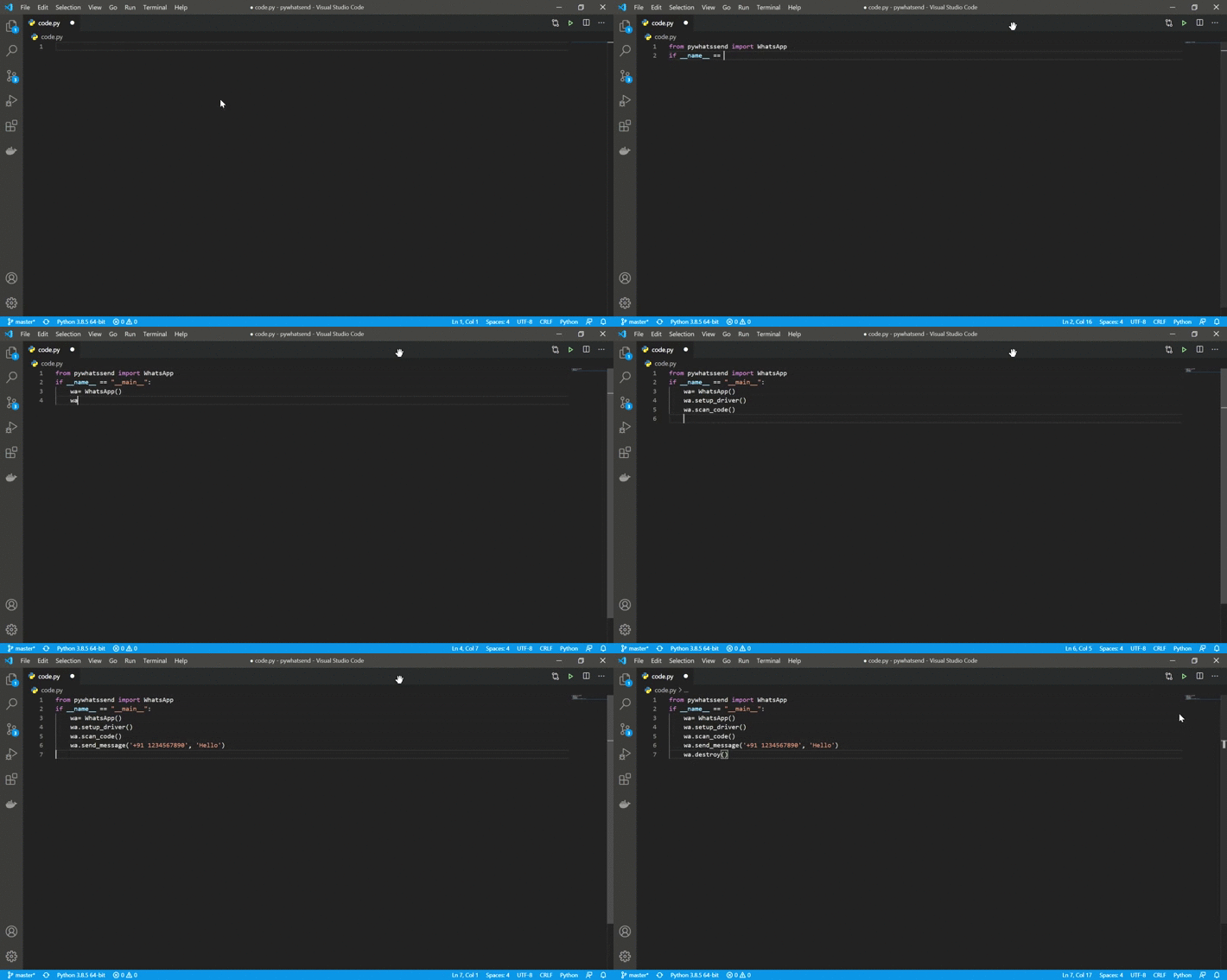
# This will import whatsapp class to send message
>> from pywakit import Whatsapp

# This will create object of whatsapp class
>> wa = Whatsapp()

# [Optional] If you slow internet connection, set
>> wa.retry= 20 #or anything higher then 10
# Default value of retry is 10

# This is for initial setup to run the program
# If You dont have Chromedriver in your system, call this function with no paramenters.
# Function will automatically download The chrome Driver file based on sys config.
# This will properly work with google chrome and window user for now. In future function functionality will be fixed to work with all platforms.
# For rest to the users, pass chromedriver location as parameter to the functio.
# By any chance window use is facing problem for cromedriver downloading. Download it manually and pass the location of file as parameter.
>> wa.setup_driver()
    # Alternative option
    # CHROMEDRIVER _PATH is the path of chromedriver
>> wa.setup_driver(CHROMEDRIVER _PATH)

# This function is desgined to QR code
>> wa.scan_code()

# This Function will send message. It require number(to whom message is be sent) and message(what should be sent?) as parameter's.
# Both Should be of String type
>> wa.send_message(number,message)

# This will close of all the object and pointers. Its is for better practice.
>> wa.destroy()

# This Function will show all the log generated by the program.
>> wa.show_log()

# This function will print all the number to whom message is been sent till now.
>> wa.show_history()
Technologies used 🛠️
- Python
- Selenium Library
Bugs? 🍥
"I think there're some bugs on your code... !".I think there're some bugs on your code. You're, there are.
- There are always be something, which will crash program. There is no such thing as perfect code. Some or another possibility will be discovered which will result in program failure. But I'll my best to keep this module bug be.
- Feel free to fix, reuse and duplicate this repopostiary.
- Any Problem? I've must have inserted something that will point to contact detail.
LICENCE ✨
This project is licensed under the MIT License - see the MIT License file for details.
Connect 💡



1 maintainer

Metadata
1 maintainer
Release files for pywakit 0.0.6
For a detailed explanation of source distributions (sdists) and built distributions (wheels), please see the package formats documentation.
Source distribution (sdist)
| File | Size | Uploaded | |
|---|---|---|---|
| pywakit-0.0.6.tar.gz | 8.2 kB | Details |
Built distribution (wheel)
| File | Interpreter | ABI | Platform | Reset |
|---|---|---|---|---|
| pywakit-0.0.6-py3-none-any.whl | Python 3 | none | any | Details |
Total release size: 16.1 kB
Release files / pywakit-0.0.6.tar.gz
| Download URL | pywakit-0.0.6.tar.gz |
|---|---|
| Size | 8.2 kB |
| Tags | Source |
|
SHA-256 checksum How to use checksums |
4d8dffcc54f78fea54cff954767612a5b3ed462b617fe89e32ee146621cb0314
|
|
BLAKE2b-256 checksum How to use checksums |
da1ce724c6e1d715e19c31e4041da45309bd1db5a242e0ee4de210c86c153f94
|
| Upload date | |
|
Uploaded using Trusted Publishing? What is trusted publishing? |
No |
| Uploaded via |
twine/3.2.0 pkginfo/1.5.0.1 requests/2.24.0 setuptools/47.1.0 requests-toolbelt/0.9.1 tqdm/4.48.2 CPython/3.8.5
|
Release files / pywakit-0.0.6-py3-none-any.whl
| Download URL | pywakit-0.0.6-py3-none-any.whl |
|---|---|
| Size | 7.9 kB |
| Tags | Python 3 |
|
SHA-256 checksum How to use checksums |
0f0ba5b11d0723dec56961c0f410c18537122e9f09421f6457817c5a7afc65fa
|
|
BLAKE2b-256 checksum How to use checksums |
ba878e15c88a4c0c7c9825757061403768cbd529fb819ac77ee6c6a0e06ffc84
|
| Upload date | |
|
Uploaded using Trusted Publishing? What is trusted publishing? |
No |
| Uploaded via |
twine/3.2.0 pkginfo/1.5.0.1 requests/2.24.0 setuptools/47.1.0 requests-toolbelt/0.9.1 tqdm/4.48.2 CPython/3.8.5
|














