
PyLoader.
Python library for downloading files by URL’s. Fast and easy. Uses only Python STDLIB.
Examples.
Simple download.
from pyloader import PyLoader


url = 'https://yt3.ggpht.com/1yafclomM37uN64INRwmmWPC7kT0OXwx6W5Or4JRs5eRrlGAXYD2x6thKfyrK_mf493GkScfUV5P7g=s742-nd-v1'
out = 'pic.png'

file = PyLoader.download(url, out)

print(f'{out} downloaded.')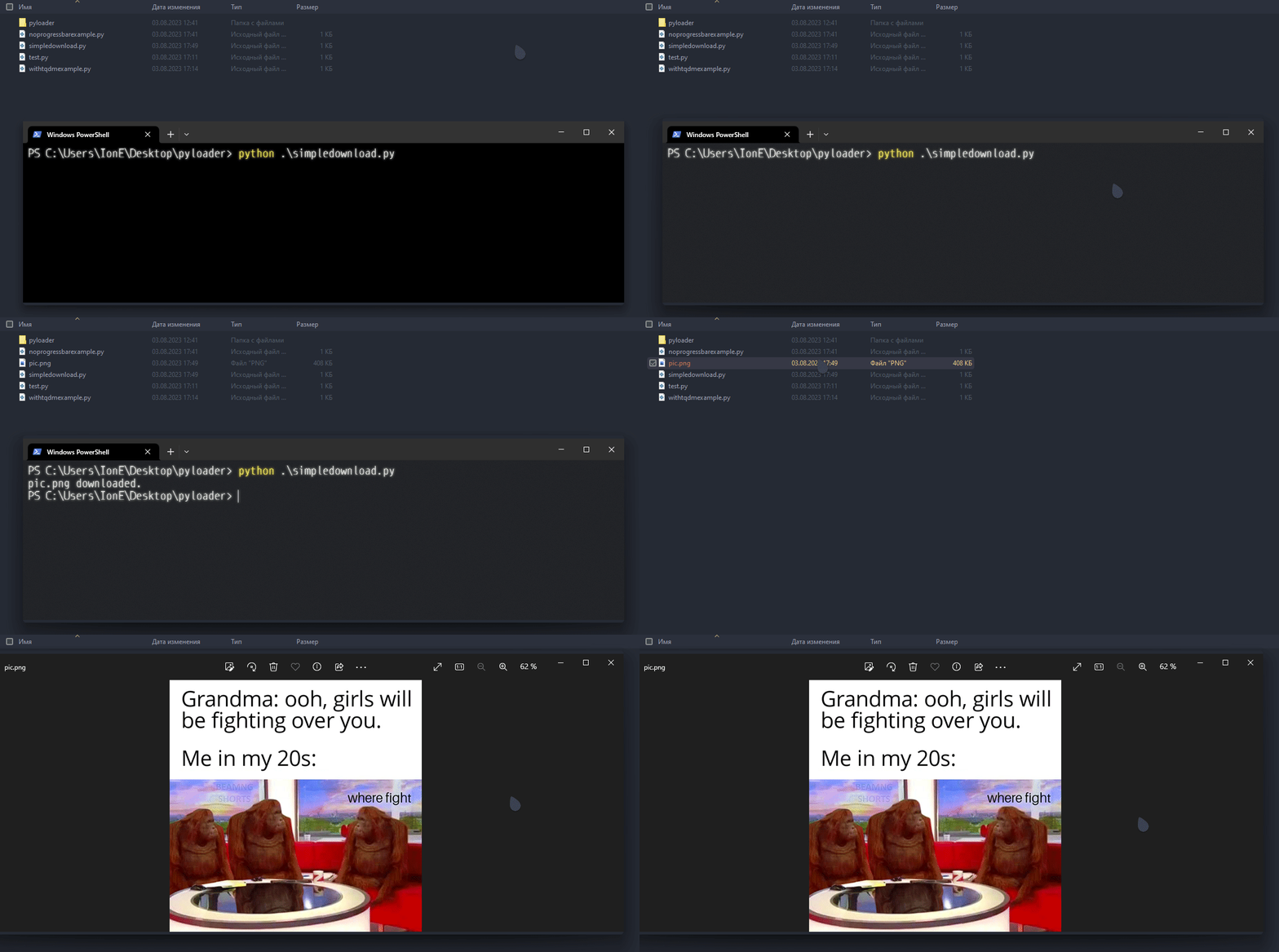
No progress bar download.
from pyloader import PyLoader


url = 'https://yt3.ggpht.com/1yafclomM37uN64INRwmmWPC7kT0OXwx6W5Or4JRs5eRrlGAXYD2x6thKfyrK_mf493GkScfUV5P7g=s742-nd-v1'
out = 'pic.png'

file = PyLoader.pdownload(url, out)

for data in file:
   print(PyLoader.util_format(data))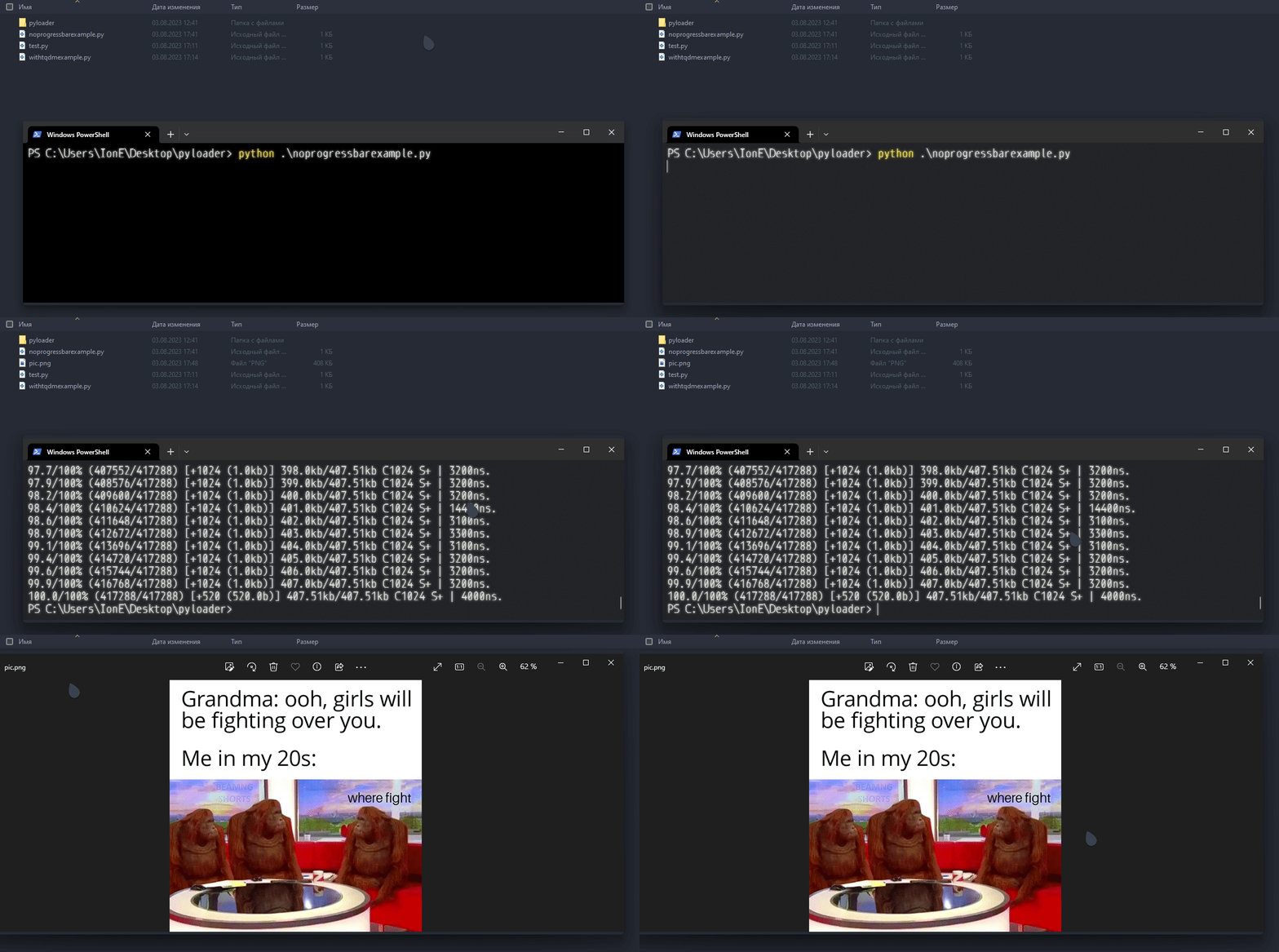
TQDM Progress Bar.
from pyloader import PyLoader

from tqdm import tqdm


url = 'https://yt3.ggpht.com/1yafclomM37uN64INRwmmWPC7kT0OXwx6W5Or4JRs5eRrlGAXYD2x6thKfyrK_mf493GkScfUV5P7g=s742-nd-v1'
out = 'pic.png'

pic = PyLoader.pdownload(url, out)

progress_bar = tqdm()

for download_info in pic:
   if download_info:
      if progress_bar.total == None:
            progress_bar.total = download_info['totalbytes']

     progress_bar.update(download_info['size_written'])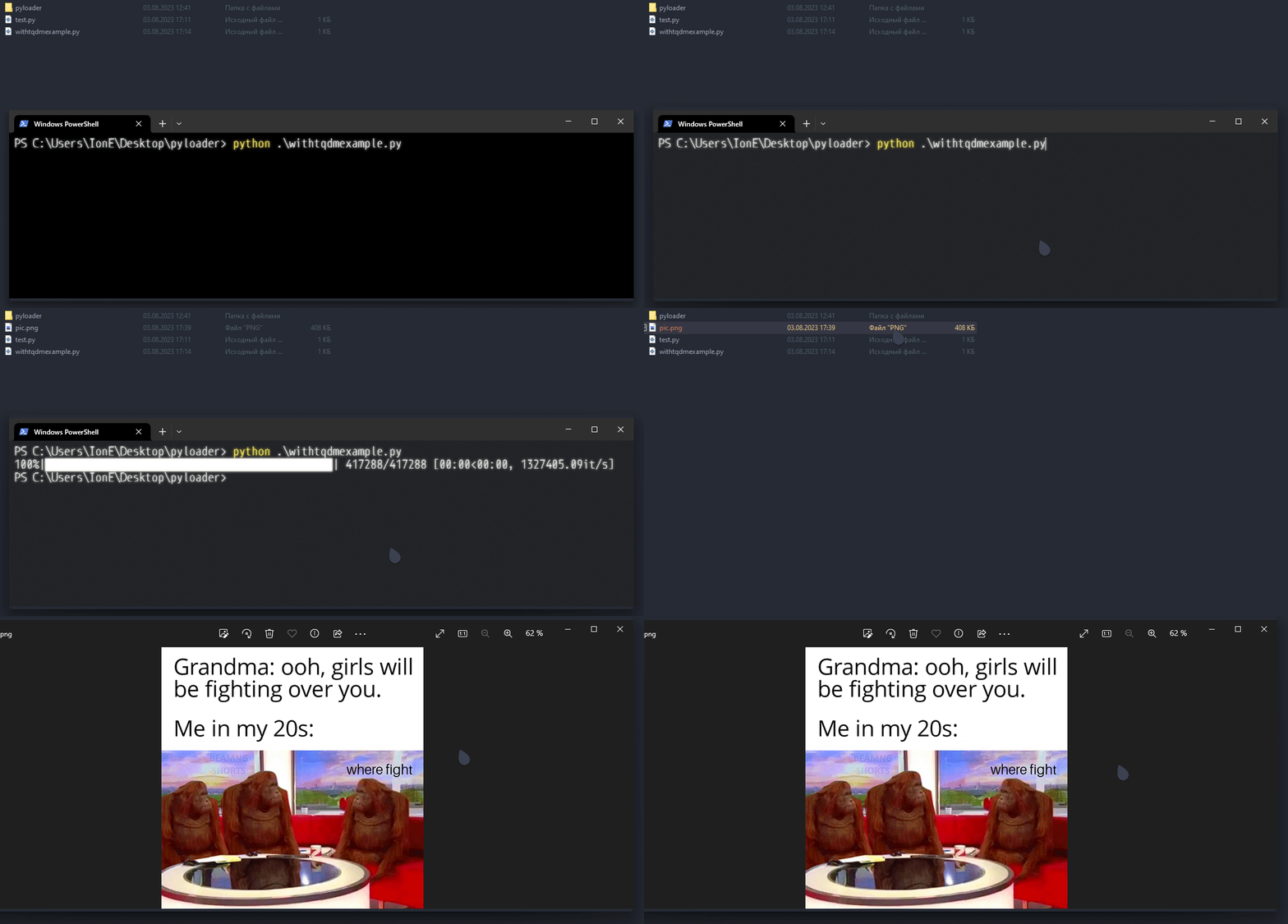
As you see, using PyLoader is very easy.
PyLoader Documentation.
# Static Functions & Variables (from pyloader import ...).
VERSION = 1.0

_percentage(current: int, maximal: int, _round: bool=False) -> int
_convsize(_bytes: int, chunk: int=1024) -> str

# PyLoader Functions & Variables (from pyloader import PyLoader).
# All PyLoader functions and variables are static. It means you can call functions without initializing PyLoader.
PyLoader.CHUNK = 1024

PyLoader.temp_files = []

@staticmethod PyLoader.download(url: str, out: str) -> bool
@staticmethod PyLoader.pdownload(url: str, out: str, round_progress: bool=False) -> dict

@staticmethod webfile(url: str, _type: str) -> str

@staticmethod PyLoader.util_format(download_info: Union[bool, dict]) -> Union[bool, str]

@staticmethod PyLoader.update_chunk(new_chunk: int) -> NoneVERSION: Version of PyLoader.
_percentage: Calculate percentage. (_percentage:47, 100, True) -> 10%.<br> _convsize: Converting bytes into another file sizes. (_convsize:1024) -> 1.0kb.
PyLoader.CHUNK: PyLoader default download chunk.
PyLoader.temp_files: Temporary files generated by webfile.
PyLoader.download: The “simple” download. Downloads file from URL into {out}. Already handles exceptions: HTTPError, URLError, SSLCertVerificationError, ValueError.
PyLoader.pdownload: Download file with ability to track things like: already downloaded percentage, downloaded bytes, file size, etc.
Yields (‘yield [value]’ in Python) dict with these values:
percentage (downloaded percentage), current_progress (current progress - downloaded bytes), size_written (bytes was written in this chunk loading), size (size of file), totalbytes (size of file in bytes), chunk (chunk), time_wasted (wasted time to load chunk in nanoseconds), success (is chunk loaded successfully).
Also handles exceptions: HTTPError, RequestHTTPError, RequestConnectionError, MissingSchema, (SSLError?).
PyLoader.webfile: Downloads file from URL and places downloaded into system temporary folder. Returns tuple with path to temporary file, is file downloaded successfully. PyLoader.clear_temp_files: Clear temporary files generated by webfile.
PyLoader.util_format: Format download information. Converts dictionary with information to string. If `download_info` (first argument) is bool, function will return the same bool.
PyLoader.update_chunk: Update default PyLoader chunk.
Notes.
You can customize your progress bar just by using values from download information, you also can customize messages, etc by yourself, how to do it: util_format source code. You also can use PyLoader static functions like _percentage, for your goals. These functions can be really useful. Report any errors to project issues.
XXX: GitHub.
PyLoader MIT License v1.3.1.
1 maintainer

Metadata
1 maintainer
Release files for pywebloader 1.3.1
For a detailed explanation of source distributions (sdists) and built distributions (wheels), please see the package formats documentation.
Source distribution (sdist)
| File | Size | Uploaded | Provenance | Actions |
|---|---|---|---|---|
| pywebloader-1.3.1.tar.gz | 5.2 kB | Without provenance | Details for pywebloader-1.3.1.tar.gz |
Release files / pywebloader-1.3.1.tar.gz
| Download URL | pywebloader-1.3.1.tar.gz |
|---|---|
| Size | 5.2 kB |
| Tags | Source |
|
SHA-256 checksum How to use checksums |
44bb63a1f6e2b3643accc6cf4f48fa1b6fca15d08c47fdd3bace927c1ebc9d4f
|
|
BLAKE2b-256 checksum How to use checksums |
05432c81118f750e8a2e90db1b8585148484365665660eb3412d2b9f4965d21c
|
| Upload date | |
|
Uploaded using Trusted Publishing? What is trusted publishing? |
No |
| Uploaded via |
twine/4.0.2 CPython/3.9.9
|
Security for pywebloader 1.3.1
Provenance
Provenance describes where a file came from. On PyPI, provenance is shared via attestations, which provide a verifiable record of the build or publishing details. View details, limitations and caveats.
No provenance found
None of the files in this release were uploaded with provenance metadata.
A note on package security
PyPI is a repository for distributing packages, not a service for auditing them. While third-party security researchers and our staff do their best to detect and remove malicious packages, PyPI cannot guarantee the quality, security or suitability of any given package.
To learn more about protecting yourself from malicious actors, visit our package security documentation.













