
Pywriter


Pywriter is a Python module for printing text to your console or terminal in the classic typewriter effect.
Installation
Use the package manager pip to install pywriter.
pip install pywriter
Usage
import pywriter as pw


# returns 'Hello World!' character by character at the rate of one character per second
pw.write('Hello World!', rate=1)

# Let's introduce my latest features
pw.reverse('Hello World!', rate=1)
pw.typewriter('Hello World!', new="Jesse", idx=6, rate=1)


# You can decide to exclude the rate argument.
# That will print out your text at the default rate of 0.01
Alternate Usage
from pywriter import write, reverse, typewriter


# returns 'Hello World!' character by character at the rate of one character per second
write('Hello World!', rate=1)

# Let's introduce my latest features
reverse('Hello World!', rate=1)
typewriter('Hello World!', new="Jesse", idx=6, rate=1)


# However, it is recommended that you use pywriter.write
#instead of using the write function directly.
# Since this will help prevent any conflict in case there
#is another python module which also has a write function.
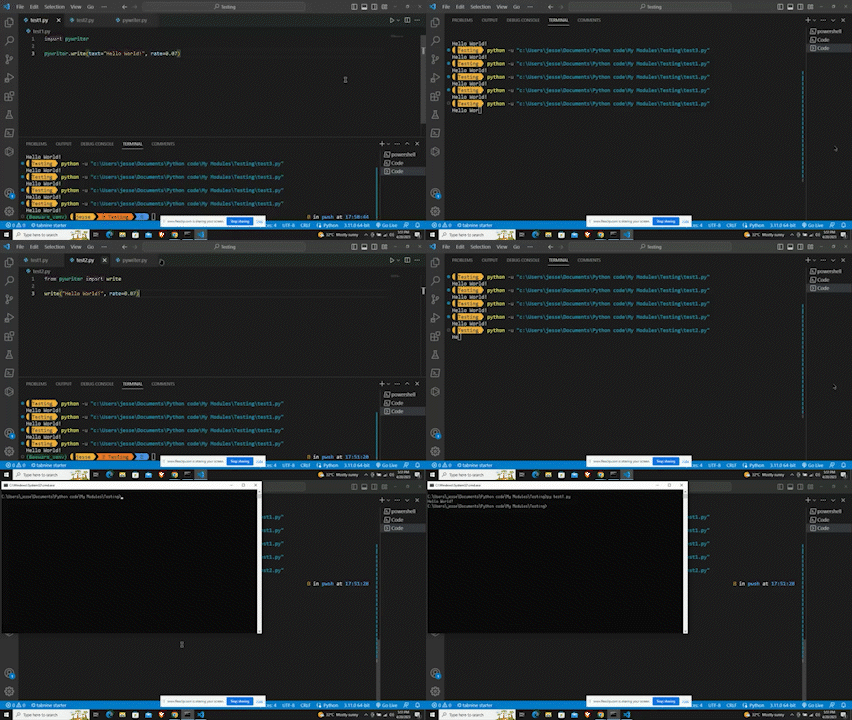
Demo
Contributing
Pull requests are welcome. For major changes, please open an issue first to discuss what you would like to change.
License
Authors
Roadmap
- Adding more features soon.
About Me
-
👨💻 All of my projects are available at https://www.github.com/amarquaye.
-
📫 You can reach me via mail.
Connect with me:


Feedback
If you have any feedback, please reach out to me.
Disclaimer
Pywriter is provided as-is and does not require frequent updates. While it remains functional and usable, future updates will be made only if necessary. If you find the project useful but notice a lack of recent activity, this does not mean it is abandoned. Contributions are welcome via pull requests.
1 maintainer

Metadata
1 maintainer
Release files for pywriter 2.0.0
For a detailed explanation of source distributions (sdists) and built distributions (wheels), please see the package formats documentation.
Source distribution (sdist)
| File | Size | Uploaded | |
|---|---|---|---|
| pywriter-2.0.0.tar.gz | 5.7 kB | Details |
Built distribution (wheel)
| File | Interpreter | ABI | Platform | Reset |
|---|---|---|---|---|
| pywriter-2.0.0-py3-none-any.whl | Python 3 | none | any | Details |
Total release size: 11.6 kB
Release files / pywriter-2.0.0.tar.gz
| Download URL | pywriter-2.0.0.tar.gz |
|---|---|
| Size | 5.7 kB |
| Tags | Source |
|
SHA-256 checksum How to use checksums |
e44aefb97e8e7b29f1872999fe4946e33a06b8ad4e90cae4a383fa175f4d6767
|
|
BLAKE2b-256 checksum How to use checksums |
a92c3b89237bef6dad597557f42f73d194c82740e21a5490071391127f7c9e66
|
| Upload date | |
|
Uploaded using Trusted Publishing? What is trusted publishing? |
No |
| Uploaded via |
twine/6.1.0 CPython/3.13.2
|
Release files / pywriter-2.0.0-py3-none-any.whl
| Download URL | pywriter-2.0.0-py3-none-any.whl |
|---|---|
| Size | 5.9 kB |
| Tags | Python 3 |
|
SHA-256 checksum How to use checksums |
4391d9b6d7b8035a930d3ce0894930c485ce531b591661640cc088dd2611de3e
|
|
BLAKE2b-256 checksum How to use checksums |
03e334656ea35c208754543536808963bafb3d0566d44b4b734c2d607d2d4740
|
| Upload date | |
|
Uploaded using Trusted Publishing? What is trusted publishing? |
No |
| Uploaded via |
twine/6.1.0 CPython/3.13.2
|














