
Intelligent automation for qBittorrent and *Arr apps (Radarr/Sonarr/Lidarr) - health monitoring, instant imports, quality upgrades, request integration

Project description
 qBitrr







🧩 The intelligent glue between qBittorrent and the *Arr ecosystem (Radarr, Sonarr, Lidarr). Monitors torrent health, triggers instant imports, automates quality upgrades, manages disk space, integrates with request systems (Overseerr/Ombi), and provides a modern React dashboard for complete visibility and control.
📚 Documentation
Full documentation is available at: https://feramance.github.io/qBitrr/
- Getting Started – Installation guides for pip, Docker, and native setups
- Configuration – qBittorrent, Arr instances, quality profiles, and more
- Features – Health monitoring, automated search, quality management, disk space, auto-updates
- WebUI – Built-in React dashboard with live monitoring and config editor
- Troubleshooting – Common issues and debug logging
- API Reference – REST API documentation
⚡ Quick Start
🐍 Install with pip
python -m venv .venv
source .venv/bin/activate  # Windows: .venv\Scripts\activate
pip install qBitrr2

# First run creates ~/config/config.toml
qbitrr
🐳 Run with Docker
docker run -d \
  --name qbitrr \
  --tty \
  -e TZ=Europe/London \
  -p 6969:6969 \
  -v /path/to/appdata/qbitrr:/config \
  -v /path/to/completed/downloads:/completed_downloads:rw \
  --restart unless-stopped \
  feramance/qbitrr:latest
Docker Compose:
services:
  qbitrr:
    image: feramance/qbitrr:latest
    container_name: qbitrr
    restart: unless-stopped
    tty: true
    environment:
      TZ: Europe/London
    ports:
      - "6969:6969"
    volumes:
      - /path/to/appdata/qbitrr:/config
      - /path/to/completed/downloads:/completed_downloads:rw
Access the WebUI at http://<host>:6969/ui after startup.
✨ Key Features
- 🚀 Multi-qBittorrent Support (v5.7.x+) – Manage torrents across multiple qBittorrent instances for load balancing, redundancy, and VPN isolation
- 🚑 Torrent Health Monitoring – Detect stalled/failed downloads, auto-blacklist, trigger re-searches
- 🔍 Automated Search – Missing media, quality upgrades, custom format scoring
- 🎯 Request Integration – Pull requests from Overseerr/Ombi, prioritize user-requested media
- 📊 Quality Management – RSS sync, queue refresh, profile switching, custom format enforcement
- 🌱 Seeding Control – Per-tracker settings, ratio/time limits, tracker injection
- 🛡️ Hit and Run Protection – Automatic HnR obligation tracking with configurable thresholds, partial download handling, and dead tracker bypass
- 💾 Disk Space Management – Auto-pause when low on space, configurable thresholds
- 🔄 Auto-Updates – GitHub release-based updates with scheduled cron support
- 💻 Modern WebUI – Live process monitoring, log viewer, Arr insights, config editor
🛠️ Essential Configuration
-
Configure qBittorrent in
~/config/config.toml:[qBit] Host = "localhost" Port = 8080 UserName = "admin" Password = "adminpass"
-
Add Arr instances:
[Radarr-Movies]
URI = "http://localhost:7878"
APIKey = "your-radarr-api-key"
Category = "radarr-movies"
-
Set completed folder:
[Settings]
CompletedDownloadFolder = "/path/to/completed"
🆕 Multi-qBittorrent (v5.7.x+)
Manage torrents across multiple qBittorrent instances:
[qBit]  # Default instance (required)
Host = "localhost"
Port = 8080
UserName = "admin"
Password = "password"

[qBit-seedbox]  # Additional instance (optional)
Host = "192.168.1.100"
Port = 8080
UserName = "admin"
Password = "seedboxpass"
See Multi-qBittorrent Guide for complete documentation.
See Configuration Guide and config.example.toml for all available options.
📖 Resources
- Documentation: https://feramance.github.io/qBitrr/
- PyPI Package: https://pypi.org/project/qBitrr2/
- Docker Hub: https://hub.docker.com/r/feramance/qbitrr
- Example Config: config.example.toml
- API Documentation: docs/reference/api.md
- Systemd Setup: docs/getting-started/installation/systemd.md
🐛 Issues & Support
- Report Bugs: Bug Report Template
- Request Features: Feature Request Template
- Discussions: GitHub Discussions
- Troubleshooting: Common Issues
🤝 Contributing
Contributions welcome! See docs/development/contributing.md for coding guidelines and development setup.
Development setup:
# Python backend
make newenv && make syncenv
make reformat  # Format and lint

# WebUI
cd webui && npm ci
npm run dev    # Dev server at localhost:5173
❤️ Support
If qBitrr saves you time and headaches:
📄 License
Released under the MIT License. Use it, modify it, share it—commercially or personally.
Made with ❤️ by the qBitrr community
Documentation • PyPI • Docker • GitHub
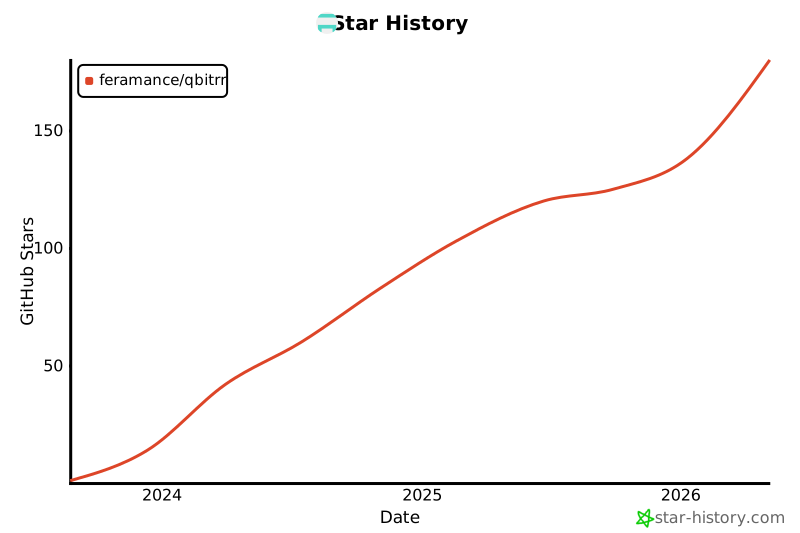
Star History
Project details
Release history Release notifications | RSS feed


Download files
Download the file for your platform. If you're not sure which to choose, learn more about installing packages.
Source Distribution
Built Distribution
Filter files by name, interpreter, ABI, and platform.
If you're not sure about the file name format, learn more about wheel file names.
Copy a direct link to the current filters
File details
Details for the file qbitrr2-5.9.3.tar.gz.
File metadata
- Download URL: qbitrr2-5.9.3.tar.gz
- Upload date:
- Size: 2.5 MB
- Tags: Source
- Uploaded using Trusted Publishing? No
- Uploaded via: twine/6.1.0 CPython/3.13.7
File hashes
| Algorithm | Hash digest | |
|---|---|---|
| SHA256 |
529f933d4d8c33d75c319cc6db546a779dc35b66094e192ac0f8b10dc87cacb7
|
|
| MD5 |
a974866e9d42eb5550570fa7804a2722
|
|
| BLAKE2b-256 |
14f4c07a8e99f0f99510c1dca3f0ac2499e36d82480788da0cd3fd86a32d9cd6
|
File details
Details for the file qbitrr2-5.9.3-py3-none-any.whl.
File metadata
- Download URL: qbitrr2-5.9.3-py3-none-any.whl
- Upload date:
- Size: 2.5 MB
- Tags: Python 3
- Uploaded using Trusted Publishing? No
- Uploaded via: twine/6.1.0 CPython/3.13.7
File hashes
| Algorithm | Hash digest | |
|---|---|---|
| SHA256 |
b1ed0459120fa10a9a673886b60c765d1fe74aff2cf3af68cf0b047871d52af9
|
|
| MD5 |
1c952974d2bd0d0f4ea3980d5f729b47
|
|
| BLAKE2b-256 |
cf316d3ef45dacb0de0b7c5ad850451033b3907cd4e489664d0fb2a1b4ce0c7b
|






