
qd
quick-draw: a cli plotting tool
qd is a command line tool to quickly make plots from csv and json files or
streams. It is built on top of the pandas and plotly libraries.
Installation and usage
qd can be installed via pip install qd-plot. It requires Python 3.7+.
Basic usage
Make a quick plot using the first columns available and display the output in a gui (default web browser).
cat data/trig.json | qd --gui

By default qd reads data from stdin and writes image bytes to stdout, however it
also accepts input and output files as arguments, as well as the --gui option shown
above.
qd -i data/trig.json -o trig.png
All the cli functionality available can be seen via the --help option.
qd --help
MacOS + iTerm2
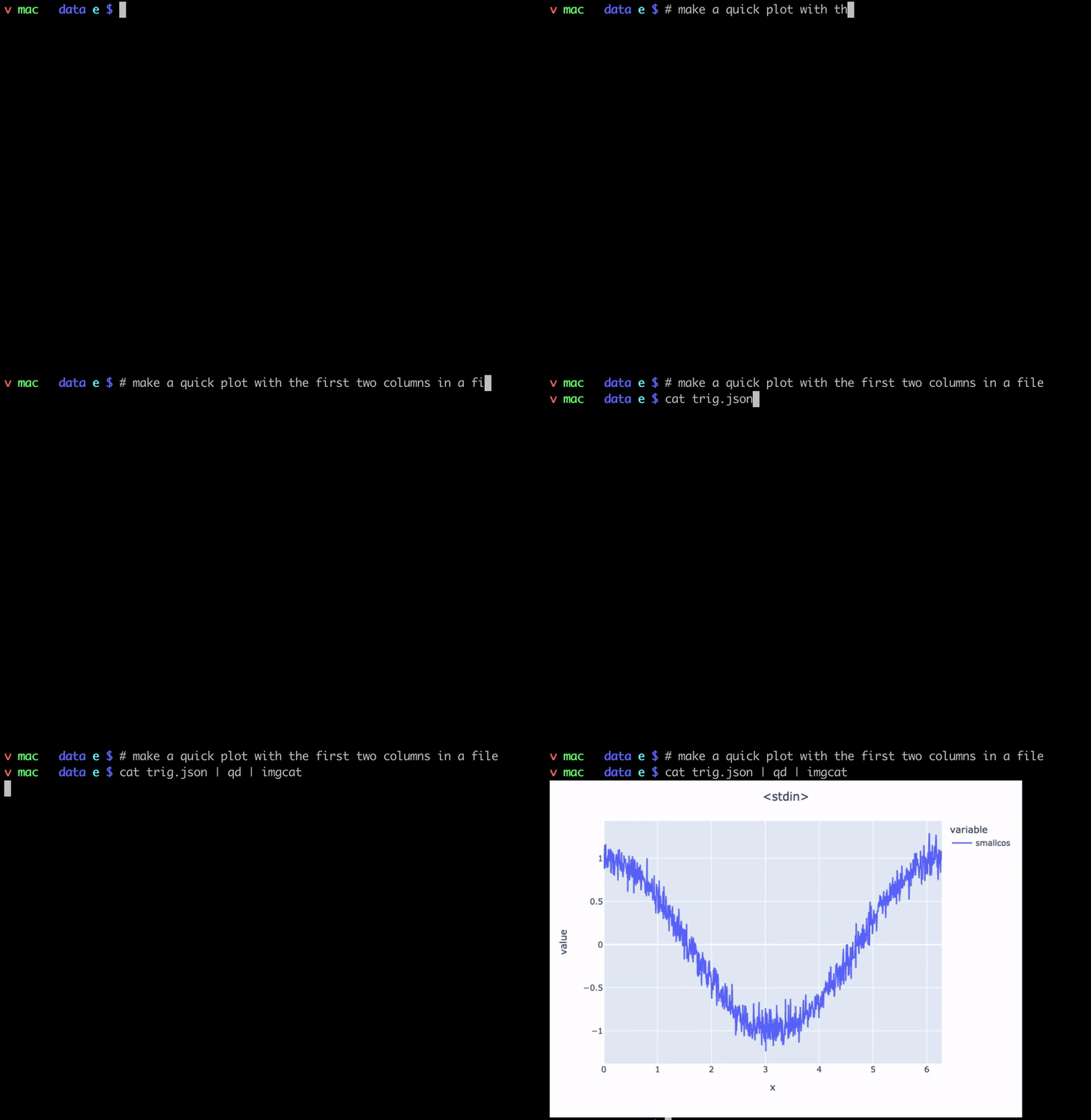
Since qd writes to stdout by default, the images can be displayed right in the
terminal window if using a compatible terminal, such as iTerm2 with imgcat:
cat data/trig.json | qd | imgcat
More examples
Mean in bins
Plot the mean values in some bins specifying the x and y columns.
cat data/trig.json | qd -x x -y sin,cos --mean --gui

Percentile in bins
Plot the 95th percentile values in 20 bins
cat data/trig.json | qd -x x -y sin --quant -q 95 --nbins 20 --gui

Histogram of values
Make a histogram from two sets of data using 20 bins.
cat data/dists.csv | qd -x gauss,expo --hist -n20 --gui

Local Development
Clone this repo from github and in a virtual environment do the following:
pip install .  # installs qd based on local code changes
pip install -r requirements-dev.txt  # installs extra packages for dev and testing
Tests can be run via:
pytest -n4
1 maintainer

Metadata
1 maintainer
Release files for qd-plot 0.0.3
For a detailed explanation of source distributions (sdists) and built distributions (wheels), please see the package formats documentation.
Source distribution (sdist)
| File | Size | Uploaded | Provenance | Actions |
|---|---|---|---|---|
| qd-plot-0.0.3.tar.gz | 65.2 kB | Without provenance | Details for qd-plot-0.0.3.tar.gz |
Built distribution (wheel)
| File | Interpreter | ABI | Platform | Actions Reset |
|---|---|---|---|---|
| qd_plot-0.0.3-py3-none-any.whl | Python 3 | none | any | Details for qd_plot-0.0.3-py3-none-any.whl |
Total release size: 71.0 kB
Release files / qd-plot-0.0.3.tar.gz
| Download URL | qd-plot-0.0.3.tar.gz |
|---|---|
| Size | 65.2 kB |
| Tags | Source |
|
SHA-256 checksum How to use checksums |
1c83e936583644cdd9ee5629c6c1937bafc0528fb55568e514d0a6bb160bbc9a
|
|
BLAKE2b-256 checksum How to use checksums |
4f79986e58ec7544903cd15eef207994a164ae912a328c440f3edf366afb2997
|
| Upload date | |
|
Uploaded using Trusted Publishing? What is trusted publishing? |
No |
| Uploaded via |
twine/4.0.0 CPython/3.7.13
|
Release files / qd_plot-0.0.3-py3-none-any.whl
| Download URL | qd_plot-0.0.3-py3-none-any.whl |
|---|---|
| Size | 5.8 kB |
| Tags | Python 3 |
|
SHA-256 checksum How to use checksums |
c8dca6e8b8ed8097dd4a093d8f5e4e784d083101e0b295bec207d03789da0767
|
|
BLAKE2b-256 checksum How to use checksums |
5e6a8e2a7870f5a942586cfbfa7478e1a2a8c6f4ce86c40250d5b6175a069e5b
|
| Upload date | |
|
Uploaded using Trusted Publishing? What is trusted publishing? |
No |
| Uploaded via |
twine/4.0.0 CPython/3.7.13
|
Security for qd-plot 0.0.3
Provenance
Provenance describes where a file came from. On PyPI, provenance is shared via attestations, which provide a verifiable record of the build or publishing details. View details, limitations and caveats.
No provenance found
None of the files in this release were uploaded with provenance metadata.
A note on package security
PyPI is a repository for distributing packages, not a service for auditing them. While third-party security researchers and our staff do their best to detect and remove malicious packages, PyPI cannot guarantee the quality, security or suitability of any given package.
To learn more about protecting yourself from malicious actors, visit our package security documentation.














