
QExtraWidgets




QExtraWidgets is a comprehensive library of modern, responsive, and feature-rich widgets for PySide6 applications. It aims to fill the gaps in standard Qt widgets by providing high-level components like Excel-style filterable tables, emoji pickers, accordion menus, and theme-aware icons.
📖 Documentation
The complete documentation is available at: https://gpedrosobernardes.github.io/QExtraWidgets/
📦 Installation
pip install qextrawidgets
✨ Features & Widgets
1. QFilterableTable
A powerful QTableView extension that adds Excel-like filtering capabilities to headers.
- Cascading Filters: Filter options update based on other columns (drill-down).
- Sort & Search: Built-in sorting and search within the filter popup.
- Model Agnostic: Works with
QSqlTableModel,QStandardItemModel, or any custom model.
https://github.com/user-attachments/assets/821f9d80-ac9d-4503-9055-f70412ef8c7d
2. QEmojiPicker & QAwesomePicker
A full-featured Emoji and Icon Picker.
- Rich Features: Includes skin tone/color selector, favorites/recents management, and context menu actions (copy alias, favorite/unfavorite).
- Optimized Search: Fast filtering with recursive category matching.
https://github.com/user-attachments/assets/2992a3cb-133f-495d-8d55-649c0b37639a
https://github.com/user-attachments/assets/d159a659-2c32-4f3e-8c8d-735618a5d4de
3. QAccordion
A flexible accordion widget for grouping content in collapsible sections.
- Customizable: Change icon position (left/right) and animation speed.
- Smooth Animation: Uses
QPropertyAnimationfor expanding/collapsing.
https://github.com/user-attachments/assets/6c406347-a355-4a2a-b058-291a10a897c4
4. QThemeResponsiveIcon & QThemeResponsiveLabel
Stop worrying about Dark/Light mode icons. QThemeResponsiveIcon wraps QtAwesome to automatically invert colors (Black <-> White) based on the current system or application palette.
For labels, QThemeResponsiveLabel automatically updates its pixmap when the icon theme or widget size changes.
https://github.com/user-attachments/assets/e1439bc9-089d-4621-8597-850af43f6f99
5. Other Useful Widgets
| Widget | Description | Image |
|---|---|---|
| QPasswordLineEdit | A line edit with a built-in eye icon to toggle password visibility. | 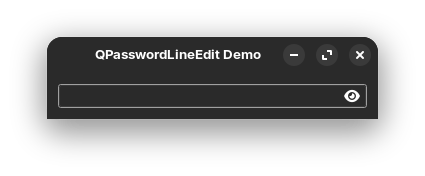 |
| QPager | A classic pagination control for navigating large datasets. | 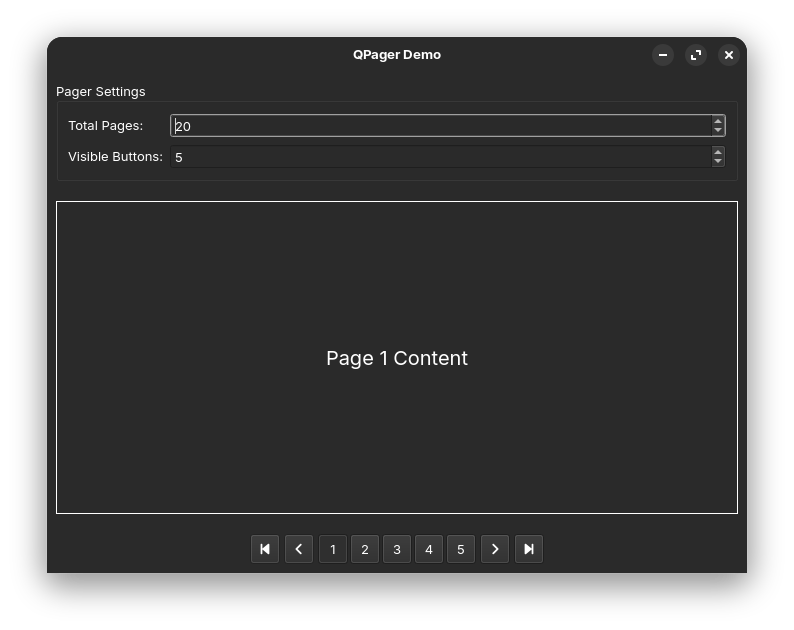 |
| QColorButton | A button that allows setting custom background colors for different states (Normal, Hover, Pressed, Checked). | 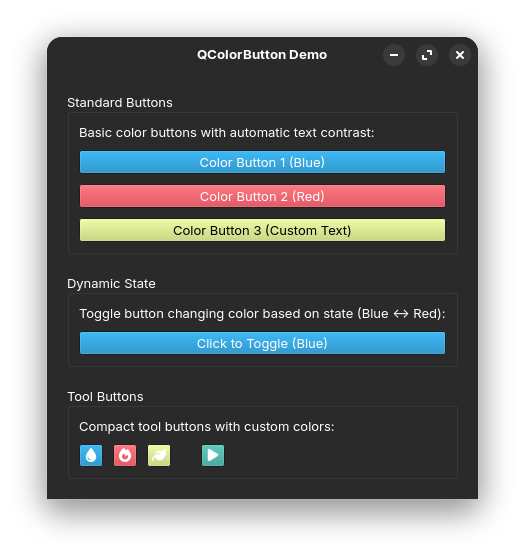 |
| QColorToolButton | A tool button that allows setting custom background colors for different states (Normal, Hover, Pressed, Checked). | |
| QDualList | Two lists side-by-side for moving items (Select/Deselect). | 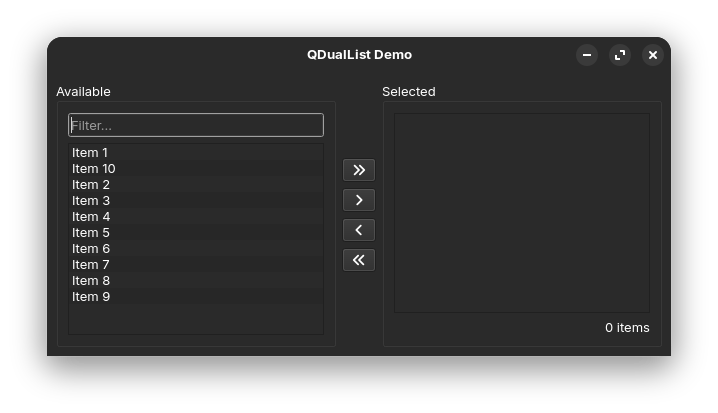 |
| QSearchLineEdit | A search input field with a clear button and search icon. | 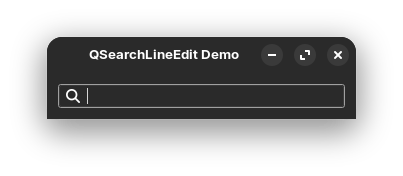 |
| QIconComboBox | A ToolButton-style combo box optimized for icons or short text. | |
| QEmojiPickerMenu | A menu wrapper for QEmojiPicker to easily attach it to buttons. |
|
| QThemeResponsiveLabel | A label that automatically updates its icon based on theme and size. |
🤝 Contributing
Contributions are welcome! Please feel free to submit a Pull Request.
📄 License
This project is licensed under the MIT License - see the LICENSE file for details.
1 maintainer

Release files for qextrawidgets 0.4.1
For a detailed explanation of source distributions (sdists) and built distributions (wheels), please see the package formats documentation.
Source distribution (sdist)
| File | Size | Uploaded | |
|---|---|---|---|
| qextrawidgets-0.4.1.tar.gz | 3.4 MB | Details |
Built distribution (wheel)
| File | Interpreter | ABI | Platform | Reset |
|---|---|---|---|---|
| qextrawidgets-0.4.1-py3-none-any.whl | Python 3 | none | any | Details |
Total release size: 6.9 MB
Release files / qextrawidgets-0.4.1.tar.gz
| Download URL | qextrawidgets-0.4.1.tar.gz |
|---|---|
| Size | 3.4 MB |
| Tags | Source |
|
SHA-256 checksum How to use checksums |
0264f5a01277b827a48e8e5d09bec5ad64dd7967b4dddf22aab6eb1ec5840a80
|
|
BLAKE2b-256 checksum How to use checksums |
67c03638e006741da03c47c23b6b8915bb57c7351d8a82bd38059ead8d2206a0
|
| Upload date | |
|
Uploaded using Trusted Publishing? What is trusted publishing? |
No |
| Uploaded via |
twine/6.2.0 CPython/3.14.0
|
Release files / qextrawidgets-0.4.1-py3-none-any.whl
| Download URL | qextrawidgets-0.4.1-py3-none-any.whl |
|---|---|
| Size | 3.5 MB |
| Tags | Python 3 |
|
SHA-256 checksum How to use checksums |
865c7a63e27027876b11d8ef9f34efb9480dbf77854842733ea0fe93116eeda5
|
|
BLAKE2b-256 checksum How to use checksums |
efd220e82ea021acc0f9e0cc9785ef3c2a9f24bc1462b4e76e4991da124ae0a0
|
| Upload date | |
|
Uploaded using Trusted Publishing? What is trusted publishing? |
No |
| Uploaded via |
twine/6.2.0 CPython/3.14.0
|














