





QGate-Graph
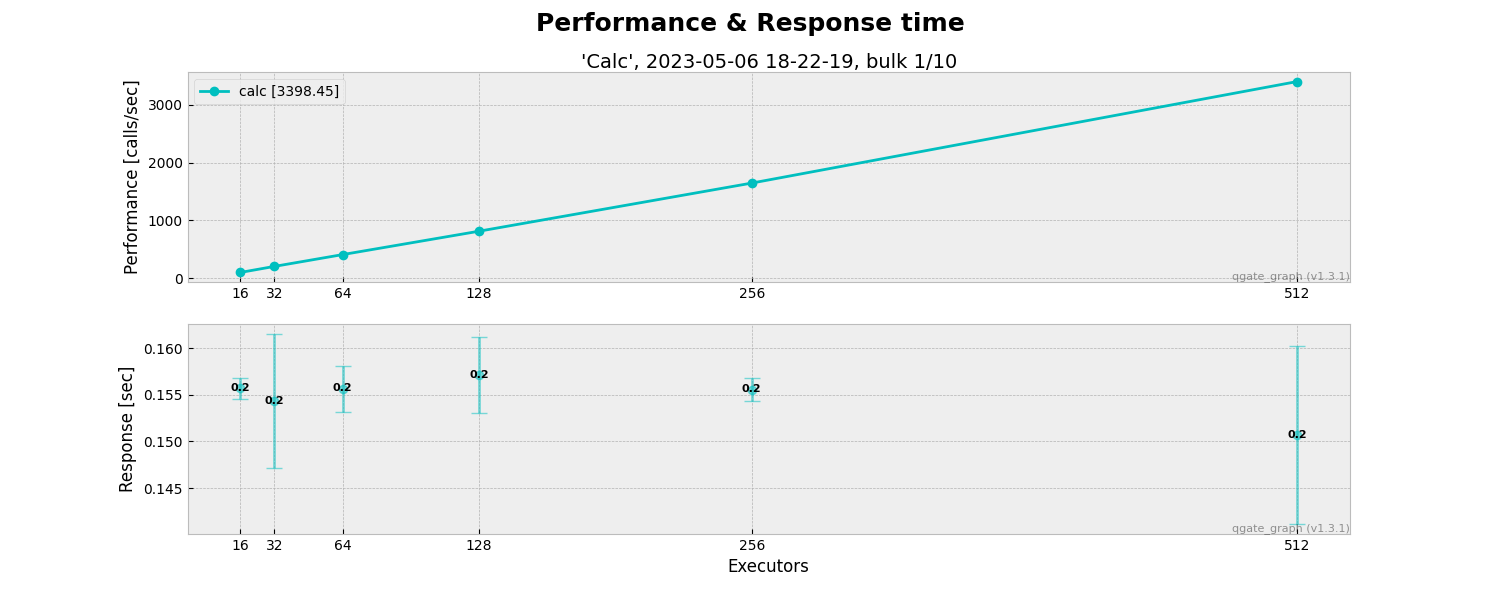
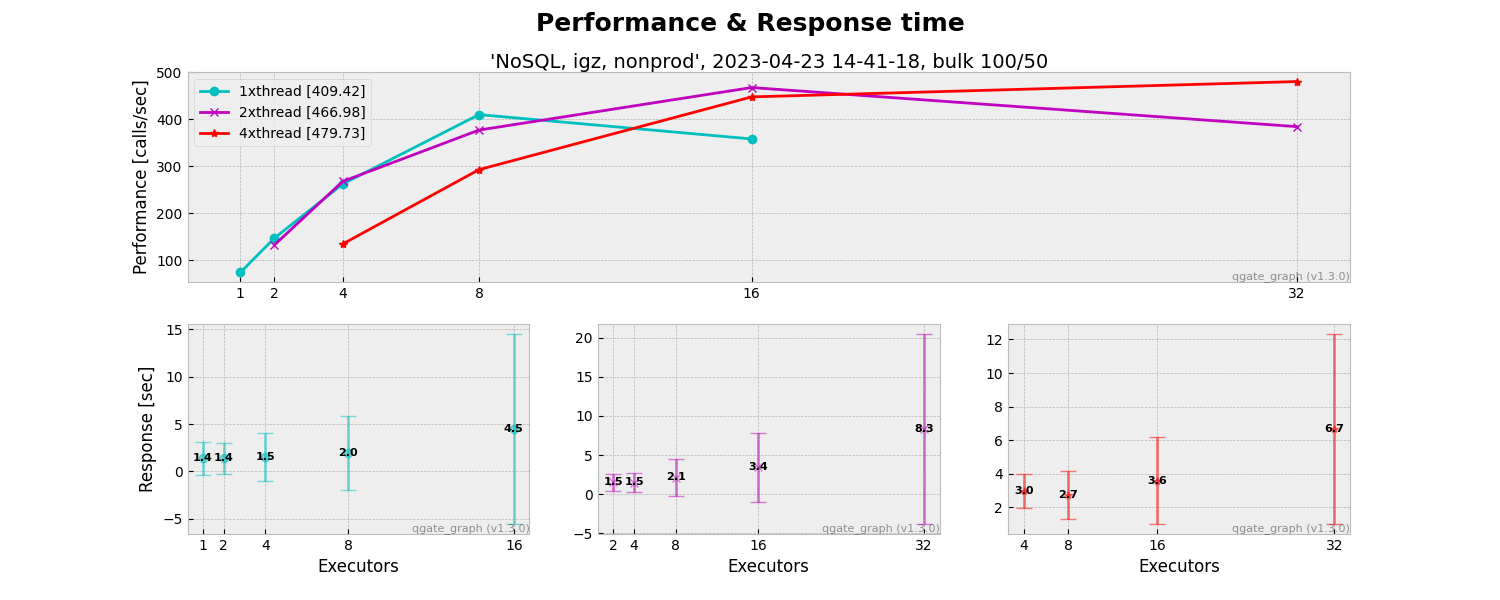
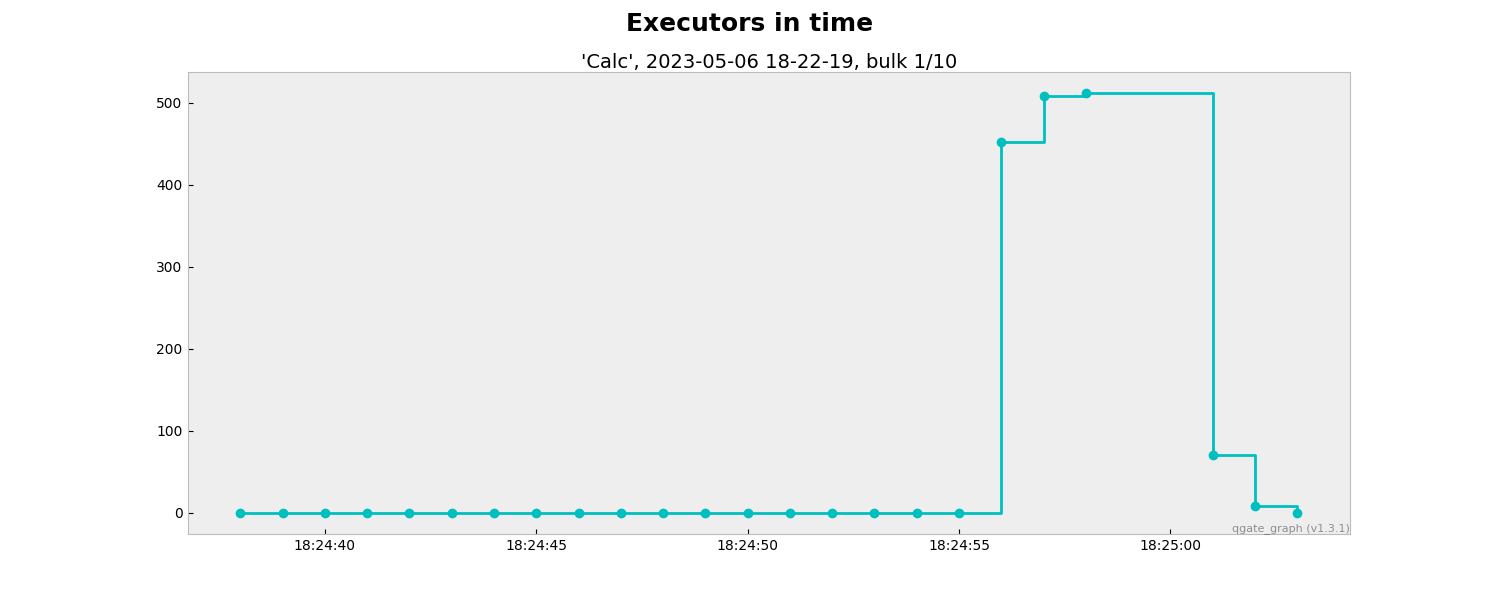
The QGate graph generates graphical outputs based on performance tests (QGate Perf). Key benefits:
- provide graphs about Performance/Throughput and Response time (on typically client side)
- provide graphs about Executors in time
It is a quick way, how you can identify real performance for your python solution.
NOTE: These graphs only visualize outputs from performance tests (QGate Perf), it is not replacement of detail views from Grafana, Zabbix, Prometheus, etc. in detail of CPU, GPU, RAM, I/O etc. on side of testing system.
Usage
from qgate_graph.graph_performance_txt import GraphPerformanceTxt
from qgate_graph.graph_performance_csv import GraphPerformanceCsv
from qgate_graph.graph_performance import GraphPerformance
from qgate_graph.graph_executor import GraphExecutor
import logging

# setup login level
logging.basicConfig()
logging.getLogger().setLevel(logging.INFO)

# generate performance/throughput graphs
graph=GraphPerformance()
graph.generate_from_dir()

# generate executors in time graphs
graph=GraphExecutor()
graph.generate_from_dir()

# generate performance/throughput graphs in TXT form
graph=GraphPerformanceTxt()
graph.generate_from_dir()

# generate performance/throughput graphs in CSV form
graph=GraphPerformanceCsv()
graph.generate_from_dir()
Sample of outputs
Performance/Throughput & Response time
Executors in time

Performance/Throughput & Response time in TXT form

Performance/Throughput & Response time in CSV form

1 maintainer

Metadata
1 maintainer
Release files for qgate-graph 1.5.0
For a detailed explanation of source distributions (sdists) and built distributions (wheels), please see the package formats documentation.
Built distribution (wheel)
| File | Interpreter | ABI | Platform | Reset |
|---|---|---|---|---|
| qgate_graph-1.5.0-py3-none-any.whl | Python 3 | none | any | Details |
Release files / qgate_graph-1.5.0-py3-none-any.whl
| Download URL | qgate_graph-1.5.0-py3-none-any.whl |
|---|---|
| Size | 19.8 kB |
| Tags | Python 3 |
|
SHA-256 checksum How to use checksums |
84464f4a958f843ee8ca6c514425b368d50a6bc3eee89001cb254c5aa9224425
|
|
BLAKE2b-256 checksum How to use checksums |
c2470d56ef5c65a88db00e0227f475e12611ef4b3cc005c7fd27dbedbae261aa
|
| Upload date | |
|
Uploaded using Trusted Publishing? What is trusted publishing? |
No |
| Uploaded via |
twine/6.2.0 CPython/3.14.2
|














