
Quasi-Geostrophic Spectral model (qgs)







General Information
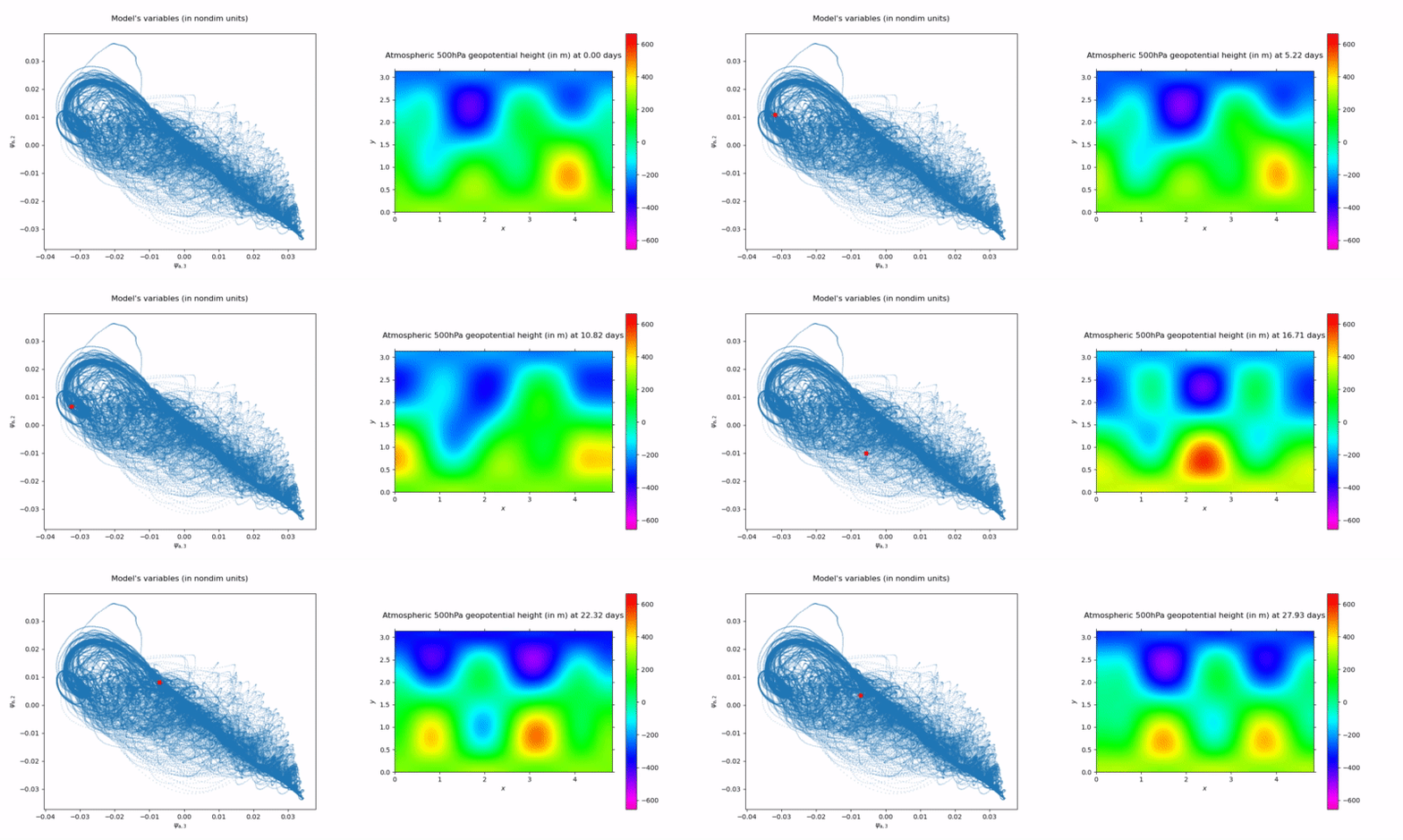
qgs is a Python implementation of an atmospheric model for midlatitudes. It models the dynamics of a 2-layer quasi-geostrophic channel atmosphere on a beta-plane, coupled to a simple land or shallow-water ocean component.
You can try qgs online !
Simply click on one of the following links to access an introductory tutorial:


About
(c) 2020-2025 qgs Developers and Contributors
Part of the code originates from the Python MAOOAM implementation by Maxime Tondeur and Jonathan Demaeyer.
See LICENSE.txt for license information.
Please cite the code description article if you use (a part of) this software for a publication:
- Demaeyer J., De Cruz, L. and Vannitsem, S. , (2020). qgs: A flexible Python framework of reduced-order multiscale climate models. Journal of Open Source Software, 5(56), 2597, https://doi.org/10.21105/joss.02597.
Please consult the qgs code repository for updates.
Installation
With pip
The easiest way to install and run qgs is to use pip. Type in a terminal
pip install qgs
and you are set!
Additionally, you can clone the repository
git clone https://github.com/Climdyn/qgs.git
and perform a test by running the script
python qgs/qgs_rp.py
to see if everything runs smoothly (this should take less than a minute).
Note: With the pip installation, in order to be able to generate the movies with the diagnostics, you need to install separately ffmpeg.
With Anaconda
The second easiest way to install and run qgs is to use an appropriate environment created through Anaconda.
First install Anaconda and clone the repository:
git clone https://github.com/Climdyn/qgs.git
Then install and activate the Python3 Anaconda environment:
conda env create -f environment.yml
conda activate qgs
You can then perform a test by running the script
python qgs_rp.py
to see if everything runs smoothly (this should take less than a minute).
Note for Windows and MacOS users
Presently, qgs is compatible with Windows and MacOS but users wanting to use qgs inside their Python scripts must guard the main script with a
if __name__ == "__main__":
clause and add the following lines below
  from multiprocessing import freeze_support
  freeze_support()
About this usage, see for example the main scripts qgs_rp.py and qgs_maooam.py in the root folder.
Note that the Jupyter notebooks are not concerned by this recommendation and work perfectly well on both operating systems.
Why? These lines are required to make the multiprocessing library works with these operating systems. See here for more details, and in particular this section.
Activating DifferentialEquations.jl optional support
In addition to the qgs builtin Runge-Kutta integrator, the qgs model can alternatively be integrated with a package called DifferentialEquations.jl written in Julia, and available through the diffeqpy Python package. The diffeqpy package first installation step is done by Anaconda in the qgs environment but then you must install Julia and follow the final manual installation instruction found in the diffeqpy README.
These can be summed up as opening a terminal and doing:
conda activate qgs
python
and then inside the Python command line interface do:
>>> import diffeqpy
>>> diffeqpy.install()
which will then finalize the installation. An example of a notebook using this package is available in the documentation and on readthedocs.
Documentation
To build the documentation, please run (with the conda environment activated):
cd documentation
make html
You may need to install make if it is not already present on your system. Once built, the documentation is available here.
The documentation is also available online on read the docs: https://qgs.readthedocs.io/
Usage
qgs can be used by editing and running the script qgs_rp.py and qgs_maooam.py found in the main folder.
For more advanced usages, please read the User Guides.
Examples
Another nice way to run the model is through the use of Jupyter notebooks. Simple examples can be found in the notebooks folder. For instance, running
conda activate qgs
cd notebooks
jupyter-notebook
will lead you to your favorite browser where you can load and run the examples.
Dependencies
qgs needs mainly:
- Numpy for numeric support
- sparse for sparse multidimensional arrays support
- Numba for code acceleration
- Sympy for symbolic manipulation of inner products
Check the yaml file environment.yml for the dependencies.
Forthcoming developments
- Scientific development (short-to-mid-term developments)
- Non-autonomous equation (seasonality, etc...)
- Energy diagnostics
- Technical midterm developments
- Vectorization of the tensor computation
- Long-term development track
- Active advection
- True quasi-geostrophic ocean when using ocean model version
- Salinity in the ocean
- Numerical basis of function
Contributing to qgs
If you want to contribute actively to the roadmap detailed above, please contact the main authors.
In addition, if you have made changes that you think will be useful to others, please feel free to suggest these as a pull request on the qgs Github repository.
More information and guidance about how to do a pull request for qgs can be found in the documentation here.
Other atmospheric models in Python
Non-exhaustive list:
- Q-GCM: A mid-latitude grid based ocean-atmosphere model like MAOOAM. Code in Fortran, interface is in Python.
- pyqg: A pseudo-spectral Python solver for quasi-geostrophic systems.
- Isca: Research GCM written in Fortran and largely configured with Python scripts, with internal coding changes required for non-standard cases.
1 maintainer

Metadata
1 maintainer
Release files for qgs 1.0.0
For a detailed explanation of source distributions (sdists) and built distributions (wheels), please see the package formats documentation.
Source distribution (sdist)
| File | Size | Uploaded | |
|---|---|---|---|
| qgs-1.0.0.tar.gz | 119.7 kB | Details |
Built distribution (wheel)
| File | Interpreter | ABI | Platform | Reset |
|---|---|---|---|---|
| qgs-1.0.0-py3-none-any.whl | Python 3 | none | any | Details |
Total release size: 253.9 kB
Release files / qgs-1.0.0.tar.gz
| Download URL | qgs-1.0.0.tar.gz |
|---|---|
| Size | 119.7 kB |
| Tags | Source |
|
SHA-256 checksum How to use checksums |
c2842df48dd147921329a7d7d4947b832223ed37ad5f6c42d5a83aa97cf955a6
|
|
BLAKE2b-256 checksum How to use checksums |
38ad3fe0c4285ddd5aba8ad71988ab1dc77d27ad2a2f8b240a8225d7eb6b5b61
|
| Upload date | |
|
Uploaded using Trusted Publishing? What is trusted publishing? |
No |
| Uploaded via |
twine/6.1.0 CPython/3.10.11
|
Release files / qgs-1.0.0-py3-none-any.whl
| Download URL | qgs-1.0.0-py3-none-any.whl |
|---|---|
| Size | 134.2 kB |
| Tags | Python 3 |
|
SHA-256 checksum How to use checksums |
74d7b74454fa02af8c6469930eadbfcdb8b2627cbaff3a8629894410976e16eb
|
|
BLAKE2b-256 checksum How to use checksums |
6d77ec8d3653d051f4da64a92bf91f831489a24f5672a156f22e78fd4774fd36
|
| Upload date | |
|
Uploaded using Trusted Publishing? What is trusted publishing? |
No |
| Uploaded via |
twine/6.1.0 CPython/3.10.11
|














