



Quantum-Computer Microwave-Pulse Animator
Qiskit is an open-source framework for working with noisy quantum computers at the level of pulses, circuits, and algorithms. Tea Vui Huang's Qiskit-Shots-Animator animates microwave-pulse shots in a quantum circuit execution as microwave flashes either on a gate map, or x-ray photo of the quantum computer chip. Microwave measurement pulses interact with qubits via readout resonators and are reflected back, the animation illustrates readout microwave (MW) pulses at the corresponding Rx read-out resonators.
Usage
from IPython.core.display import display, Image
from qiskit_shots_animator.visualization import save_quantum_animation,
	get_supported_samples, get_sample
Import the qiskit-shots-animator functions and call save_quantum_animation() with the following parameters:
- filename (str): file name to save as
- type (str): 'gate' or 'xray'
- fps (int): shots per second
- counts (dict): job result counts, e.g. for 1024 shots: {'000': 510, '111': 514}
- sample (str): sample name, e.g. 'albatross'
- labelled (boolean): True or False, only for type='xray'
- microwave_color (str): Python colors, e.g. 'white', 'lightblue' etc
- microwave_intensity (int): 0.1 to 1.0 (weakest to strongest)
Examples
1a. Animate quantum circuit execution on gate map at 3 shots/sec on Qiskit-Aer backend with get_sample() to auto-select quantum device
import qiskit.tools.jupyter
from qiskit import IBMQ, QuantumCircuit, Aer, execute
from qiskit.circuit.random import random_circuit
from IPython.core.display import display, Image
from qiskit_shots_animator.visualization import save_quantum_animation,
	get_supported_samples, get_sample

# Generate and execute a 5-qubit random-circuit on Qiskit-Aer backend
backend = Aer.get_backend('qasm_simulator')
while(1):
    circ = random_circuit(5, 2, max_operands=3, measure=True)
    counts = execute(circ, backend, shots=1000).result().get_counts()
    if len(counts)>4: break

# Save & display animation of quantum circuit execution
filename = "quantum-shots_5q.gif"
save_quantum_animation(filename, "gate", 3, counts, get_sample(backend, circ))
img = Image(filename); img.reload(); display(img)
print(circ.draw())
'Sparrow' quantum device:
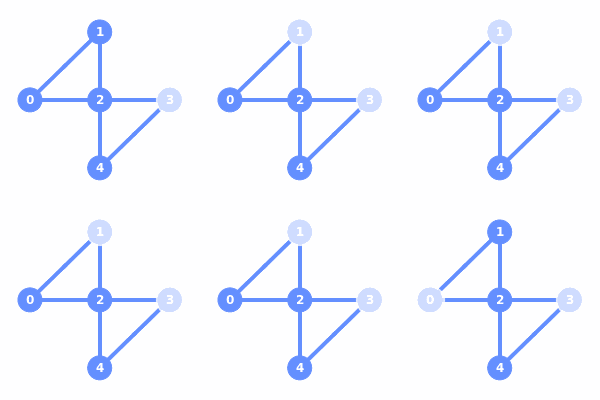
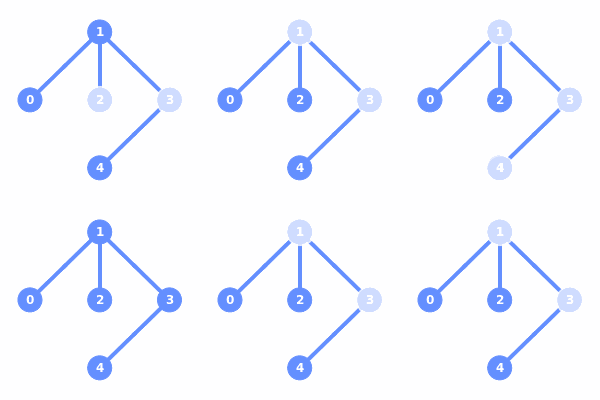
1b. Animate quantum circuit execution on gate map at 3 shots/sec with 'giraffe' device
filename = "quantum-shots_5q_giraffe.gif"
save_quantum_animation(filename, "gate", 3, counts, "giraffe")
img = Image(filename); img.reload(); display(img)
'Giraffe' quantum device:
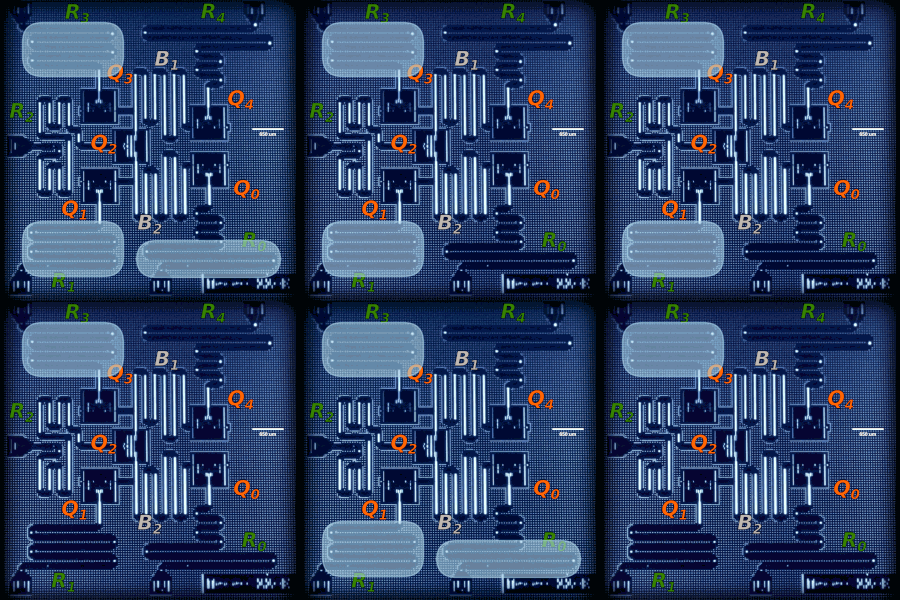
1c. Animate quantum circuit execution on a labelled x-ray photo at 3 shots/sec, with microwave color 'lightblue' & microwave intensity 0.6
filename = "quantum-shots_5q_sparrow_xray-labelled.gif"
save_quantum_animation(filename, "xray", 3, counts,
	get_sample(backend, circ), labelled=True,
	microwave_color="lightblue", microwave_intensity=0.6)
img = Image(filename); img.reload(); display(img)
'Sparrow' quantum device:
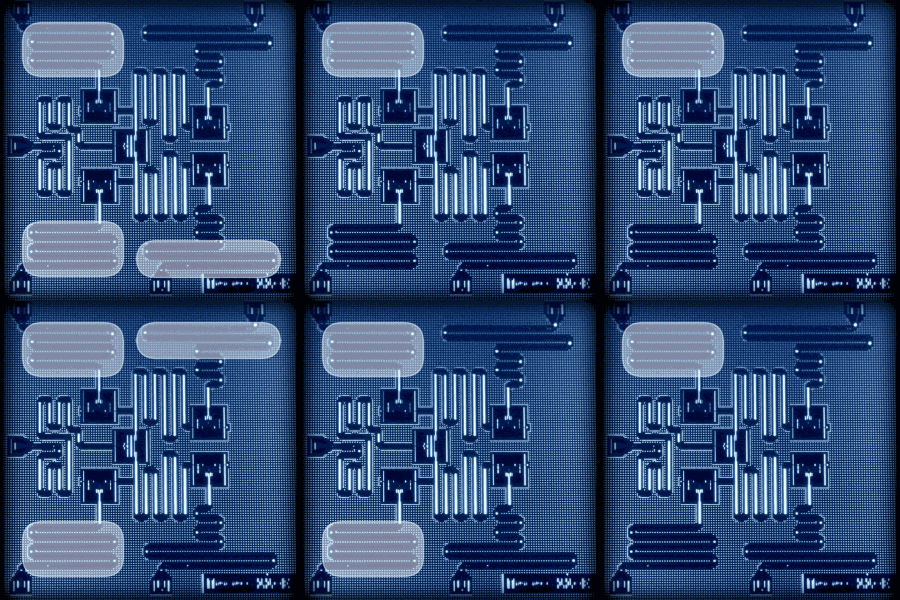
1d. Animate quantum circuit execution on an unlabelled x-ray photo at 3 shots/sec, with microwave color 'white' & microwave intensity 0.5
filename = "quantum-shots_5q_sparrow_xray-unlabelled.gif"
save_quantum_animation(filename, "xray", 3, counts,
	get_sample(backend, circ), labelled=False,
	microwave_color="white", microwave_intensity=0.5)
img = Image(filename); img.reload(); display(img)
'Sparrow' quantum device:
1e. Animate quantum circuit execution on all supported devices at 3 shots/sec using get_supported_samples()
for sample in get_supported_samples():
    print(sample); filename = "quantum-shots_5q_" + sample + ".gif"
    if (save_quantum_animation(filename, "gate", 3, counts, sample)==True):
        img = Image(filename); img.reload(); display(img)
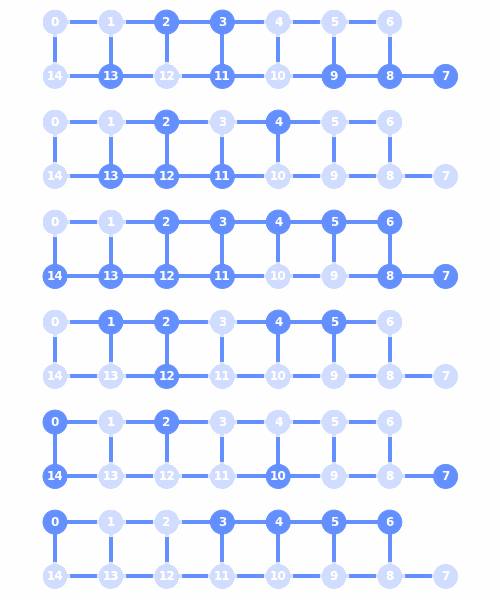
2. Animate 15-qubits random-number-generator quantum circuit execution on IBMQ provider
import qiskit.tools.jupyter
from qiskit import IBMQ, QuantumCircuit, Aer, execute
from qiskit.circuit.random import random_circuit
from IPython.core.display import display, Image
from qiskit_shots_animator.visualization import save_quantum_animation,
	get_sample, get_supported_samples

# Generate and execute random circuit remotely on ibmq_qasm_simulator
provider = IBMQ.load_account()
provider = IBMQ.get_provider(hub='ibm-q')
# Use 'ibmq_16_melbourne' if don't mind waiting in the queue
backend = provider.get_backend('ibmq_qasm_simulator')

# Build a random-number-generator quantum circuit
rng_size = 15; circ = QuantumCircuit(rng_size, rng_size)
circ.h(range(rng_size)) # Applies hadamard gate to all qubits
circ.measure(range(rng_size), range(rng_size)) # Measures all qubits
counts = execute(circ, backend, shots=1000).result().get_counts()

# Save & display animation of quantum circuit execution
filename = "quantum-shots_15q.gif"
save_quantum_animation(filename, "gate", 3, counts, get_sample(backend, circ))
img = Image(filename); img.reload(); display(img)
print(circ.draw())
15-qubits 'Albatross' quantum device:
3. Animate 20-qubits random-number-generator quantum circuit execution on IBMQ provider
import qiskit.tools.jupyter
from qiskit import IBMQ, QuantumCircuit, Aer, execute
from qiskit.circuit.random import random_circuit
from IPython.core.display import display, Image
from qiskit_shots_animator.visualization import save_quantum_animation,
	get_sample, get_supported_samples

# Generate and execute random circuit remotely on ibmq_qasm_simulator
provider = IBMQ.load_account()
provider = IBMQ.get_provider(hub='ibm-q')
backend = provider.get_backend('ibmq_qasm_simulator')

# Build a random-number-generator quantum circuit
rng_size = 20; circ = QuantumCircuit(rng_size, rng_size)
circ.h(range(rng_size)) # Applies hadamard gate to all qubits
circ.measure(range(rng_size), range(rng_size)) # Measures all qubits
counts = execute(circ, backend, shots=1000).result().get_counts()

# Save & display animation of quantum circuit execution
filename = "quantum-shots_20q_unknown20a.gif"
save_quantum_animation(filename, "gate", 3, counts, "unknown20a")
img = Image(filename); img.reload(); display(img)
filename = "quantum-shots_20q_unknown20b.gif"
save_quantum_animation(filename, "gate", 3, counts, "unknown20b")
img = Image(filename); img.reload(); display(img)
print(circ.draw())
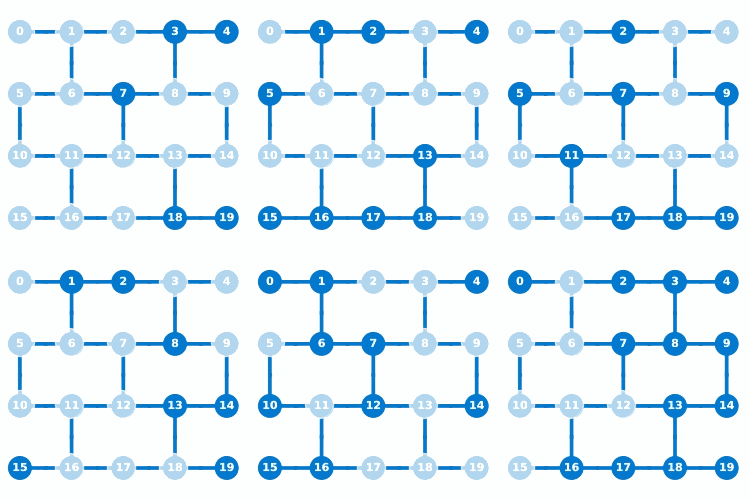
20-qubits quantum device:
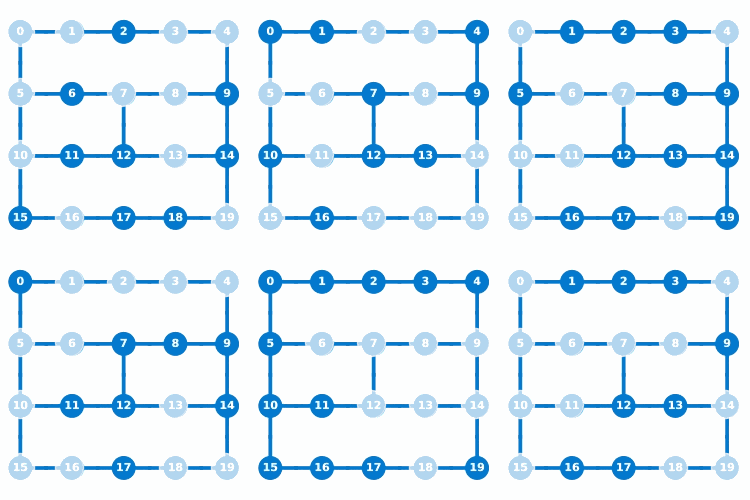
20-qubits quantum device:
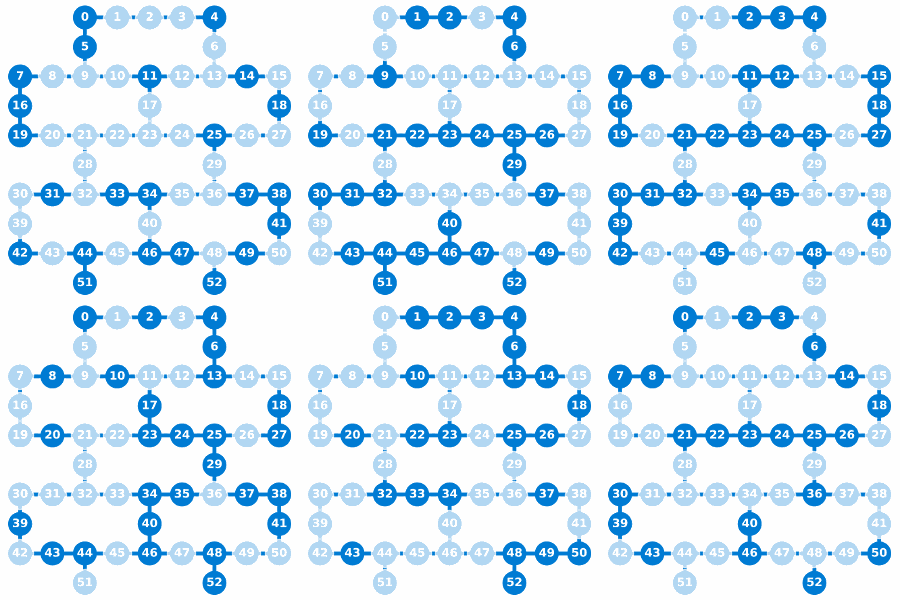
4. Animate 53-qubits random-number-generator quantum circuit execution on Qiskit-Aer backend
import qiskit.tools.jupyter
from qiskit import IBMQ, QuantumCircuit, Aer, execute
from qiskit.circuit.random import random_circuit
from IPython.core.display import display, Image
from qiskit_shots_animator.visualization import save_quantum_animation,
	get_sample, get_supported_samples

# Generate and execute random circuit locally on Aer qasm_simulator
backend = Aer.get_backend('qasm_simulator')

# Build a quantum circuit - random number generator
rng_size = 53; circ = QuantumCircuit(rng_size, rng_size)
circ.h(range(rng_size)) # Applies hadamard gate to all qubits
circ.measure(range(rng_size), range(rng_size)) # Measures all qubits
counts = execute(circ, backend, shots=1000).result().get_counts()

# Save & display animation of quantum circuit execution
filename = "quantum-shots_53q_unknown53a.gif"
save_quantum_animation(filename, "gate", 3, counts, "unknown53a")
img = Image(filename); img.reload(); display(img)
print(circ.draw())
53-qubits quantum device:
Author and Citation
Tea Vui Huang. (2020, November 10). Qiskit Quantum-Computer Microwave-Pulse Animator. https://doi.org/10.5281/zenodo.4266489
1 maintainer

Release files for qiskit-shots-animator 1.0.1
For a detailed explanation of source distributions (sdists) and built distributions (wheels), please see the package formats documentation.
Source distribution (sdist)
| File | Size | Uploaded | |
|---|---|---|---|
| qiskit-shots-animator-1.0.1.tar.gz | 645.3 kB | Details |
Built distribution (wheel)
| File | Interpreter | ABI | Platform | Reset |
|---|---|---|---|---|
| qiskit_shots_animator-1.0.1-py3-none-any.whl | Python 3 | none | any | Details |
Total release size: 1.3 MB
Release files / qiskit-shots-animator-1.0.1.tar.gz
| Download URL | qiskit-shots-animator-1.0.1.tar.gz |
|---|---|
| Size | 645.3 kB |
| Tags | Source |
|
SHA-256 checksum How to use checksums |
9ca629d6b8a460a327148e4855ea5dd566e8f500d45a9fd8311c08ce820c294c
|
|
BLAKE2b-256 checksum How to use checksums |
3bdc1627448e0a90309a26cb62f47bc9247181a31110a1b28f40b2bc9bf8c423
|
| Upload date | |
|
Uploaded using Trusted Publishing? What is trusted publishing? |
No |
| Uploaded via |
twine/3.2.0 pkginfo/1.5.0.1 requests/2.24.0 setuptools/50.3.2 requests-toolbelt/0.9.1 tqdm/4.47.0 CPython/3.8.3
|
Release files / qiskit_shots_animator-1.0.1-py3-none-any.whl
| Download URL | qiskit_shots_animator-1.0.1-py3-none-any.whl |
|---|---|
| Size | 651.6 kB |
| Tags | Python 3 |
|
SHA-256 checksum How to use checksums |
38e29f5bbfa1a31cdeca3cfda260ecddd128f98d928bd7ccdfc658c32e74b85f
|
|
BLAKE2b-256 checksum How to use checksums |
79e1616142bfeeecd1479cc65a8081b8eb35be636777a447cff825ef3ce42bee
|
| Upload date | |
|
Uploaded using Trusted Publishing? What is trusted publishing? |
No |
| Uploaded via |
twine/3.2.0 pkginfo/1.5.0.1 requests/2.24.0 setuptools/50.3.2 requests-toolbelt/0.9.1 tqdm/4.47.0 CPython/3.8.3
|














