
qrcodefyi



QR code encyclopedia API client for Python. Look up QR code types including Model 1, Model 2, Micro QR, rMQR, iQR, SQRC, and Frame QR, all 40 versions with module grids from 21x21 to 177x177, 4 encoding modes, 4 Reed-Solomon error correction levels, structural components, and governing standards from QRCodeFYI -- the comprehensive QR code reference with 425 records covering every major QR variant in use today.
Extracted from QRCodeFYI, a QR code knowledge platform with 425 records spanning 7 QR types, 40 versions, encoding modes, error correction mathematics, scan scenarios, and use cases used by mobile developers, payment system architects, and marketing technologists worldwide.
Explore QR codes at qrcodefyi.com -- Type Explorer | Version Reference | Standards | Encoding Modes
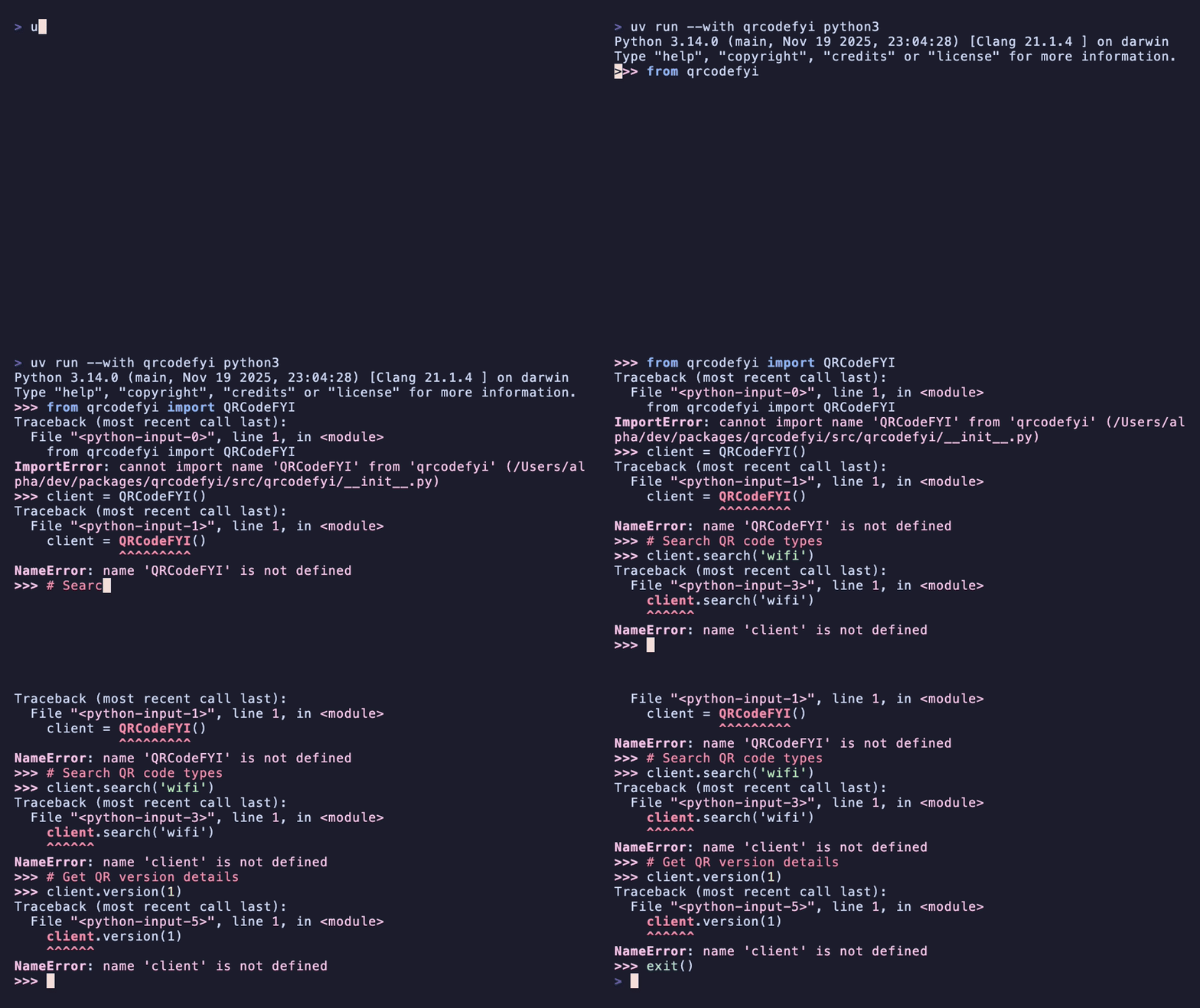
Table of Contents
- Install
- Quick Start
- What You'll Find on QRCodeFYI
- API Endpoints
- Command-Line Interface
- MCP Server (Claude, Cursor, Windsurf)
- REST API Client
- Learn More About QR Codes
- Also Available
- Tag FYI Family
- FYIPedia Developer Tools
- License
Install
pip install qrcodefyi[api]     # API client (httpx)
pip install qrcodefyi[cli]     # + CLI (typer, rich)
pip install qrcodefyi[mcp]     # + MCP server
pip install qrcodefyi[all]     # Everything
Quick Start
from qrcodefyi.api import QRCodeFYI

with QRCodeFYI() as api:
    # Search types, standards, components, glossary
    results = api.search("micro qr")
    print(results)

    # Look up a specific QR type
    model2 = api.qr_type("model-2")
    print(model2["name"], model2["year_introduced"])  # QR Code Model 2 1997

    # Get version details (1-40) with data capacities
    v10 = api.version(10)
    print(v10["modules"], v10["data_capacity"])  # 57x57 modules

    # Compare two QR types side-by-side
    diff = api.compare("model-1", "model-2")
    print(diff)
What You'll Find on QRCodeFYI
QRCodeFYI is a comprehensive QR code encyclopedia covering every QR variant, all 40 versions, 4 encoding modes, 4 error correction levels, structural components, and governing standards. QR codes (Quick Response codes) are two-dimensional matrix barcodes invented by Denso Wave in 1994 for Toyota's automotive parts tracking. Now the most widely deployed 2D symbology in the world, QR codes power mobile payments, product authentication, WiFi sharing, digital menus, vaccine certificates, and billions of consumer interactions daily.
QR Code Types
The QR code family includes several distinct variants, each designed for specific size, capacity, and application constraints:
| Type | Year | Versions | Max Capacity | Key Feature |
|---|---|---|---|---|
| QR Code Model 1 | 1992 | 1-14 | 1,167 numerics | Original version, no alignment patterns |
| QR Code Model 2 | 1997 | 1-40 | 7,089 numerics | Current standard, alignment patterns, ISO 18004 |
| Micro QR Code | 2004 | M1-M4 | 35 numerics | Single finder pattern, 11x11 to 17x17 modules |
| rMQR (Rectangular Micro QR) | 2022 | R7x43-R17x139 | 361 numerics | Rectangular form factor for narrow spaces |
| iQR Code | 2008 | 1-61 | 40,637 numerics | Square or rectangular, direct part marking |
| SQRC | 2007 | -- | Encrypted data | Public and private data layers |
| Frame QR | 2014 | -- | Canvas area | Embeddable graphics in center canvas |
Model 2 dominance: Over 99% of QR codes in production use Model 2. It introduced alignment patterns (absent in Model 1) that enable reliable reading of larger symbols printed on curved surfaces. The ISO 18004:2024 standard defines Model 2 exclusively.
Micro QR for constrained spaces: Micro QR uses only one finder pattern (versus three in standard QR), reducing the minimum symbol size to 11x11 modules. The trade-off is lower data capacity (35 numeric characters maximum at M4) and only three error correction levels (L, M, Q -- no H).
Learn more: Type Explorer | Glossary
QR Code Versions (1-40)
Every QR Code Model 2 has a version number from 1 to 40 that determines its physical size and data capacity. Version 1 is a 21x21 module grid; each subsequent version adds 4 modules per side, so Version 40 is a 177x177 module grid with 31,329 total modules.
| Version | Modules | Numeric (L) | Alphanumeric (L) | Byte (L) | Alignment Patterns |
|---|---|---|---|---|---|
| 1 | 21x21 | 41 | 25 | 17 | 0 |
| 5 | 37x37 | 154 | 93 | 64 | 1 |
| 10 | 57x57 | 652 | 395 | 271 | 6 |
| 20 | 97x97 | 2,061 | 1,249 | 858 | 21 |
| 30 | 137x137 | 4,158 | 2,520 | 1,732 | 45 |
| 40 | 177x177 | 7,089 | 4,296 | 2,953 | 81 |
Version selection: Choose the smallest version that fits your data at the desired error correction level. Over-sizing wastes print area and increases scanning time. Under-sizing forces higher-density encoding that requires higher print resolution. Most applications use versions 1-10.
Learn more: Version Explorer | Encoding Modes
Error Correction Levels
QR codes use Reed-Solomon error correction, dividing the data area into blocks and appending error correction codewords. Higher correction levels allow recovery from more damage but reduce usable data capacity.
| Level | Recovery | Overhead | Best For |
|---|---|---|---|
| L (Low) | ~7% | Minimal | Clean environments, maximum data capacity |
| M (Medium) | ~15% | Moderate | General purpose, default for most applications |
| Q (Quartile) | ~25% | Significant | Industrial environments, moderate damage expected |
| H (High) | ~30% | Maximum | Harsh conditions, logo embedding in QR center |
Logo embedding: Level H is specifically designed for QR codes with embedded logos or graphics. The 30% error recovery allows the finder and timing patterns to reconstruct data even when the center modules are obscured by a brand logo. The logo should not exceed 20-25% of the total QR area for reliable scanning.
Encoding Modes
QR codes support four data encoding modes, each optimized for different character sets. A single QR code can switch between modes within the data stream using mode indicators, optimizing overall capacity.
| Mode | Character Set | Bits/Char | Mode Indicator | Example Use |
|---|---|---|---|---|
| Numeric | 0-9 | 3.33 | 0001 | Phone numbers, product IDs, postal codes |
| Alphanumeric | 0-9, A-Z, space, $%*+-./: | 5.5 | 0010 | URLs (uppercase), serial numbers |
| Byte (ISO 8859-1) | Full 8-bit | 8 | 0100 | UTF-8 text, binary data, vCards |
| Kanji (Shift JIS) | JIS X 0208 | 13 | 1000 | Japanese text (double-byte Kanji) |
Mixed-mode optimization: A URL like HTTPS://EXAMPLE.COM/path123 can be encoded as Alphanumeric for the uppercase portion and Byte mode for lowercase characters. Smart encoders automatically segment the data stream to minimize total bit count, reducing the required QR version by 1-3 levels in many real-world payloads.
ECI (Extended Channel Interpretation): For character sets beyond ISO 8859-1, QR codes support ECI mode indicators that declare the encoding (e.g., ECI 000026 for UTF-8). This enables reliable encoding of Chinese, Arabic, Korean, and other scripts without the Kanji mode's Shift JIS limitation.
Learn more: Encoding Modes | Standards
QR Code Structure
Every QR code contains mandatory structural components that enable reliable machine reading:
| Component | Function | Present In |
|---|---|---|
| Finder Patterns | Three large squares at corners for orientation detection | All QR types |
| Timing Patterns | Alternating black/white modules for coordinate mapping | All QR types |
| Alignment Patterns | Smaller squares for distortion correction | Version 2+ (Model 2) |
| Format Information | Error correction level + mask pattern (15 bits, BCH coded) | All QR types |
| Version Information | Version number (18 bits, Golay coded) | Version 7+ |
| Data + EC Codewords | Interleaved data and error correction modules | All QR types |
| Quiet Zone | 4-module white border | All QR types |
Mask Patterns
QR codes apply one of 8 mask patterns (numbered 0-7) to the data area to optimize readability. The encoder evaluates all 8 masks against four penalty rules -- large same-color regions, 1:1:3:1:1 finder-like patterns, row/column uniformity, and proportion of dark modules -- and selects the mask with the lowest total penalty score.
Key QR Code Standards
| Standard | Organization | Scope |
|---|---|---|
| ISO/IEC 18004:2024 | ISO | QR Code Model 2 (current edition) |
| ISO/IEC 23941:2022 | ISO | Rectangular Micro QR (rMQR) |
| JIS X 0510 | JISC | Original Japanese QR standard |
| AIM ITS/04-001 | AIM | International symbology specification |
Learn more: Standards Reference | Type Explorer
API Endpoints
Free, no authentication required. JSON responses with CORS enabled.
| Method | Endpoint | Description |
|---|---|---|
| GET | /api/type/{slug}/ |
QR code type detail with specs |
| GET | /api/version/{version}/ |
QR version detail (1-40) |
| GET | /api/component/{slug}/ |
Structural component detail |
| GET | /api/encoding/{slug}/ |
Encoding mode detail |
| GET | /api/standard/{slug}/ |
Standard detail with linked types |
| GET | /api/use-case/{slug}/ |
Use case detail with examples |
| GET | /api/term/{slug}/ |
Glossary term definition |
| GET | /api/search/?q={query} |
Search across all content types |
| GET | /api/compare/?a={slug}&b={slug} |
Compare two QR types |
| GET | /api/random/ |
Random QR type discovery |
| GET | /api/openapi.json |
OpenAPI 3.1.0 specification |
Example
# Search for Micro QR formats
curl -s "https://qrcodefyi.com/api/search/?q=micro+qr" | python -m json.tool
Full API documentation at qrcodefyi.com/api/. OpenAPI 3.1.0 spec: qrcodefyi.com/api/openapi.json.
Command-Line Interface
qrcodefyi search "micro qr"          # Search all content
qrcodefyi qr-type model-2            # QR type detail
qrcodefyi compare model-1 model-2    # Side-by-side comparison
qrcodefyi random                     # Discover a random QR type
MCP Server (Claude, Cursor, Windsurf)
{
    "mcpServers": {
        "qrcodefyi": {
            "command": "uvx",
            "args": ["--from", "qrcodefyi[mcp]", "python", "-m", "qrcodefyi.mcp_server"]
        }
    }
}
Tools: qrcode_search, qrcode_lookup, qrcode_compare
REST API Client
from qrcodefyi.api import QRCodeFYI

with QRCodeFYI() as api:
    api.search("micro qr")                # Full-text search
    api.qr_type("model-2")                # QR type detail
    api.version(10)                        # Version detail (1-40)
    api.component("finder-pattern")        # Structural component
    api.encoding("numeric")                # Encoding mode
    api.standard("iso-iec-18004")          # Standard detail
    api.use_case("mobile-payment")         # Use case
    api.glossary_term("error-correction")  # Glossary term
    api.compare("model-1", "model-2")      # Compare two types
    api.random()                           # Random discovery
    api.openapi()                          # OpenAPI 3.1.0 spec
Learn More About QR Codes
- Browse: Type Explorer · Version Reference · Encoding Modes
- Reference: Standards · Use Cases · Glossary
- API: REST API Docs · OpenAPI Spec
Also Available
| Platform | Install | Link |
|---|---|---|
| npm | npm install qrcodefyi |
npm |
| Go | go get github.com/fyipedia/qrcodefyi-go |
pkg.go.dev |
| Rust | cargo add qrcodefyi |
crates.io |
| Ruby | gem install qrcodefyi |
rubygems.org |
| MCP | uvx --from "qrcodefyi[mcp]" python -m qrcodefyi.mcp_server |
Config |
Tag FYI Family
Part of the FYIPedia open-source developer tools ecosystem -- automatic identification and data capture technologies.
| Site | Domain | Focus |
|---|---|---|
| BarcodeFYI | barcodefyi.com | 518 records -- barcode symbologies, standards, GS1 prefixes |
| QRCodeFYI | qrcodefyi.com | 425 records -- QR code types, versions, encoding modes |
| NFCFYI | nfcfyi.com | 288 records -- NFC chips, NDEF records, standards |
| BLEFYI | blefyi.com | 261 records -- BLE chips, GATT profiles, beacons |
| RFIDFYI | rfidfyi.com | 318 records -- RFID tags, frequency bands, EPC schemes |
| SmartCardFYI | smartcardfyi.com | 280 records -- smart cards, EMV, Java Card, platforms |
FYIPedia Developer Tools
| Package | PyPI | npm | Description |
|---|---|---|---|
| barcodefyi | PyPI | npm | Barcode symbologies, standards -- barcodefyi.com |
| qrcodefyi | PyPI | npm | QR code types, versions, encoding -- qrcodefyi.com |
| nfcfyi | PyPI | npm | NFC chips, NDEF, standards -- nfcfyi.com |
| blefyi | PyPI | npm | BLE profiles, beacons, chips -- blefyi.com |
| rfidfyi | PyPI | npm | RFID tags, readers, frequencies -- rfidfyi.com |
| smartcardfyi | PyPI | npm | Smart cards, EMV, platforms -- smartcardfyi.com |
License
MIT
1 maintainer

Metadata
1 maintainer
Release files for qrcodefyi 0.1.1
For a detailed explanation of source distributions (sdists) and built distributions (wheels), please see the package formats documentation.
Source distribution (sdist)
| File | Size | Uploaded | |
|---|---|---|---|
| qrcodefyi-0.1.1.tar.gz | 705.7 kB | Details |
Built distribution (wheel)
| File | Interpreter | ABI | Platform | Reset |
|---|---|---|---|---|
| qrcodefyi-0.1.1-py3-none-any.whl | Python 3 | none | any | Details |
Total release size: 718.4 kB
Release files / qrcodefyi-0.1.1.tar.gz
| Download URL | qrcodefyi-0.1.1.tar.gz |
|---|---|
| Size | 705.7 kB |
| Tags | Source |
|
SHA-256 checksum How to use checksums |
8110ed4b6b5992e572e5f4c6180dcee9755ddc7aa4177281be5b363136005574
|
|
BLAKE2b-256 checksum How to use checksums |
9d6effa862a46fcb34dc5c1ad7efdc29a5e79d4873175b49d04afbdfe0eb929e
|
| Upload date | |
|
Uploaded using Trusted Publishing? What is trusted publishing? |
No |
| Uploaded via |
uv/0.10.11 {"installer":{"name":"uv","version":"0.10.11","subcommand":["publish"]},"python":null,"implementation":{"name":null,"version":null},"distro":{"name":"macOS","version":null,"id":null,"libc":null},"system":{"name":null,"release":null},"cpu":null,"openssl_version":null,"setuptools_version":null,"rustc_version":null,"ci":null}
|
Release files / qrcodefyi-0.1.1-py3-none-any.whl
| Download URL | qrcodefyi-0.1.1-py3-none-any.whl |
|---|---|
| Size | 12.7 kB |
| Tags | Python 3 |
|
SHA-256 checksum How to use checksums |
5995d430e13daa10147ecc70316595a46c47dad46cf7ef2e1aabd76846c83993
|
|
BLAKE2b-256 checksum How to use checksums |
69cc3e4b2c1b8d62129d7ebb87ca93421915febc86b25d58f4f6e74fd2609705
|
| Upload date | |
|
Uploaded using Trusted Publishing? What is trusted publishing? |
No |
| Uploaded via |
uv/0.10.11 {"installer":{"name":"uv","version":"0.10.11","subcommand":["publish"]},"python":null,"implementation":{"name":null,"version":null},"distro":{"name":"macOS","version":null,"id":null,"libc":null},"system":{"name":null,"release":null},"cpu":null,"openssl_version":null,"setuptools_version":null,"rustc_version":null,"ci":null}
|














