
QR File Transfer
Share files over your local network by scanning a QR code.



Overview
qrtransfer serves one or more files, directories, or text snippets over HTTP on
your LAN and prints a scannable QR code in the terminal. Scan it with your phone's
camera and the download starts immediately — no cloud, no accounts, no third-party
uploads. It also works in reverse: qrtransfer receive prints a QR code that opens
a page where your phone can upload files straight to your computer.
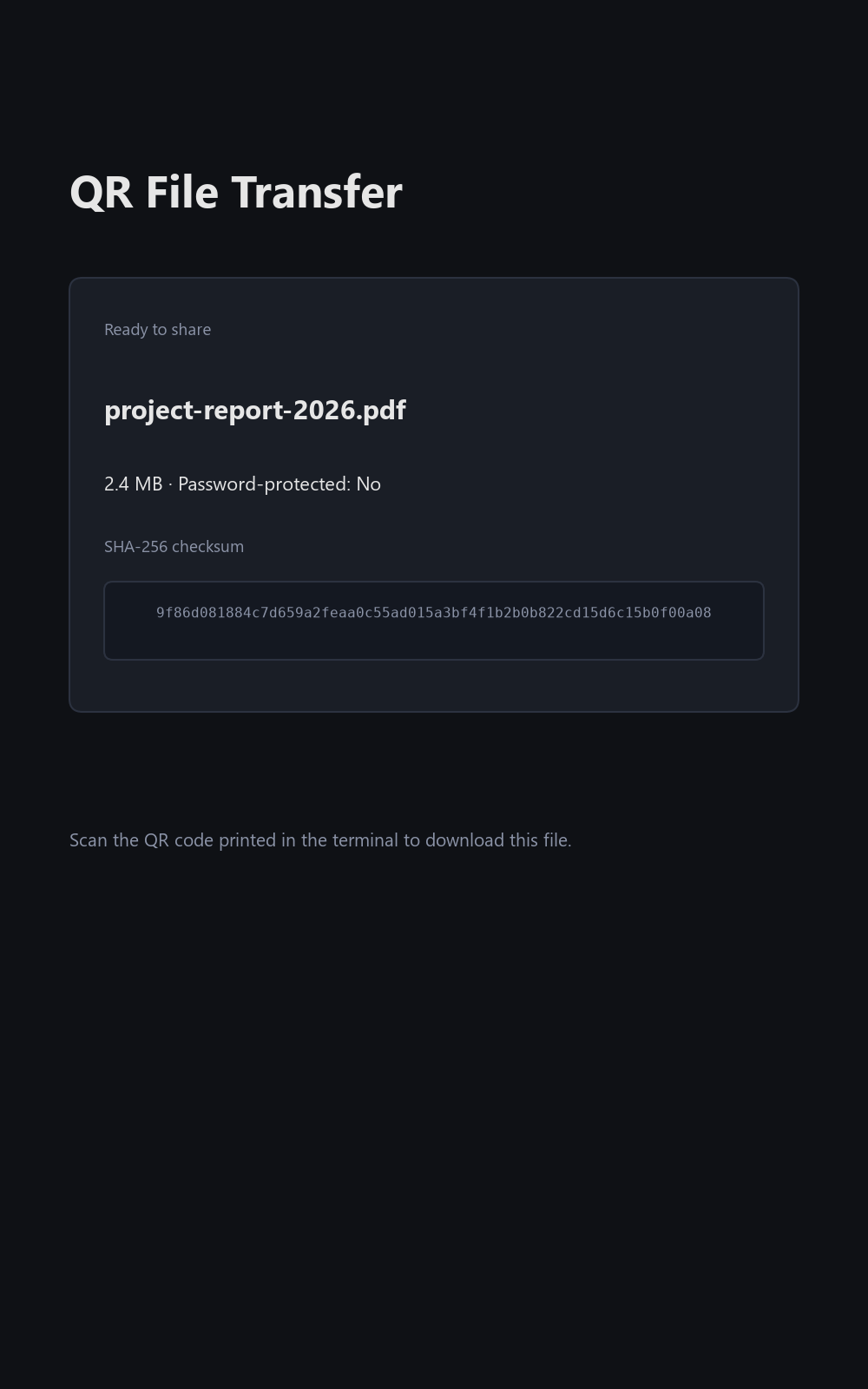
Screenshot
More screenshots: View all screenshots
Table of Contents
- Key Features
- Installation
- Quick Start
- Usage Examples
- Documentation
- Interface
- Architecture
- Requirements
- Prerequisites
- Development
- Contributing
- Security
- License
- Acknowledgments
Key Features
- Send anything — files, whole directories (auto-zipped), or text snippets.
- Receive mode — upload files to your computer from your phone via a web page with drag-and-drop and multi-file support.
- Password protection — via URL param
?passed=SECRETor theX-Passwordheader; the QR code embeds the param so scanning still works. - Link expiration — the link dies (
HTTP 410) after a configurable number of seconds. - Download counting — stop after the first download (default), after
N, or keep serving until you stop it. - Unguessable URLs — random tokens from Python's
secretsmodule. - Self-signed TLS (
--tls) and IPv6 support. - Persistent settings — your interface and port are remembered across runs
(
--forceto ignore). - Transfer history — the last 200 transfers, viewable with
--history. - Streaming uploads — receive mode parses
multipart/form-dataincrementally, sanitizes filenames (no path traversal), and enforces a size cap. - No web framework, no database — stdlib
http.serverplus a few small packages (platformdirs,psutil,qrcode-terminal).
Installation
Requires Python 3.9 or newer.
pip install qrtransfer-lite
Optional extras:
pip install "qrtransfer-lite[clipboard]"   # --clipboard support (pyperclip)
pip install "qrtransfer-lite[tls]"         # auto-generate self-signed certs
The PyPI distribution name is qrtransfer-lite; the import package and console
script are both qrtransfer. You can also run it without installing:
python -m qrtransfer --help
From source
git clone https://github.com/rkriad585/qrtransfer.git
cd qrtransfer
python -m venv .venv
source .venv/bin/activate          # Windows: .venv\Scripts\activate
pip install -e ".[dev]"
See docs/installation.md for details.
Docker
A container image is published to the GitHub Container Registry:
docker run --rm --network host ghcr.io/rkriad585/qrtransfer /data/myfile.pdf
--network host is required so the printed IP/port refer to the host. See
docs/deployment.md.
Quick Start
Serve a single file (no password, never expires):
qrtransfer myphoto.jpg
You'll see a QR code and the download URL:
Scan this QR code to download:
[   QR CODE PRINTED HERE   ]
URL: http://192.168.1.5:41234/f9aX23_qY8M
Press Enter or Ctrl+C to stop transfer...
Scan with your phone — the file downloads immediately and the session exits after
the first successful download. Press Enter or Ctrl+C to stop early.
Send a whole folder (zipped automatically):
qrtransfer builds/
Receive files from your phone:
qrtransfer receive
A step-by-step walkthrough is in docs/getting-started.md.
Usage Examples
# Send files
qrtransfer file1.pdf file2.pdf        # multiple files are zipped automatically
qrtransfer -z photo.jpg               # force-zip even a single file
qrtransfer --text "hello world"       # share a text snippet instead of a file

# Protect a transfer
qrtransfer -p mysecret --expire 300 holiday.jpg

# Keep serving
qrtransfer --keep-alive builds/       # stay up until you stop it
qrtransfer --max-downloads 5 docs/    # stop after 5 downloads

# Network options
qrtransfer --interface wlan0 file     # pick a specific interface
qrtransfer --port 8080 file           # fixed port (remembered for next time)
qrtransfer --ipv6 file                # advertise an IPv6 address
qrtransfer --tls file                 # serve over HTTPS (self-signed cert)

# Utilities
qrtransfer --clipboard file           # copy the URL to the clipboard
qrtransfer --history                  # show past transfers

# Receive files
qrtransfer receive                    # save to ~/Downloads (or the current dir)
qrtransfer receive ~/incoming -p pw   # custom destination + password
qrtransfer receive --max-upload-size 100
More examples, including Windows cmd/PowerShell variants, live in
docs/usage.md.
Using as a Library
The package can be embedded in other Python programs. qrtransfer.api exposes a
small public surface: build a Session, start the server in a background thread,
and stop it when done.
from qrtransfer.api import Session, start, stop

session = Session(
    token="an-unguessable-token",
    ip="0.0.0.0",
    port=8000,
    file_path="/home/me/photo.jpg",
    filename="photo.jpg",
    directory="/home/me",
    max_downloads=1,  # stop after one download
)
server = start(session)  # serves in a background thread
# ... do other work ...
stop(server)  # shutdown + close
Helpers such as get_ip, find_free_port, zip_content, load_config,
save_config, add_entry, and load_history are re-exported from the same
module. The full reference (including receive mode and network helpers) is in
docs/api.md.
Documentation
The full documentation set is also published to GitHub Pages at https://rkriad585.github.io/qrtransfer/.
| Page | Purpose |
|---|---|
| docs/index.md | Documentation home |
| docs/getting-started.md | First transfers, end to end |
| docs/installation.md | pip, extras, and source installs |
| docs/usage.md | Everyday examples for Linux/macOS, cmd, and PowerShell |
| docs/cli.md | Every command, option, and exit code |
| docs/api.md | Using qrtransfer as a Python library |
| docs/configuration.md | Config file, history, and TLS cache locations |
| docs/architecture.md | How the server, session, and auth flow work |
| docs/deployment.md | Long-running setups, Docker, and this docs site |
| docs/faq.md | Common questions |
| docs/troubleshooting.md | Solving common problems |
| docs/development.md | Contributing, tests, and releases |
| docs/screenshots.md | Screenshots of the send/receive pages |
Interface
qrtransfer (send)
qrtransfer [OPTIONS] [PATHS...]
| Argument / Option | Description |
|---|---|
PATHS |
One or more files or directories to serve. A directory, or more than one path, is zipped automatically. |
-z, --zip |
Force zipping even for a single file. |
--text TEXT |
Share a text snippet as a temporary .txt file instead of PATHS. |
--once |
Stop after the first successful download (this is the default; the flag exists for explicitness). |
-k, --keep-alive |
Keep serving after transfers complete. |
--max-downloads N |
Stop after N successful downloads. |
qrtransfer receive
qrtransfer receive [DEST_DIR] [OPTIONS]
| Argument / Option | Description |
|---|---|
DEST_DIR |
Directory to save uploads (default: ~/Downloads, else the current directory). |
-k, --keep-alive |
Keep serving after uploads complete. |
--max-downloads N |
Stop after N successful uploads. |
--max-upload-size MB |
Reject uploads larger than MB megabytes (default: 1024). |
Common options (both commands)
| Option | Description |
|---|---|
-i, --interface IFACE |
Network interface to bind (remembered for next run). |
--port PORT |
Port to bind (remembered for next run). |
--force |
Ignore saved configuration. |
-e, --expire SECONDS |
Link expires after SECONDS (0 = never). |
-p, --password SECRET |
Require a password (?passed=SECRET or header X-Password). |
--tls |
Serve over HTTPS with a self-signed certificate. |
--cert FILE / --key FILE |
Custom TLS certificate/key (with --tls). |
--ipv6 |
Prefer IPv6 addresses. |
--clipboard |
Copy the URL to the clipboard (needs the clipboard extra). |
--max-clients N |
Cap concurrent connections (0 = unlimited). |
-v, --verbose |
Log every HTTP request. |
-q, --quiet |
Suppress non-essential output. |
--history |
Show past transfers and exit. |
--version |
Print version and exit. |
-h, --help |
Show help and exit. |
Architecture
src/qrtransfer/
├── __init__.py     # __version__
├── __main__.py     # python -m qrtransfer
├── api.py          # public library surface (start/stop + re-exports)
├── cli.py          # argparse, orchestration, session lifecycle
├── session.py      # Session dataclass (token, limits, expiry, ...)
├── server.py       # threaded HTTP server + handler, auth flow
├── network.py      # interface listing, IP detection, free ports
├── config.py       # persistent interface/port settings (JSON)
├── history.py      # last-200-transfers JSON store
├── zipper.py       # temporary zip creation
├── upload.py       # streaming multipart parser + sanitization
├── web.py          # dependency-free send/receive HTML pages
├── qr.py           # QR rendering (qrcode-terminal)
└── tls.py          # self-signed cert generation + SSL context
A single mutable Session object carries the token, password, expiry, and limits;
the HTTP handler reads it from an instance attribute (no module globals). Every
request is authorized in this order: expiry (410) → token (404) → password
(401) → limit (403). A wrong token never reveals whether a password exists.
See docs/architecture.md
for the full flow.
Requirements
- Python 3.9 or newer (tested on 3.9, 3.11, 3.13).
- Runtime dependencies:
platformdirs>=3,psutil>=5.9,qrcode-terminal>=0.8. - Optional extras:
pyperclip>=1.8(clipboard),cryptography>=42(tls). - Platforms: Linux, macOS, Windows (wherever Python 3.9+ runs).
Prerequisites
- Python 3.9+ and
pipinstalled. - A network interface that is up (Wi-Fi or Ethernet) and a device (phone/tablet) with a camera and browser on the same network.
- A terminal with a monospaced font for the QR code (Windows Terminal works well).
Development
git clone https://github.com/rkriad585/qrtransfer.git
cd qrtransfer
python -m venv .venv
source .venv/bin/activate          # Windows: .venv\Scripts\activate
pip install -e ".[dev]"

pytest -v           # run the test suite
ruff check .        # lint
ruff format --check .   # check formatting
pyright             # type-check
python -m build     # build sdist + wheel
mkdocs serve        # preview the docs site (needs ".[docs]")
The test suite covers unit, integration (a real in-process server on
127.0.0.1), and CLI end-to-end tests. CI runs on Ubuntu, Windows, and macOS.
See docs/development.md
for details.
Contributing
Contributions are welcome. Please read CONTRIBUTING.md and the Code of Conduct before opening a pull request.
Security
Please report security vulnerabilities privately per
SECURITY.md.
For context: files never leave your LAN unless you deliberately port-forward;
URLs use unguessable tokens; passwords and expiration gate access to links (use
--tls on hostile networks); and receive mode sanitizes filenames and enforces
upload limits.
License
This project is released under the MIT License. See LICENSE for the full text.
Acknowledgments
- The original Go
qr-filetransferproject this tool reimplements. psutil,platformdirs,qrcode-terminal,cryptography, andpyperclipfor network/platform/QR/TLS/clipboard support.
1 maintainer

Release files for qrtransfer-lite 0.1.0
For a detailed explanation of source distributions (sdists) and built distributions (wheels), please see the package formats documentation.
Source distribution (sdist)
| File | Size | Uploaded | |
|---|---|---|---|
| qrtransfer_lite-0.1.0.tar.gz | 141.8 kB | Details |
Built distribution (wheel)
| File | Interpreter | ABI | Platform | Reset |
|---|---|---|---|---|
| qrtransfer_lite-0.1.0-py3-none-any.whl | Python 3 | none | any | Details |
Total release size: 167.0 kB
Release files / qrtransfer_lite-0.1.0.tar.gz
| Download URL | qrtransfer_lite-0.1.0.tar.gz |
|---|---|
| Size | 141.8 kB |
| Tags | Source |
|
SHA-256 checksum How to use checksums |
81ed1863e9643eb64421172faef7d5fc631f82be3a07329bc83689d28e2b9fc5
|
|
BLAKE2b-256 checksum How to use checksums |
180045f71735cc83ec93026839a26c1903e17839f93ee478f42bda2420e8dce6
|
| Upload date | |
|
Uploaded using Trusted Publishing? What is trusted publishing? |
No |
| Uploaded via |
twine/7.0.0 CPython/3.12.7
|
Release files / qrtransfer_lite-0.1.0-py3-none-any.whl
| Download URL | qrtransfer_lite-0.1.0-py3-none-any.whl |
|---|---|
| Size | 25.1 kB |
| Tags | Python 3 |
|
SHA-256 checksum How to use checksums |
661f6042a0c9fa236fb5f32df4b7a1a502430ce99e3f00cbf20d2e0ee1ed5779
|
|
BLAKE2b-256 checksum How to use checksums |
100e558cdfa0c437cbfc0bab71f69c3b10095922a79be651afdf5f8a2691be73
|
| Upload date | |
|
Uploaded using Trusted Publishing? What is trusted publishing? |
No |
| Uploaded via |
twine/7.0.0 CPython/3.12.7
|













