
QuTech Viewer for xarray Datasets. Supports Core-tools, Quantify and QCoDeS datasets.

Project description
QT-DataViewer
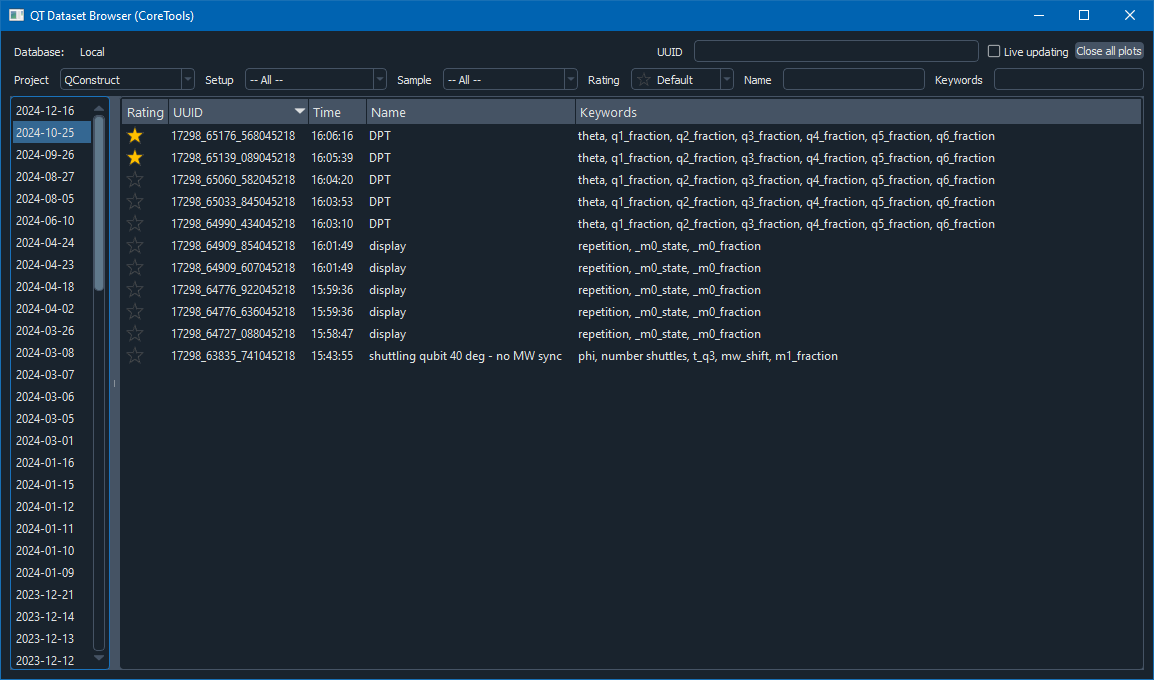
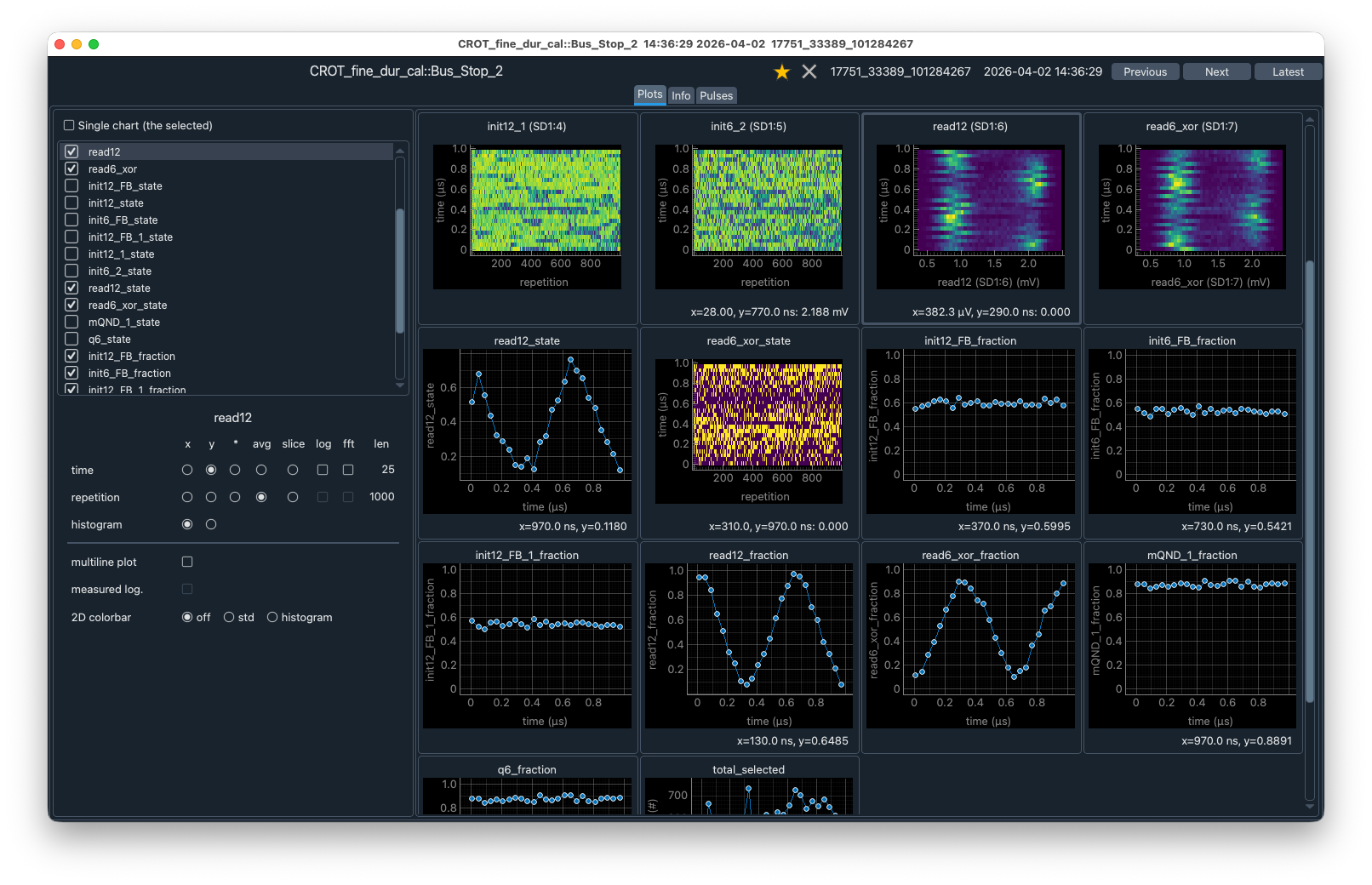
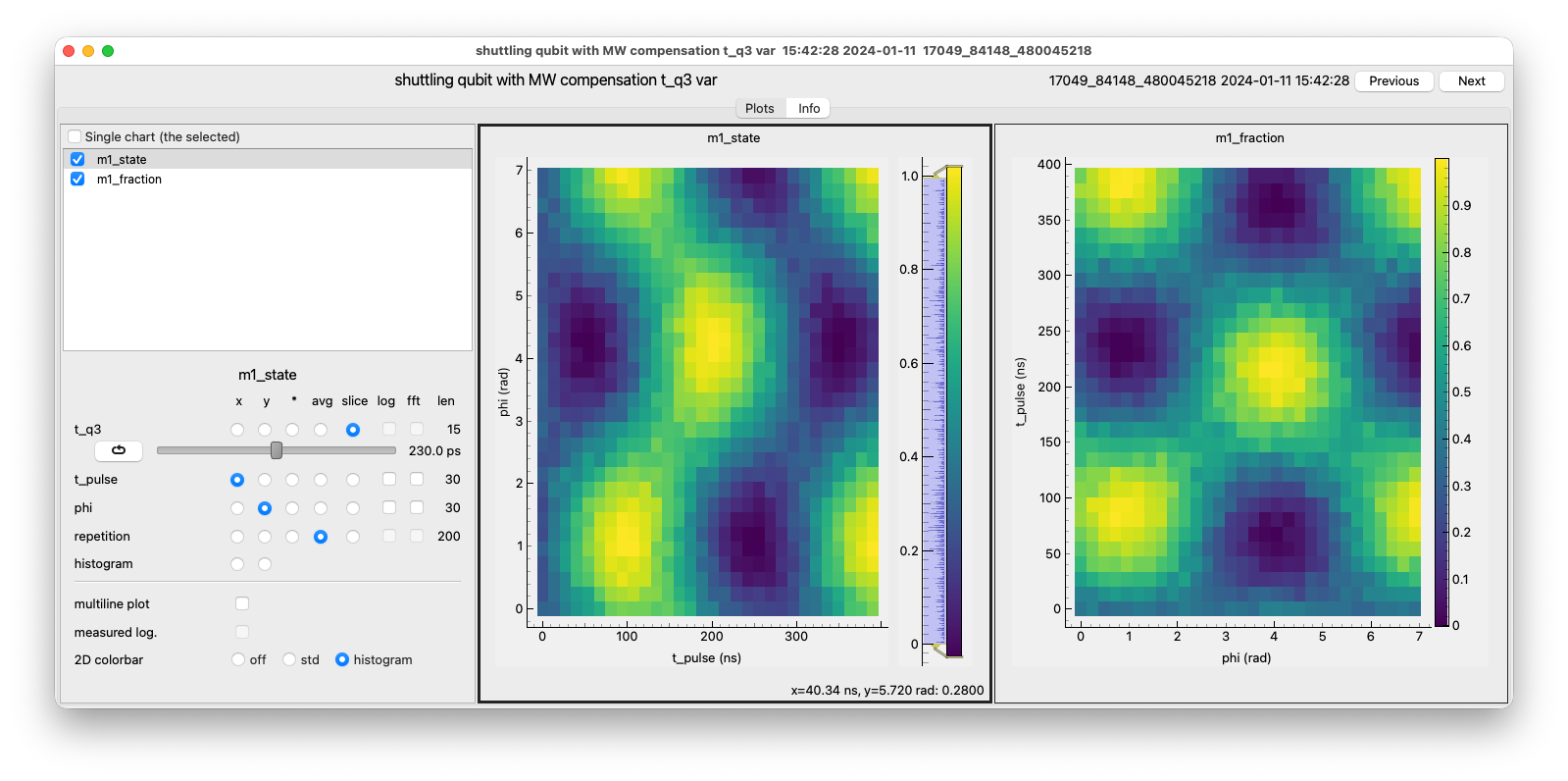
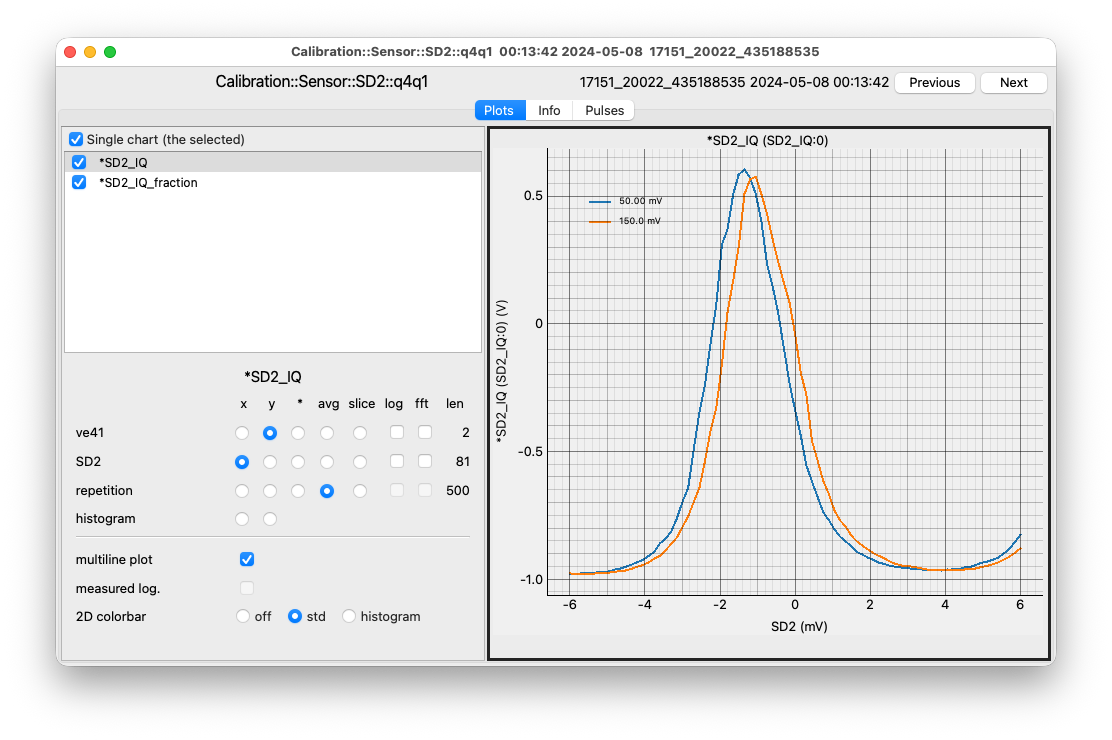
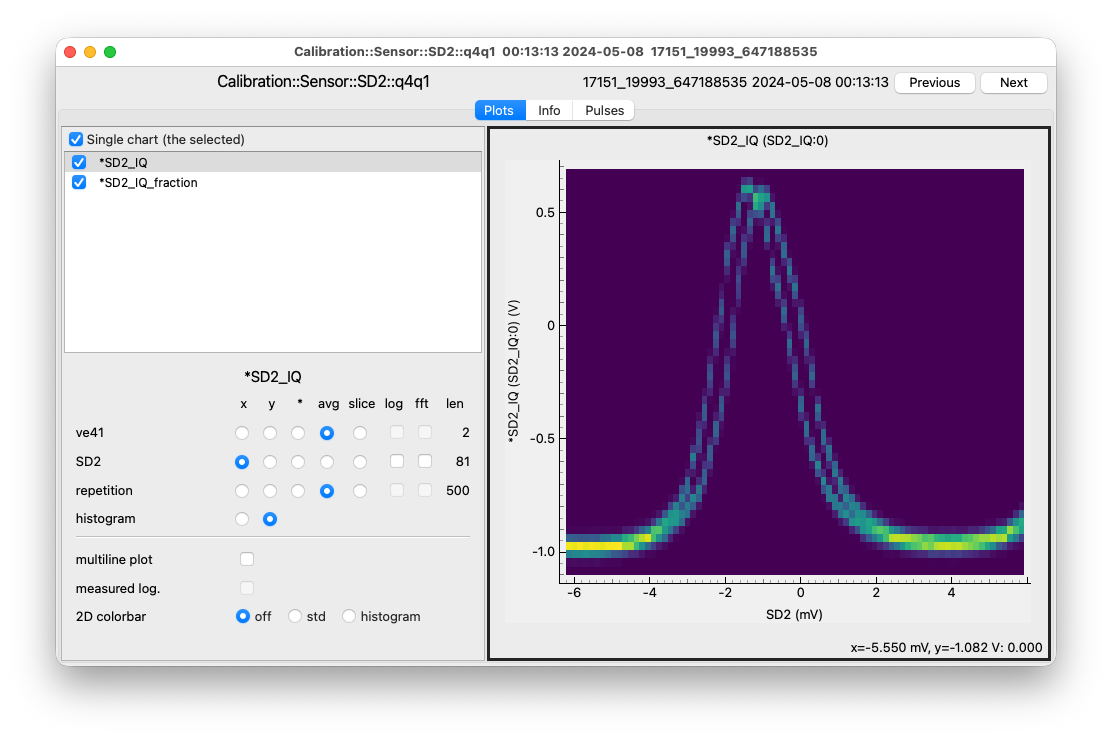
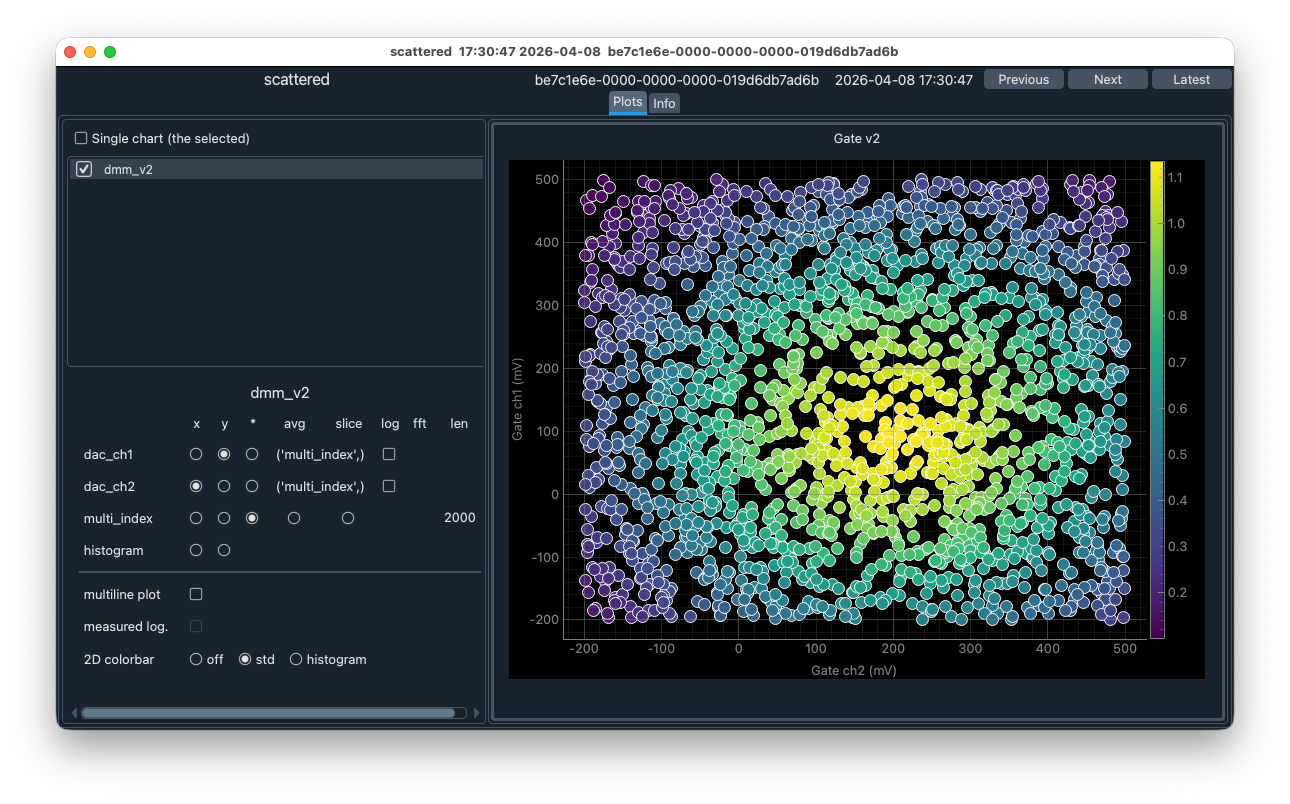
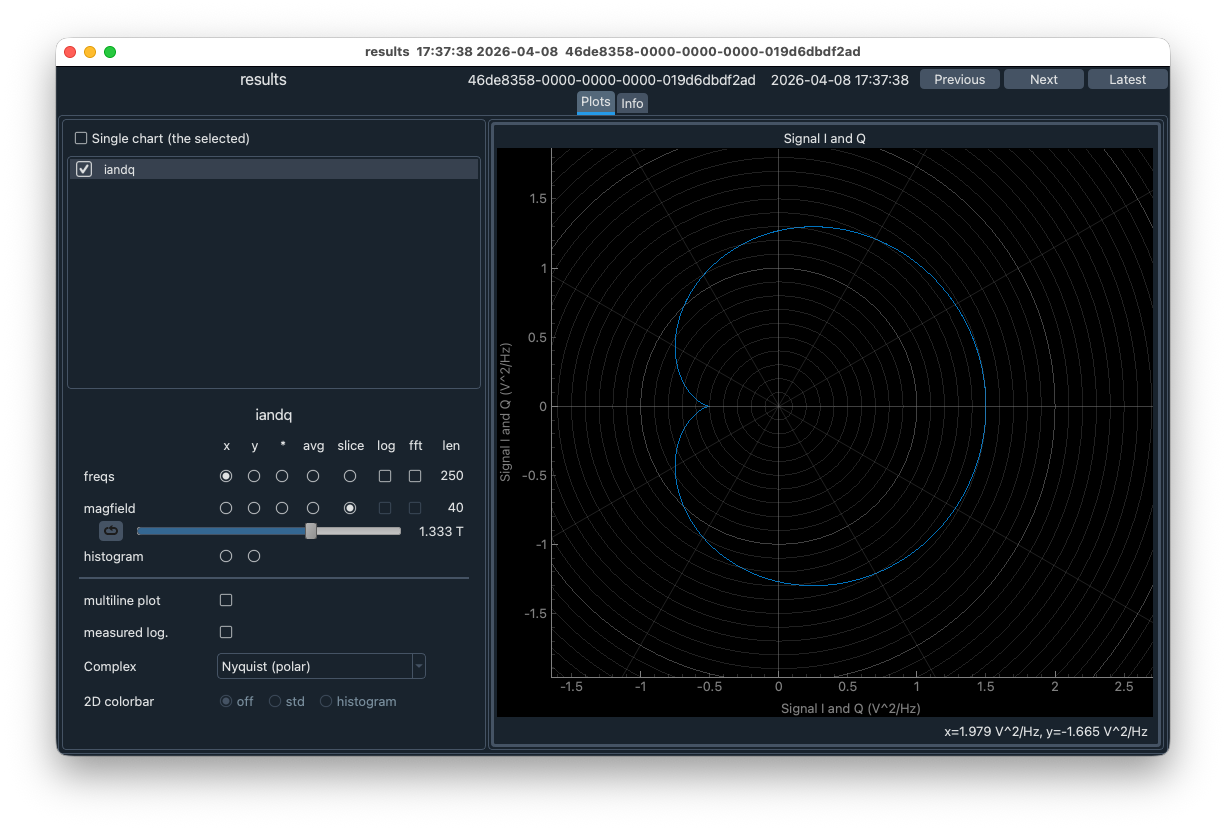
QT-DataViewer is a dataset browser and viewer developed by the Spin Qubit labs of QuTech. It has a GUI to search and retrieve datasets, and process (xarray) Datasets to display them as 1D and 2D plots. QT-DataViewer is a dataset browser for the core-tools, sQDL database, QCoDeS, Quantify, QDL, and directories with xarray (hdf5/netcdf) files.
QT-DataViewer can automatically update plots when datasets are updated. Multidimensional datasets can be processed to 1D and 2D plots. Operations like slicing, averaging, FFT and histogram can be applied on each individual axis.
Data storage browser
The browser uses a backend to retrieve data from various sources. Current implementation includes backends for:
- core-tools database.
- QCoDeS sqlite database.
- sQDL (spin qubit data lake) database.
- QDL (QuTech Data Lake) databaes.
- Quantify datasets on a file system.
- xarray datasets stored in HDF5 (h5netcdf).
- QCoDeS datasets stored as HDF5 files.
Custom backends for other data sources can easily be created. The components of the browser GUI can be configured for the search and retrieval options of the data source.
Command line
The data browser can be started from the command line.
qt-file-browser [<directory>] [--dark] [--light]
qt-qcodes-browser [<database-file>] [--dark] [--light]
qt-quantify-browser [<directory>] [--dark] [--light] [--no-scan] [--check-datasets]
qt-sqdl-browser [<scope>] [--dark] [--light]
qt-qdl-browser [<scope>] [--dark] [--light]
sQDL backend
SqdlDataBrowser is a data browser with sQDL backend.
The sQDL backend requires the package sqdl-client.
from qt_dataviewer.sqdl import SqdlDataBrowser
from qt_dataviewer.utils.logger import configure_logging

configure_logging()  # Optional start logging to ~/.qt_dataviewer
browser = SqdlDataBrowser("My-Scope")
GUI dark style can be activated with the optional argument gui_style="dark".
Quantify
QuantifyDataBrowser is a data browser with Quantify backend. No additional packages are needed to browse and display the quantify datasets.
from qt_dataviewer.quantify.data_browser import QuantifyDataBrowser
from qt_dataviewer.utils.logger import configure_logging

configure_logging()  # Optional start logging to ~/.qt_dataviewer
browser = QuantifyDataBrowser()
Start browser in specific directory and in dark mode.
browser = QuantifyDataBrowser(r"test_data\quantify", gui_style="dark")
Notes:
- The browser scans the directory and all subdirectories for Quantify datasets. This scanning processes can take some time.
QCoDeS database
from qt_dataviewer.qcodes.data_browser import QCoDeSDataBrowser
from qt_dataviewer.utils.logger import configure_logging

configure_logging()  # Optional start logging to ~/.qt_dataviewer
browser = QCoDeSDataBrowser("~/Projects/Sandbox/qccodes_trials/database/experiments_2026.db")
QDL database
Experimental
SqdlDataBrowser can be used with QDL (QuTech Data Lake) backend.
The QDL backend requires the package qdl-client.
from qt_dataviewer.sqdl import SqdlDataBrowser
from qt_dataviewer.utils.logger import configure_logging

configure_logging()  # Optional start logging to ~/.qt_dataviewer
browser = SqdlDataBrowser("My-Scope", backend="qdl")
core-tools database
CoreToolsDataBrowser is a data browser with backend for the core-tools database.
The core-tools backend requires the package core-tools.
The core-tools database must be configured before the browser is started. See core-tools documentation of the configuration.
import core_tools as ct
from qt_dataviewer.core_tools.data_browser import CoreToolsDataBrowser

# configure database
ct.configure(my_configuration_file)

browser = CoreToolsDataBrowser()
File browser
DataFileBrowser is a data browser for xarray datasets stored as HDF5 (h5netcdf). No additional packages are needed to browse and display the datasets.
The backend contains a bit of logic to recognize dataasets generated by core-tools and Quantify. It will extract some application specific attributes like UID and measurement time.
from qt_dataviewer.data_file_browser import DataFileBrowser
from qt_dataviewer.utils.logger import configure_logging

configure_logging()  # Optional start logging to ~/.qt_dataviewer
browser = DataFileBrowser(r"C:\measurement_data")
GUI dark style can be activated with the optional argument gui_style="dark".
Dataset viewer
The dataset viewer component can also be used without the provided data browsers. It can be used to directly display (a list of) xarray dataset from code.
The xarray data has to be contained in an implementation the Dataset class
that gives standardizes access to xarray dataset and various properties.
It has methods to check whether the dataset has changed and reload it
from the backend.
Release history Release notifications | RSS feed


Download files
Download the file for your platform. If you're not sure which to choose, learn more about installing packages.
Source Distribution
Built Distribution
Filter files by name, interpreter, ABI, and platform.
If you're not sure about the file name format, learn more about wheel file names.
Copy a direct link to the current filters
File details
Details for the file qt_dataviewer-0.5.3.tar.gz.
File metadata
- Download URL: qt_dataviewer-0.5.3.tar.gz
- Upload date:
- Size: 100.8 kB
- Tags: Source
- Uploaded using Trusted Publishing? No
- Uploaded via: twine/6.2.0 CPython/3.12.12
File hashes
| Algorithm | Hash digest | |
|---|---|---|
| SHA256 |
9d99efff846e9d3cad18482e6d158f5747d33a9b21f382ea2dd04e4c9209e9ff
|
|
| MD5 |
29d4a55b0f24d9e50eb4ca104b5d7b3e
|
|
| BLAKE2b-256 |
6b0e696d4d2cd34afa345992823d90a306216150feefc915a055b61d42ffde92
|
File details
Details for the file qt_dataviewer-0.5.3-py3-none-any.whl.
File metadata
- Download URL: qt_dataviewer-0.5.3-py3-none-any.whl
- Upload date:
- Size: 133.9 kB
- Tags: Python 3
- Uploaded using Trusted Publishing? No
- Uploaded via: twine/6.2.0 CPython/3.12.12
File hashes
| Algorithm | Hash digest | |
|---|---|---|
| SHA256 |
58f2ad4531f3d50c8e6c53b87c80f6b0f6b9cf32f58ff6830af9d361d60ecabd
|
|
| MD5 |
db0addf81e6258d68a4b610c4ac0e1c2
|
|
| BLAKE2b-256 |
e99e92addda8784556bc7ec44954dfa14b2a42f5c94a292aa157068454e0cf31
|






