
qt-parameters


This is a collection of Qt parameter widgets and forms for Python.
It is designed to provide an efficient way for creating a parameter interface for your
application. The parameter widgets use a unified interface and work with complex data
types such as Enum and Qt types like QPoint, QColor, etc.
This package uses Material Icons from qt-material-icons.

Installation
Install using pip:
pip install qt-parameters
Usage
from PySide6 import QtWidgets
import qt_parameters

app = QtWidgets.QApplication()

editor = qt_parameters.ParameterEditor()

# Add simple parameters
editor.add_parameter(qt_parameters.FloatParameter('float'))
editor.add_parameter(qt_parameters.StringParameter('string'))
editor.add_parameter(qt_parameters.PathParameter('path'))

# Customize parameter properties
parm = qt_parameters.PointFParameter('pointf')
parm.set_line_min(1)
parm.set_line_max(7)
parm.set_decimals(3)
editor.add_parameter(parm)

editor.show()

# Access the parameter values
print(editor.values())

app.exec()
For more examples see the examples directory.
Generic
Parameters are generic over their value type, so value() and set_value() are typed.
Parameters that work with arbitrary data take a type argument:
from enum import Enum

from qt_parameters import ComboParameter, EnumParameter


class Vehicle(Enum):
    Bicycle = 'Bicycle'
    Car = 'Car'
    Plane = 'Plane'


parm = EnumParameter[Vehicle]('vehicle')
parm.set_enum(Vehicle)
value = parm.value()  # Vehicle | None

parm = ComboParameter[int]('level')
parm.set_items({'Low': 1, 'Medium': 2, 'High': 3})
value = parm.value()  # int | None
Parameters
| Parameter | Value type |
|---|---|
BoolParameter |
bool |
IntParameter |
int |
FloatParameter |
float |
MultiIntParameter |
tuple[int, ...] |
MultiFloatParameter |
tuple[float, ...] |
StringParameter |
str |
StringListParameter |
tuple[str, ...] |
PathParameter |
str |
ComboParameter[T] |
T |
EnumParameter[E] |
E (an Enum) |
MultiComboParameter[T] |
tuple[T, ...] |
TokenParameter[T] |
tuple[T, ...] |
PointParameter |
QPoint |
PointFParameter |
QPointF |
SizeParameter |
QSize |
SizeFParameter |
QSizeF |
ColorParameter |
QColor |
TabDataParameter |
tuple[tuple[object, ...], ...] |
CrumbParameter |
T |
ListParameter |
tuple[object, ...] |
Helpers
| Helper | Description |
|---|---|
ParameterForm |
grid container for parameters, forms, and widgets |
ParameterEditor |
scrollable form of parameters |
ParameterWidget |
base class for all parameters |
ParameterLabel |
parameter label widget |
ParameterToolTip |
tooltip helper for parameters |
CollapsibleBox |
collapsible and optionally checkable container |
RadioTabWidget |
tab widget where only one tab is active |
Label |
icon and text label with severity levels |
Screenshots
Editor
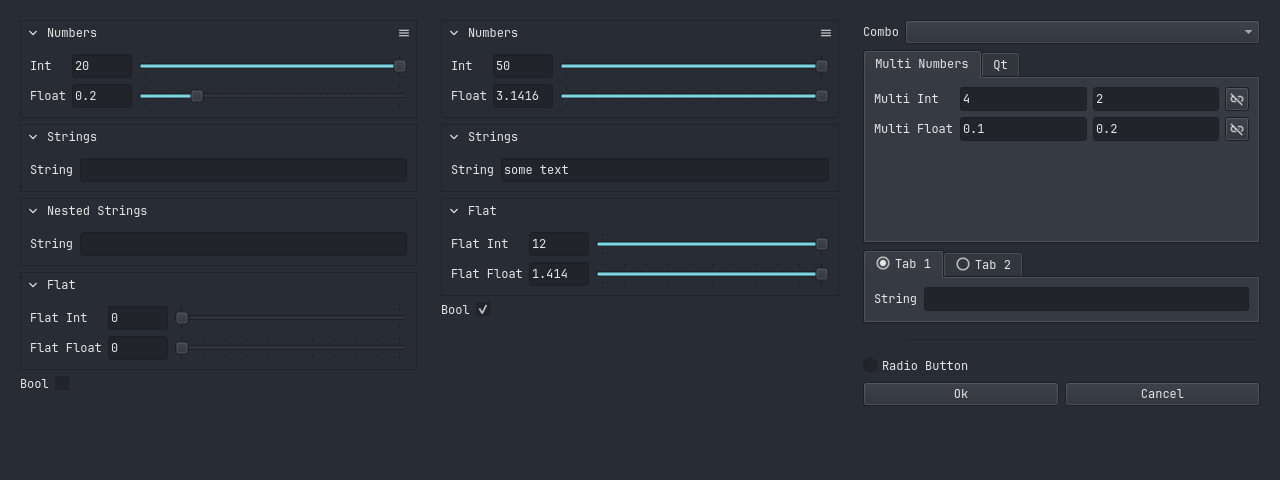
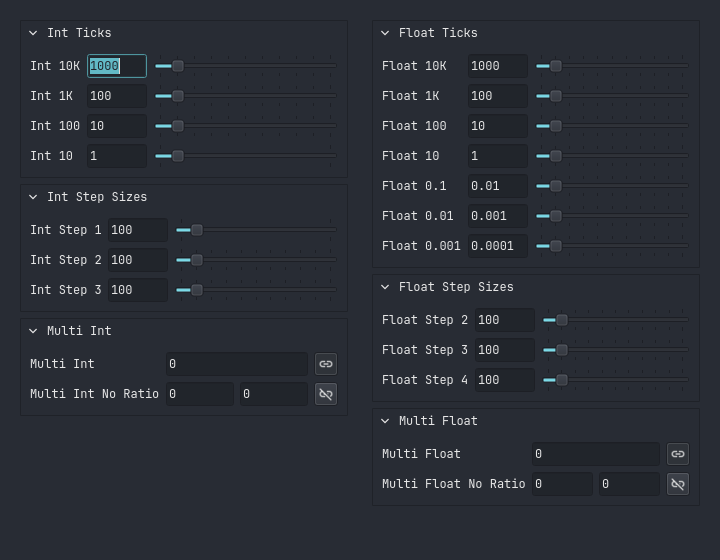
Numbers
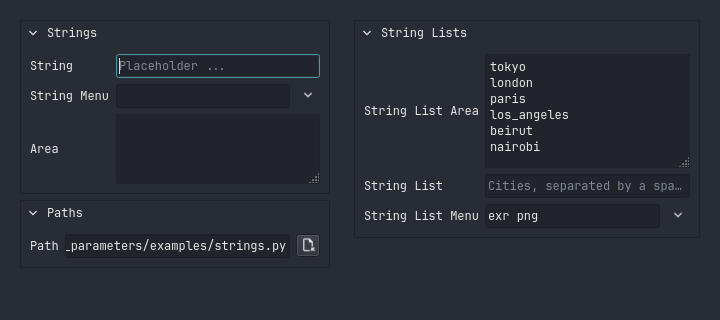
Strings
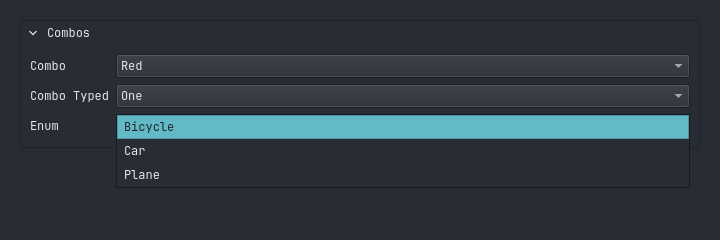
Combos
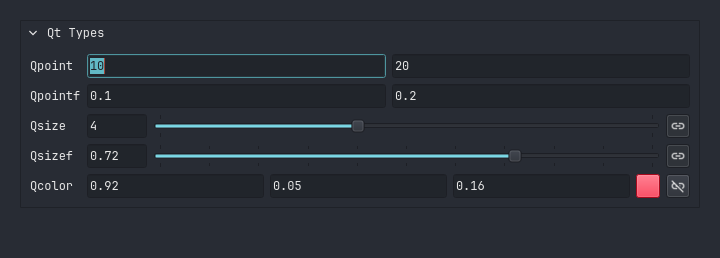
Qt Types
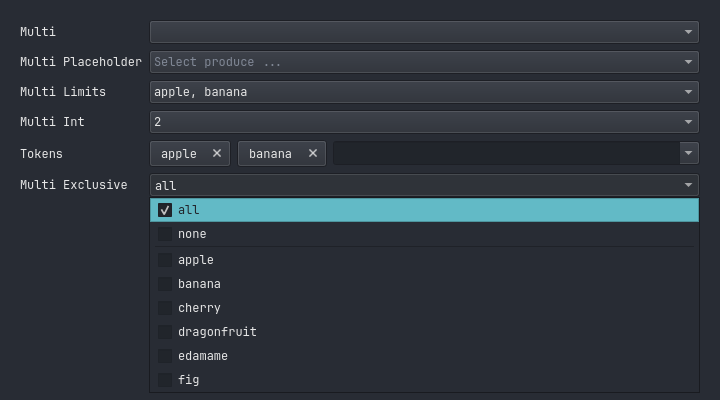
Multi Combos
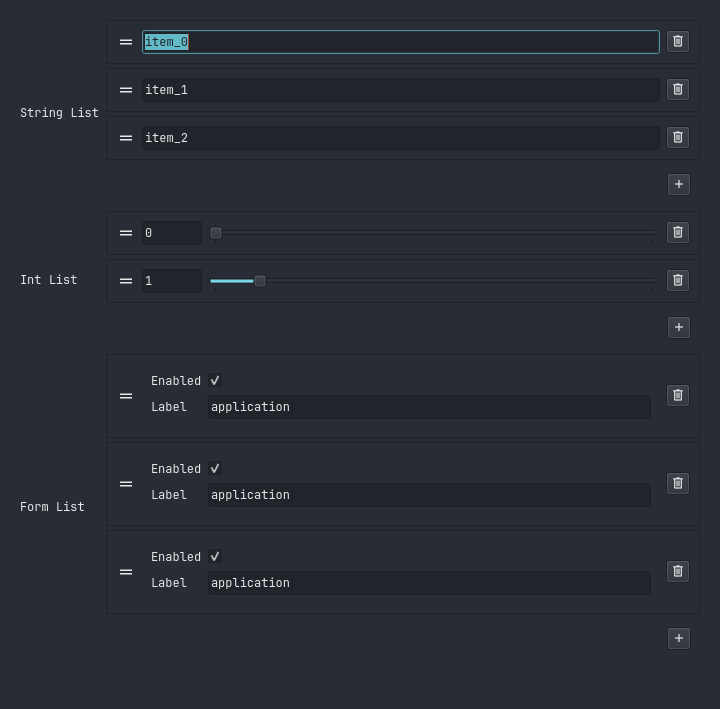
Lists
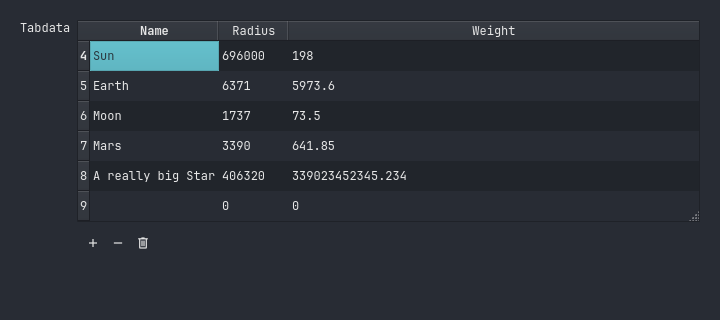
Tab Data
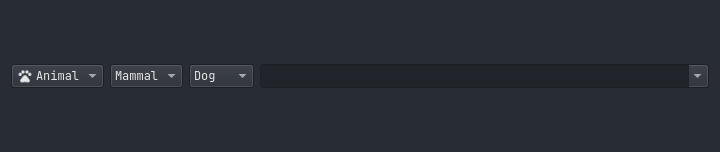
Breadcrumbs
Contributing
To contribute please refer to the Contributing Guide.
License
MIT License. Copyright 2024 - Beat Reichenbach. See the License file for details.
1 maintainer

Metadata
1 maintainer
Release files for qt-parameters 1.5.1
For a detailed explanation of source distributions (sdists) and built distributions (wheels), please see the package formats documentation.
Source distribution (sdist)
| File | Size | Uploaded | Provenance | Actions |
|---|---|---|---|---|
| qt_parameters-1.5.1.tar.gz | 48.1 kB | With provenance | Details for qt_parameters-1.5.1.tar.gz |
Built distribution (wheel)
| File | Interpreter | ABI | Platform | Actions Reset |
|---|---|---|---|---|
| qt_parameters-1.5.1-py3-none-any.whl | Python 3 | none | any | Details for qt_parameters-1.5.1-py3-none-any.whl |
Total release size: 103.8 kB
Release files / qt_parameters-1.5.1.tar.gz
| Download URL | qt_parameters-1.5.1.tar.gz |
|---|---|
| Size | 48.1 kB |
| Tags | Source |
|
SHA-256 checksum How to use checksums |
c072a349eea322aa79acb600eb796668c4ebd96454a3f12847daf32f5d8cc12b
|
|
BLAKE2b-256 checksum How to use checksums |
6210fae6f660f1e34497a5b90575de21a53d5a2b39338eb7091b43a60ec35e8a
|
| Upload date | |
|
Uploaded using Trusted Publishing? What is trusted publishing? |
Yes |
| Uploaded via |
twine/7.0.0 CPython/3.13.14
|
Provenance
Provenance describes where a file came from. On PyPI, provenance is shared via attestations, which provide a verifiable record of the build or publishing details. View details, limitations and caveats.


PyPI Publish Attestation
PyPI verified that this artifact, at this checksum, originated from the publisher listed below.
Signed by GitHub Actions, verified by PyPI on Oct 15, 2026.
Transparency logRelease files / qt_parameters-1.5.1-py3-none-any.whl
| Download URL | qt_parameters-1.5.1-py3-none-any.whl |
|---|---|
| Size | 55.7 kB |
| Tags | Python 3 |
|
SHA-256 checksum How to use checksums |
d554eda5d379ac3a5aee4b908f767f4b5caa6d655a48dc8baf560176c1cae6a3
|
|
BLAKE2b-256 checksum How to use checksums |
ffa75e640e83f1babf56265701eb2ad1e9f695dda114726ce627aed2d542cd41
|
| Upload date | |
|
Uploaded using Trusted Publishing? What is trusted publishing? |
Yes |
| Uploaded via |
twine/7.0.0 CPython/3.13.14
|
Provenance
Provenance describes where a file came from. On PyPI, provenance is shared via attestations, which provide a verifiable record of the build or publishing details. View details, limitations and caveats.
PyPI Publish Attestation
PyPI verified that this artifact, at this checksum, originated from the publisher listed below.
Signed by GitHub Actions, verified by PyPI on Oct 15, 2026.
Transparency logSecurity for qt-parameters 1.5.1
Provenance
Provenance describes where a file came from. On PyPI, provenance is shared via attestations, which provide a verifiable record of the build or publishing details. View details, limitations and caveats.
Full provenance
All 2 files in this release have been uploaded with provenance metadata.
Attestation for qt_parameters-1.5.1.tar.gz
PyPI Publish Attestation
PyPI verified that this artifact, at this checksum, originated from the publisher listed below.
Signed by GitHub Actions, verified by PyPI on Oct 15, 2026.
Transparency logA note on package security
PyPI is a repository for distributing packages, not a service for auditing them. While third-party security researchers and our staff do their best to detect and remove malicious packages, PyPI cannot guarantee the quality, security or suitability of any given package.
To learn more about protecting yourself from malicious actors, visit our package security documentation.














