
QT PyQt PySide Custom Widgets




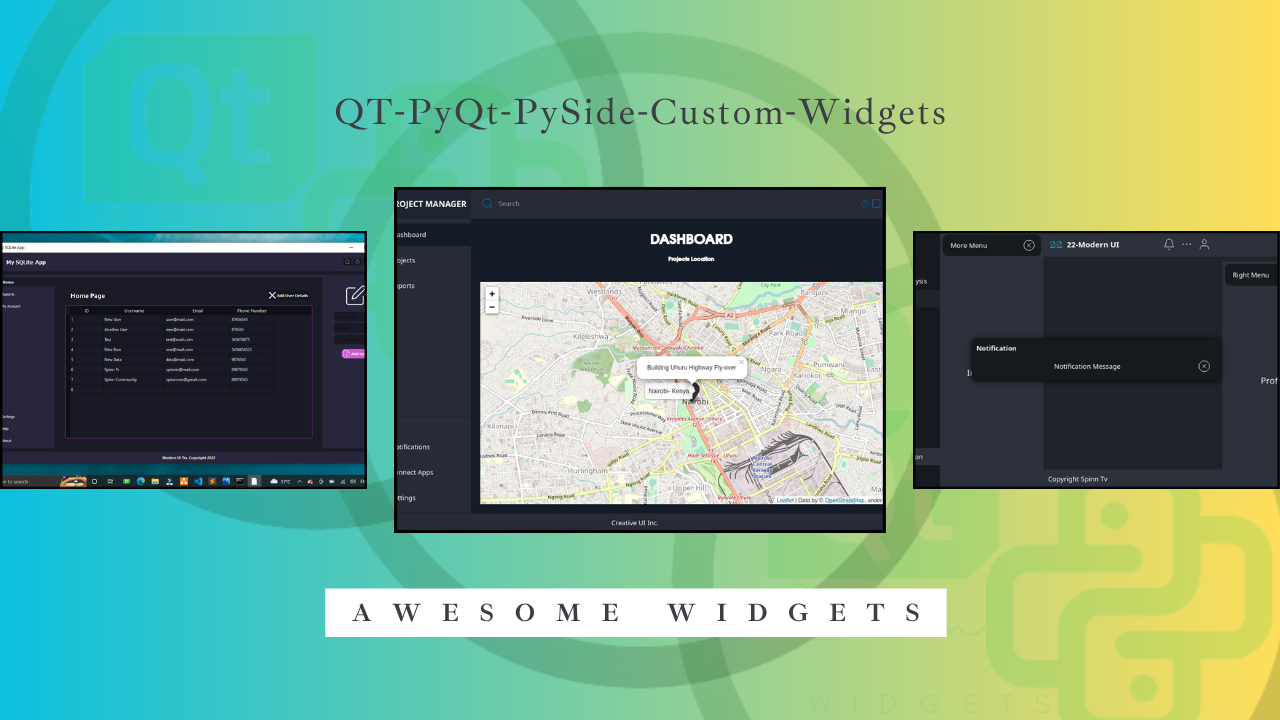
163 documented widgets for PySide6 — charts, data tables, gauges, animated menus, window chrome, loaders and more. Every widget is authorable in Qt Designer, themed through design tokens with light/dark palettes, and documented with live screenshots generated straight from the code.
Installation
pip install QT-PyQt-PySide-Custom-Widgets          # first install
pip install --upgrade QT-PyQt-PySide-Custom-Widgets
Requires Python 3.10+ (PySide6's own floor).
Optional extras (niche widgets pull their heavier stacks on demand):
pip install "QT-PyQt-PySide-Custom-Widgets[qr]"       # QCustomQRGenerator
pip install "QT-PyQt-PySide-Custom-Widgets[map]"      # QCustomMapView (QtLocation)
pip install "QT-PyQt-PySide-Custom-Widgets[acrylic]"  # AcrylicEffect blur
pip install "QT-PyQt-PySide-Custom-Widgets[loaders]"  # QCustomPerlinLoader
pip install "QT-PyQt-PySide-Custom-Widgets[mcp]"      # the Custom_Widgets MCP server
pip install "QT-PyQt-PySide-Custom-Widgets[all]"      # everything above
Highlights
- Painted chart family — scatter, funnel, range bar, radial gauges, Sankey, candlestick, beeswarm, diverging bar, bubble, dot matrix, sparklines, donut and more; QPainter-native, crisp at any size.
QCustomDataTable— rich cell renderers (two-line, status, currency, link), synthetic select/actions columns, sortable headers.- Chrome & motion — custom title bars, hamburger and slide menus, animated stacked-widget transitions, flow layouts with animated reflow, progress and skeleton loaders, typewriter/sparkles/gradient text.
- Design-token theming —
applyDesignTokensdrives role-based QSS and light/dark palettes across the whole set. - Qt Designer first — every widget and property can be authored
visually; the examples ship with editable
.uifiles. - Typed — full
.pyistubs,py.typed, mypy-clean. - MCP server (
[mcp]extra) — agent control of Qt Designer, live app observation, widget catalog/signature/render tools. - Design-rule linter —
Custom_Widgets.lintcatches glyph icons, hardcoded hex colours, drop shadows and oversized icons.
Usage
Read the required
project structure
before starting — apps use a ui/ + compiled src/ + Qss/ layout that
keeps Designer files, generated code and themes separate. The
examples/ folder contains 82 complete apps built that way.

Documentation
- Docs & widget reference: spinncompany.github.io/Docs-QT-PyQt-PySide-Custom-Widgets
- Widget gallery: 163 widgets with screenshots
- App showcase: 92 real apps
- Video tutorials: YouTube — SpinnTV
Pro & support
The free library is complete on its own and licensed GPLv3. For commercial teams there is Custom Widgets Pro — starting with DataTable Pro (virtualization, server-side sort/filter, grouping with aggregates, pivot, frozen columns, inline editing, CSV/XLSX export) — plus twelve premium example applications. Plans at customwidgets.org/pricing; active Patreon supporters get the same entitlements. The Pro licence includes a written GPL additional permission, so combining the core with Pro and your application does not pull your application under the GPL.
Contributors
Thanks to everyone involved in the development of the project!

Made with contrib.rocks.
Note — this repository is the project's permanent home. It was previously published from the KhamisiKibet account, which is no longer accessible; all development continues here under SpinnCompany.
Credits & third-party assets
This package bundles third-party icon sets and a font. Full notices and the
license texts ship inside the package under
Custom_Widgets/THIRD_PARTY_NOTICES.md
and Custom_Widgets/licenses/.
- Icons by Font Awesome — Free icons licensed under CC BY 4.0 (© Fonticons, Inc.); fonts under SIL OFL 1.1, code under MIT. Icons may be recoloured/resized.
- Material Design Icons — Apache License 2.0 (© Google and contributors).
- Feather — MIT (© 2013-2017 Cole Bemis).
- Rosario — SIL Open Font License 1.1 (the bundled UI font).
1 maintainer

Metadata
1 maintainer
Release files for QT-PyQt-PySide-Custom-Widgets 2.3.1
For a detailed explanation of source distributions (sdists) and built distributions (wheels), please see the package formats documentation.
Source distribution (sdist)
| File | Size | Uploaded | Provenance | Actions |
|---|---|---|---|---|
| qt_pyqt_pyside_custom_widgets-2.3.1.tar.gz | 7.0 MB | Without provenance | Details for qt_pyqt_pyside_custom_widgets-2.3.1.tar.gz |
Built distribution (wheel)
| File | Interpreter | ABI | Platform | Actions Reset |
|---|---|---|---|---|
| qt_pyqt_pyside_custom_widgets-2.3.1-py3-none-any.whl | Python 3 | none | any | Details for qt_pyqt_pyside_custom_widgets-2.3.1-py3-none-any.whl |
Total release size: 16.5 MB
Release files / qt_pyqt_pyside_custom_widgets-2.3.1.tar.gz
| Download URL | qt_pyqt_pyside_custom_widgets-2.3.1.tar.gz |
|---|---|
| Size | 7.0 MB |
| Tags | Source |
|
SHA-256 checksum How to use checksums |
7454cbb1cc6348d85ddbe2536185901097a02f2f204440e637da58b4622389e0
|
|
BLAKE2b-256 checksum How to use checksums |
38d958268d97b27dfe839d7f9cf3bd1b9698806bfca5f3070133e9779d73b812
|
| Upload date | |
|
Uploaded using Trusted Publishing? What is trusted publishing? |
No |
| Uploaded via |
twine/7.0.0 CPython/3.14.5
|
Release files / qt_pyqt_pyside_custom_widgets-2.3.1-py3-none-any.whl
| Download URL | qt_pyqt_pyside_custom_widgets-2.3.1-py3-none-any.whl |
|---|---|
| Size | 9.6 MB |
| Tags | Python 3 |
|
SHA-256 checksum How to use checksums |
22e64d433cdc1860cbbe47ef36813f1a1a567ee46c4b38cb85046b1d6ed91cb8
|
|
BLAKE2b-256 checksum How to use checksums |
5f705778583ea4ff2190e97fb637e80ce63f788a4403a7a8d2e5ec2c3f084917
|
| Upload date | |
|
Uploaded using Trusted Publishing? What is trusted publishing? |
No |
| Uploaded via |
twine/7.0.0 CPython/3.14.5
|
Security for QT-PyQt-PySide-Custom-Widgets 2.3.1
Provenance
Provenance describes where a file came from. On PyPI, provenance is shared via attestations, which provide a verifiable record of the build or publishing details. View details, limitations and caveats.
No provenance found
None of the files in this release were uploaded with provenance metadata.
A note on package security
PyPI is a repository for distributing packages, not a service for auditing them. While third-party security researchers and our staff do their best to detect and remove malicious packages, PyPI cannot guarantee the quality, security or suitability of any given package.
To learn more about protecting yourself from malicious actors, visit our package security documentation.














