
Python Qt widgets for CG-Wire using `gazu <https://github.com/cgwire/gazu>`__.
Dependencies
What is Qtazu?
Qtazu implements Qt widgets to connect and work with a CG-Wire instance through an interface running in Python.
Reusable components to develop your own interfaces to interact with CG-Wire.
Embeddable in DCCs supporting Python and Qt
Or use them in your own standalone Python application, like a studio pipeline.
Agnostic widgets so you can easily instantiate them as you need
Support PyQt5, PySide2, PyQt4 and PySide through `Qt.py <https://github.com/mottosso/Qt.py>`__
WIP: This is a WIP repository
Examples
The Widgets initialize in such a way you can easily embed them for your needs.
The examples assume a running Qt application instance exists.
Logging in
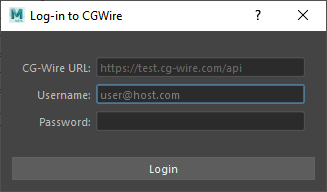
qtazu_login
from qtazu.widgets.login import Login

widget = Login()
widget.show()
If you want to set your CG-Wire instance URL so the User doesn’t have to you can set it through environment variable: CGWIRE_HOST
from qtazu.widgets.login import Login
import os

os.environ["CGWIRE_HOST"] = "https://zou-server-url/api"
widget = Login()
widget.show()
Directly trigger a callback once someone has logged in using Qt signals:
from qtazu.widgets.login import Login

def callback(success):
    print("Did login succeed? Answer: %s" % success)

widget = Login()
widget.logged_in.connect(callback)
widget.show()
You can also automate a login through ``gazu` <https://github.com/cgwire/gazu#quickstart>`__ and qtazu will use it.
Or if you have logged in through another Python process you can pass on the tokens:
import os
import json

# Store CGWIRE_TOKENS for application (simplified for example)
os.environ["CGWIRE_TOKENS"] = json.dumps(gazu.client.tokens)
os.environ["CGWIRE_HOST"] = host


# In application "log-in" using the tokens
host = os.environ["CGWIRE_HOST"]
tokens = json.loads(os.environ["CGWIRE_TOKENS"])
gazu.client.set_host(host)
gazu.client.set_tokens(tokens)
Submitting Comments
You can easily submit comments for a specific Task, this includes drag ‘n’ dropping your own images of videos as attachment or using a Screen Marguee tool to attach a screenshot to your comment.
Make sure you are logged in prior to this.
from qtazu.widgets.comment import CommentWidget

task_id = "xyz" # Make sure to set a valid Task Id
widget = CommentWidget(task_id=task_id)
widget.show()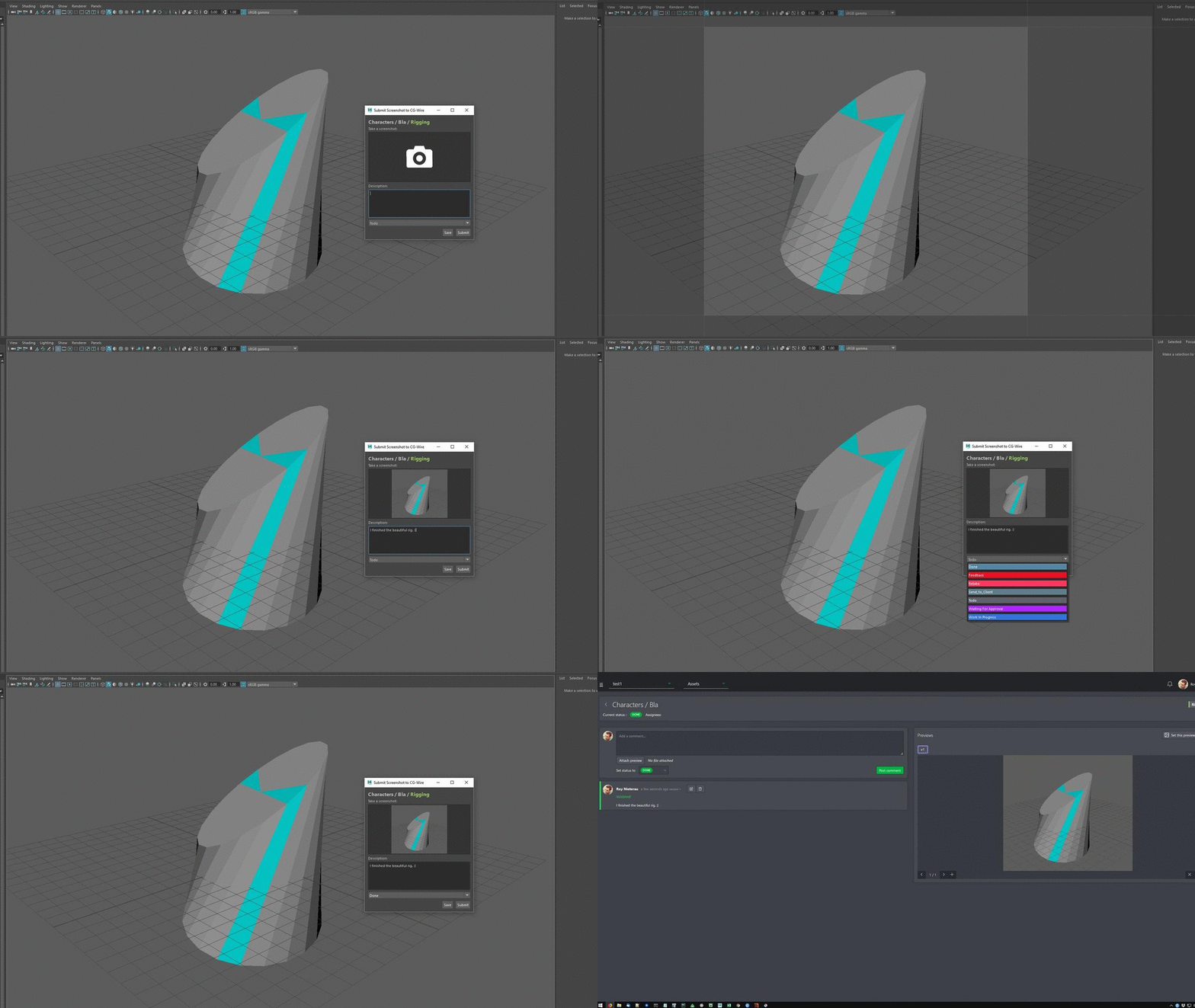
qtazu_comment_screenshot
Display all Persons with Thumbnails
It’s easy and quick to embed the available Persons into your own list view.
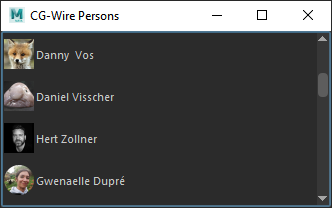
qtazu_persons_model
from qtazu.models.persons import PersonModel
from Qt import QtWidgets, QtCore

model = PersonModel()
view = QtWidgets.QListView()
view.setIconSize(QtCore.QSize(30, 30))
view.setStyleSheet("QListView::item { margin: 3px; padding: 3px;}")
view.setModel(model)
view.setMinimumHeight(60)
view.setWindowTitle("CG-Wire Persons")
view.show()
Here’s an example prototype of listing Persons as you tag them:
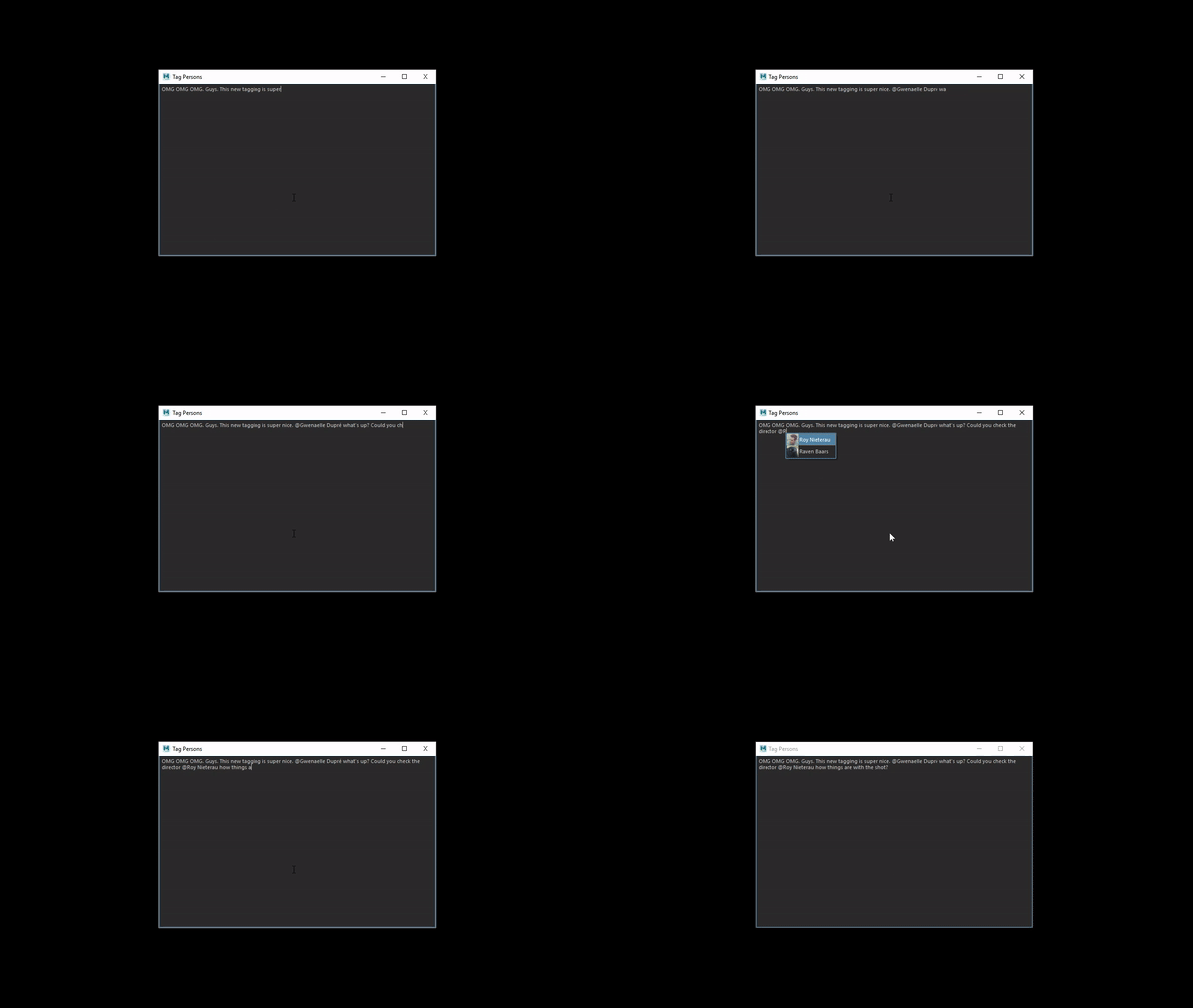
qtazu_tag_prototype_02
Define your own Qt widget that loads Thumbnails in the background
This will show all CG-Wire projects as thumbnails.
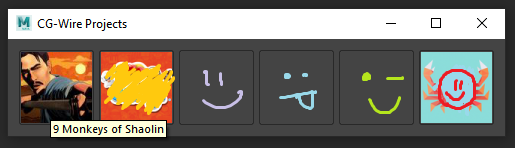
qtazu_projects
import gazu
from Qt import QtWidgets
from qtazu.widgets.thumbnail import ThumbnailBase

main = QtWidgets.QWidget()
main.setWindowTitle("CG-Wire Projects")
layout = QtWidgets.QHBoxLayout(main)

for project in gazu.project.all_open_projects():

    thumbnail = ThumbnailBase()
    thumbnail.setFixedWidth(75)
    thumbnail.setFixedHeight(75)
    thumbnail.setToolTip(project["name"])
    project_id = project["id"]
    thumbnail.load("pictures/thumbnails/projects/{0}.png".format(project_id))
    layout.addWidget(thumbnail)

main.show()
Welcome a User with a message
Show a Welcome popup to the user with his or her thumbnail.
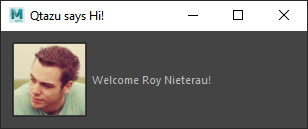
qtazu_welcome_popup
from Qt import QtWidgets, QtGui, QtCore
from qtazu.widgets.thumbnail import ThumbnailBase
import gazu


class UserPopup(QtWidgets.QWidget):
    """Pop-up showing 'welcome user' and user thumbnail"""
    def __init__(self, parent=None, user=None):
        super(UserPopup, self).__init__(parent=parent)

        layout = QtWidgets.QHBoxLayout(self)

        thumbnail = ThumbnailBase()
        thumbnail.setFixedWidth(75)
        thumbnail.setFixedHeight(75)
        thumbnail.setToolTip(user["first_name"])

        welcome = QtWidgets.QLabel("Welcome!")

        layout.addWidget(thumbnail)
        layout.addWidget(welcome)

        self.thumbnail = thumbnail
        self.welcome = welcome
        self._user = None

        if user:
            self.set_user(user)

    def set_user(self, user):

        self._user = user

        # Load user thumbnail
        self.thumbnail.load("pictures/thumbnails/persons/{0}.png".format(user["id"]))

        # Set welcome message
        self.welcome.setText("Welcome {first_name} {last_name}!".format(
            **user
        ))


# Show pop-up about current user
user = gazu.client.get_current_user()
popup = UserPopup(user=user)
popup.show()1 maintainer

Metadata
1 maintainer
Release files for qtazu 0.1.4
For a detailed explanation of source distributions (sdists) and built distributions (wheels), please see the package formats documentation.
Built distribution (wheel)
| File | Interpreter | ABI | Platform | Actions Reset |
|---|---|---|---|---|
| qtazu-0.1.4-py2.py3-none-any.whl | Python 2, Python 3 | none | any | Details for qtazu-0.1.4-py2.py3-none-any.whl |
Release files / qtazu-0.1.4-py2.py3-none-any.whl
| Download URL | qtazu-0.1.4-py2.py3-none-any.whl |
|---|---|
| Size | 30.8 kB |
| Tags | Python 2 Python 3 |
|
SHA-256 checksum How to use checksums |
fd0264001b1294b12c9a2e18792a9ecf3e2a6813979b868673e430f6470b2365
|
|
BLAKE2b-256 checksum How to use checksums |
5f5aea3c0fe5baca9354dd3af2fce31db36cd4598d2570fceb187fef550dfb3b
|
| Upload date | |
|
Uploaded using Trusted Publishing? What is trusted publishing? |
No |
| Uploaded via |
twine/3.1.1 pkginfo/1.4.2 requests/2.24.0 setuptools/45.2.0 requests-toolbelt/0.8.0 tqdm/4.30.0 CPython/3.8.10
|
Security for qtazu 0.1.4
Provenance
Provenance describes where a file came from. On PyPI, provenance is shared via attestations, which provide a verifiable record of the build or publishing details. View details, limitations and caveats.
No provenance found
None of the files in this release were uploaded with provenance metadata.
A note on package security
PyPI is a repository for distributing packages, not a service for auditing them. While third-party security researchers and our staff do their best to detect and remove malicious packages, PyPI cannot guarantee the quality, security or suitability of any given package.
To learn more about protecting yourself from malicious actors, visit our package security documentation.














