
QText



QText is a microservices framework for building the RAG pipeline, or semantic search engine on top of Postgres. It provides a simple API to add, query, and highlight the text in your existing database.
The main features include:
- Full-text search with Postgres GIN index.
- Vector and sparse search with pgvecto.rs
- Reranking with cross-encoder model, cohere reranking API, or other methods.
- Semantic highlight
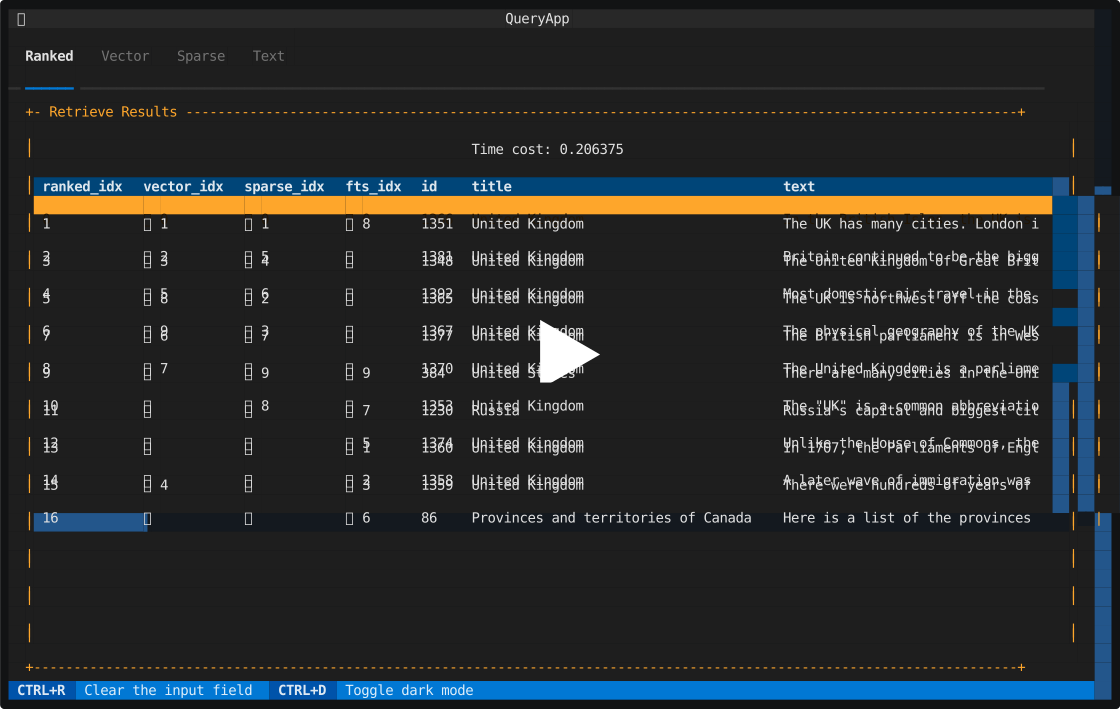
Besides this, qtext also provides a dashboard to visualize the vector search, sparse vector search, full text search, and reranking results.
Design goals
- Simple: easy to deploy and use.
- Customizable: can be integrated into your existing databases.
- Extensible: can be extended with new features.
How to use
To start all the services with docker compose:
docker compose -f docker/compose.yaml up -d server
Some of the dependent services can be opt-out:
emb: used to generate embedding for query and documentssparse: used to generate sparse embedding for query and documents (this requires a HuggingFace token that signed the agreement for prithivida/Splade_PP_en_v1)highlight: used to provide the semantic highlight featureencoder: rerank with cross-encoder model, you can choose other methods or other online services

For the client example, check:
- test.py: simple demo.
- test_cohere_wiki.py: a Wikipedia dataset with Cohere embedding.
API
We provide a simple sync/async client. You can also refer to the OpenAPI and build your own client.
/api/namespacePOST: create a new namespace and configure the index/api/docPOST: add a new doc/api/queryPOST: query the docs/api/highlightPOST: semantic highlight/metricsGET: open metrics
Check the OpenAPI documentation for more information (this requires the qtext service).
Terminal UI
We provide a simple terminal UI powered by Textual for you to interact with the service.
pip install textual
# need to run the qtext service first
python tui/main.py $QTEXT_PORT
Configurations
Check the config.py for more detail. It will read the $HOME/.config/qtext/config.json if this file exists.
Integrate to the RAG pipeline
This project has most of the components you need for the RAG except for the last LLM generation step. You can send the retrieval + reranked docs to any LLM providers to get the final result.
Customize the table schema
[!NOTE] If you already have the table in Postgres, you will be responsible for the text-indexing and vector-indexing part.
- Define a
dataclassthat includes the necessary columns as class attributes- annotate the
primary_key,text_index,vector_index,sparse_indexwith metadata (not all of them are required, only the necessary ones) - attributes without default value or default factory is treated as required when you add new docs
- annotate the
- Implement the
to_recordandfrom_recordmethods to be used in the reranking stage - Change the
config.vector_store.schemato the class you have defined
Check the schema.py for more details.
1 maintainer

Metadata
1 maintainer
Release files for qtext 0.1.0
For a detailed explanation of source distributions (sdists) and built distributions (wheels), please see the package formats documentation.
Source distribution (sdist)
| File | Size | Uploaded | |
|---|---|---|---|
| qtext-0.1.0.tar.gz | 119.0 kB | Details |
Built distribution (wheel)
| File | Interpreter | ABI | Platform | Reset |
|---|---|---|---|---|
| qtext-0.1.0-py3-none-any.whl | Python 3 | none | any | Details |
Total release size: 143.8 kB
Release files / qtext-0.1.0.tar.gz
| Download URL | qtext-0.1.0.tar.gz |
|---|---|
| Size | 119.0 kB |
| Tags | Source |
|
SHA-256 checksum How to use checksums |
b2e87979327ad91a3035ee96c62aaeb056032d049f4fbf97af08117d795e1f04
|
|
BLAKE2b-256 checksum How to use checksums |
8879d1c34a4967aae53b93ea408ecd3827b9b1673117c6718732d6cbba11580d
|
| Upload date | |
|
Uploaded using Trusted Publishing? What is trusted publishing? |
Yes |
| Uploaded via |
twine/5.0.0 CPython/3.12.3
|
Release files / qtext-0.1.0-py3-none-any.whl
| Download URL | qtext-0.1.0-py3-none-any.whl |
|---|---|
| Size | 24.8 kB |
| Tags | Python 3 |
|
SHA-256 checksum How to use checksums |
15c4af36f510c62b1f6d7bea24ed2b5d7cb7b32337e939905e94bdb166a26b32
|
|
BLAKE2b-256 checksum How to use checksums |
ae2e12ba6022488892d98f3566b047612c60f6ddf043cbd7f1306b9d6d23d820
|
| Upload date | |
|
Uploaded using Trusted Publishing? What is trusted publishing? |
Yes |
| Uploaded via |
twine/5.0.0 CPython/3.12.3
|













