
quantitative analysis

Project description






Quantitative analysis and pricing tools.
Installation
pip install quantflow
Modules
- quantflow.ai MCP server for AI clients (requires
quantflow[ai,data]) - quantflow.data data APIs (requires
quantflow[data]) - quantflow.options option pricing and calibration
- quantflow.sp stochastic process primitives
- quantflow.ta timeseries analysis tools
- quantflow.utils utilities and helpers
Optional dependencies
data— data retrieval:pip install quantflow[data]ai— MCP server for AI clients:pip install quantflow[ai,data]
MCP Server
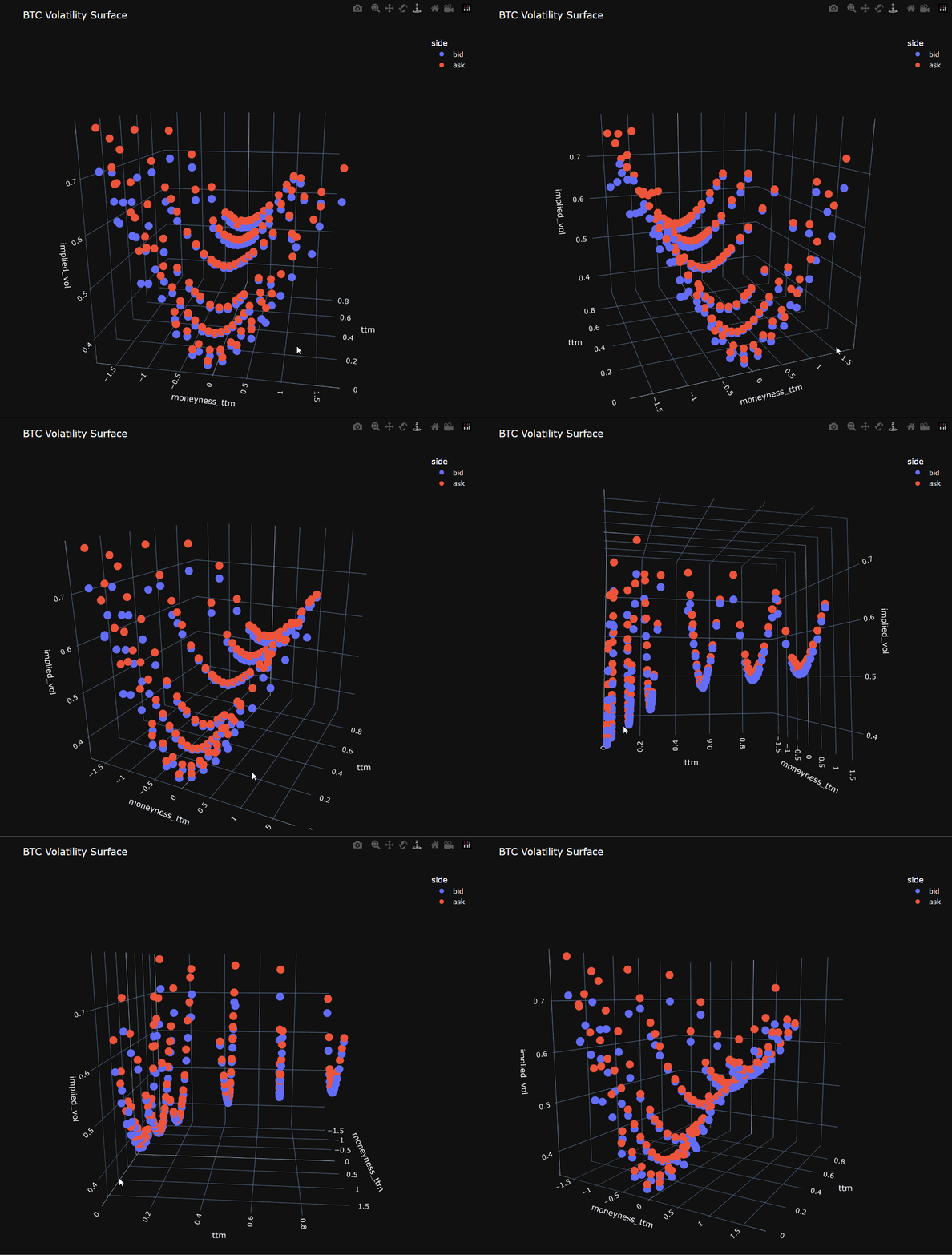
Quantflow exposes its data tools as an MCP server, allowing AI clients such as Claude to query market data, crypto volatility surfaces, and economic indicators directly.
Install with the ai and data extras:
pip install quantflow[ai,data]
API keys
Store your API keys in ~/.quantflow/.vault:
fmp=your-fmp-key
fred=your-fred-key
Or let the AI manage them for you via the vault_add tool once connected.
Claude Code
claude mcp add quantflow -- uv run qf-mcp
Claude Desktop
Add to your Claude Desktop config (~/Library/Application Support/Claude/claude_desktop_config.json on macOS):
{
  "mcpServers": {
    "quantflow": {
      "command": "uv",
      "args": ["run", "qf-mcp"]
    }
  }
}
Available tools
| Tool | Description |
|---|---|
vault_keys |
List stored API keys |
vault_add |
Add or update an API key |
vault_delete |
Delete an API key |
stock_indices |
List stock market indices |
stock_search |
Search companies by name or symbol |
stock_profile |
Get company profile |
stock_prices |
Get OHLC price history |
sector_performance |
Sector performance and PE ratios |
crypto_instruments |
List Deribit instruments |
crypto_historical_volatility |
Historical volatility from Deribit |
crypto_term_structure |
Volatility term structure |
crypto_implied_volatility |
Implied volatility surface |
crypto_prices |
Crypto OHLC price history |
ascii_chart |
ASCII chart for any stock or crypto symbol |
fred_subcategories |
Browse FRED categories |
fred_series |
List series in a FRED category |
fred_data |
Fetch FRED observations |
Release history Release notifications | RSS feed


Download files
Download the file for your platform. If you're not sure which to choose, learn more about installing packages.
Source Distribution
Built Distribution
Filter files by name, interpreter, ABI, and platform.
If you're not sure about the file name format, learn more about wheel file names.
Copy a direct link to the current filters
File details
Details for the file quantflow-0.5.1.tar.gz.
File metadata
- Download URL: quantflow-0.5.1.tar.gz
- Upload date:
- Size: 2.3 MB
- Tags: Source
- Uploaded using Trusted Publishing? No
- Uploaded via: uv/0.10.12 {"installer":{"name":"uv","version":"0.10.12","subcommand":["publish"]},"python":null,"implementation":{"name":null,"version":null},"distro":{"name":"Ubuntu","version":"24.04","id":"noble","libc":null},"system":{"name":null,"release":null},"cpu":null,"openssl_version":null,"setuptools_version":null,"rustc_version":null,"ci":true}
File hashes
| Algorithm | Hash digest | |
|---|---|---|
| SHA256 |
38a3b118e9900a405e4c0c48e9f776da6b7af09976c488dc7b053fde12a5b705
|
|
| MD5 |
c82d158c95ade2573e67da6535186fac
|
|
| BLAKE2b-256 |
6e006d91e910187d2053d2ca8c58edb1aebb880746051318ff6786569662183a
|
File details
Details for the file quantflow-0.5.1-py3-none-any.whl.
File metadata
- Download URL: quantflow-0.5.1-py3-none-any.whl
- Upload date:
- Size: 70.9 kB
- Tags: Python 3
- Uploaded using Trusted Publishing? No
- Uploaded via: uv/0.10.12 {"installer":{"name":"uv","version":"0.10.12","subcommand":["publish"]},"python":null,"implementation":{"name":null,"version":null},"distro":{"name":"Ubuntu","version":"24.04","id":"noble","libc":null},"system":{"name":null,"release":null},"cpu":null,"openssl_version":null,"setuptools_version":null,"rustc_version":null,"ci":true}
File hashes
| Algorithm | Hash digest | |
|---|---|---|
| SHA256 |
fbf95ab7550a55600b1b1be2f0c320702da7af257f11874e1e5f74ac60a8bd82
|
|
| MD5 |
3ee17448c8a747389272e4ace0da82d1
|
|
| BLAKE2b-256 |
3bcc7f2e9aa487d5dfe262c1d93295cccc90414335935de0e33816da734bfb9c
|






