
Qubit Lab
An open source simulator for learning superconducting qubits, from the equations in the papers to full open system simulation, in an interactive 3D explorer. For students, engineers and researchers.
Every equation carries its paper and equation number, and is checked against a simulation built on maintained open source solvers: Dynamiqs, scqubits, Stim, PyMatching and JAX.
 |
 |
 |
 |
 |
 |
 |
 |
 |
 |
 |
What you can do
| View | Try this |
|---|---|
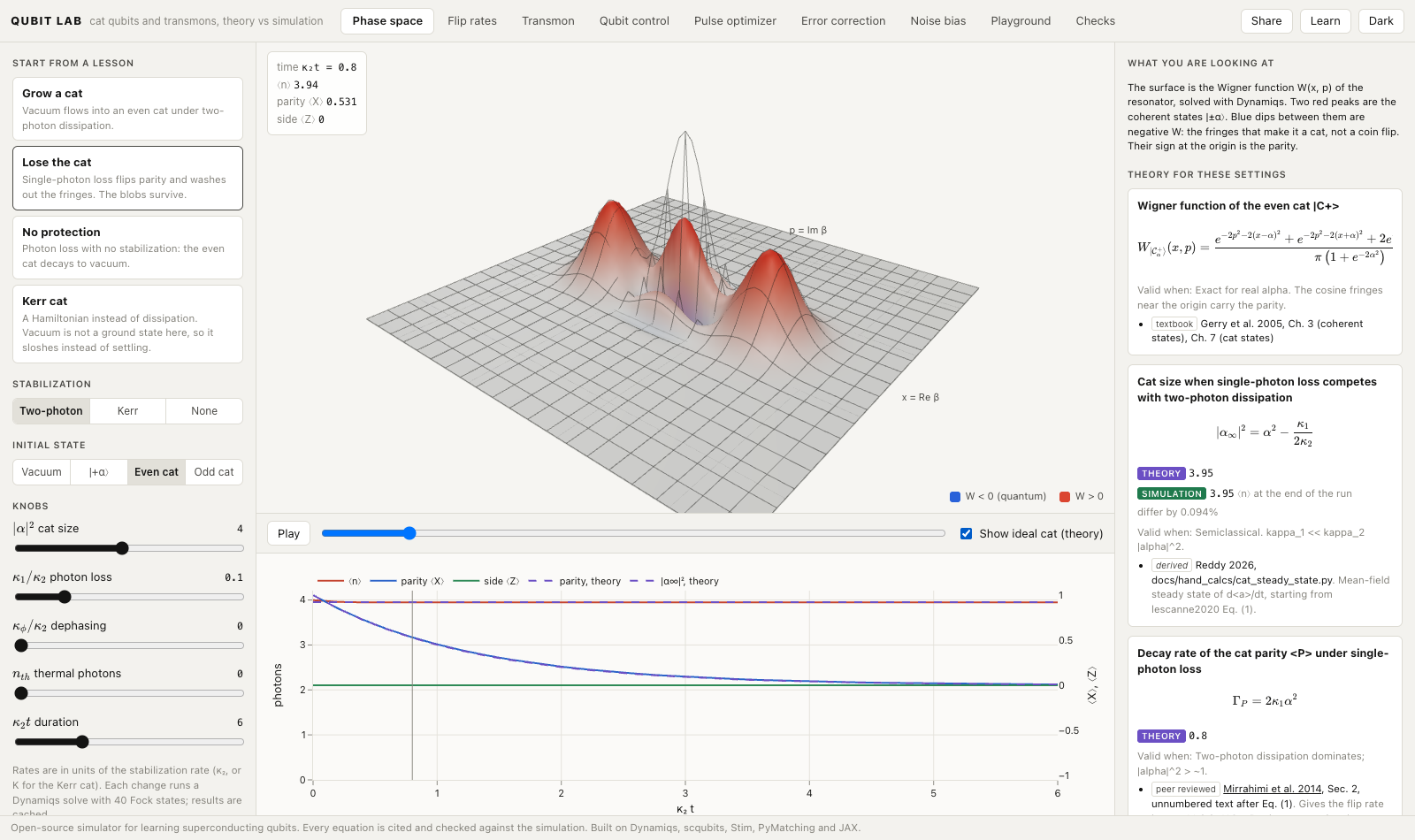
| Phase space | Grow a cat qubit from vacuum, then watch photon loss wash out its fringes, with the ideal cat from theory as a wireframe. |
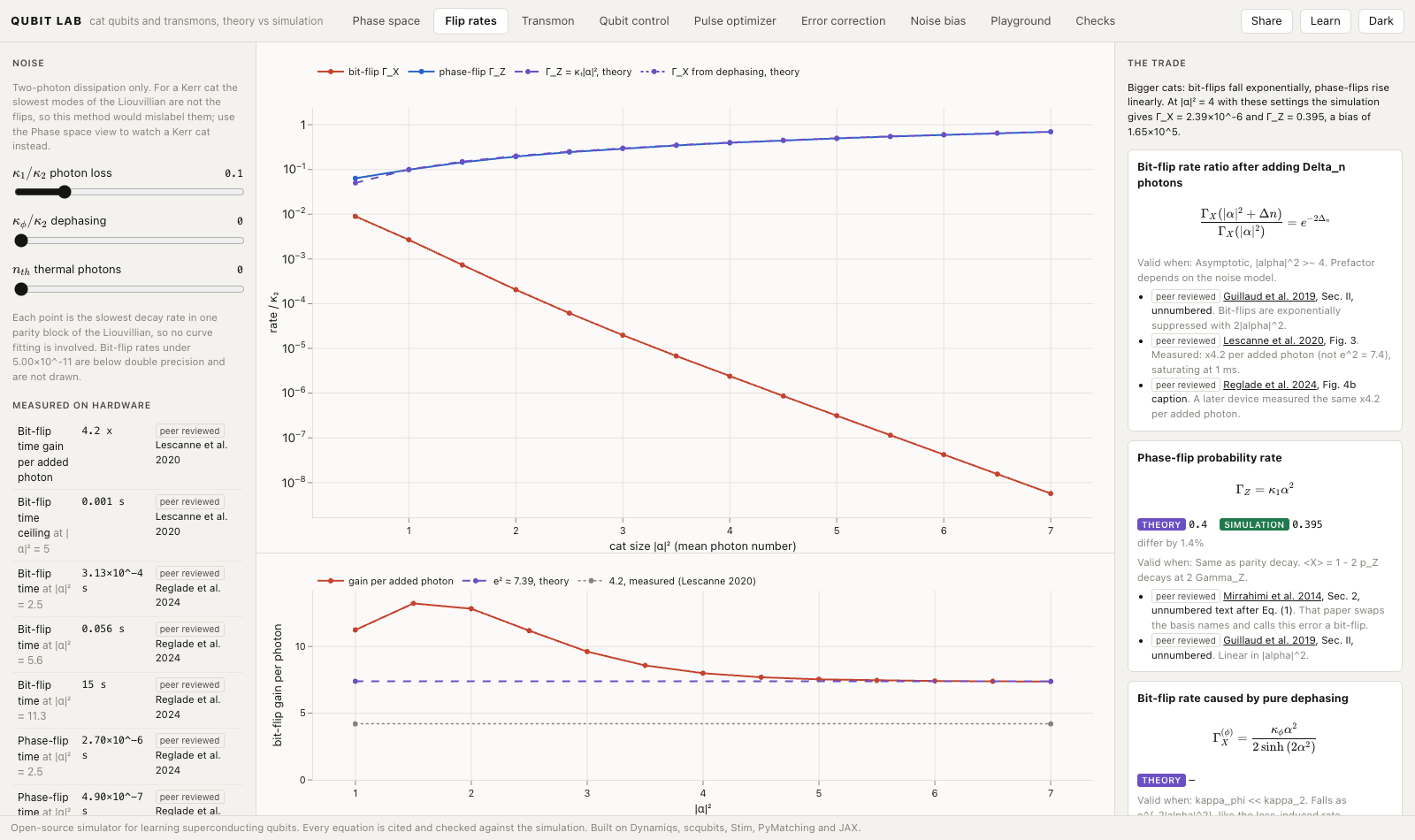
| Flip rates | Drag the cat size and watch bit-flips fall exponentially while phase-flips rise linearly. |
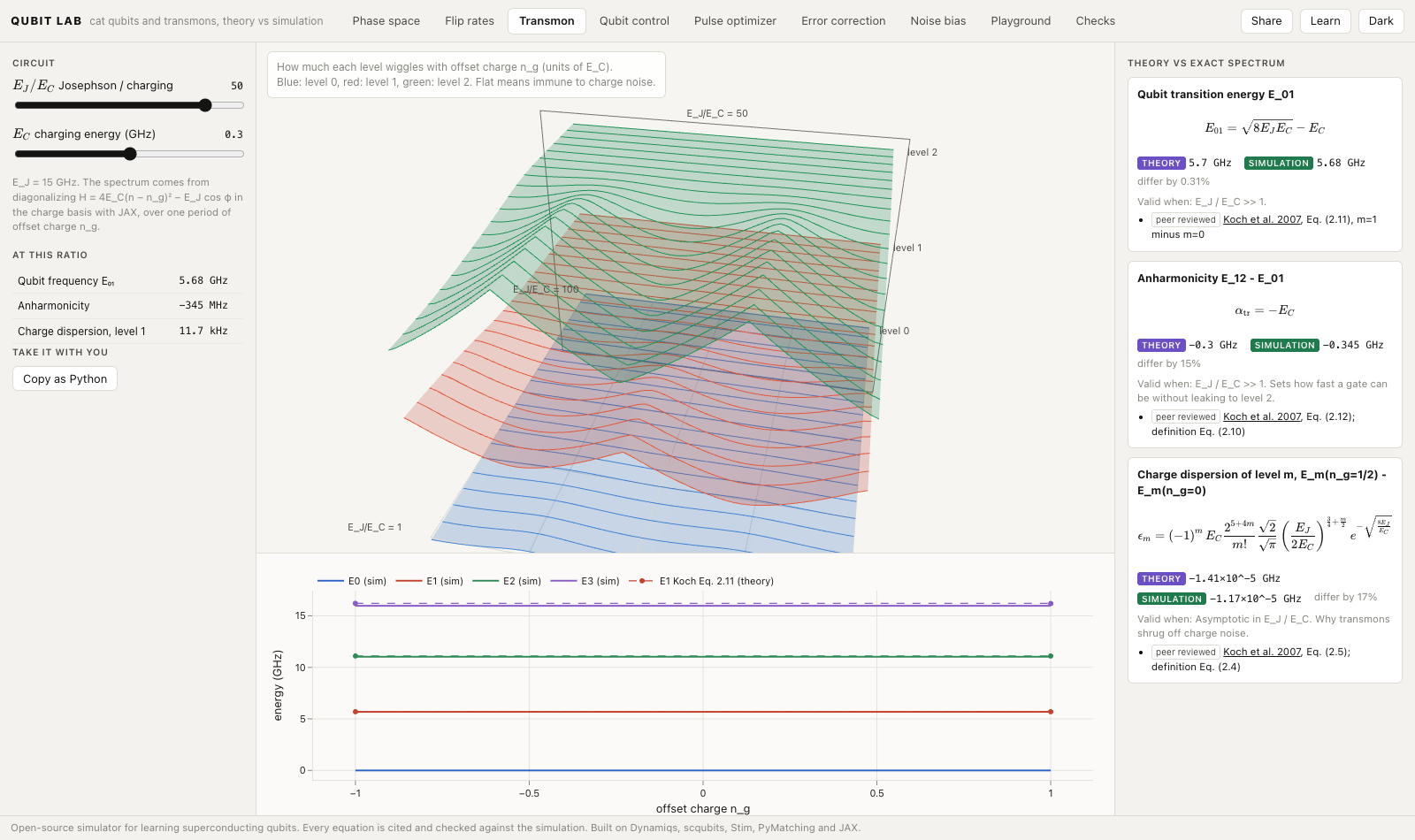
| Transmon | Drag E_J/E_C and watch the charge bands flatten in 3D, next to the closed forms of Koch et al. |
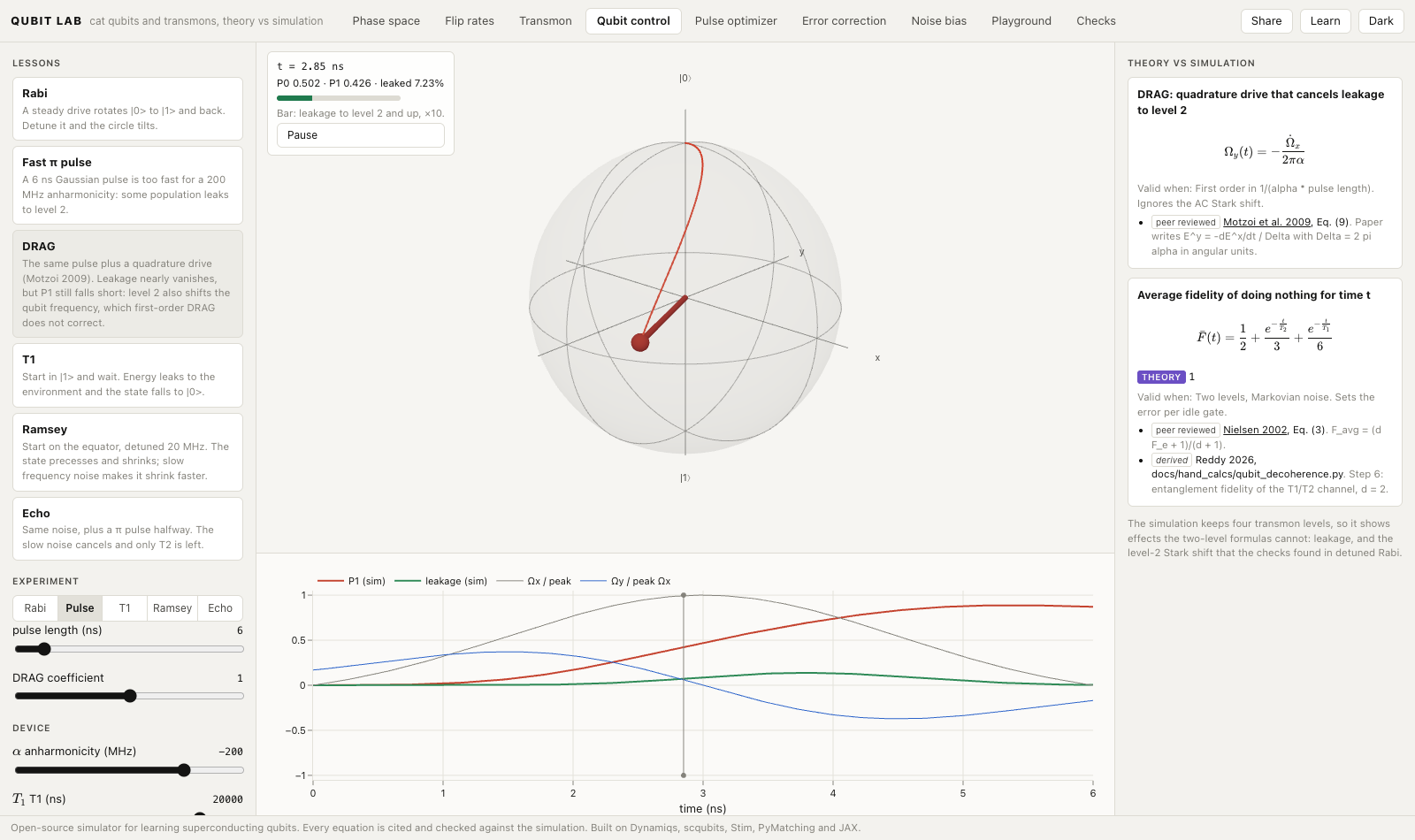
| Qubit control | Run Rabi, π pulse, DRAG, T1, Ramsey and echo on a 4-level transmon and follow the Bloch vector. |
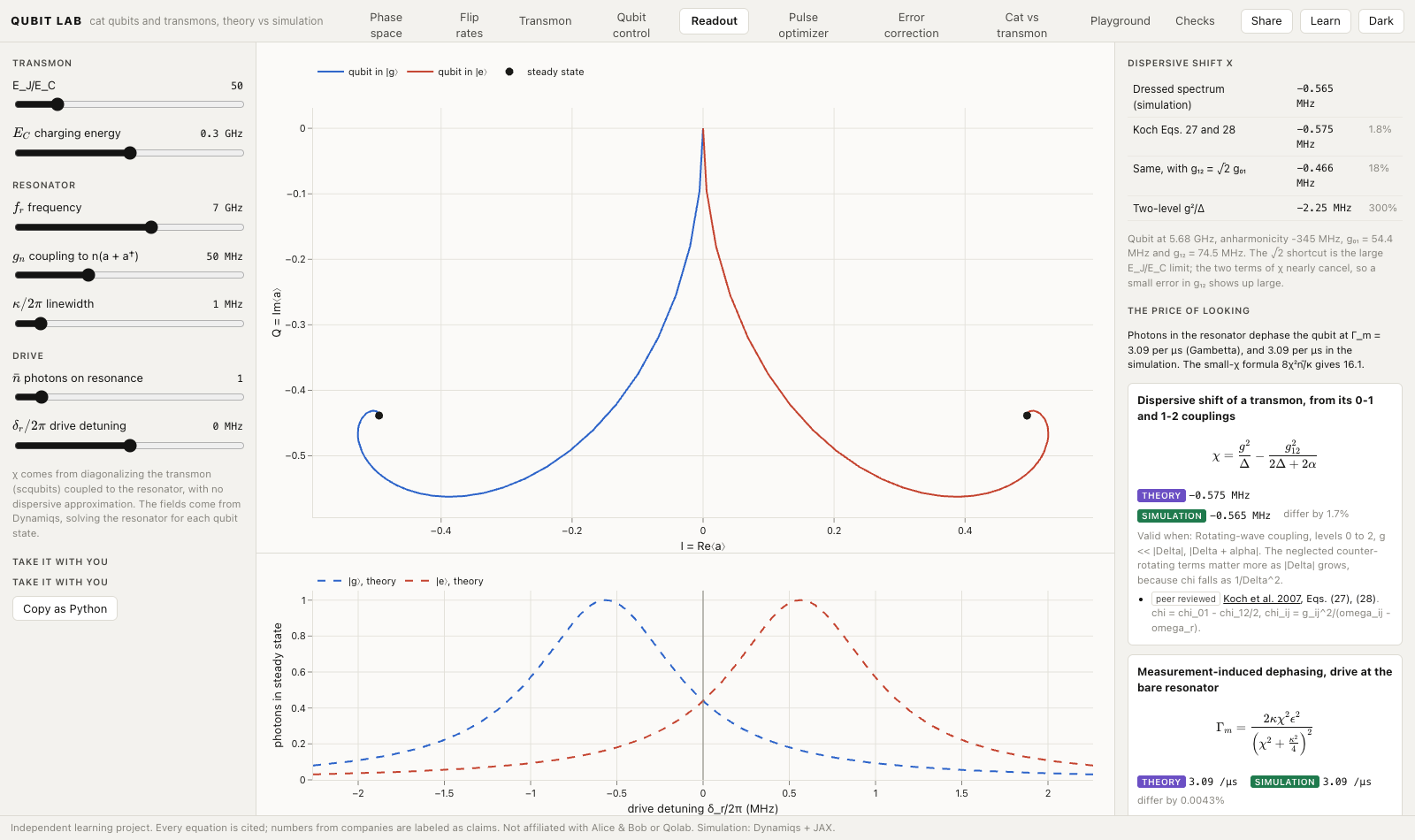
| Readout | Watch a qubit pull its resonator by ±χ, and compare χ from the exact spectrum with three textbook formulas. |
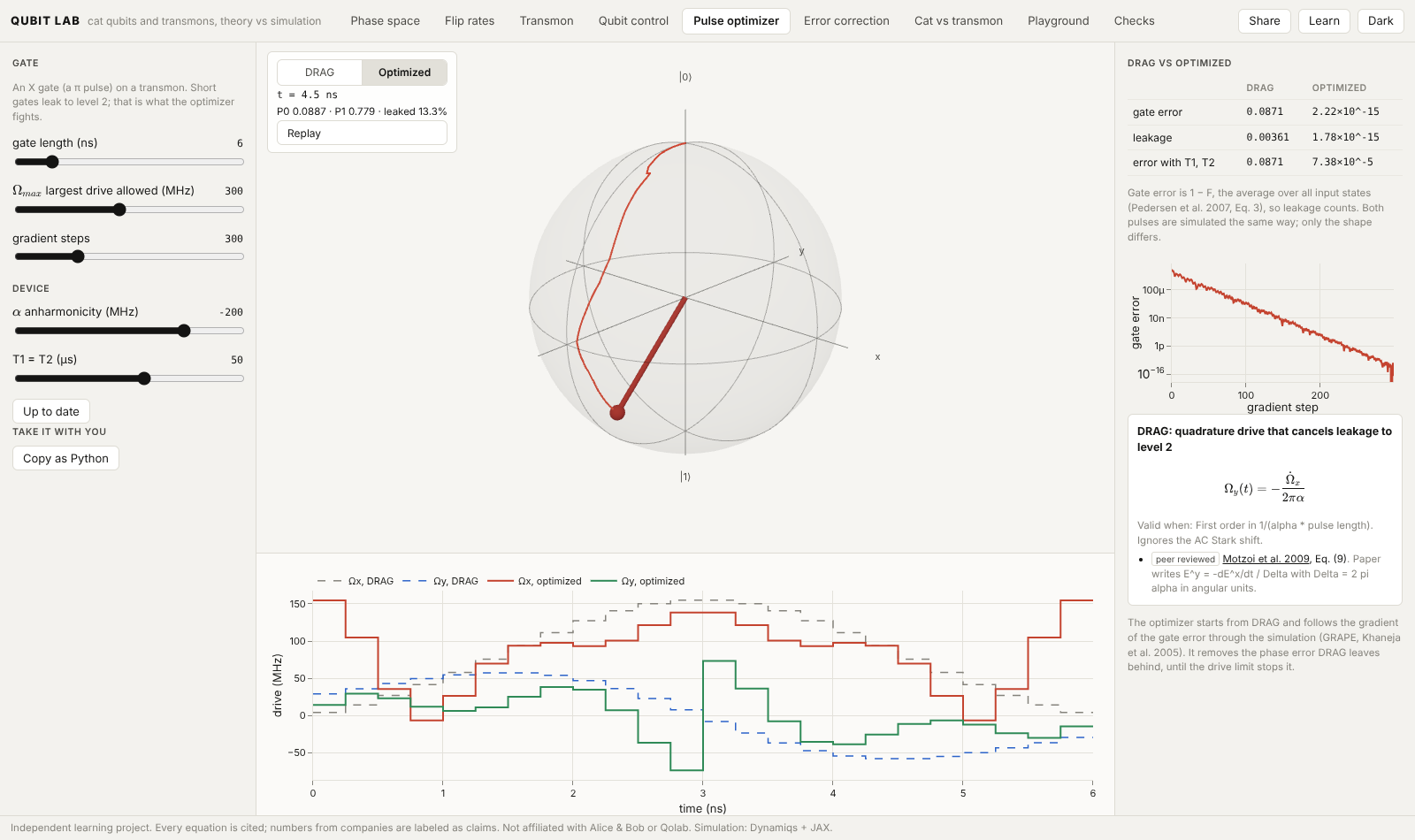
| Pulse optimizer | Let gradient descent through the simulation design a fast gate, and compare it with DRAG. |
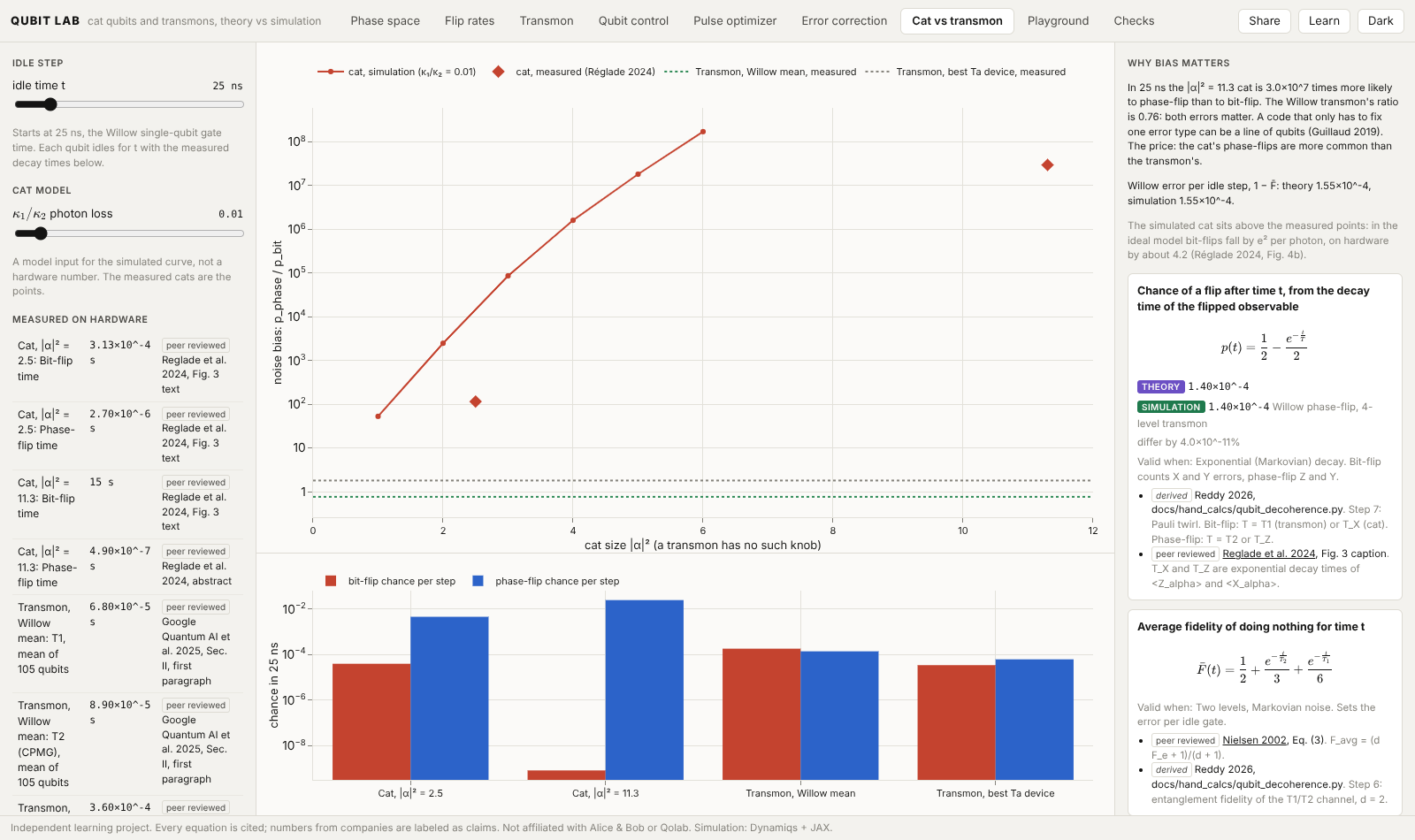
| Noise bias | Compare bit-flip and phase-flip chances for cats and transmons at measured, cited hardware numbers. |
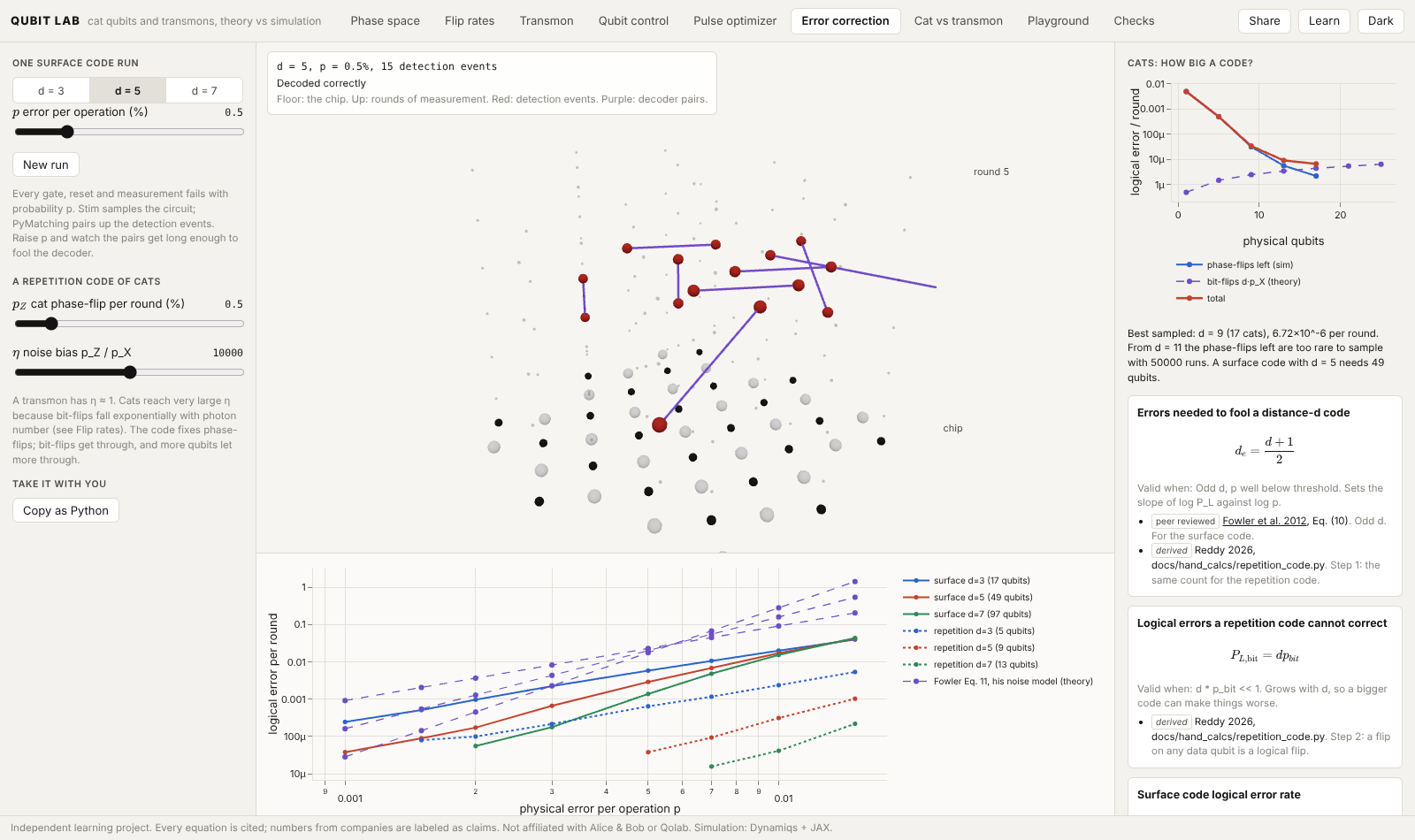
| Error correction | Run surface and repetition codes with Stim, decode with PyMatching, and see errors in space-time. |
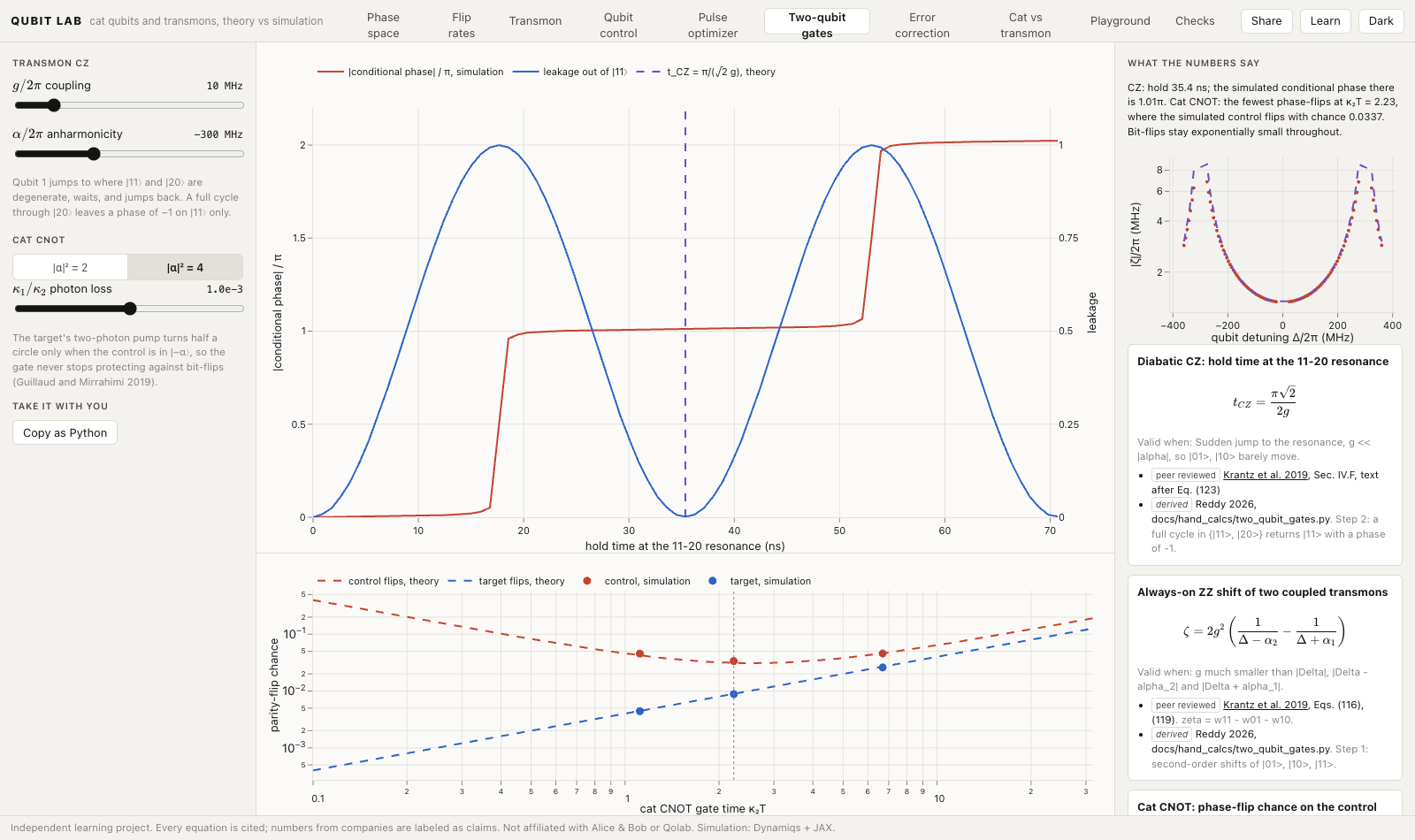
| Two-qubit gates | Run a transmon CZ through the 11-20 crossing and a bias-preserving cat CNOT, next to the papers' error formulas. |
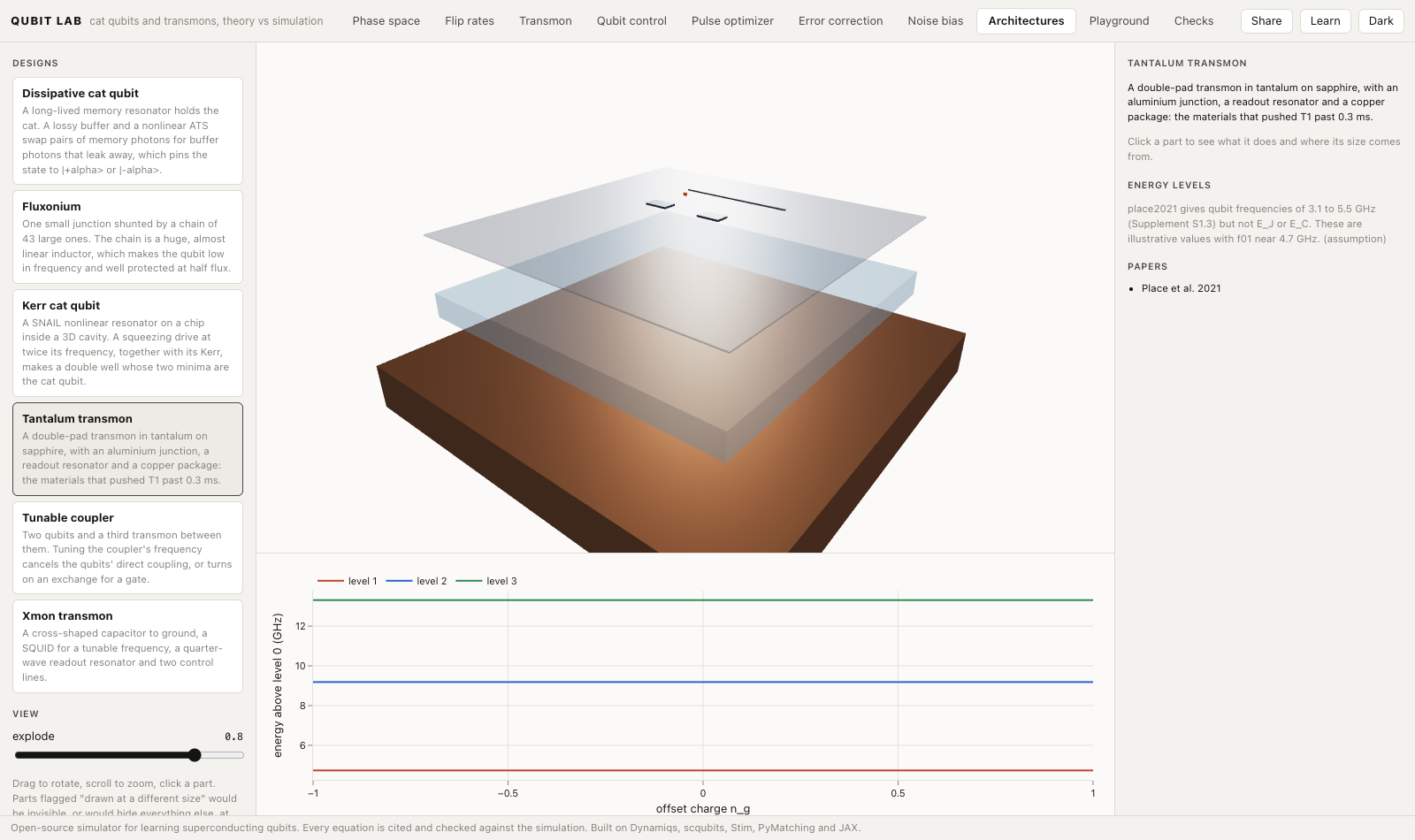
| Architectures | Explode six qubit designs, from the Xmon to the Kerr cat, into their layers, with every size cited or marked schematic. |
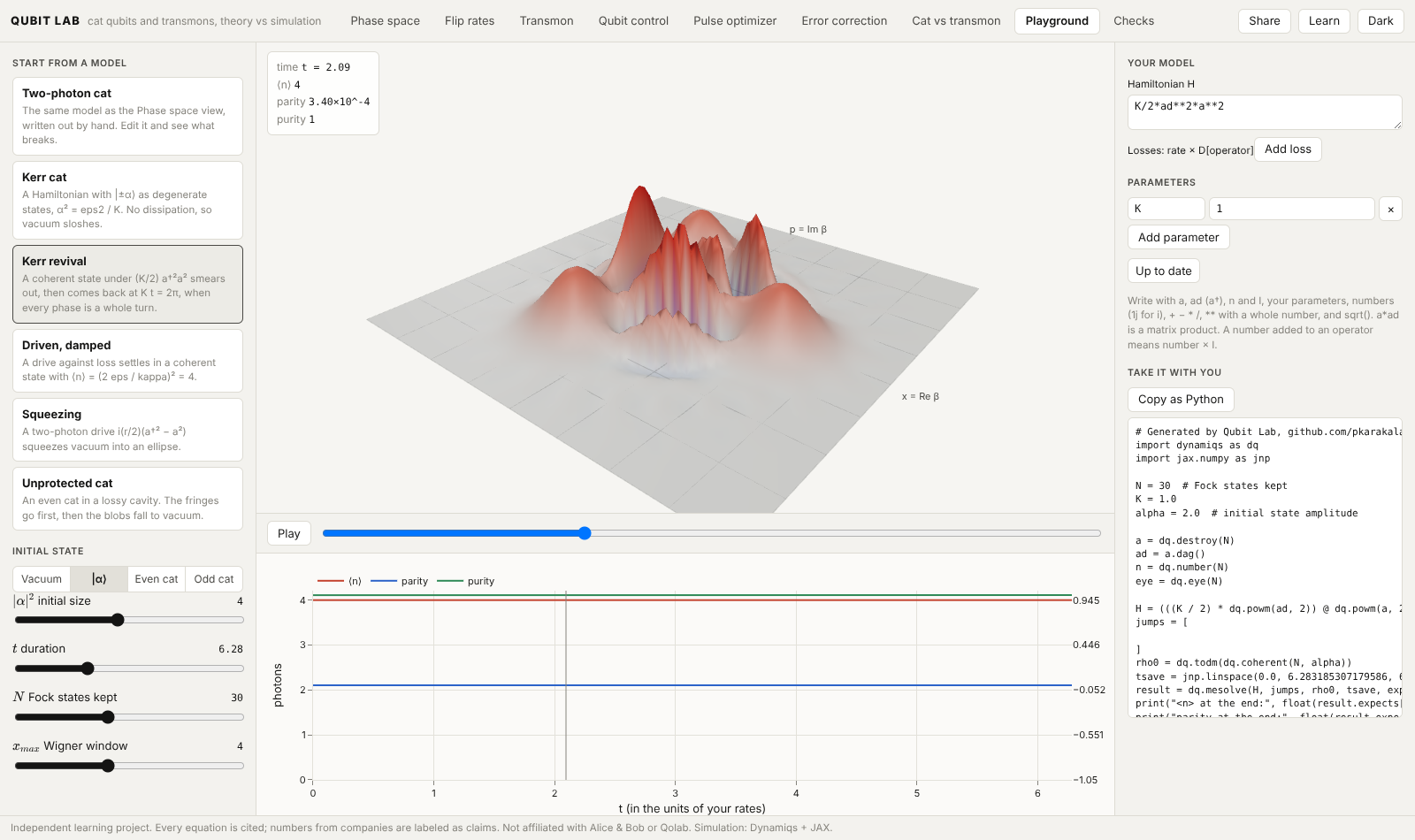
| Playground | Type your own Hamiltonian and losses, watch the Wigner function evolve, and copy the run as Python. |
Every view has Share, a link that restores its inputs, and Copy as Python, a script that reruns the view's simulation next to its theory. CI runs every script, so they stay in step with the code.
How we know it's right
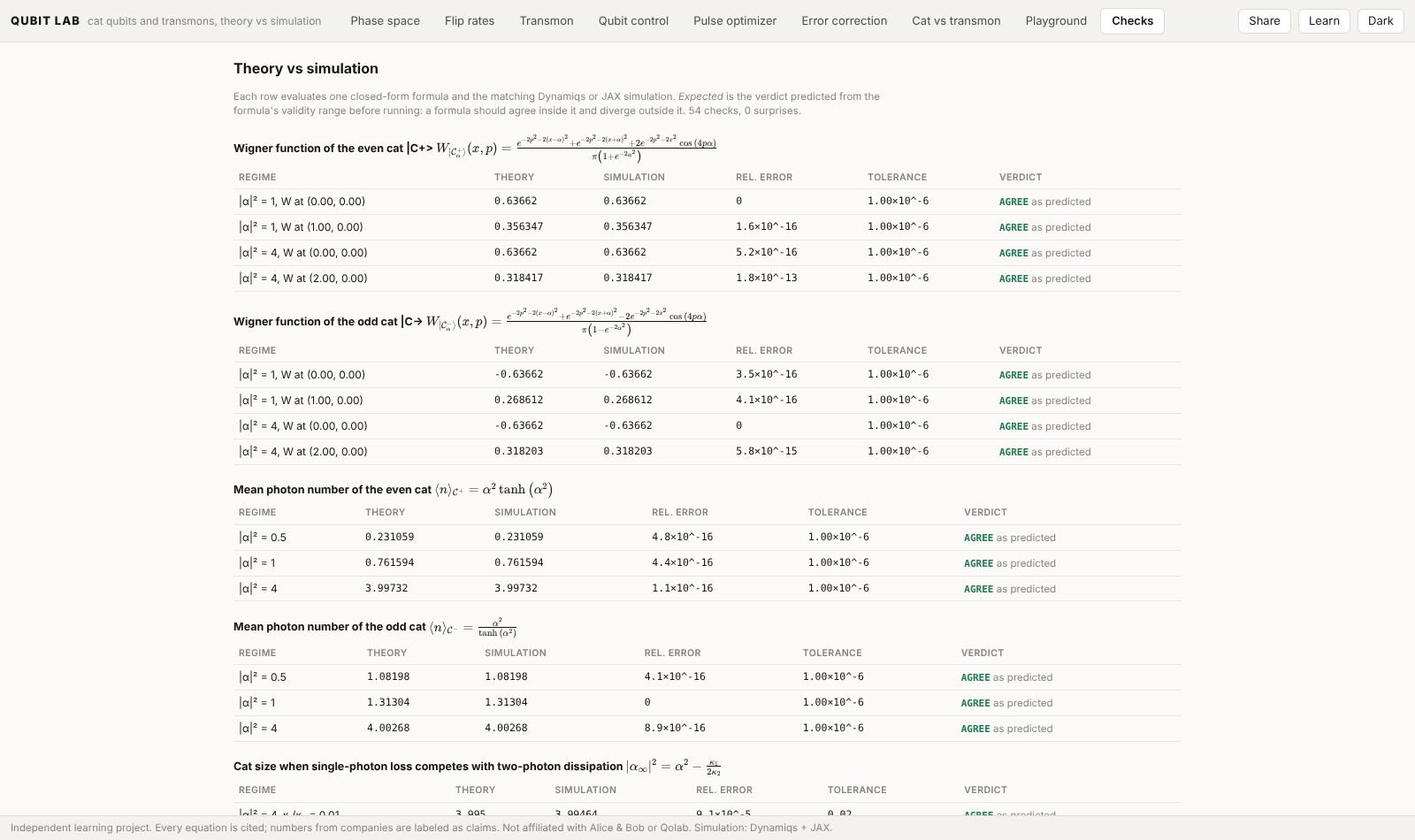
Each formula is compared with a simulation in a regime where it should hold and one where it should not, with the verdict written down before the run. A formula that misses where it should hold is reported, never hidden. The Checks view and docs/reference/checks.md list every comparison; qubitlab checks runs them in the terminal.
Run
Once a release is on PyPI, one command, no Node needed:
pipx run qubitlab serve # or: pip install qubitlab && qubitlab serve
It opens the explorer at http://127.0.0.1:8000. qubitlab checks prints every formula vs the simulation in the terminal.
From a clone, to change the code:
uv sync --all-groups
cd web && npm install && cd ..
./scripts/dev.sh           # API on :8000, explorer on :5173, both reload on save
To try the packaged build from a clone: cd web && npm run build:package, then uv run qubitlab serve.
How it is built
Three layers, kept apart by a test:
- Theory (
src/qubitlab/theory/): each equation is a SymPy expression with its paper and equation number, compiled to JAX. - Simulation (
src/qubitlab/sim/): Dynamiqs for the cat's and the driven transmon's Lindblad equations, scqubits for the transmon's spectrum, Stim and PyMatching for error correction, optax for pulse optimization. - Checks (
src/qubitlab/checks/): theory vs simulation, with the verdict predicted before running.
Learn
Start with docs/learn/: a short course in five parts, from states and noise to qubit designs, control, gates and error correction. Every equation is listed with its source in docs/reference/formulas.md, and every comparison in docs/reference/checks.md.
Limits
The cat model is the standard effective one: a single mode with two-photon dissipation, no buffer mode. Chip geometry is schematic or taken from papers; computing it from a layout with Palace is next (see ROADMAP.md). Rates are in units of κ₂, not hertz. Measured hardware numbers are cited to their papers and shown beside the simulation, never fitted to it. Not affiliated with any company or lab whose work is cited.
Parts of this repo were written with AI coding assistants, directed and reviewed by me. Agent rules are in AGENTS.md.
Apache-2.0 · Pranav Reddy
1 maintainer

Metadata
1 maintainer
Release files for qubitlab 1.0.0
For a detailed explanation of source distributions (sdists) and built distributions (wheels), please see the package formats documentation.
Source distribution (sdist)
| File | Size | Uploaded | Provenance | Actions |
|---|---|---|---|---|
| qubitlab-1.0.0.tar.gz | 1.8 MB | With provenance | Details for qubitlab-1.0.0.tar.gz |
Built distribution (wheel)
| File | Interpreter | ABI | Platform | Actions Reset |
|---|---|---|---|---|
| qubitlab-1.0.0-py3-none-any.whl | Python 3 | none | any | Details for qubitlab-1.0.0-py3-none-any.whl |
Total release size: 3.6 MB
Release files / qubitlab-1.0.0.tar.gz
| Download URL | qubitlab-1.0.0.tar.gz |
|---|---|
| Size | 1.8 MB |
| Tags | Source |
|
SHA-256 checksum How to use checksums |
0d585c5831f0404126a5949c05feeabda73bad9bbbee5e41085bb1e78257bb95
|
|
BLAKE2b-256 checksum How to use checksums |
67cd2748e45fde059cba11e69f91e0f52e4c63bc2cca1e1cbd39e3c0d7dd11a5
|
| Upload date | |
|
Uploaded using Trusted Publishing? What is trusted publishing? |
Yes |
| Uploaded via |
twine/7.0.0 CPython/3.13.16
|
Provenance
Provenance describes where a file came from. On PyPI, provenance is shared via attestations, which provide a verifiable record of the build or publishing details. View details, limitations and caveats.


PyPI Publish Attestation
PyPI verified that this artifact, at this checksum, originated from the publisher listed below.
Signed by GitHub Actions, verified by PyPI on Nov 13, 2026.
Transparency logRelease files / qubitlab-1.0.0-py3-none-any.whl
| Download URL | qubitlab-1.0.0-py3-none-any.whl |
|---|---|
| Size | 1.9 MB |
| Tags | Python 3 |
|
SHA-256 checksum How to use checksums |
f25dc539835cabd8671966d8ffd6c6b9b9f8ccefdeb786cf35f0dc653c1cfb41
|
|
BLAKE2b-256 checksum How to use checksums |
dc7f4e14c0c5d79f19e773676e8e6e814acdbb9ebf4a5ab5bf365109199493c6
|
| Upload date | |
|
Uploaded using Trusted Publishing? What is trusted publishing? |
Yes |
| Uploaded via |
twine/7.0.0 CPython/3.13.16
|
Provenance
Provenance describes where a file came from. On PyPI, provenance is shared via attestations, which provide a verifiable record of the build or publishing details. View details, limitations and caveats.
PyPI Publish Attestation
PyPI verified that this artifact, at this checksum, originated from the publisher listed below.
Signed by GitHub Actions, verified by PyPI on Nov 13, 2026.
Transparency logSecurity for qubitlab 1.0.0
Provenance
Provenance describes where a file came from. On PyPI, provenance is shared via attestations, which provide a verifiable record of the build or publishing details. View details, limitations and caveats.
Full provenance
Both files in this release have been uploaded with provenance metadata.
Attestation for qubitlab-1.0.0.tar.gz
PyPI Publish Attestation
PyPI verified that this artifact, at this checksum, originated from the publisher listed below.
Signed by GitHub Actions, verified by PyPI on Nov 13, 2026.
Transparency logA note on package security
PyPI is a repository for distributing packages, not a service for auditing them. While third-party security researchers and our staff do their best to detect and remove malicious packages, PyPI cannot guarantee the quality, security or suitability of any given package.
To learn more about protecting yourself from malicious actors, visit our package security documentation.














