

Interactive ER diagrams from QuickDBD text or a dbt project, readable at 200+ tables
Docs · Live demos · Quickstart · PyPI
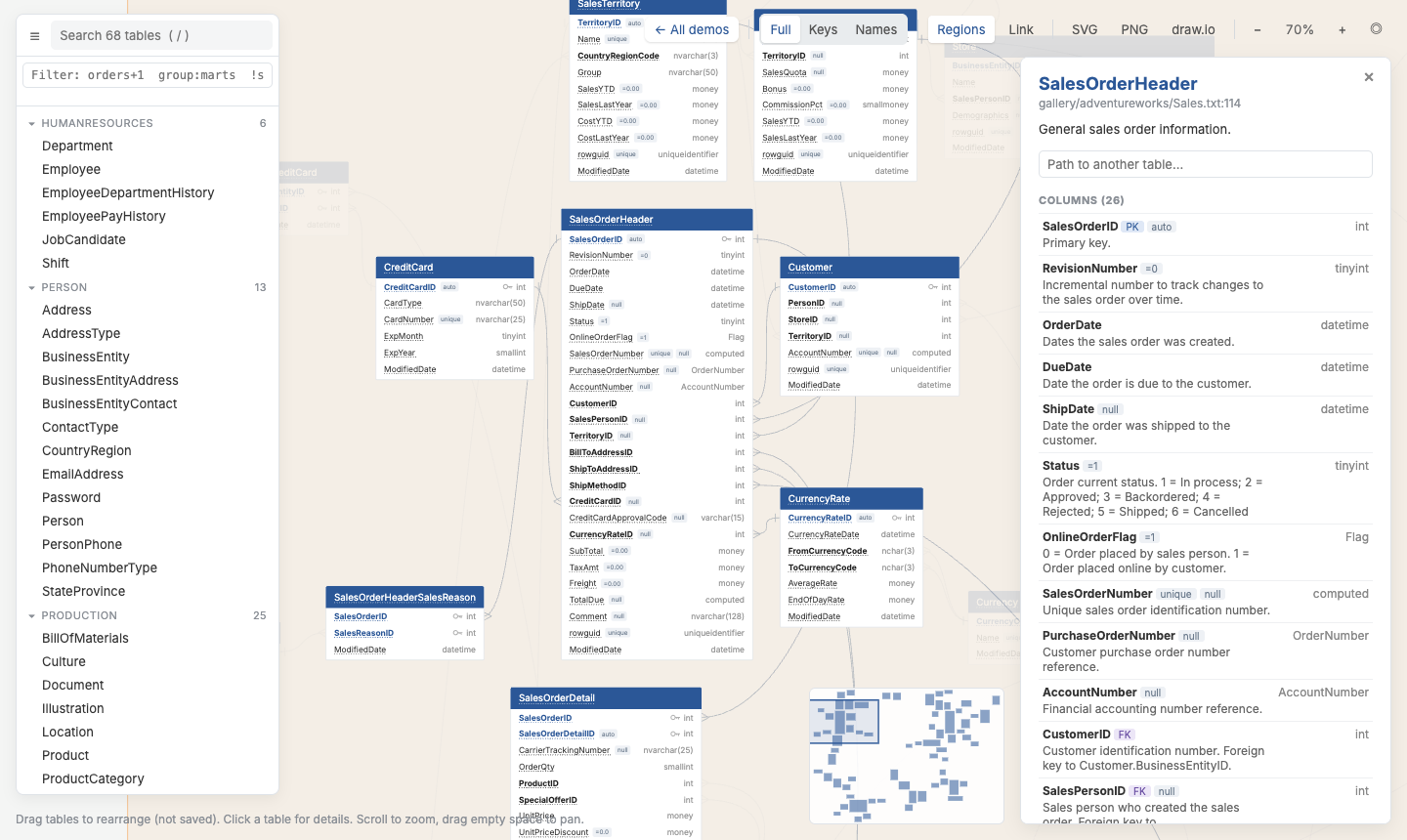
AdventureWorks (68 tables) with its column descriptions, built by qdbd. Try it live →
What is qdbd?
qdbd is a command-line tool that turns a database schema written as text into an interactive ER diagram.
- Diagrams drawn by hand look good, but they live outside the repo and go stale the first time the schema changes.
- Generated diagrams stay current, but most become unreadable past a few dozen tables.
With qdbd the schema is a plain-text file in git, written in QuickDBD's syntax or generated from a dbt project. qdbd checks it, lays it out, and builds one self-contained HTML page you can search, filter, click through and share.
You get a diagram that lives next to your code and stays usable at hundreds of tables.
qdbd is not affiliated with QuickDBD. It reads the same text syntax, so schemas copy back and forth between the two.
Key features
- QuickDBD-compatible: the parser mirrors QuickDBD's own, error messages included. A file that passes
qdbd check --strictpastes into QuickDBD unchanged. - dbt import:
qdbd import dbtreadsmanifest.json. Primary keys come fromunique+not_nulltests or constraints, relationships fromrelationshipstests, and--infer-fksfills the gaps from column names. - Readable at 200+ tables: automatic layout, search, dbt-style selectors (
+orders+1,group:marts,tag:fact), shaded regions per file, collapsed views and a minimap. - Review changes in pull requests:
qdbd diffreports what a branch changed, the GitHub Action posts it as a PR comment, and--diff-basecolours the changes in the diagram. - One schema, many outputs: an HTML page, PNG, SVG, editable draw.io, or a shareable link. Installs with pip: no Node, Graphviz or browser needed.
Demo gallery
Every demo is a single HTML page written by qdbd build, from a QuickDBD schema or a dbt manifest.
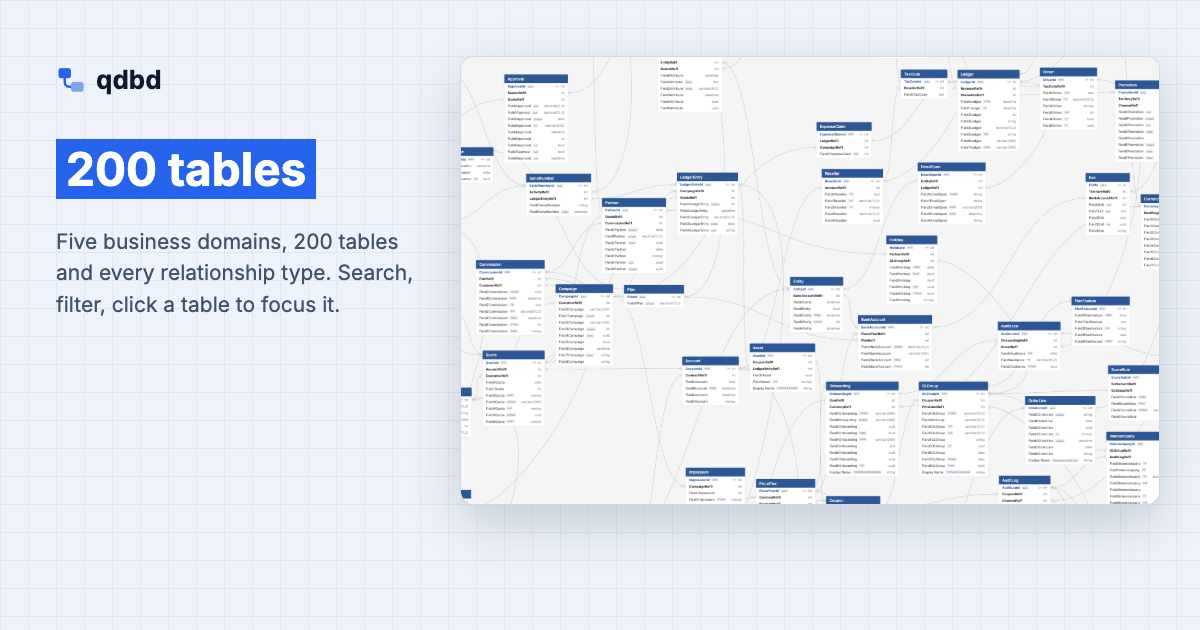 200 tables Five business domains, 200 tables and every relationship type. Search, filter, click a table to focus it. |
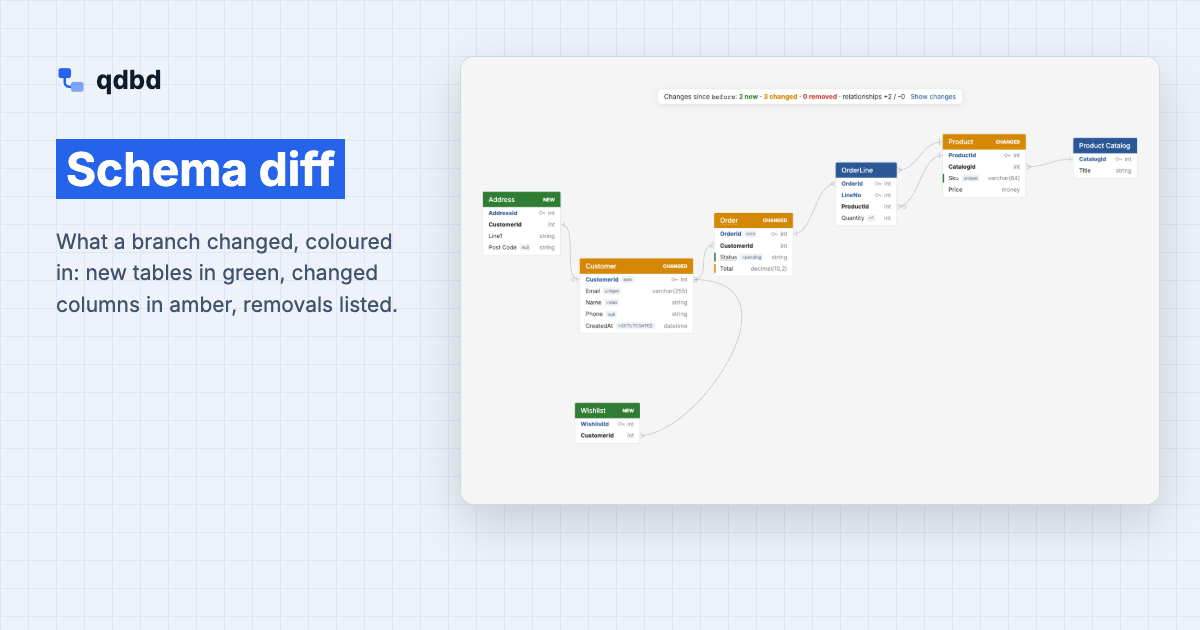 Schema diff What a branch changed, coloured in: new tables in green, changed columns in amber, removals listed. |
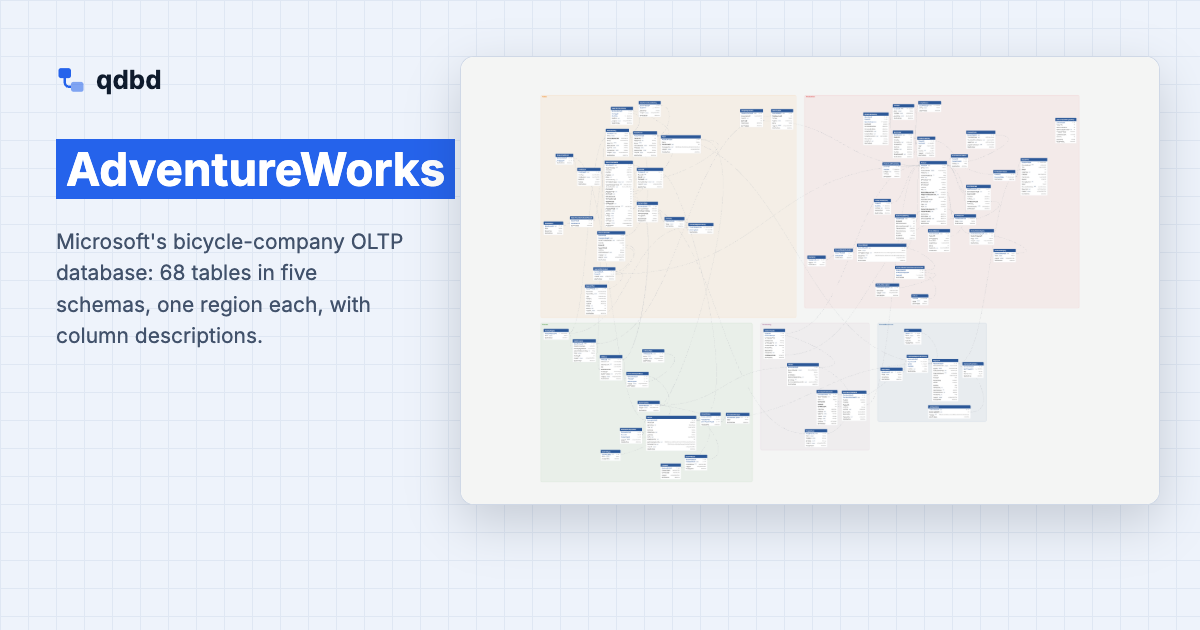 AdventureWorks Microsoft's bicycle-company OLTP database: 68 tables in five schemas, one region each, with column descriptions. |
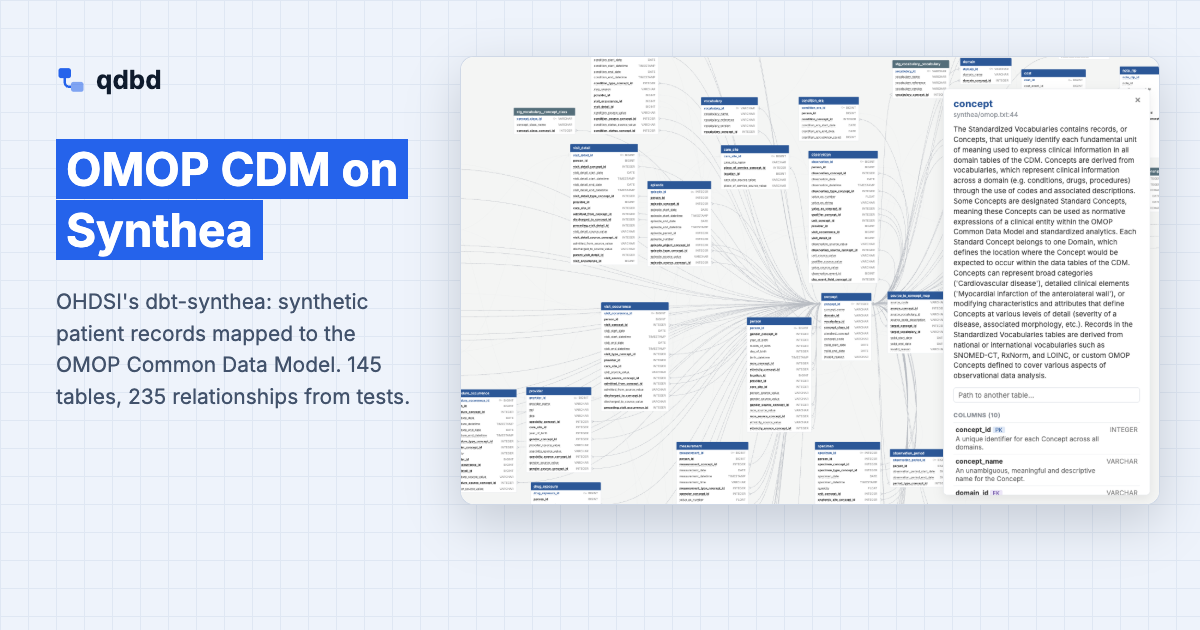 OMOP CDM on Synthea OHDSI's dbt-synthea: synthetic patient records mapped to the OMOP Common Data Model. 145 tables, 235 relationships from tests. |
Quickstart
Fastest start: try it without installing
curl -O https://raw.githubusercontent.com/MarkPhamm/quickdbd-cli/main/examples/quickdbd-sample.txt
uvx --from quickdbd-cli qdbd serve quickdbd-sample.txt
A browser tab opens with the diagram and an editor. Change the text and the diagram reloads; drag tables to arrange them.
Or step by step
1. Install
pipx install quickdbd-cli # or: pip install quickdbd-cli / uv tool install quickdbd-cli
Python 3.11+. See Install for other options.
2. Write a schema, or generate one from dbt
Save this as schema.txt, or paste in a schema from QuickDBD unchanged:
Customer
-
CustomerId PK int
Email string UNIQUE

Order as o
----
OrderId PK int
CustomerId int FK >- Customer.CustomerId
Total decimal(10,2)
A table is a name, a line of dashes, then one column per line. FK >- Customer.CustomerId means many orders to one customer. The full syntax is in Schema Syntax.
For a dbt project, generate the schema instead:
dbt docs generate                                  # writes target/manifest.json + catalog.json
qdbd import dbt target/ -o erd/ --infer-fks        # one .txt file per dbt folder
3. Edit it live
qdbd serve schema.txt
Edit in the browser or in your own editor; the diagram reloads on save. Dragged positions are saved to schema.layout.json, which you commit next to the schema.
4. Build, export and share
qdbd build schema.txt -o schema.html      # one self-contained page
qdbd export schema.txt -o schema.png      # or .svg, .drawio
qdbd share schema.txt                     # a link to the page, via a GitHub gist
Run in CI
The GitHub Action checks the schema and builds the diagram. On pull requests it also posts one schema-diff comment, updated on every push.
# .github/workflows/erd.yml
name: ERD
on: [pull_request, push]
jobs:
  erd:
    runs-on: ubuntu-latest
    permissions: { contents: read, pull-requests: write }
    steps:
      - uses: actions/checkout@v4
      - uses: MarkPhamm/quickdbd-cli@v0.1.11
        with:
          path: erd/                  # schema file(s) or folder(s)
          output: site/index.html
dbt projects, GitHub Pages, pre-commit and GitLab CI are covered in CI and Automation.
How qdbd works
dbt project ──qdbd import dbt──┐
                               ├──▶ schema/*.txt   (QuickDBD syntax, in git)
hand-written / pasted ─────────┘           │
                                           ├──▶ qdbd check   validation, QuickDBD's error messages  ──▶ CI gate
                                           ├──▶ qdbd serve   live editor, drag to arrange           ──▶ schema.layout.json
                                           ├──▶ qdbd build   interactive HTML                       ──▶ GitHub Pages, artifacts
                                           ├──▶ qdbd diff    what changed vs main                   ──▶ PR comment
                                           └──▶ qdbd export  PNG · SVG · draw.io                    ──▶ docs, slides, wikis
- The parser follows QuickDBD's own parser step by step, so the same text gives the same tables and the same errors.
- The layout comes from ELK. Positions you drag are saved by table name, and new tables are placed next to the tables they relate to, so the diagram doesn't reshuffle.
- One renderer draws both the page and the images. It runs in the browser, and inside an embedded JavaScript engine for CLI exports, so a PNG always matches the page.
- Builds are deterministic: no timestamps or randomness, so the output only changes when the schema does.
What it looks like
1. The schema, a text file in your repo:
# Every order belongs to one customer.
Order as o
----
OrderId PK int IDENTITY
CustomerId int FK >- Customer.CustomerId
Status string="pending" # current fulfilment state
2. The command:
qdbd build schema/ -o erd.html
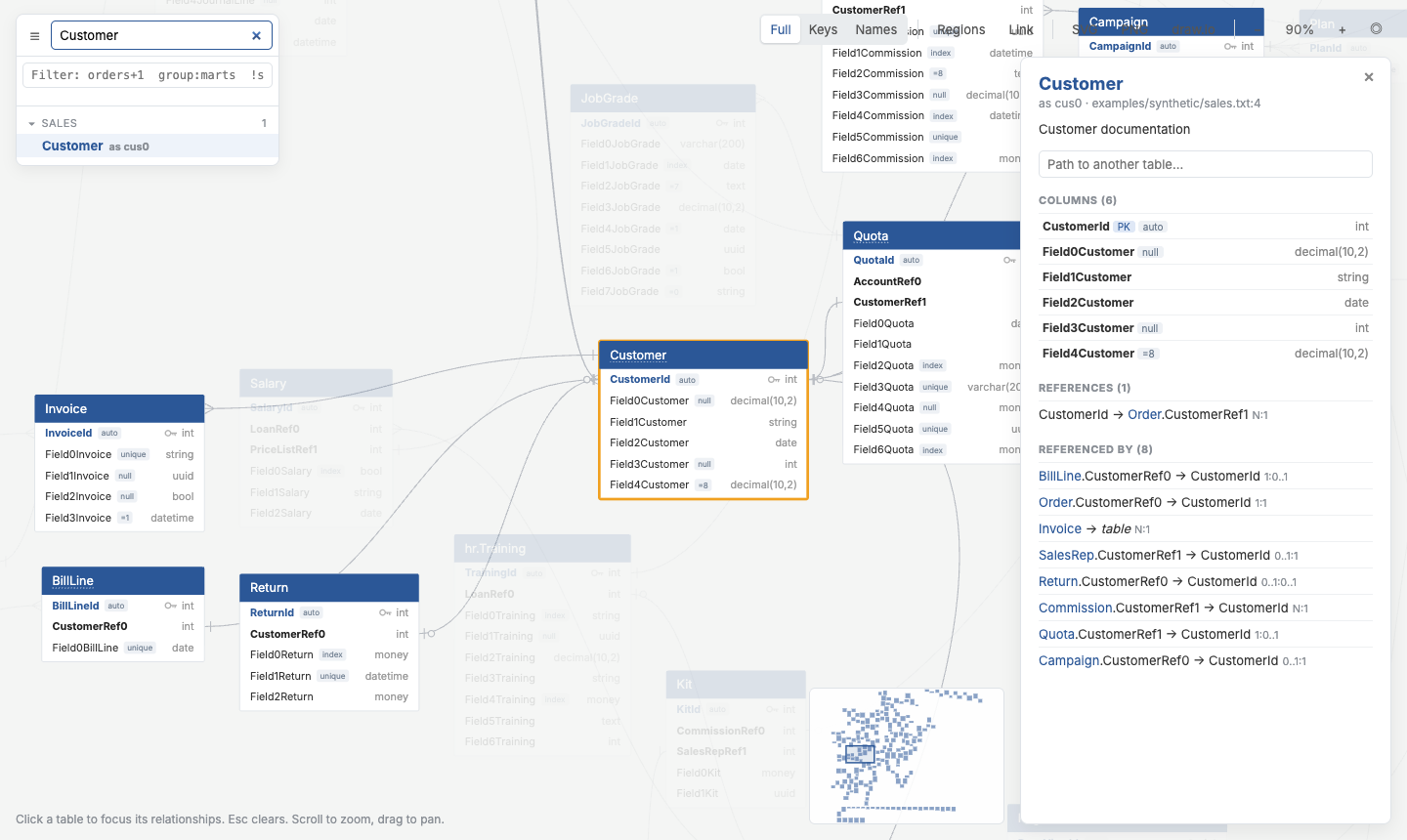
3. The page: click a table for its columns, comments and relationships, or type another table's name to get the join path as SQL.
qdbd and QuickDBD
| qdbd | QuickDBD | |
|---|---|---|
| Text syntax | QuickDBD's | QuickDBD's |
| Tables per diagram | no limit | 10 on the free plan |
| Where it runs | your terminal and CI; the result is a static HTML file | the QuickDBD web app |
| Where the schema lives | .txt files in your git repo |
the web app |
| dbt import, schema diffs, PR comments | ✅ | — |
Use QuickDBD's editor when you want it: a schema that passes qdbd check --strict pastes in unchanged.
FAQ
Do I need a QuickDBD account? No. qdbd only borrows the text syntax.
Does qdbd connect to my database?
No. It reads .txt schema files or a dbt manifest.json. Nothing connects to a warehouse.
Does my schema leave my machine?
Only if you run qdbd share, which uploads the page to a GitHub gist in your account (secret by default). qdbd serve loads its code editor from a CDN; the built pages load nothing.
How big can a diagram get?
The demos go up to 200 tables. Search, selectors, regions and collapsed views keep large diagrams workable; --select builds a page with just the part you need.
Can I edit the diagram by hand?
You edit the text; the diagram is generated from it. Table positions are the one thing you arrange yourself, by dragging in qdbd serve.
Learn more
- Install and Quick Start
- Schema Syntax, many files, table positions, tags and colours
- Reading the Diagram, selectors, exports, sharing a link
- dbt Projects, with a jaffle_shop walkthrough
- Schema Diffs, the GitHub Action and the CLI reference
- Development: working on qdbd itself, releasing, and adding a demo
About the author
qdbd is built and maintained by Minh (Mark) Pham (@MarkPhamm). Issues, ideas and pull requests are welcome on GitHub.
License
Apache-2.0. Bundled third-party files (ELK, Inter) and the sources of the demo schemas are listed in NOTICE.
1 maintainer

Metadata
1 maintainer
Release files for quickdbd-cli 0.1.13
For a detailed explanation of source distributions (sdists) and built distributions (wheels), please see the package formats documentation.
Source distribution (sdist)
| File | Size | Uploaded | Provenance | |
|---|---|---|---|---|
| quickdbd_cli-0.1.13.tar.gz | 1.2 MB | Without provenance | Details |
Built distribution (wheel)
| File | Interpreter | ABI | Platform | Reset |
|---|---|---|---|---|
| quickdbd_cli-0.1.13-py3-none-any.whl | Python 3 | none | any | Details |
Total release size: 2.4 MB
Release files / quickdbd_cli-0.1.13.tar.gz
| Download URL | quickdbd_cli-0.1.13.tar.gz |
|---|---|
| Size | 1.2 MB |
| Tags | Source |
|
SHA-256 checksum How to use checksums |
bc651feef55b5820ece6fe019c5575967af1c1f1c14cb9133f715ed082a96466
|
|
BLAKE2b-256 checksum How to use checksums |
8f9878da5cf440a2355ef7d661d85811d26380dd56a470aa6135f3e7e2c493ff
|
| Upload date | |
|
Uploaded using Trusted Publishing? What is trusted publishing? |
No |
| Uploaded via |
twine/7.0.0 CPython/3.13.15
|
Release files / quickdbd_cli-0.1.13-py3-none-any.whl
| Download URL | quickdbd_cli-0.1.13-py3-none-any.whl |
|---|---|
| Size | 1.2 MB |
| Tags | Python 3 |
|
SHA-256 checksum How to use checksums |
8e1b1d7fe8a0d93e70c2988705c35f6b6e9300f3e29fbbe65e0257873a624e63
|
|
BLAKE2b-256 checksum How to use checksums |
5c963ec8f210e1e10e9f5cab4ab0aa33c2e323ba815bb87bdecb3b8f87030516
|
| Upload date | |
|
Uploaded using Trusted Publishing? What is trusted publishing? |
No |
| Uploaded via |
twine/7.0.0 CPython/3.13.15
|
Security for quickdbd-cli 0.1.13
Provenance
Provenance describes where a file came from. On PyPI, provenance is shared via attestations, which provide a verifiable record of the build or publishing details. View details, limitations and caveats.
No provenance found
None of the files in this release were uploaded with provenance metadata.
A note on package security
PyPI is a repository for distributing packages, not a service for auditing them. While third-party security researchers and our staff do their best to detect and remove malicious packages, PyPI cannot guarantee the quality, security or suitability of any given package.














