
quickscaff 🚀



quickscaff is a modern, lightweight Python CLI tool designed to instantly scaffold project file trees, directory structures, and boilerplate templates.
✨ Features
- ⚡ Fast Scaffolding: Create production-ready folder structures in milliseconds.
- 📁 Custom Templates: Point to local template directories (
--template ./my-template). - 🤖 Interactive Mode: Prompt-driven setup (
quickscaff new -i). - 🪝 Post-Generation Hooks: Auto
git init(--git) and.venvcreation (--venv). - 🔍 Dry Run: Preview generated files before writing (
--dry-run). - 📦 Built-in Templates: Choose from pre-configured layouts (
basic,package,cli). - 🎨 Template Engine: Dynamic variable substitution (
$name,$author,$version,$year). - 🛡️ Safe Filesystem Operations: Cross-platform path handling using Python's
pathlib. - 🧪 Tested & Reliable: 100% automated unit test coverage with
pytest.
💻 Installation
Install via pip:
pip install quickscaff
For local development:
git clone https://github.com/abdullacharoliya4-eng/quickscaff.git
cd quickscaff
pip install -e .
🚀 Quick Start
1. Scaffold a Basic Project
quickscaff new my_script --type basic
Output
[quickscaff] Scaffolding 'my_script' using 'basic' template...
[success] Created project at: /home/user/my_script

Next steps:
  cd my_script

my_script/
├── .gitignore
├── README.md
└── main.py
2. Scaffold a Full Python Package
quickscaff new my_package --type package --author "Abdulla" --description "A custom Python library"
Output
[quickscaff] Scaffolding 'my_package' using 'package' template...
[success] Created project at: /home/user/my_package

Next steps:
  cd my_package

my_package/
├── .gitignore
├── README.md
├── pyproject.toml
├── my_package/
│   ├── __init__.py
│   └── module.py
└── tests/
    ├── __init__.py
    └── test_module.py
3. Scaffold a CLI Application
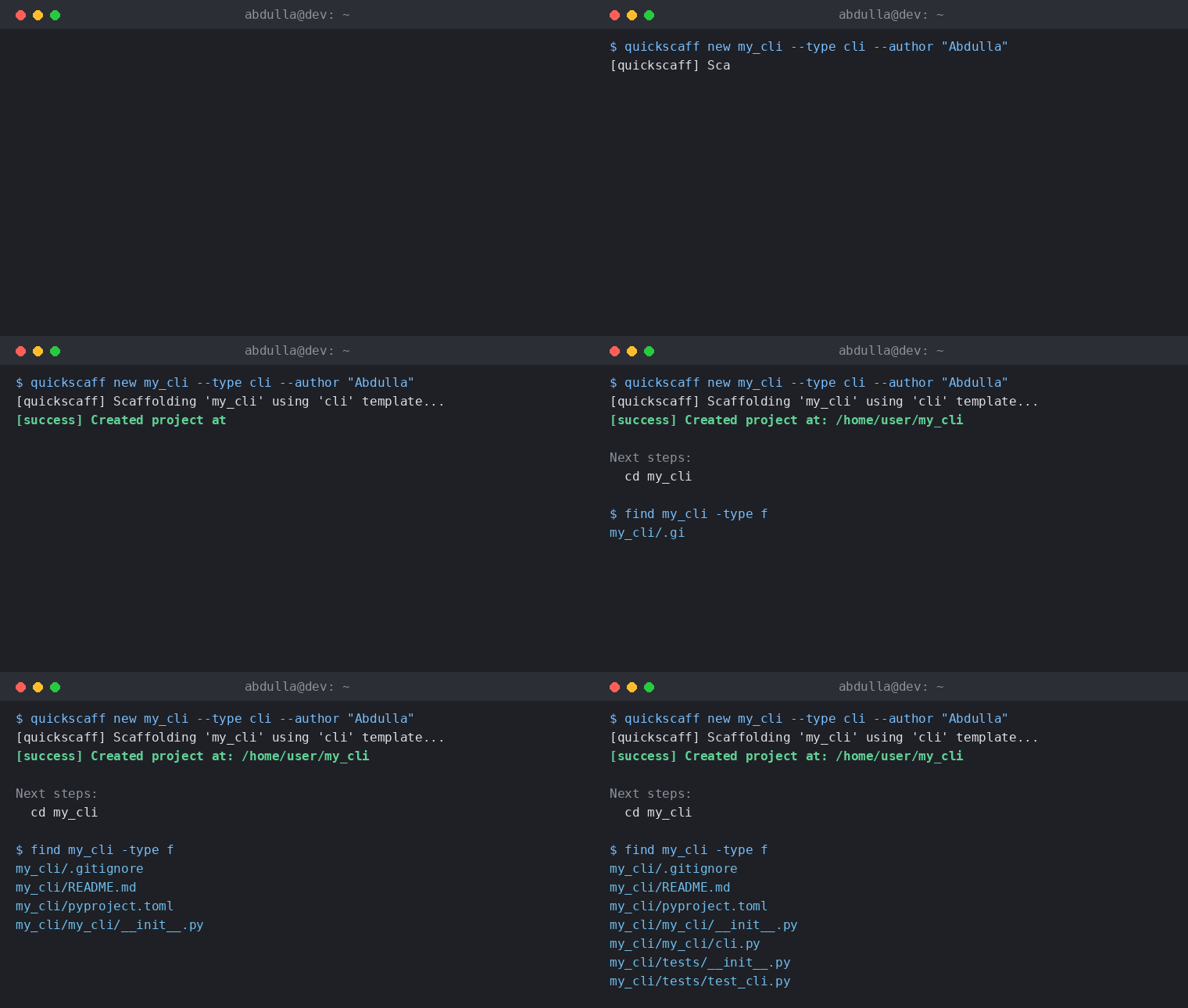
quickscaff new my_cli --type cli --author "Abdulla"
Output
[quickscaff] Scaffolding 'my_cli' using 'cli' template...
[success] Created project at: /home/user/my_cli

Next steps:
  cd my_cli

my_cli/
├── .gitignore
├── README.md
├── pyproject.toml
├── my_cli/
│   ├── __init__.py
│   └── cli.py
└── tests/
    ├── __init__.py
    └── test_cli.py
4. List All Supported Templates
quickscaff list
Output
Available quickscaff Templates:
  - basic
  - package
  - cli
5. Custom Directory Template
quickscaff new my_custom_project --template ./my-custom-template
6. Post-Generation Hooks (Git & Venv)
quickscaff new my_app --type package --git --venv
7. Dry-Run Preview
quickscaff new my_app --type cli --dry-run
📂 Supported Templates
| Template | Description | Key Files Generated |
|---|---|---|
basic |
Minimal python script | README.md, main.py, .gitignore |
package |
Standard Python library | pyproject.toml, README.md, {name}/module.py, tests/ |
cli |
CLI Application template | pyproject.toml, {name}/cli.py, tests/test_cli.py |
🛠️ Development & Testing
Run unit tests with pytest:
pytest -v
Lint and format code with ruff:
ruff check .
ruff format .
📜 License
Distributed under the MIT License.
1 maintainer

Metadata
1 maintainer
Release files for quickscaff 0.2.0
For a detailed explanation of source distributions (sdists) and built distributions (wheels), please see the package formats documentation.
Source distribution (sdist)
| File | Size | Uploaded | |
|---|---|---|---|
| quickscaff-0.2.0.tar.gz | 12.5 kB | Details |
Built distribution (wheel)
| File | Interpreter | ABI | Platform | Reset |
|---|---|---|---|---|
| quickscaff-0.2.0-py3-none-any.whl | Python 3 | none | any | Details |
Total release size: 23.9 kB
Release files / quickscaff-0.2.0.tar.gz
| Download URL | quickscaff-0.2.0.tar.gz |
|---|---|
| Size | 12.5 kB |
| Tags | Source |
|
SHA-256 checksum How to use checksums |
9ca766f64ca319ece0bf2e4bf4339919675c7cf8fc3a1f5756105a067e10980a
|
|
BLAKE2b-256 checksum How to use checksums |
bdb5119b98255f1f1cc45e2b9930a3ca7e1cc9e05b24a369e7b610969d73585d
|
| Upload date | |
|
Uploaded using Trusted Publishing? What is trusted publishing? |
No |
| Uploaded via |
twine/7.0.0 CPython/3.13.14
|
Release files / quickscaff-0.2.0-py3-none-any.whl
| Download URL | quickscaff-0.2.0-py3-none-any.whl |
|---|---|
| Size | 11.4 kB |
| Tags | Python 3 |
|
SHA-256 checksum How to use checksums |
c6ba996662b5835fd659c1775dd68e8dd2d5ee8155fe43457be0cdfe934613be
|
|
BLAKE2b-256 checksum How to use checksums |
fadb3cf472d2083a87d5416375ceaa10f5c825d9b78cd614263414a4323e26b4
|
| Upload date | |
|
Uploaded using Trusted Publishing? What is trusted publishing? |
No |
| Uploaded via |
twine/7.0.0 CPython/3.13.14
|














