




QUIK Python представляет все функции и события, доступные в QLUA, в виде асинхронных функций Python и событий. Проект является портированием на Python библиотеки C# QUIKSharp .
Установка
pip install quik-python
Использование
Cкопировать содержимое папки lua c GIT репозитария в отдельную папку, которая будет доступна приложению QUIK.
ВНИМАНИЕ Для корректной работы с получением свечных данных используйте обновлённые Lua скрипты из QUIK Python Данные Lua скрипты будут также корректно работать и с QUIKSharp клиентами.
В терминале QUIK, через диалоговое окно работы со скриптами Lua, запустить "QuikSharp.lua" из скопированной ранее папки. Подробнее о Lua скриптах. Возможно, перед запуском скрипта, для его нормальной работы, на компьютере с терминалом потребуется установить DLL библиотеки c сайта MS https://learn.microsoft.com/cpp/windows/latest-supported-vc-redist?view=msvc-170#latest-supported-redistributable-version для [CPU X64] https://aka.ms/vs/17/release/vc_redist.x64.exe
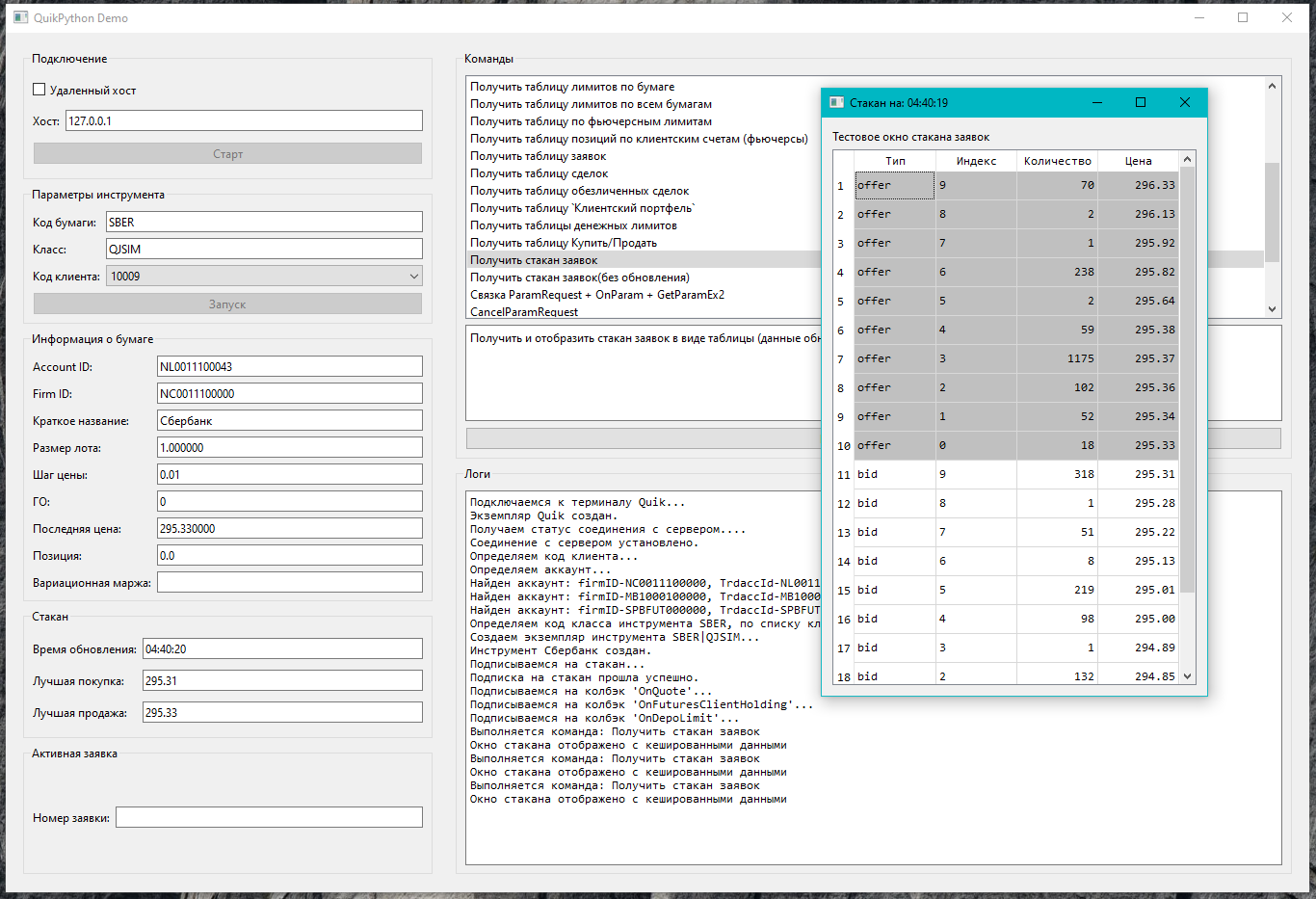
Для первичного ознакомпления с основными возможностями библиотеки и синтаксисом некоторых команд, можно использовать приложение "QuikPythonDemo" из папки \Examples. Все указанные демонстрационные приложения оттестированы и полностью работоспособны.
В случае возникновения проблем с работоспособностью демонстрационных приложений убедитесь что:
- Терминал QUIK загружен и подключен к сереверу.
- Скрипт QuikSharp.lua запущен и не выдает никаких ошибок в соответствующем диалоговом окне.
- Никакие сторонние программы не используют для своих нужд порты 34130 и 34131. Данные порты используются по умолчанию для связи библиотеки с терминалом.
- Проверьте настройки что соединения не блокируются в Windows Firewall.
import logging
import asyncio
from quik_python import Quik, LuaException
from quik_python.data_structures import CandleInterval, Candle, InfoParams

CLASS_CODE = "TQBR"
# CLASS_CODE = "QJSIM"  ## for Demo Quik Junior Connection


async def main():
    """
    Пример использования QuikPython API
    """

    # Создаем подключение к QUIK
    # async with Quik(host="192.168.10.128") as quik:
    async with Quik(host="localhost") as quik:
        try:
            await quik.initialize()
            # Работа с QUIK
        except Exception as e:
            print(f"Ошибка подключения: {e}")
            return

        try:
            # Проверяем подключение
            if not quik.is_service_alive():
                print("Не удалось подключиться к QUIK")
                return

            if not await quik.service.is_connected():
                print("Quik не подключен к торгам")


            print("Подключение к QUIK успешно!")

            await test_candle(quik=quik)


        except LuaException as e:
            print(f"QUIK Lua error: {e}")
        except Exception as e:
            print(f"Error: {e}")


### test candle
async def test_candle(quik:Quik):
    received_candles = []

    def on_new_candle(candle: Candle):
        """Callback for new candle events"""
        if (candle.sec_code == "SBER" and candle.interval == CandleInterval.M1):
            print(f"New candle - Sec:{candle.sec_code}, Open:{candle.open}, "
                  f"Close:{candle.close}, Volume:{candle.volume}")
            received_candles.append(candle)

    try:
        # Проверяем подключение
        if not await quik.service.is_connected():
            print("QUIK не подключен к торгам")
            return

        print("QUIK service is connected")

        v = await quik.candles.get_last_candles(CLASS_CODE, "SBER", CandleInterval.M1, 10)
        print(f"Last candles: {v}")


        # Subscribe to new candle events
        quik.candles.add_new_candle_handler(on_new_candle)

        # Check if already subscribed and unsubscribe if needed
        is_subscribed = await quik.candles.is_subscribed(CLASS_CODE, "SBER", CandleInterval.M1)
        print(f"Is subscribed: {is_subscribed}")
        if is_subscribed:
            await quik.candles.unsubscribe(CLASS_CODE, "SBER", CandleInterval.M1)

        # Subscribe to minute candles
        await quik.candles.subscribe(CLASS_CODE, "SBER", CandleInterval.M1)

        # Verify subscribed
        is_subscribed = await quik.candles.is_subscribed(CLASS_CODE, "SBER", CandleInterval.M1)
        print(f"Is subscribed: {is_subscribed}")

        # Wait a bit for potential candles (but don't wait too long in tests)
        await asyncio.sleep(120) ## wait 180sec

        # Unsubscribe
        await quik.candles.unsubscribe(CLASS_CODE, "SBER", CandleInterval.M1)

        print(f"Received {len(received_candles)} candles during test")

    except Exception as e:
        print(f"Candle test error: {e}")


if __name__ == "__main__":
    # Настройка логирования
    logging.basicConfig(
        level=logging.DEBUG,  # Уровень логирования (DEBUG, INFO, WARNING, ERROR, CRITICAL)
        format='%(asctime)s - %(name)s - %(levelname)s - %(message)s',  # Формат сообщений
        datefmt='%Y-%m-%d %H:%M:%S'  # Формат времени
    )


    print("QuikPython API Example")
    print("===========================")


    try:
        asyncio.run(main())
    except KeyboardInterrupt:
        print("\nStopped by user")
    except Exception as e:
        print(f"Main example error: {e}")
- приложение "QuikPythonDemo" из папки \Examples
Решение проблем
В случае возникновения проблем ознакомьтесь напишите в Проблемы или в Дискуссии . Постарайтесь описать проблему как можно подробнее, с деталями того, что Вы конкретно делаете и что не работает или работает неправильно.
License
Licensed under the Apache License, Version 2.0 (the "License"); you may not use this file except in compliance with the License. You may obtain a copy of the License at
http://www.apache.org/licenses/LICENSE-2.0
This software is distributed under the License is distributed on an "AS IS" BASIS, WITHOUT WARRANTIES OR CONDITIONS OF ANY KIND, either express or implied.
1 maintainer

Metadata
1 maintainer
Release files for quik-python 1.2.0
For a detailed explanation of source distributions (sdists) and built distributions (wheels), please see the package formats documentation.
Source distribution (sdist)
| File | Size | Uploaded | Provenance | Actions |
|---|---|---|---|---|
| quik_python-1.2.0.tar.gz | 808.5 kB | Without provenance | Details for quik_python-1.2.0.tar.gz |
Built distribution (wheel)
| File | Interpreter | ABI | Platform | Actions Reset |
|---|---|---|---|---|
| quik_python-1.2.0-py3-none-any.whl | Python 3 | none | any | Details for quik_python-1.2.0-py3-none-any.whl |
Total release size: 924.5 kB
Release files / quik_python-1.2.0.tar.gz
| Download URL | quik_python-1.2.0.tar.gz |
|---|---|
| Size | 808.5 kB |
| Tags | Source |
|
SHA-256 checksum How to use checksums |
9fcd2916bbc20d02efc035e36c147a2ba2fc4e4d7edbed3ae2d6f9adff6cb99e
|
|
BLAKE2b-256 checksum How to use checksums |
14960a7811ff2f02fa584f584cefe4e01b29b9e3c1907b34e64ed7e822e814b3
|
| Upload date | |
|
Uploaded using Trusted Publishing? What is trusted publishing? |
No |
| Uploaded via |
twine/6.2.0 CPython/3.12.3
|
Release files / quik_python-1.2.0-py3-none-any.whl
| Download URL | quik_python-1.2.0-py3-none-any.whl |
|---|---|
| Size | 116.0 kB |
| Tags | Python 3 |
|
SHA-256 checksum How to use checksums |
5c1fcc707c70126c9ee4f5856a01560ac3bf6c6c847ab3500d9b17ac1f8bffc4
|
|
BLAKE2b-256 checksum How to use checksums |
624fbffdd14da4f5076efcd4d6fb0d7aa4c47ba25d28e9646010aef7fa9ee8b0
|
| Upload date | |
|
Uploaded using Trusted Publishing? What is trusted publishing? |
No |
| Uploaded via |
twine/6.2.0 CPython/3.12.3
|
Security for quik-python 1.2.0
Provenance
Provenance describes where a file came from. On PyPI, provenance is shared via attestations, which provide a verifiable record of the build or publishing details. View details, limitations and caveats.
No provenance found
None of the files in this release were uploaded with provenance metadata.
A note on package security
PyPI is a repository for distributing packages, not a service for auditing them. While third-party security researchers and our staff do their best to detect and remove malicious packages, PyPI cannot guarantee the quality, security or suitability of any given package.
To learn more about protecting yourself from malicious actors, visit our package security documentation.














