
R3Con



Context representation for large-scale reasoning with smaller, cheaper models.
Ask a question whose evidence is spread across many documents. R3Con finds and organizes the relevant information, then reasons over it to produce an answer.
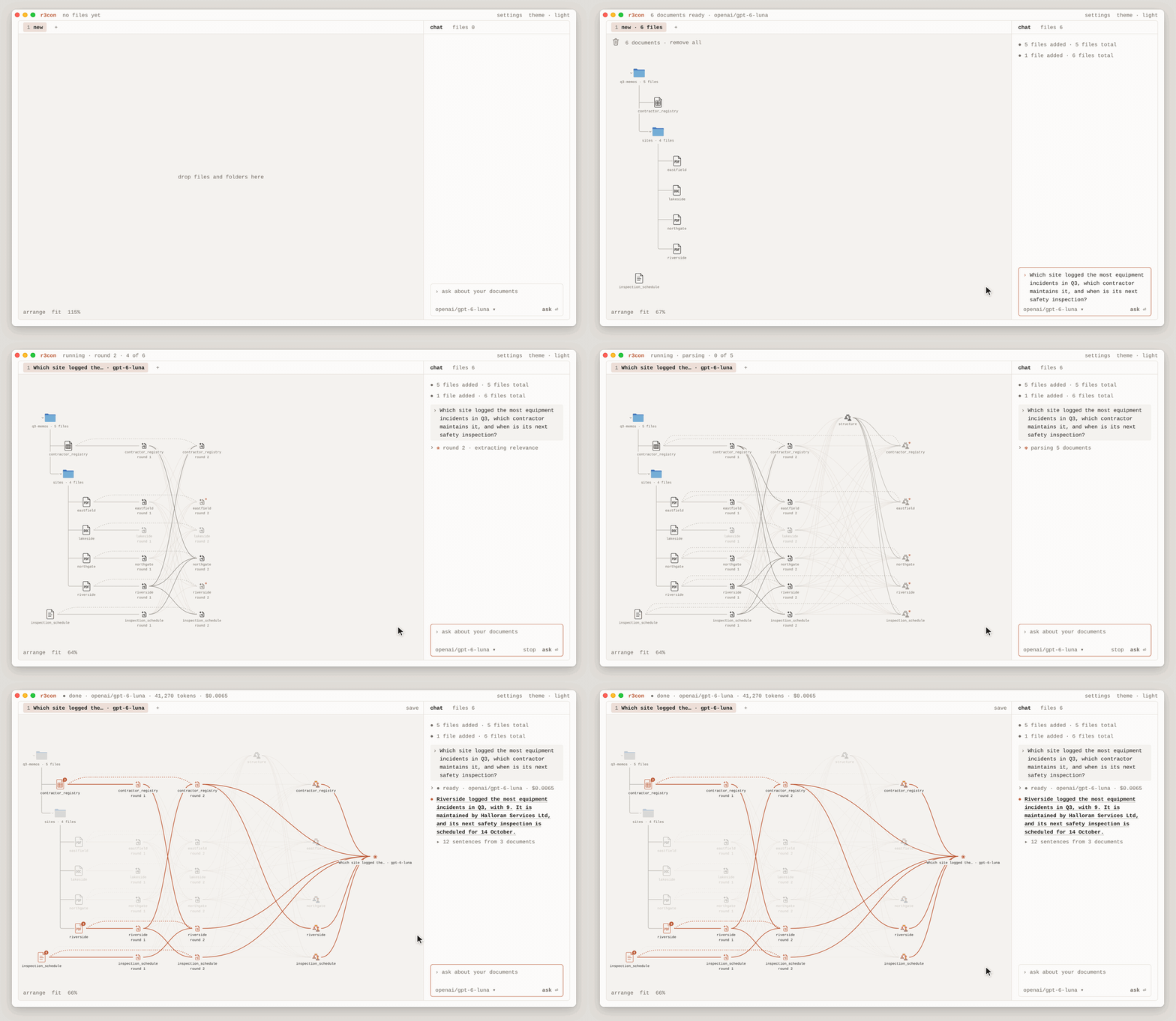
App
Mac (Apple silicon)
Direct
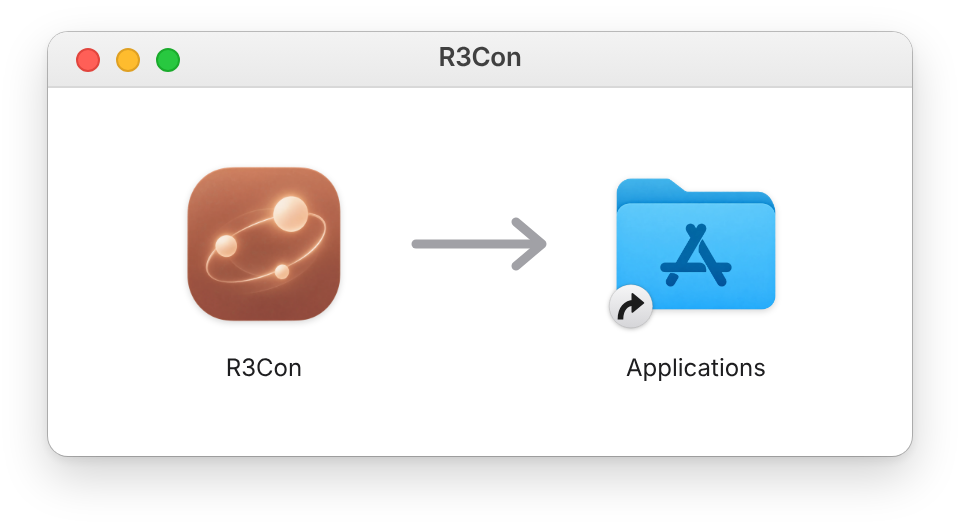
Download R3Con, double-click it, and drag R3Con to Applications.
Brew
brew install michaeltheologitis/r3con/r3con
Either way, R3Con updates itself: R3Con → Check for Updates…
Any computer
First install uv:
curl -LsSf https://astral.sh/uv/install.sh | sh
Run R3Con in your browser:
uv tool install --python 3.15 "r3context[app]"
r3con app
Library
Install
pip install r3context
Or uv add r3context.
Set the API key(s) for the AI provider(s) you use:
export OPENAI_API_KEY=sk-...
export ANTHROPIC_API_KEY=sk-ant-...
You can also put them in a .env file in your working directory.
Command line
Ask a question about documents in a folder:
r3con run "Which supplier missed the most delivery windows?" ./reports \
  --model openai/gpt-6-luna
./reports is the folder containing your documents. --model selects the AI
model to use.
You can use any model supported by LiteLLM, for example:
anthropic/claude-sonnet-5-5
gemini/gemini-3.8-flash
hosted_vllm/Qwen/Qwen3.5-35B-A3B
The default is openai/gpt-6-luna.
You can read an entire folder, select files using glob patterns, or specify
individual files. A glob pattern uses * to match filenames and ** to
include subfolders.
# All supported files in reports and its subfolders
r3con run "Who approved the Q3 overspend?" ./reports

# Only PDF files directly inside reports
r3con run "Who approved the Q3 overspend?" "./reports/*.pdf"

# PDF files inside reports and its subfolders
r3con run "Who approved the Q3 overspend?" "./reports/**/*.pdf"

# Only these three files
r3con run "Who approved the Q3 overspend?" q1.md q2.md q3.md
Keep glob patterns in quotes, as shown above. When reading a folder or using a glob pattern, R3Con skips links to files outside the selected folder. Individual files can be specified directly.
Add --evidence-level document to skip quoting sentences: the answer's
provenance then names only the documents it used.
Carry On a Stopped Run
If a run fails or you stop it partway, it prints the command that carries it on:
r3con resume logs/20261105T173546Z_bb4f0c37 ./reports
Give it the same sources the run read, in the same order. It reuses what the run finished and only does the rest.
Python
Load documents from a folder, glob pattern, or list of files:
from r3con import r3con

docs = r3con.read_documents("./reports")
result = r3con.run(
    "Which supplier missed the most delivery windows?",
    docs,
)
print(result)  # "Ardent Logistics missed the most delivery windows: 8 in total."
read_documents supports PDF, Word (.docx), .txt, .md, .csv, .json,
.html, .htm, and .xml files; Word files and web pages are read as Markdown, a
web page under the title, author, dates and address its metadata gives. It skips
hidden files and folders when reading directories or using glob patterns.
It returns each document's text along with its filename. If a file is inside
a subfolder, its name includes that subfolder. For example, a file at reports/q3/ardent.pdf is named q3/ardent.pdf.
Here, q3 is simply the subfolder name, and ardent.pdf is the filename.
If your documents are already stored as text in Python, pass them directly without reading files:
result = r3con.run(
    "Which supplier missed the most delivery windows?",
    [doc_a, doc_b, doc_c],
)
You can provide documents as a list:
documents = [doc_a, doc_b, doc_c]
Or give them names:
documents = {
    "report_a": doc_a,
    "report_b": doc_b,
    "report_c": doc_c,
}
To skip quoting, run at the document level:
result = r3con.run(
    "Which supplier missed the most delivery windows?",
    docs,
    evidence_level="document",
)
R3Con then doesn't ask the model for quotes, so the provenance names the documents the answer used, not their sentences.
Re-use Representation
To ask another question without repeating the earlier processing, use
r3con.ask:
other = r3con.ask(result, "Which supplier delivered on time most often?")
print(other)
This reuses the information organized during the first run and only repeats the final reasoning step.
Resume a Run
If a run fails or is stopped partway, for example by a rate limit or a lost
connection, r3con.resume carries it on from where it was, in the same folder.
Give it the run's folder (the error names it) and the same documents:
result = r3con.resume("logs/20261105T173546Z_bb4f0c37", docs)
It checks that the documents are the run's, reuses each result the run had saved, document by document, and computes only what is missing, then the final reasoning step.
Provenance
result.provenance["quotes"] lists the sentences the answer is based on.
Each has the document's name, text as the AI model quoted it, and
document_text, the document's own words, from its start to its end
character in that document. The two differ when the model changed the
wording. match says how the sentence was found: exact, normalized
(only spacing, case, quotation marks, dashes or markup differ), elided (the
model wrote ... for words it left out) or fuzzy (some words differ), and a
fuzzy one has a score out of 100:
quote = result.provenance["quotes"][0]
print(quote["name"], quote["match"], quote["score"])  # q3/ardent.pdf fuzzy 94.1
print(quote["text"])  # Ardent missed 8 delivery windows, mainly in August.
print(quote["document_text"])  # Ardent missed 8 delivery windows, mostly in August.
With evidence_level="document", quotes is empty, and
result.provenance["trail"] still reaches the documents the answer used.
examples/provenance.ipynb
shows the rest of the provenance.
Notebooks
The examples use five short memos, with the information spread across them so no single document contains the complete answer:
examples/quickstart.ipynb— a complete example of using R3Con.examples/provenance.ipynb— checking the original sentences, snippets, and records behind an answer.examples/options.ipynb— configuring models, relevance rounds, reasoning, generation settings, custom connections, and saved files.examples/vllm.ipynb— using an AI model hosted on your own vLLM server.
Output
r3con.run(...) returns the answer and the information created during the run:
result.answer  # Final answer
result.relevant_context  # Relevant text found in the documents
result.structured_context  # Information extracted and organized from the documents
result.provenance  # What the answer is based on (see Provenance above)
result.run_dir  # Folder where this run's files are saved
Run artifacts
Every run saves its results and processing records in a folder under ./logs.
logs/<timestamp>_<hex>/          <- result.run_dir
├── ids.json                     <- each document's ID
├── names.json                   <- each document's filename
├── documents.json               <- each document's SHA-256 (UTF-8, lone surrogates passed through)
├── events.jsonl                 <- when each processing step started and finished
├── splits.json                  <- how documents were split, if necessary
├── relevance/
│   ├── result.json              <- relevant text and supporting quotes
│   └── calls.json               <- AI requests made during relevance checking
├── structuring/
│   ├── schema/
│   │   ├── result.json          <- structure created for organizing information
│   │   ├── calls.json           <- AI requests
│   │   └── transcript.yaml      <- record of the process
│   └── parsing/
│       ├── result.json          <- information extracted from documents
│       └── calls.json           <- AI requests
├── reasoning/
│   ├── result.json              <- final answer
│   ├── calls.json               <- AI requests
│   └── transcript.yaml          <- record of the reasoning process
└── asks/<folder>/               <- saved results for each additional question
Evaluation
For benchmark results, comparisons with other methods, and evaluation code, see r3con-evaluation.
License
MIT — see LICENSE.
src/r3con/runtime/python_executor.py includes modified code from
smolagents, licensed under
Apache-2.0 and © HuggingFace Inc.
See THIRD-PARTY-NOTICES.
1 maintainer

Metadata
1 maintainer
Release files for r3context 0.6.32
For a detailed explanation of source distributions (sdists) and built distributions (wheels), please see the package formats documentation.
Source distribution (sdist)
| File | Size | Uploaded | Provenance | Actions |
|---|---|---|---|---|
| r3context-0.6.32.tar.gz | 295.4 kB | With provenance | Details for r3context-0.6.32.tar.gz |
Built distribution (wheel)
| File | Interpreter | ABI | Platform | Actions Reset |
|---|---|---|---|---|
| r3context-0.6.32-py3-none-any.whl | Python 3 | none | any | Details for r3context-0.6.32-py3-none-any.whl |
Total release size: 660.5 kB
Release files / r3context-0.6.32.tar.gz
| Download URL | r3context-0.6.32.tar.gz |
|---|---|
| Size | 295.4 kB |
| Tags | Source |
|
SHA-256 checksum How to use checksums |
d5c84fd0ce7a49983467cffcc50c0782d61285440873e8869720f15c551d7872
|
|
BLAKE2b-256 checksum How to use checksums |
c92915357b09928f245c7e62101ccc6aa7c063c62bd9e791ca7920e988015352
|
| Upload date | |
|
Uploaded using Trusted Publishing? What is trusted publishing? |
Yes |
| Uploaded via |
twine/7.0.0 CPython/3.13.16
|
Provenance
Provenance describes where a file came from. On PyPI, provenance is shared via attestations, which provide a verifiable record of the build or publishing details. View details, limitations and caveats.


PyPI Publish Attestation
PyPI verified that this artifact, at this checksum, originated from the publisher listed below.
Signed by GitHub Actions, verified by PyPI on Nov 16, 2026.
Transparency logRelease files / r3context-0.6.32-py3-none-any.whl
| Download URL | r3context-0.6.32-py3-none-any.whl |
|---|---|
| Size | 365.0 kB |
| Tags | Python 3 |
|
SHA-256 checksum How to use checksums |
38825e22255030d606bbdf2bcfdd912fb34f4a56230f50af1bfc7a7339ca7647
|
|
BLAKE2b-256 checksum How to use checksums |
a45bcd6232d832663975c82beb05e4825ffe094cde86254a94d39ab78632d82f
|
| Upload date | |
|
Uploaded using Trusted Publishing? What is trusted publishing? |
Yes |
| Uploaded via |
twine/7.0.0 CPython/3.13.16
|
Provenance
Provenance describes where a file came from. On PyPI, provenance is shared via attestations, which provide a verifiable record of the build or publishing details. View details, limitations and caveats.
PyPI Publish Attestation
PyPI verified that this artifact, at this checksum, originated from the publisher listed below.
Signed by GitHub Actions, verified by PyPI on Nov 16, 2026.
Transparency logSecurity for r3context 0.6.32
Provenance
Provenance describes where a file came from. On PyPI, provenance is shared via attestations, which provide a verifiable record of the build or publishing details. View details, limitations and caveats.
Full provenance
Both files in this release have been uploaded with provenance metadata.
Attestation for r3context-0.6.32.tar.gz
PyPI Publish Attestation
PyPI verified that this artifact, at this checksum, originated from the publisher listed below.
Signed by GitHub Actions, verified by PyPI on Nov 16, 2026.
Transparency logA note on package security
PyPI is a repository for distributing packages, not a service for auditing them. While third-party security researchers and our staff do their best to detect and remove malicious packages, PyPI cannot guarantee the quality, security or suitability of any given package.
To learn more about protecting yourself from malicious actors, visit our package security documentation.














