
A TUI designer for python

Project description
RAD-TUI-IDE 🖥️
Rapid Application Development - Terminal User Interface IDE
A Visual Basic 1.0 for MS-DOS inspired visual IDE that runs on Linux. Design forms, place controls, write code, and run your applications - all in the terminal!



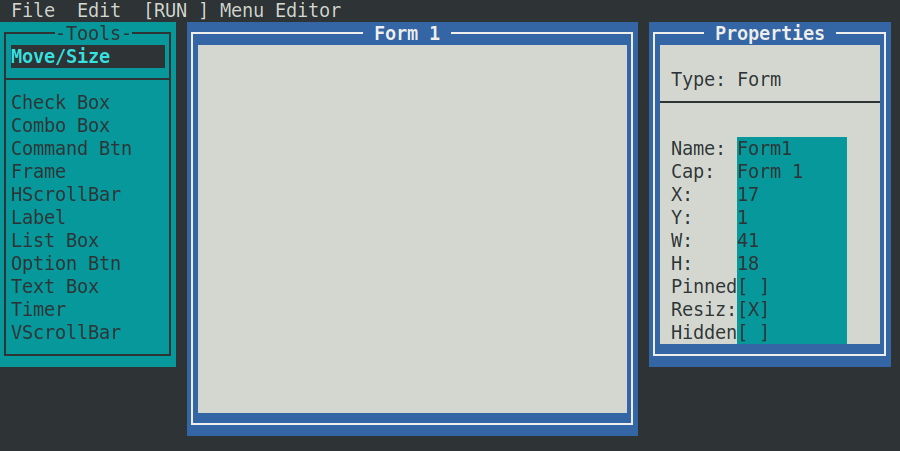
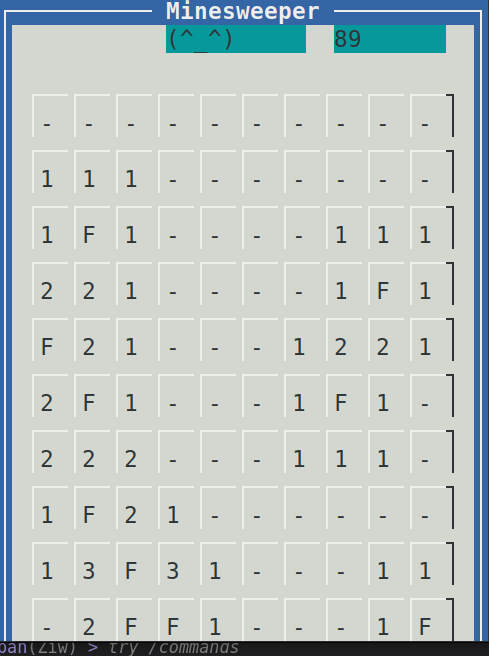
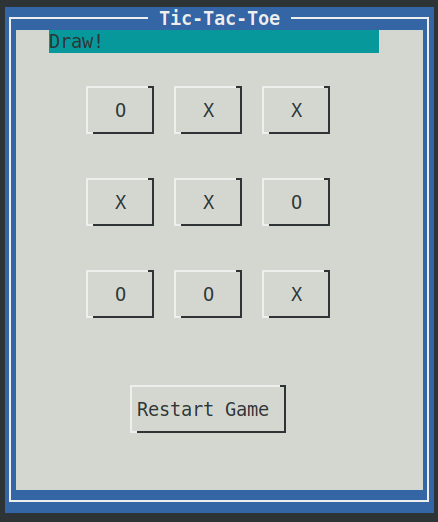
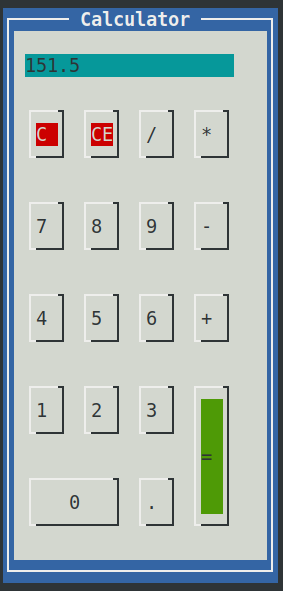
Example projects:
🎯 Concept
RAD-TUI-IDE recreates the magic of early 90s visual programming environments like VB1 for MS-DOS, but for modern Linux terminals. It provides:
- Visual Form Designer - Drag and drop controls onto forms
- Property Editor - Edit control properties in real-time
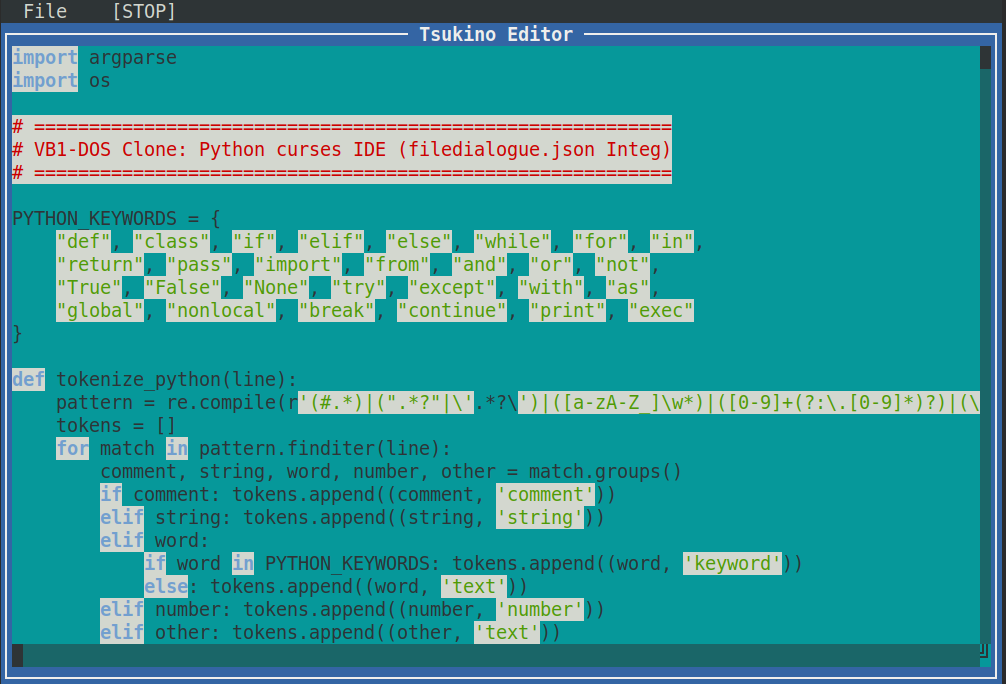
- Code Editor - Write Python code with syntax highlighting in Tsukino editor
- Runtime Mode - Test your applications instantly
- Project Management - Save and load projects as JSON files
🚀 Features
Visual Design Environment
- 🖱️ Mouse-driven interface - Point, click, drag, and resize
- 🪟 Draggable windows - Move forms and toolboxes freely
- 🎨 11 control types including buttons, labels, text boxes, and more
- 📐 Visual resizing - Grab handles to resize controls
- ✏️ Property editing - Edit names, captions, positions, and dimensions
Code Development
- 🐍 Python code-behind - Write event handlers in Python
- 🌈 Syntax highlighting - Keywords, strings, numbers, and comments
- ▶️ Runtime execution - Run your forms with live code execution
- 🐛 Runtime error display - See errors in a message box
Project Management
- 💾 Save/Load projects - JSON-based project files
- 📁 File menu - Standard save/load/exit operations
- 🔄 Design/Runtime toggle - Switch between design-time and run-time modes
🎮 How to Run
Python Version (Recommended)
chmod +x rad-tui-py.py
./rad-tui-py.py
🕹️ User Guide
Getting Started
- Run the application - you'll see:
- A Toolbox on the left with available controls
- A Form window in the center (your design surface)
- A Properties window on the right
Designing a Form
| Action | How To |
|---|---|
| Add a control | Click a tool in the toolbox, then click on the form |
| Move a control | Select "Move/Size" tool, then drag the control |
| Resize a control | Select control, then drag the ■ handle |
| Edit properties | Click a property value in the Properties window |
| Write code | Double-click a button to open the code editor |
Available Controls
| Tool | Description |
|---|---|
| Check Box | Boolean checkbox control |
| Combo Box | Dropdown selection control |
| Command Btn | Clickable button (most common) |
| Frame | Grouping container |
| HScrollBar | Horizontal scrollbar |
| Label | Static text display |
| List Box | Scrollable list |
| Option Btn | Radio button |
| Text Box | Text input field |
| Timer | Background timer |
| VScrollBar | Vertical scrollbar |
Writing Code
Double-click a Command Button to open the code editor. The code editor supports:
def on_click_btnOK():
    msgbox("Hello, World!")
    txtName.caption = "Updated text"
Special functions:
msgbox(text)- Display a message box- Access other controls by their
name_id:txtName.caption,btnOK.caption
🛠️ Technical Details
Python Implementation
- Uses
curseslibrary for terminal UI - Supports mouse events (requires terminal with mouse support)
- Python syntax highlighting
📝 Requirements
Python Version
- Python 3.6+
- Linux terminal with:
- Mouse support (xterm, gnome-terminal, konsole, etc.)
- UTF-8 character support
- 80x25 minimum terminal size
📜 License
This project is licensed under the GNU General Public License v3.0 (GPL v3).
See LICENSE for full details.
🙏 Acknowledgments
Inspired by:
- Microsoft Visual Basic 1.0 for MS-DOS (1992)
- The simplicity of early visual programming environments
- The enduring appeal of terminal-based applications
Happy retro-coding! 🎉
Release history Release notifications | RSS feed


Download files
Download the file for your platform. If you're not sure which to choose, learn more about installing packages.
Source Distribution
Built Distribution
Filter files by name, interpreter, ABI, and platform.
If you're not sure about the file name format, learn more about wheel file names.
Copy a direct link to the current filters
File details
Details for the file rad_tui_ide-0.1.0.tar.gz.
File metadata
- Download URL: rad_tui_ide-0.1.0.tar.gz
- Upload date:
- Size: 281.4 kB
- Tags: Source
- Uploaded using Trusted Publishing? No
- Uploaded via: twine/6.2.0 CPython/3.12.3
File hashes
| Algorithm | Hash digest | |
|---|---|---|
| SHA256 |
75da8d4840fde6ada9b629e13293b68ce5f6f009a03ff2b16967ce093626fbad
|
|
| MD5 |
3b68c47994d828a1086442d2e1f47b08
|
|
| BLAKE2b-256 |
bc3d809e996027fa39d35a9cfa87d9327a02f91acb6e22cbbe065dce1dec6f89
|
File details
Details for the file rad_tui_ide-0.1.0-py3-none-any.whl.
File metadata
- Download URL: rad_tui_ide-0.1.0-py3-none-any.whl
- Upload date:
- Size: 251.1 kB
- Tags: Python 3
- Uploaded using Trusted Publishing? No
- Uploaded via: twine/6.2.0 CPython/3.12.3
File hashes
| Algorithm | Hash digest | |
|---|---|---|
| SHA256 |
8f3b15df459c0261793385bbc3b7f692cde722f0f9ee2df6a2a002d4e03c5502
|
|
| MD5 |
c69a0c9c7ea3b0f3dc91f9c03e281cea
|
|
| BLAKE2b-256 |
63951f31461a5c111dfac4a5ce6aad981827551e51a1e09795c5ef975fcd28fa
|






