











RADIS
RADIS is a fast line-by-line code for high resolution infrared molecular spectra (emission / absorption, equilibrium / non-LTE) based on HITRAN/HITEMP/ExoMol. Atomic spectra from the NIST and Kurucz databases are also available.
RADIS includes post-processing tools to compare experimental spectra and spectra calculated with RADIS or other spectral codes.
Full user documentation (advanced install and examples) are available on the RADIS Website.
Getting Started
Install
Assuming you have Python installed with the Anaconda distribution you can use pip:
pip install radis
or mamba or conda via the conda-forge channel:
conda install radis -c conda-forge
That's it! You can now run your first example below. If you encounter any issue, or to upgrade the package later, please refer to the detailed installation procedure.
Quick Start
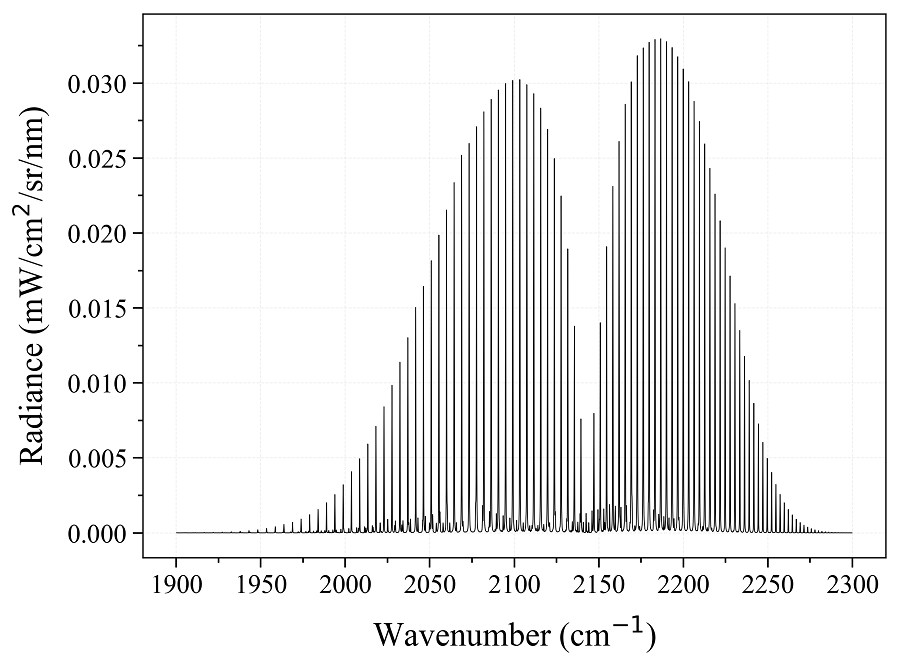
Calculate a CO equilibrium spectrum from the HITRAN database:
from radis import calc_spectrum
s = calc_spectrum(1900, 2300,         # cm-1
                  molecule='CO',
                  isotope='1,2,3',
                  pressure=1.01325,   # bar
                  Tgas=700,           # K
                  mole_fraction=0.1,
                  path_length=1,      # cm
                  databank='hitran'   # or 'hitemp'
                  )
s.apply_slit(0.5, 'nm')       # simulate an experimental slit
s.plot('radiance')
Advanced use
The Quick Start examples automatically download the line databases from HITRAN-2016, which is valid for temperatures below 700 K.
For high temperature cases, you may need to use other line databases such as HITEMP-2010 (typically T < 2000 K) or CDSD-4000 (T < 5000 K). HITEMP can also be downloaded
automatically, or can be downloaded manually and described in a ~/radis.json
Configuration file.
More complex examples will require to use the SpectrumFactory class, which is the core of RADIS line-by-line calculations. calc_spectrum is a wrapper to SpectrumFactory for the simple cases.
Compare with experiments
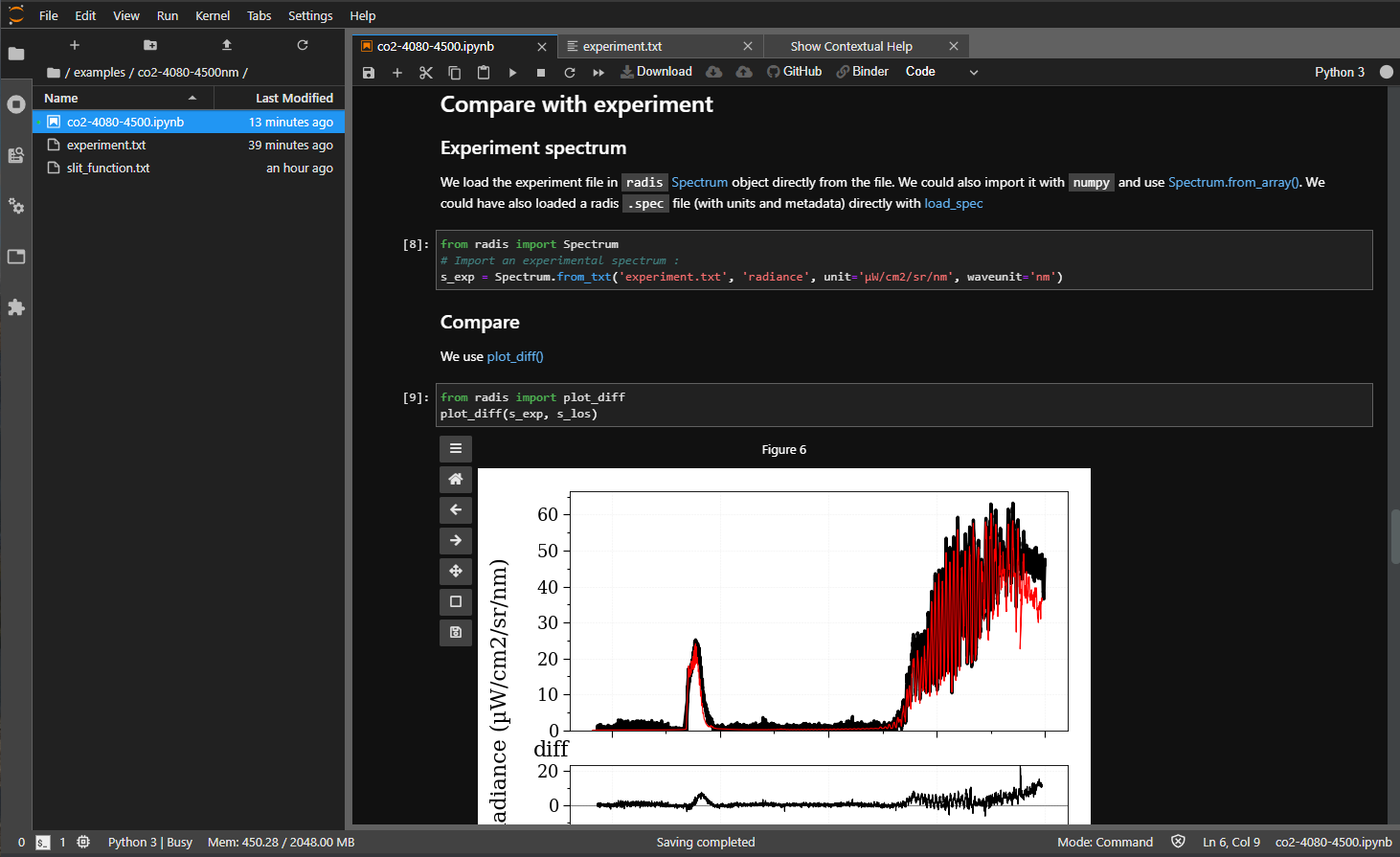
Experimental spectra can be loaded using the experimental_spectrum function and compared with the plot_diff function. For instance:
from numpy import loadtxt
from radis import experimental_spectrum, plot_diff
w, I = loadtxt('my_file.txt').T    # assuming 2 columns
sexp = experimental_spectrum(w, I, Iunit='mW/cm2/sr/nm')
plot_diff(sexp, s)    # comparing with spectrum 's' calculated previously
Typical output of plot_diff:

Refer to the Examples section for more examples, and to the Spectrum page for more post-processing functions.
GPU Acceleration
RADIS supports GPU acceleration for super-fast computation of spectra. Refer to GPU Spectrum Calculation on RADIS for more details on GPU acceleration.
Try online (no installation needed!)
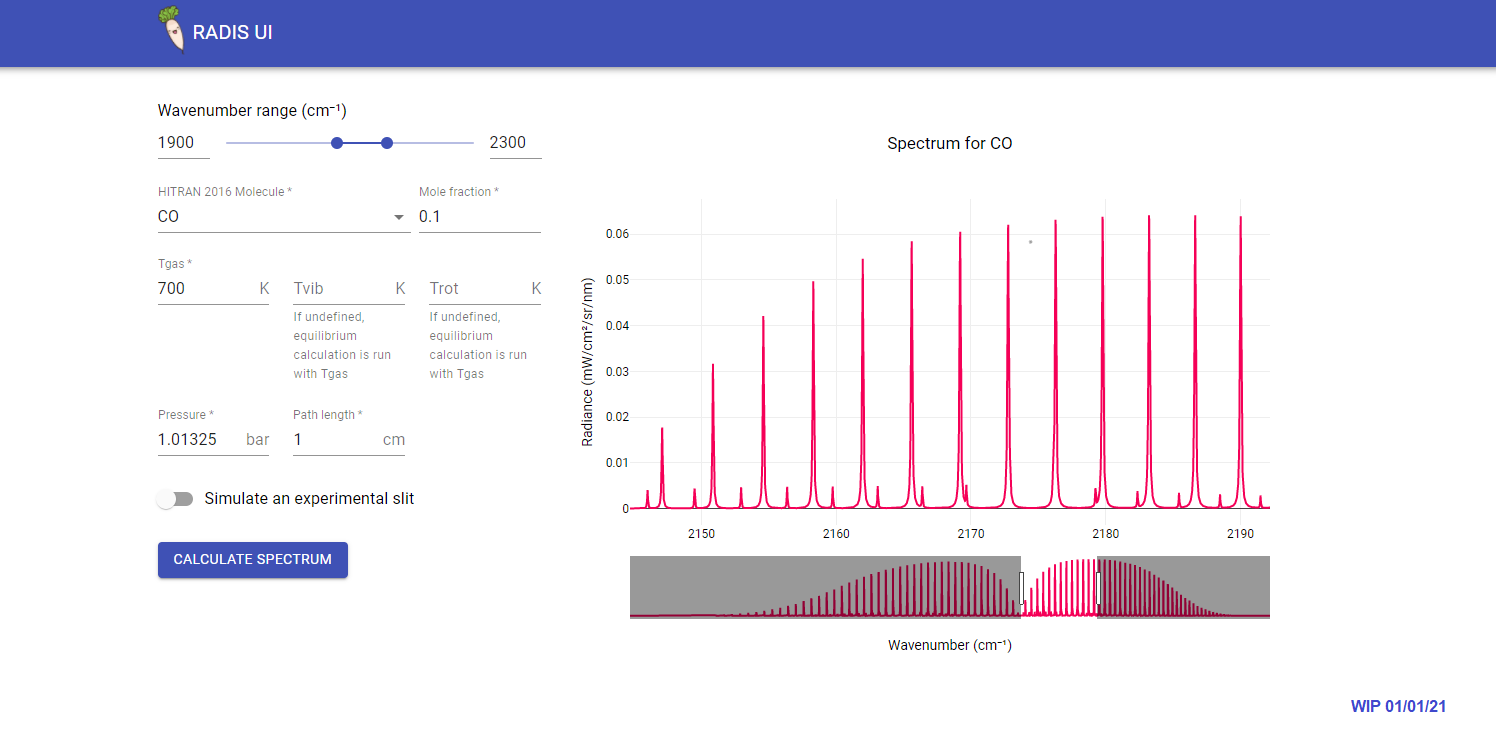
🌱 Radis-app
A simple web-app for RADIS under development - GitHub
🔬 RADIS-lab
An online environment for advanced spectrum processing and comparison with experimental data:
- no need to install anything
- use pre-configured line databases (HITEMP)
- upload your data files, download your results !
See more on GitHub
Cite
Articles are available at
For reproducibility, do not forget to cite the line database used, and the spectroscopic constants if running nonequilibrium calculations. See How to cite?
Developer Guide
Contribute
Want to contribute to RADIS? Join the Slack community and we'll help you through the process. Want to get started immediately? Nice. Have a look at the Developer Guide.
RADIS internals are also described in the full documentation
License
The code is available on this repository under
GNU LESSER GENERAL PUBLIC LICENSE (v3)
References
Links
-
Documentation:
-
Help:
-
Articles:
-
Source Code:
-
Test Status:
-
PyPI Repository:
-
Interactive Examples: radis_examples
-
Fitroom (for advanced multidimensional fitting).


Other Spectroscopic tools
See awesome-spectra


Release files for radis 0.17.1
For a detailed explanation of source distributions (sdists) and built distributions (wheels), please see the package formats documentation.
Source distribution (sdist)
| File | Size | Uploaded | |
|---|---|---|---|
| radis-0.17.1.tar.gz | 6.0 MB | Details |
Built distribution (wheel)
| File | Interpreter | ABI | Platform | Reset |
|---|---|---|---|---|
| radis-0.17.1-py3-none-any.whl | Python 3 | none | any | Details |
Total release size: 12.1 MB
Release files / radis-0.17.1.tar.gz
| Download URL | radis-0.17.1.tar.gz |
|---|---|
| Size | 6.0 MB |
| Tags | Source |
|
SHA-256 checksum How to use checksums |
067589974fe04215f2b103d3a20d809d884c5ed3371bfb35ab343a34c135eac5
|
|
BLAKE2b-256 checksum How to use checksums |
22c127718d20f227d90746304fc742098e1c8ffb1b0cd28fc5d5df95992da244
|
| Upload date | |
|
Uploaded using Trusted Publishing? What is trusted publishing? |
Yes |
| Uploaded via |
twine/7.0.0 CPython/3.13.14
|
Provenance
Provenance describes where a file came from. On PyPI, provenance is shared via attestations, which provide a verifiable record of the build or publishing details. View details, limitations and caveats.


PyPI Publish Attestation
PyPI verified that this artifact, at this checksum, originated from the publisher listed below.
Signed by GitHub Actions, verified by PyPI on Aug 12, 2026.
Transparency logRelease files / radis-0.17.1-py3-none-any.whl
| Download URL | radis-0.17.1-py3-none-any.whl |
|---|---|
| Size | 6.1 MB |
| Tags | Python 3 |
|
SHA-256 checksum How to use checksums |
251e1ce8a67a944a8abb6f04e6ca398ad51f489f64d7b695cb7493b71531a7a1
|
|
BLAKE2b-256 checksum How to use checksums |
2abb6ddddc98e77b282a1dccd9e2e9087c5ec140df424d433896d87d49a74d0c
|
| Upload date | |
|
Uploaded using Trusted Publishing? What is trusted publishing? |
Yes |
| Uploaded via |
twine/7.0.0 CPython/3.13.14
|
Provenance
Provenance describes where a file came from. On PyPI, provenance is shared via attestations, which provide a verifiable record of the build or publishing details. View details, limitations and caveats.
PyPI Publish Attestation
PyPI verified that this artifact, at this checksum, originated from the publisher listed below.
Signed by GitHub Actions, verified by PyPI on Aug 12, 2026.
Transparency log













