
Autonomous AI loop orchestration for Claude Code - define workflows in YAML, run autonomously, monitor in real-time
Verified details
These details have been verified by PyPIProject links
GitHub Statistics
Maintainers

Project description
RalphX
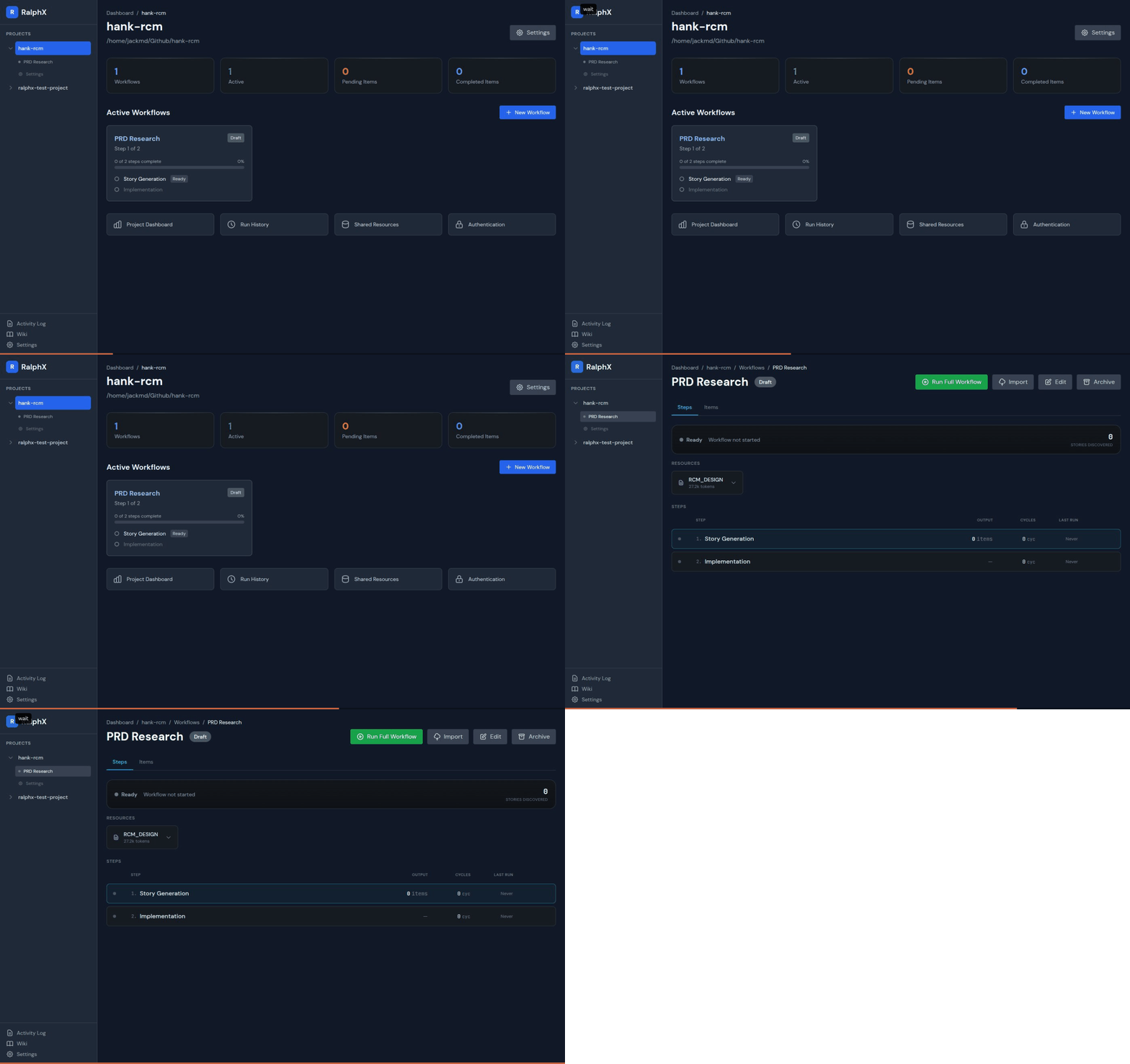
From idea to working, tested code. Autonomously.
RalphX is a Ralph wrapper for managing Ralph loops across your entire product development lifecycle. Ralph is the viral Claude Code looping pattern - RalphX orchestrates multiple Ralph loops together: research an idea, generate a design doc, write user stories, implement features, and test everything. Each Ralph loop runs with fresh context but memory of what's been completed.



What's New in v0.4
- Sidebar step navigation — Jump directly to any workflow step from the sidebar tree
- Multi-account with auto-fallback — Connect multiple Claude accounts, auto-switch on rate limits
- Usage tracking — Real-time 5h/7d progress bars with time position markers
- Event persistence — Full session history saved to DB, no browser tab required
- Planning iterations — Autonomous design doc refinement with streaming
- Reliable stop button — Checkpoint-based process tracking survives server hot-reload
- 62 bug fixes + security hardening — See CHANGELOG.md
The Full Lifecycle
┌──────────────┐    ┌──────────────┐    ┌──────────────┐    ┌──────────────┐    ┌──────────────┐
│    Idea      │ ─▶ │ Design Doc   │ ─▶ │ User Stories │ ─▶ │ Implement    │ ─▶ │    Test      │
│              │    │ Ralph Loop   │    │ Ralph Loop   │    │ Ralph Loop   │    │ Ralph Loop   │
└──────────────┘    └──────────────┘    └──────────────┘    └──────────────┘    └──────────────┘
       │                   │                   │                   │                   │
  "Build an app      Web search +         50-200 stories      Code for each       CLI, API, UI
   that does X"      synthesis            with criteria        story               testing
Start anywhere. Bring your own design doc, or let a Ralph loop research and create one. Jump straight to implementation if you already have stories.
How It Works
Each workflow step is a Ralph loop - the viral Claude Code looping pattern:
- Fresh context - Each iteration starts clean, no token bloat
- Memory of progress - Knows what's done, what's next
- Recursive iterations - Run until complete or hit limits
- Real-time monitoring - Watch progress in the dashboard
┌─────────────────────────────────────────────────────────────────┐
│  Story Generation Ralph Loop (iteration 12 of 50)               │
│  ─────────────────────────────────────────────────────────────  │
│  ✓ 47 stories generated                                         │
│  ● Currently: Generating API authentication stories...          │
│  ○ Remaining: Payment processing, notifications                 │
└─────────────────────────────────────────────────────────────────┘
Run your way:
- Run the entire workflow end-to-end until completion
- Run individual Ralph loops one at a time
- Jump back and forth between Ralph loops as needed
- Pause, resume, or restart anytime
Quick Start
Copy and paste this into Claude Code:
Install RalphX for me. RalphX is a Ralph wrapper on PyPI that manages Ralph loops
for product development. I'm not technical so please handle everything:

1. Check if I have conda/miniconda installed. If not, install miniconda for my OS.
2. Create a Python 3.11 environment called "ralphx" and activate it
3. Install RalphX from PyPI: pip install ralphx
4. Add RalphX as an MCP server using the full path to the ralphx binary in the conda env (use the right command for my OS to find it)
5. Start the RalphX dashboard: ralphx serve
6. Ask me if I want a desktop shortcut to launch the dashboard. If yes, create
   a shortcut for my OS that uses the full path to the Python executable in the
   ralphx conda env (don't use conda activate - point directly to the python binary)

Use the ask question tool if you need any info from me. Don't assume I know
how to run commands - just do everything for me and tell me when it's ready.
Claude will handle the entire installation. When done, tell Claude:
"Register this project and help me build a workflow from my idea for [describe your app]"
Or if you have a design doc:
"Register this project and create a planning workflow from my README"
Open http://localhost:16768 to monitor progress.
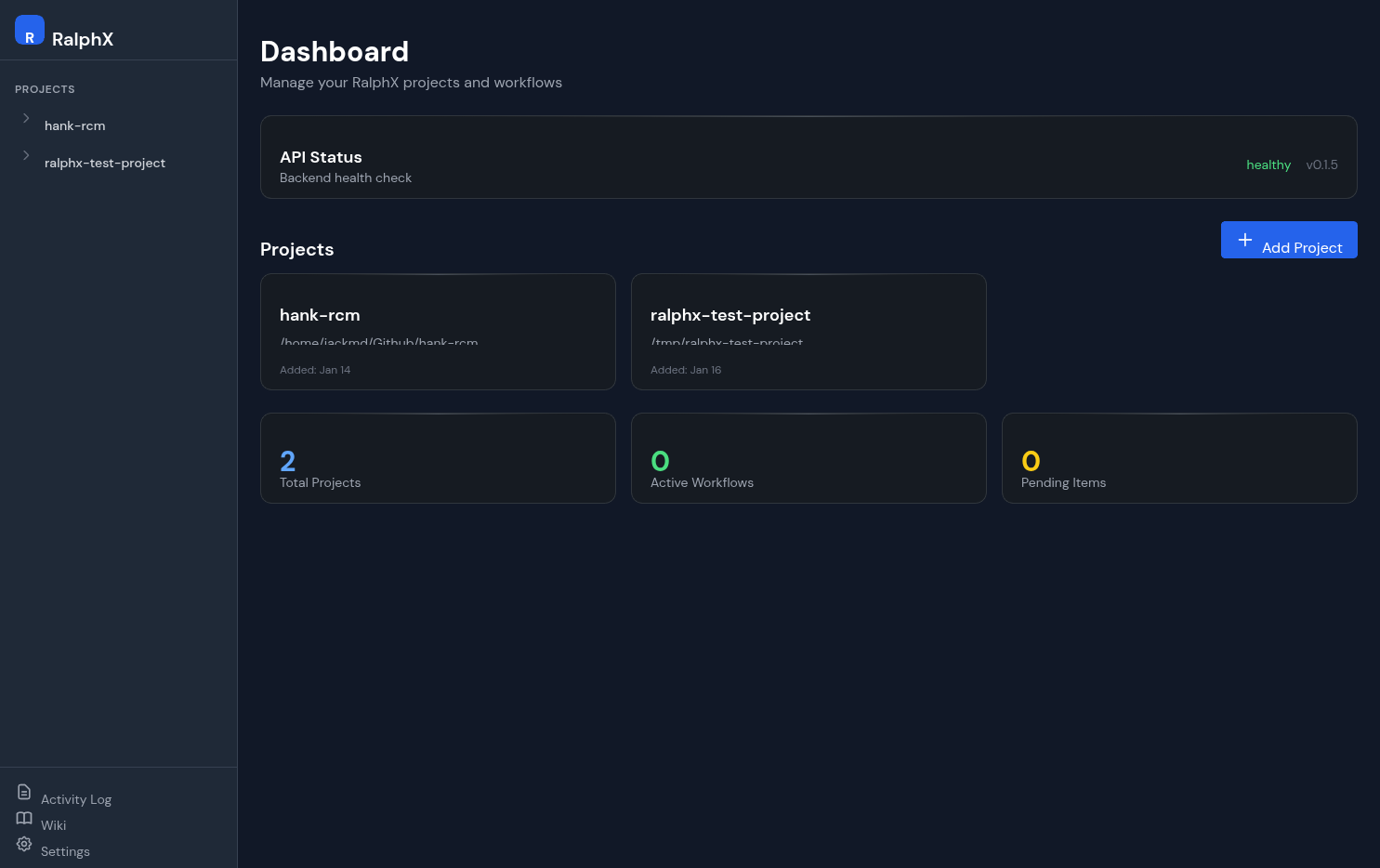
Already technical? Here's the quick setup:
# Create and activate a Python 3.11+ environment:
conda create -n ralphx python=3.11 -y && conda activate ralphx

# Install RalphX:
pip install ralphx

# Add MCP server with full path to ralphx binary:

# Linux/Mac:
claude mcp add ralphx -e PYTHONDONTWRITEBYTECODE=1 -- "$(which ralphx)" mcp

# Mac (zsh) - if "which ralphx" fails, first run: conda init zsh && source ~/.zshrc

# Windows - first find your path, then use it:
#   CMD:        where.exe ralphx
#   PowerShell: (Get-Command ralphx).Source
claude mcp add ralphx -e PYTHONDONTWRITEBYTECODE=1 -- C:\Users\YOU\miniconda3\envs\ralphx\Scripts\ralphx.exe mcp
Supported Ralph Loop Types
Research & Design Ralph Loop
Start from an idea. Claude searches the web, synthesizes findings, and builds out a comprehensive design document.
Story Generation Ralph Loop
Claude extracts and generates robust user stories from your design document:
- Clear titles and descriptions
- Acceptance criteria
- Priority and categorization
Optionally enable web-enhanced mode: Claude uses your design doc as inspiration, then searches the web to discover related requirements and user stories you may have missed.
Implementation Ralph Loop
Each iteration of the implementation Ralph loop:
- Fresh context - Starts clean with your design doc, guardrails, and progress summary
- Knows what's done - Sees all implemented stories with their git commits (can look back if needed)
- Detects duplicates - Checks if a story is already implemented, marks it dup, moves on
- Implements ONE story - Reads codebase, writes code that fits your patterns, adds tests
- Commits - Creates a git commit after each story, then loops to the next
Coming Soon: Testing Ralph Loops
- CLI Testing Ralph Loop - Run commands, verify output, loop until tests pass
- Backend Testing Ralph Loop - API endpoints, database operations
- UI Testing Ralph Loop - Chrome/Playwright automation via Claude
The Dashboard
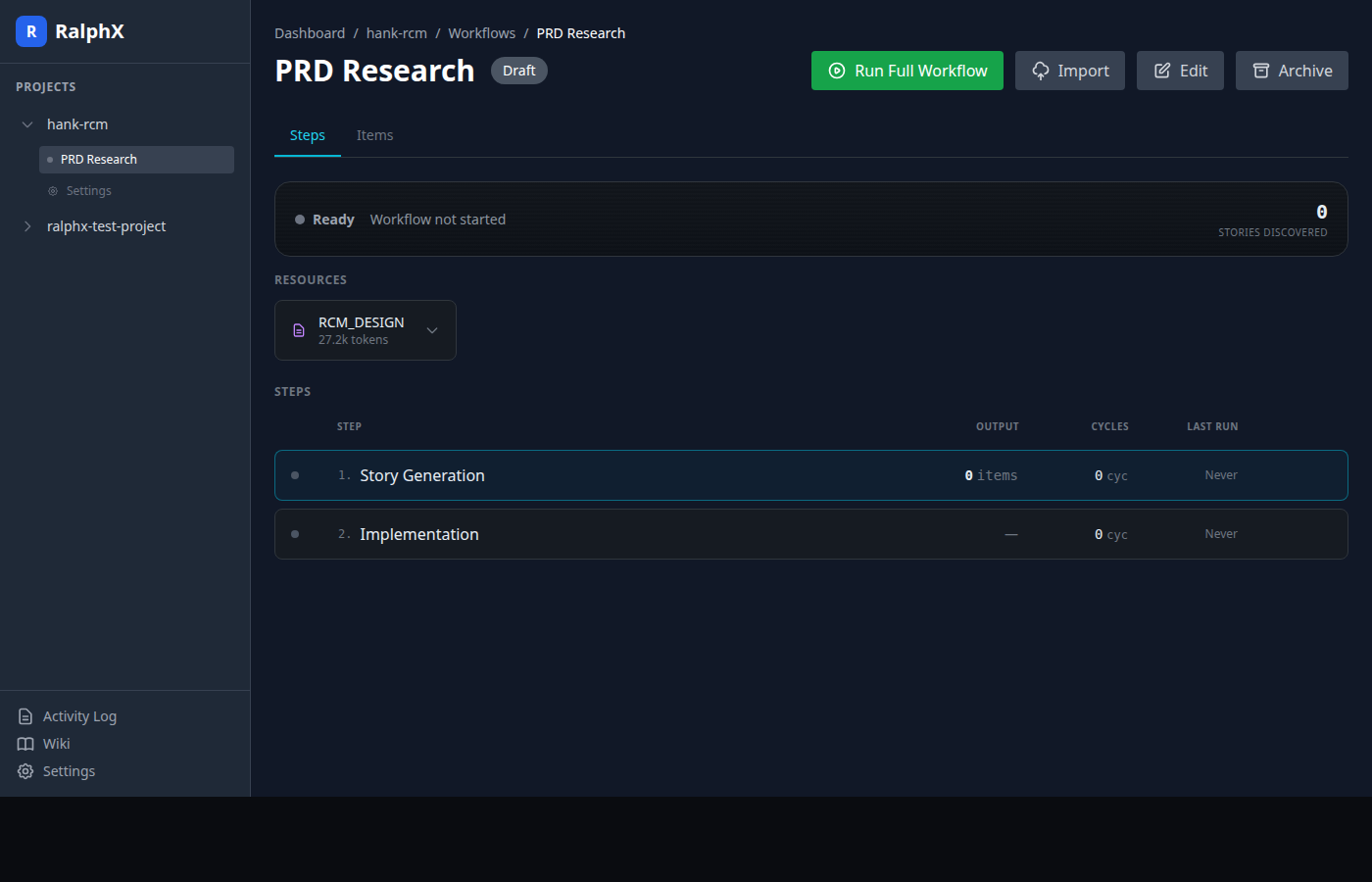
Monitor your Ralph loops in real-time:
- See which Ralph loop is running and iteration progress
- Watch Claude's actual output as it works
- View generated stories and implementations
- Start, pause, or stop Ralph loops anytime
Workflow Templates
Pre-built workflows that chain Ralph loops together:
| Template | Ralph Loops |
|---|---|
| New Product | Research → Design Doc → Stories → Implement → Test |
| From PRD | Stories → Implement → Test |
| Feature Add | Impact Analysis → Tasks → Implement → Test |
| Bug Fix | Import Issues → Triage → Root Cause → Fix → Verify |
| Security Audit | Scan → Prioritize → Remediate → Verify |
Ask Claude: "Set up a new-product workflow starting from my idea for a task management app"
Coming Soon
More Ralph Loop Types:
- CLI/backend testing Ralph loops
- Chrome/Playwright UI testing Ralph loops
- Recursive test-fix cycles until green
Integrations:
- GitHub Issues - Import bugs and features directly
- Jira - Sync with existing project management
- Sentry - Turn production errors into bugs
- Slack - Notifications when workflows complete
Triggers:
- Scheduled workflows (cron-style)
- Webhook triggers from CI/CD
- Git push/PR triggers
Mobile Access:
- Mobile-friendly dashboard for monitoring on the go
- Remote access setup instructions in the wiki
Manual Installation
For those who prefer to do it themselves:
# Create a virtual environment (use conda, venv, or your preferred tool)
# Example with conda:
conda create -n ralphx python=3.11 -y
conda activate ralphx

# Or with venv:
# python3 -m venv ~/.venvs/ralphx && source ~/.venvs/ralphx/bin/activate

# Install RalphX
pip install ralphx

# Set up MCP so Claude can control RalphX (uses full path so it works outside the env)
# Linux/Mac:
claude mcp add ralphx -e PYTHONDONTWRITEBYTECODE=1 -- "$(which ralphx)" mcp
# Mac (zsh): if "which" fails, run: conda init zsh && source ~/.zshrc
# Windows: find path with "where.exe ralphx" (CMD) or "(Get-Command ralphx).Source" (PowerShell)
#          then: claude mcp add ralphx -e PYTHONDONTWRITEBYTECODE=1 -- C:\Users\YOU\...\ralphx.exe mcp

# Start the dashboard
ralphx serve
# Open http://localhost:16768
Multi-Account Management
Connect multiple Claude accounts and assign them per project:
- Per-project accounts — Each project can use a different Claude account
- Usage tracking — Real-time 5-hour and 7-day usage progress bars per account
- Auto-fallback — When one account hits rate limits, automatically retry with another that has capacity
- Time markers — Visual indicator showing where you are in each usage window
Why RalphX?
| Problem | RalphX Solution |
|---|---|
| Ralph loops are powerful but manual | RalphX chains Ralph loops into full workflows |
| Claude Code loses context on long tasks | Fresh context per iteration with memory of progress |
| Hard to track what's done | Real-time dashboard shows exact progress |
| Starting from scratch is overwhelming | Research Ralph loop builds design docs from ideas |
| No visibility into AI work | Watch Claude's actual output as it works |
| Mixed billing across projects | Per-project subscription configuration |
CLI Reference
ralphx add <path>           # Register a project
ralphx serve                # Start dashboard
ralphx doctor               # Check prerequisites
ralphx why <workflow>       # Explain why something stopped
MCP Tools (67 total)
Claude gets full access to RalphX:
| Category | What Claude Can Do |
|---|---|
| Projects | Register, list, configure projects |
| Workflows | Create, start, stop, advance steps |
| Items | Manage stories, tasks, bugs |
| Monitoring | Check progress, view logs |
| Diagnostics | Health checks, troubleshooting |
Documentation
- SDLC Workflows - All workflow templates explained
- Design Overview - Architecture deep dive
- Loop Schema - Configuration reference
- Backup & Import Guide - Export workflows, import items
License
MIT
Project details
Verified details
These details have been verified by PyPIProject links
GitHub Statistics
Maintainers
Release history Release notifications | RSS feed


Download files
Download the file for your platform. If you're not sure which to choose, learn more about installing packages.
Source Distribution
Built Distribution
Filter files by name, interpreter, ABI, and platform.
If you're not sure about the file name format, learn more about wheel file names.
Copy a direct link to the current filters
File details
Details for the file ralphx-0.4.2.tar.gz.
File metadata
- Download URL: ralphx-0.4.2.tar.gz
- Upload date:
- Size: 1.4 MB
- Tags: Source
- Uploaded using Trusted Publishing? Yes
- Uploaded via: twine/6.1.0 CPython/3.13.7
File hashes
| Algorithm | Hash digest | |
|---|---|---|
| SHA256 |
1f2c12d581d88a0fe89cf3555e78a0f8a44b875d36403becbb6182dd1d9abc99
|
|
| MD5 |
48a2a5441187dc83f3f05367fa2679ca
|
|
| BLAKE2b-256 |
fad421fe7f791586bb7860b317c1c1cccb0858f6d160f6722233c84ecf924918
|
Provenance
The following attestation bundles were made for ralphx-0.4.2.tar.gz:
Publisher:
publish.yml on jackneil/ralphx
-
Statement:
-
Statement type:
https://in-toto.io/Statement/v1 -
Predicate type:
https://docs.pypi.org/attestations/publish/v1 -
Subject name:
ralphx-0.4.2.tar.gz -
Subject digest:
1f2c12d581d88a0fe89cf3555e78a0f8a44b875d36403becbb6182dd1d9abc99 - Sigstore transparency entry: 927047326
- Sigstore integration time:
-
Permalink:
jackneil/ralphx@ead6128e019f68379c780ab9c082d83b54c0d993 -
Branch / Tag:
refs/tags/v0.4.2 - Owner: https://github.com/jackneil
-
Access:
public
-
Token Issuer:
https://token.actions.githubusercontent.com -
Runner Environment:
github-hosted -
Publication workflow:
publish.yml@ead6128e019f68379c780ab9c082d83b54c0d993 -
Trigger Event:
release
-
Statement type:
File details
Details for the file ralphx-0.4.2-py3-none-any.whl.
File metadata
- Download URL: ralphx-0.4.2-py3-none-any.whl
- Upload date:
- Size: 1.5 MB
- Tags: Python 3
- Uploaded using Trusted Publishing? Yes
- Uploaded via: twine/6.1.0 CPython/3.13.7
File hashes
| Algorithm | Hash digest | |
|---|---|---|
| SHA256 |
06723d28e21a2db7ea753964ae3ed8782897d67f82f127cf85a58ec73820fae8
|
|
| MD5 |
88fb292e16789a2c8c15509e8cedb31e
|
|
| BLAKE2b-256 |
d97fd41b33b19c10cabf4c0e72c7a0446c3d3e04247ea70b8ffd398122e0e275
|
Provenance
The following attestation bundles were made for ralphx-0.4.2-py3-none-any.whl:
Publisher:
publish.yml on jackneil/ralphx
-
Statement:
-
Statement type:
https://in-toto.io/Statement/v1 -
Predicate type:
https://docs.pypi.org/attestations/publish/v1 -
Subject name:
ralphx-0.4.2-py3-none-any.whl -
Subject digest:
06723d28e21a2db7ea753964ae3ed8782897d67f82f127cf85a58ec73820fae8 - Sigstore transparency entry: 927047329
- Sigstore integration time:
-
Permalink:
jackneil/ralphx@ead6128e019f68379c780ab9c082d83b54c0d993 -
Branch / Tag:
refs/tags/v0.4.2 - Owner: https://github.com/jackneil
-
Access:
public
-
Token Issuer:
https://token.actions.githubusercontent.com -
Runner Environment:
github-hosted -
Publication workflow:
publish.yml@ead6128e019f68379c780ab9c082d83b54c0d993 -
Trigger Event:
release
-
Statement type:






