
UI for ramanbiolib. Biomolecules identification search using Raman spectra.

Project description

RamanBiolib UI:
A standalone UI for Biomolecule Identifiaction by means of Raman Spectroscopy using RamanBiolib
Getting started
Python package
Installation:
pip install ramanbiolib_ui
Run:
ramanbiolib_ui
Python version: Due to the dependency with cefpython3 this library is only compatible with Python 3.7
Python 3.7 Installation
Windows
Install Python:
- Go to: https://www.python.org/downloads/release/python-379/
- Scroll down to Files -> Choose the Windows installer (e.g., Windows x86-64 executable installer)
Install ramanbiolib_ui:
py -3.7 -m pip install ramanbiolib_ui
Run ramanbiolib_ui:
py -3.7 -m ramanbiolibui
MacOS
Install Python:
- Go to: https://www.python.org/downloads/release/python-379/
- Scroll down to Files -> Choose the macOS installer
Install ramanbiolib_ui:
python3.7 -m pip install ramanbiolib_ui
Run ramanbiolib_ui:
python3.7 -m ramanbiolibui
Linux (Ubuntu/Debian)
Install Python:
sudo apt install python3.7
Install ramanbiolib_ui:
python3.7 -m pip install ramanbiolib_ui
Run ramanbiolib_ui:
python3.7 -m ramanbiolibui
Windows executable file
You can download the Windows executable (.exe file) from the Releases section of this repository:
- Go to the Releases page.
- Find the latest release (or the version you want).
- Under the Assets section, click on the
ramanbiolib-ui.exefile to download it. - Run the downloaded file to start the application.
Note: This executable file is self-signed, so Windows and/or antivirus software may flag it as potentially unsafe. However, the file is secure — it is simply a packaged version of this open-source code created using PyInstaller. If you have any concerns about running the executable, you can always install and run the Python version instead.
Run the exe file from CMD/Power Shell
Change to the .exe file download directory:
cd C:\Users\<replace-your-userame>\Downloads\
Run:
.\ramanbiolib-ui.exe
How to use this tool
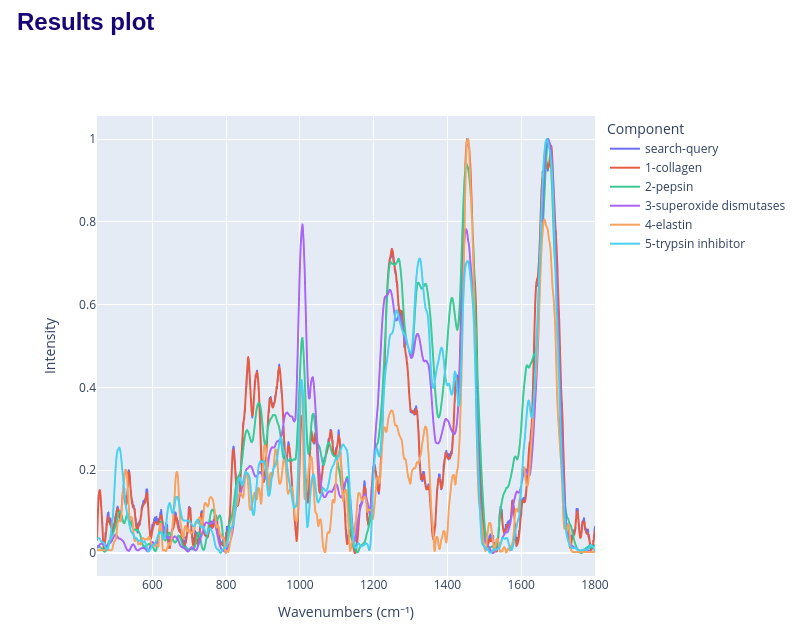
Spectral Linear Kernel (SLK) similarity search
This uses the full spectra plot to rank the database components by its SLK similarity to the unknown specturm.
Parameters:
- Raman spectrum file: the unnknown spectrum file containing the wavenumbers and intensity.
- Accepted formats (column names are not important, but the order):
- CSV (comma-separated) with 2 columns: wavenumbers, intensity
- Renishaw txt (double-tab-separated) with 2 columns: wavenumbers, intensity
- Accepted formats (column names are not important, but the order):
- Window size: the value of the window (W) parameter in SLK.
- Top N table: the number of components to show in the result table.
- Top N plot: the number of components to show in the result plot.
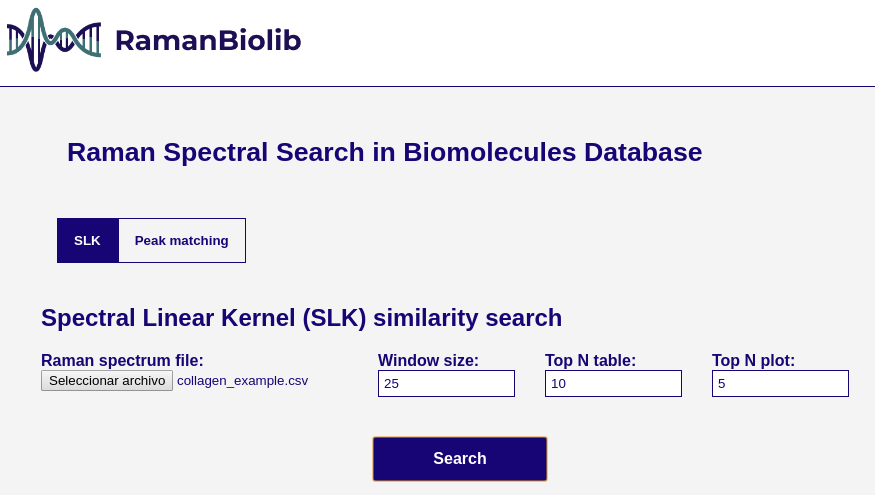
The search results display the ranked table of the most similar biomolecules in the RamanBiolib database:
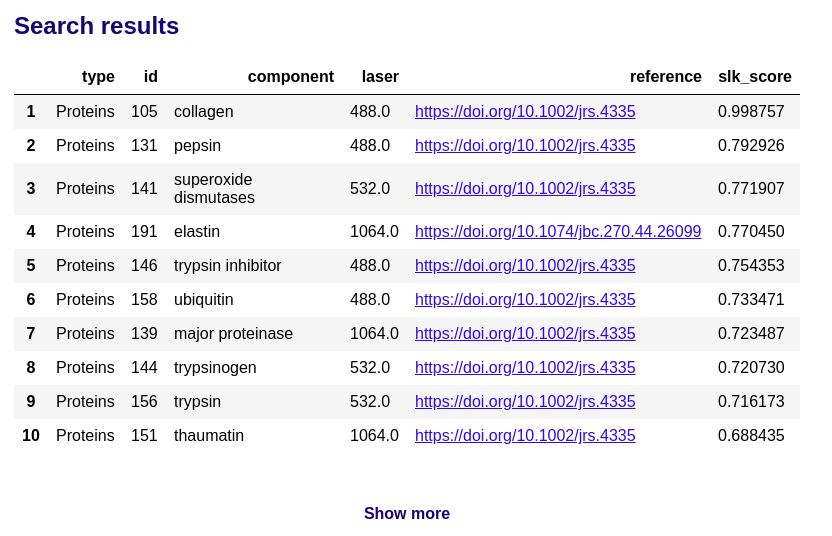
and the spectra comparison plot:
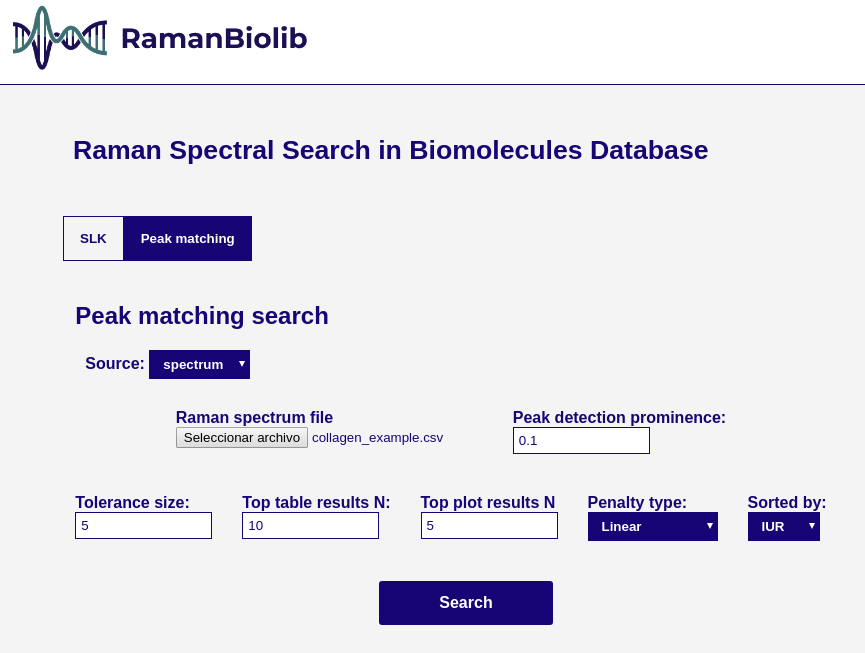
Peak matching search
This matching calculate the matching between the specturm extracted peak positions and each database component peak positions.
Parameters:
- Source:
- spectrum: the source is a spectrum file (as in SLK similarity search)
- Raman spectrum file: the unnknown spectrum file containing the wavenumbers and intensity.
- Accepted formats (column names are not important, but the order):
- CSV (comma-separated) with 2 columns: wavenumbers, intensity
- Renishaw txt (double-tab-separated) with 2 columns: wavenumbers, intensity
- Accepted formats (column names are not important, but the order):
- Peak detection prominence: the min prominence threshold for peak detection of the uploaded spectrum once the specturm is min-max normalized. The peak detection is done using scipy find_peaks function.
- Raman spectrum file: the unnknown spectrum file containing the wavenumbers and intensity.
- peaks list:
- Peaks wavenumbers: the source is a comma-separated list of peaks wavenumbers positions (cm⁻¹). Example: 100,500,652,1205,1652 (step=1cm⁻¹, min=450, max=1800)
- spectrum: the source is a spectrum file (as in SLK similarity search)
- Tolerance size: the simmetrical maximum distance tolerance for peak matching.
- Penalty type: the penalty function for PIUR calculation. Linear or Inverse power (1/x).
- Sorted by: the metric used to sort the results (IUR, MR, RMR, PIUR). Default IUR.
- Considering query spectrum peaks Pa and DB spectrum peaks Pb:
- MR (Matching Ratio) = intersection(Pa, Pb)/len(Pa)
- RMR (Reverse Matching Ratio) = intersection(Pa, Pb)/len(Pb)
- IUR (Intersection Union Ratio) = intersection(Pa, Pb)/union(Pa, Pb)
- PIUR (Penalized Intersection Union Ratio) = penalized_intersection(Pa, Pb)/union(Pa, Pb)
- Considering query spectrum peaks Pa and DB spectrum peaks Pb:
- Top N table: the number of components to show in the result table.
- Top N plot: the number of components to show in the result plot.
The search results display the ranked table of the most similar biomolecules in the RamanBiolib database:
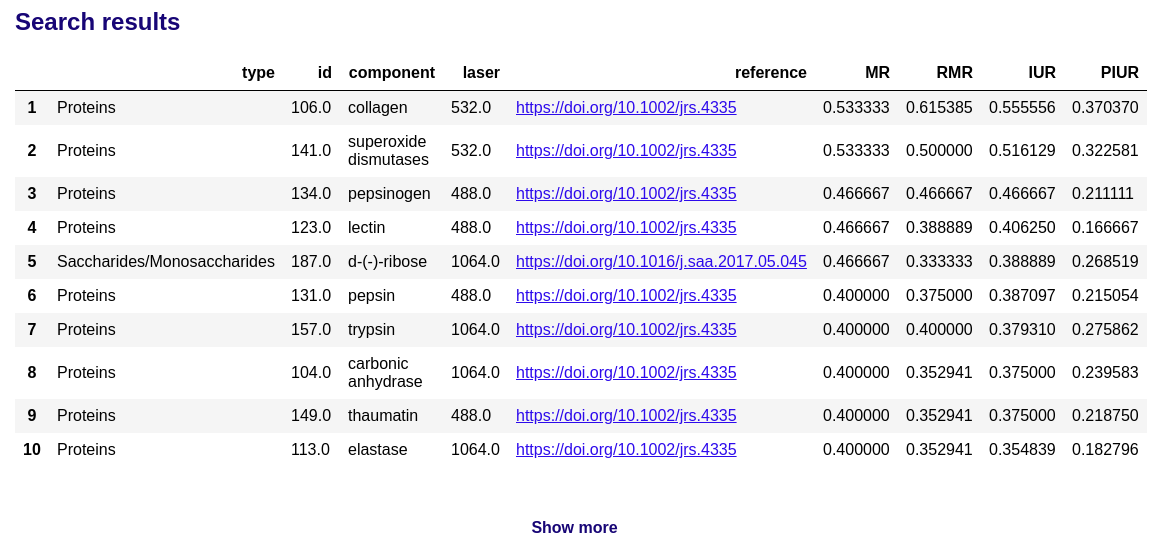
and the spectra comparison plot:
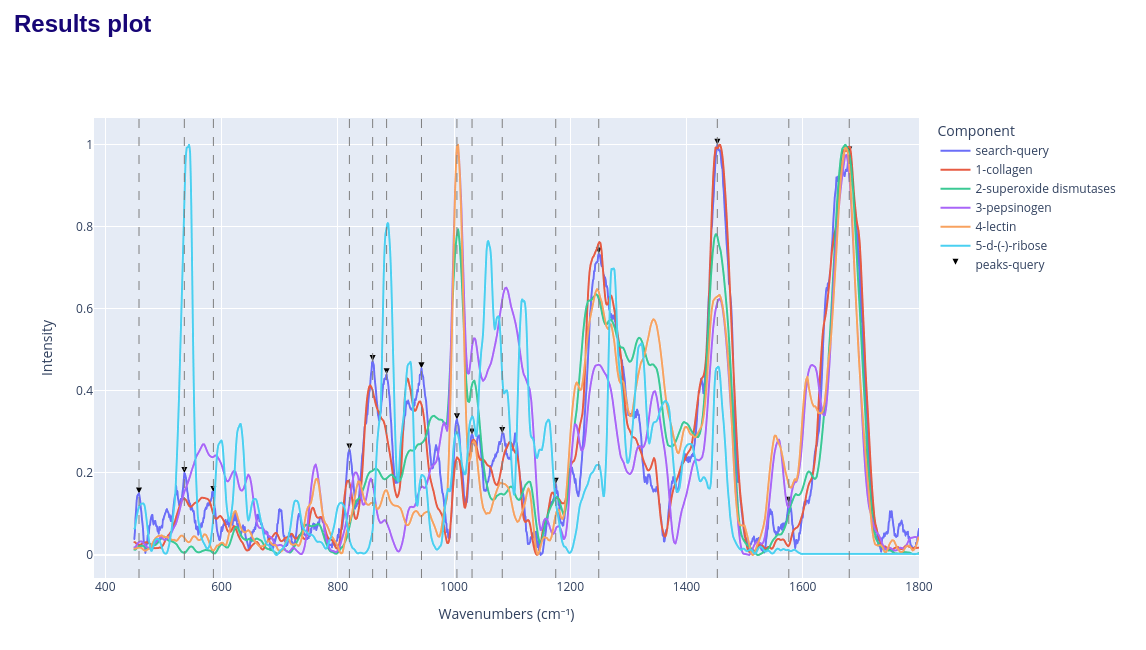
How to cite this tool
If you use this tool for research, please cite us:
M Terán, JJ Ruiz, P Loza-Alvarez, D Masip, D Merino, Open Raman spectral library for biomolecule identification, Chemometrics and Intelligent Laboratory Systems, Volume 264, 2025, 105476, ISSN 0169-7439, https://doi.org/10.1016/j.chemolab.2025.105476.
License
Release history Release notifications | RSS feed


Download files
Download the file for your platform. If you're not sure which to choose, learn more about installing packages.
Source Distribution
Built Distribution
Filter files by name, interpreter, ABI, and platform.
If you're not sure about the file name format, learn more about wheel file names.
Copy a direct link to the current filters
File details
Details for the file ramanbiolib_ui-1.0.0rc5.tar.gz.
File metadata
- Download URL: ramanbiolib_ui-1.0.0rc5.tar.gz
- Upload date:
- Size: 827.0 kB
- Tags: Source
- Uploaded using Trusted Publishing? No
- Uploaded via: twine/6.1.0 CPython/3.12.9
File hashes
| Algorithm | Hash digest | |
|---|---|---|
| SHA256 |
9fab76d49b3d83d8ae2c535bcce0cd764eeda59e0483c9628699472d559d95bb
|
|
| MD5 |
f26fef29cd4776b699c59a0e357538f4
|
|
| BLAKE2b-256 |
a0becd53e4201d50ff6c7f797df5e9c2404b826b7d737b55541619ff1d082d0a
|
File details
Details for the file ramanbiolib_ui-1.0.0rc5-py3-none-any.whl.
File metadata
- Download URL: ramanbiolib_ui-1.0.0rc5-py3-none-any.whl
- Upload date:
- Size: 164.8 kB
- Tags: Python 3
- Uploaded using Trusted Publishing? No
- Uploaded via: twine/6.1.0 CPython/3.12.9
File hashes
| Algorithm | Hash digest | |
|---|---|---|
| SHA256 |
08270febc72ef2d3da7ae7d2d1588fcd9972b80d4556efaaba0374ea5c89b037
|
|
| MD5 |
3d678e4cd440886886676be2ae8f793b
|
|
| BLAKE2b-256 |
3c1c4fff27d3e485160c89f25c437a050a66c37739558a1464916170f62d2762
|






